LeadDelta
Organizes LinkedIn connections with tags, notes, and contact enrichment for efficient networking
You’re scrolling through LinkedIn, your network sprawling like a digital jungle, connections piling up faster than you can manage. Enter LeadDelta, a sleek browser extension that promises to tame this chaos. It’s a CRM built specifically for LinkedIn, pulling your connections into a clean, organized dashboard where you can tag, filter, and enrich contact data with emails and phone numbers. I think it’s a tool that could save hours for anyone who lives and breathes professional networking. But does it deliver? Let’s explore.
LeadDelta’s core strength lies in its simplicity. The Connections Dashboard offers a table view where you can sort contacts by name, job title, company, or location. Want to find all your marketing leads in San Francisco? A few clicks, and you’re there. The tagging system lets you categorize contacts — say, “Warm Leads” or “Event Attendees” — and the notes feature keeps track of your last conversation. It’s like having a personal assistant who never forgets a face. The Smart Inbox mirrors LinkedIn’s messaging but with a larger, more organized interface, letting you pin or tag messages for quick follow-ups. For teams, the Workspaces feature allows collaborative contact management, syncing data across your crew.
What’s delightful? The time savings. Users on G2 rave about cutting tasks that took an hour down to minutes. LeadDelta’s AI Prospector pulls verified emails and phone numbers, which is a game-changer for sales folks or recruiters reaching out directly. It integrates with tools like HubSpot and Zapier, letting you push data to your existing CRM without breaking a sweat. Plus, it’s a Chrome extension, so there’s no clunky software to install. Just plug and play.
But it’s not flawless. Some users on Trustpilot grumble about a steep learning curve, especially when mastering the tagging and filtering systems. It might take a week or two to feel comfortable, which could frustrate those expecting instant mastery. Customer support gets mixed reviews — some praise its responsiveness, others call it sluggish when issues arise, like trouble canceling subscriptions. There’s also a gray area with LinkedIn’s Terms of Service. LeadDelta’s data extraction, while less aggressive than some automation tools, treads close to scraping, which could raise eyebrows at LinkedIn HQ. Competitors like Dux-Soup or Expandi push automation harder but risk stricter LinkedIn penalties.
Pricing-wise, LeadDelta offers a free trial and paid plans that feel mid-range compared to competitors. It’s not the cheapest, but the enrichment credits included in every plan add value. Some users on Capterra note the jump to team plans feels pricey for small businesses. A surprise? The bulk removal feature. You can schedule disconnections of irrelevant contacts, but LeadDelta caps it at 2-80 per day to stay safe, which might slow down network cleanups.
For anyone juggling a large LinkedIn network, LeadDelta is worth a spin. Start with the free trial to test the dashboard and tagging. If you’re in sales or recruitment, prioritize learning the AI Prospector to enrich your leads. Just keep an eye on LinkedIn’s rules and don’t overdo profile visits to stay in the clear.
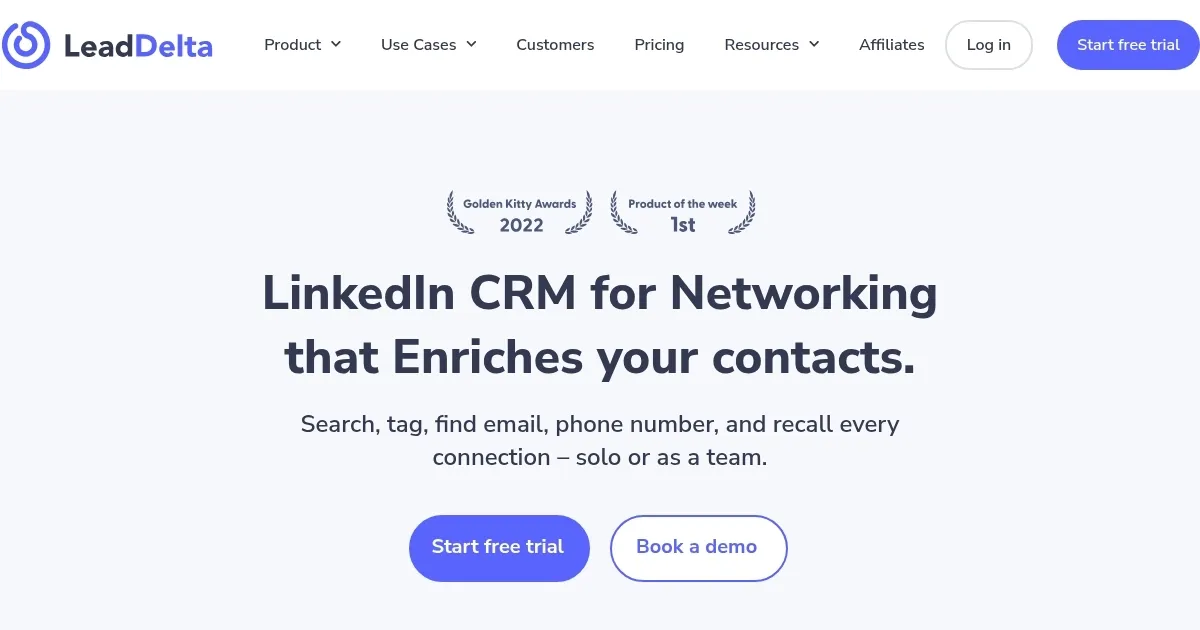
Homepage Screenshot 📸
Video Overview 🎬

What are the key features? ✨
- Connections Dashboard: Organizes LinkedIn contacts in a sortable table for easy management.
- AI Prospector: Enriches contacts with verified business and personal emails and phone numbers.
- Smart Inbox: Mirrors LinkedIn messaging with enhanced organization, pinning, and tagging.
- Workspaces: Enables team collaboration with shared tags, notes, and contact management.
- Integrations: Syncs with HubSpot and Zapier for seamless data export to other CRMs.
Who is it for? 🤔
Examples of what you can use it for 💡
- Sales Professional: Tags and filters LinkedIn connections to prioritize warm leads for targeted outreach.
- Recruiter: Uses AI Prospector to find candidate emails and phone numbers for direct recruitment.
- Marketer: Organizes event attendees into lists for follow-up campaigns using Smart Inbox.
- Entrepreneur: Manages investor contacts with notes and tags to track fundraising progress.
- Team Manager: Shares contact data via Workspaces to align team efforts in client acquisition.
Pros & Cons ⚖️
- Saves time organizing LinkedIn contacts
- Enriches contacts with verified data
- Integrates with HubSpot, Zapier
- Lightweight Chrome extension
- Potential LinkedIn TOS conflict
- Team plans pricey for small firms
FAQs 💬
Ready to try LeadDelta?
Organizes LinkedIn connections with tags, notes, and contact enrichment for efficient networking
Visit LeadDeltaLeadDelta alternatives 🔗