logo-darklogo-darklogo-darklogo-dark
  • Tool Categories
    • 🎨Art & Creative Design505
    • 🏢Business Management644
    • 💻Coding & Development514
    • 👮Detection83
    • 🧠General Use728
    • 🏥Health & Wellness55
    • 📷Image & Photo Analysis100
    • 🖼️Image Generation & Editing618
    • 📐Interior & Architectural Design37
    • 🎓Learning & Education483
    • ⚖️Legal & Finance90
    • 🎭Lifestyle & Entertainment236
    • 📢Marketing & Advertising627
    • 🎧Music & Audio138
    • 👔Office & Workplace1,014
    • 🔬Research & Data Analysis373
    • 👥Social Media245
    • 🎥Video Generation & Editing426
    • 👧🏻Virtual Companion135
    • 🎤Voice Generation & Editing381
    • ✍️Writing & Editing808
    • All Categories
    • AI Use Cases
  • News
  • Events
    • Academic Conferences
    • Developer Conferences
    • Expos / Trade Shows
    • Industry Summits
    • Workshops / Training
    • All Events
    • Past Events
  • Saved Tools
  • Suggest a Tool
✕
Home › Art & Creative Design › Logo Generation› Logo Diffusion
Logo Diffusion

Logo Diffusion

An AI-powered logo creation tool designed to simplify the logo design process

Logo Diffusion is an AI-powered logo creation tool designed to simplify the logo design process. By leveraging generative AI, it allows users to create unique logos from simple text prompts, sketches, or existing logos.

The platform offers different features, including the ability to convert 2D logos into 3D illustrations, turn any image into a logo, and remove backgrounds to generate transparent PNG files.

Logo Diffusion is easy to use, enabling just about anyone to create a logo with ease. Users can generate up to four logo options per prompt and can continue generating new designs until they find a satisfactory result. The tool can also be used for redesigning existing logos based on user-provided text prompts, offering endless customization possibilities.

Overall, Logo Diffusion is a comprehensive tool for anyone looking to quickly and efficiently create professional-quality logos. Its combination of advanced AI capabilities, ease of use, and extensive customization options make it a valuable tool for businesses, designers, and individuals seeking to elevate their brand with minimal effort.

Visit Logo Diffusion ↗
Categories
🎨 Art
💠 Logo Generation 🖼️ Design Generation 🖌️ Graphic Design 🔣 Icon Generation
🖼️ Image
🖼️ Image Generation 🪄 Text to Image
🏢 Business
🏢 Enterprise

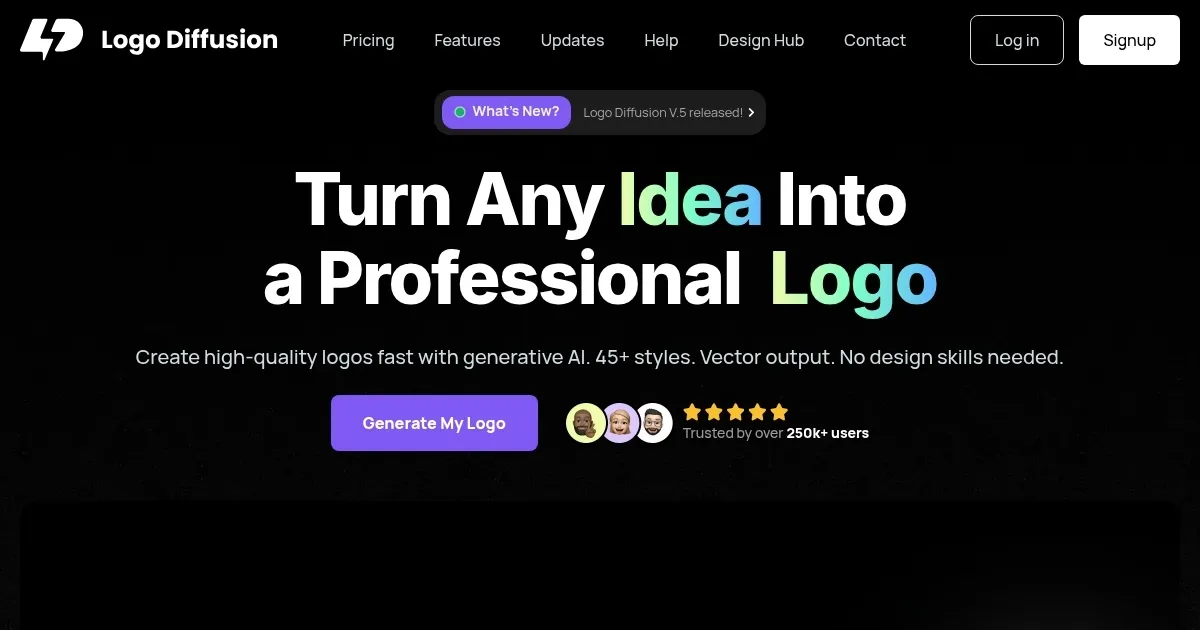
Homepage Screenshot 📸

Logo Diffusion screenshot

Video Overview 🎬

Logo Diffusion - Video Overview

What are the key features? ✨

  • Generative AI design: Creates unique and custom logos from text prompts, generating multiple options for users to choose from.
  • Redesigning: It also allows users to transform existing logos through text prompts.
  • Sketch to logo: Users can start with a simple sketch and let the AI refine it into a professional logo, with an in-app editor allowing for precise control.
  • 2D to 3D conversion: It can convert 2D logos into 3D illustrations, which is perfect for enhancing brand recognition with dynamic visuals.
  • Image transformation: Turns any image or photograph into a simplified logo or stylized illustration, enhancing visual storytelling.

Who is it for? 🤔

Logo Diffusion is made for entrepreneurs, small business owners, marketers, and graphic designers who need to create or refresh logos quickly and efficiently. It is ideal for those who want to leverage AI to produce high-quality, customized logos without extensive design experience. The tool's ease of use and powerful features make it accessible to a broad audience seeking to enhance their branding and visual identity.

Examples of what you can use it for 💡

  • Entrepreneurs can quickly generate professional logos to establish their brand identity
  • Companies looking to refresh their logo can easily redesign their existing logos
  • Marketers can create unique and varied logo designs for different campaigns
  • Graphic designers can use the tool to explore new ideas and concepts for client projects
  • Content creators can generate diverse logo styles for use in various social media posts

Pros & Cons ⚖️

  • Allows anyone to create a fancy logo
  • You can also use it to redesign an existing one
  • Sketch-to-logo is particularly handy
  • Adobe Illustrator pros will prefer the "good ol' way"

FAQs 💬

What kind of input does Logo Diffusion accept to generate logos?
It works with text prompts describing your idea, or you can upload or draw a basic sketch right in the app for the AI to refine.
Do I need design experience to use Logo Diffusion effectively?
No design skills are required. The tool guides beginners through prompts and editing while giving pros detailed controls for precision.
Can Logo Diffusion produce vector files for professional use?
Yes, it exports clean SVG vectors that scale perfectly and work in any vector editing software.
Does the tool support turning existing images into logos?
It offers style transfer and image-to-logo capabilities, where you can apply the look of a reference image or convert 2D artwork into a refined logo style.
What advanced features help customize logos beyond basic generation?
Features include a Magic Editor for precise changes, 2D-to-3D conversion, upscaling for higher resolution, color fine-tuning, and 45+ curated design styles.
Is Logo Diffusion suitable for commercial projects?
Users retain ownership of creations, and the platform provides commercial-ready exports across plans.
How does Logo Diffusion handle text in logos?
The AI generates logos with integrated text from prompts, though occasional tweaks might be needed for perfect spelling or placement in complex cases.
Can I remove backgrounds from generated logos easily?
Yes, it includes instant seamless background removal to create transparent PNG files ideal for versatile use.
What makes Logo Diffusion different from general AI image generators like Midjourney?
It focuses specifically on logos with trained models for clean, brand-appropriate results, vector output, and logo-specific editing tools rather than broad artistic images.
Does the platform offer ways to iterate and refine designs quickly?
It generates multiple variations per prompt, allows unlimited regenerations, and provides an in-app editor so you can keep improving until the logo feels right.

Ready to try Logo Diffusion?

An AI-powered logo creation tool designed to simplify the logo design process

Visit Logo Diffusion ↗

Logo Diffusion alternatives 🔗

  1. Midjourney Midjourney Generates high-quality images from text prompts using AI.
  2. DALL-E DALL-E Generates detailed images from text prompts with enhanced nuance and safety features
  3. Canva Magic Design Canva Magic Design Generates custom, on-brand designs from text prompts or uploaded media in seconds.
  4. Adobe Express Adobe Express Creates on-brand content with AI-driven design and video tools
  5. Shopify Logo Maker Shopify Logo Maker Creates custom, high-resolution logos for businesses quickly
  6. Freepik AI Freepik AI Creates AI images and videos with fluid motion, detailed textures, and synced audio up to 1080p
Share
Logo Diffusion screenshot enlarged
Best AI Tools

Discover the best AI tools for any use case

Explore
  • Tool Categories
  • AI Use Cases
  • AI Events
  • AI News
  • Saved Tools
Company
  • About Us
  • Contact Us
  • Media & Partnerships
  • Suggest a Tool
Legal
  • Privacy Policy
  • Terms of Service
Copyright © 2026 Best AI Tools 415 Mission Street, 37th Floor, San Francisco, CA 94105