logo-darklogo-darklogo-darklogo-dark
  • Tool Categories
    • ๐ŸŽจArt & Creative Design505
    • ๐ŸขBusiness Management644
    • ๐Ÿ’ปCoding & Development515
    • ๐Ÿ‘ฎDetection83
    • ๐Ÿง General Use727
    • ๐ŸฅHealth & Wellness55
    • ๐Ÿ“ทImage & Photo Analysis100
    • ๐Ÿ–ผ๏ธImage Generation & Editing618
    • ๐Ÿ“Interior & Architectural Design37
    • ๐ŸŽ“Learning & Education483
    • โš–๏ธLegal & Finance90
    • ๐ŸŽญLifestyle & Entertainment236
    • ๐Ÿ“ขMarketing & Advertising627
    • ๐ŸŽงMusic & Audio138
    • ๐Ÿ‘”Office & Workplace1,014
    • ๐Ÿ”ฌResearch & Data Analysis372
    • ๐Ÿ‘ฅSocial Media245
    • ๐ŸŽฅVideo Generation & Editing426
    • ๐Ÿ‘ง๐ŸปVirtual Companion135
    • ๐ŸŽคVoice Generation & Editing381
    • โœ๏ธWriting & Editing808
    • All Categories
    • AI Use Cases
  • News
  • Events
    • Academic Conferences
    • Developer Conferences
    • Expos / Trade Shows
    • Industry Summits
    • Workshops / Training
    • All Events
    • Past Events
  • Saved Tools
  • Suggest a Tool
โœ•
Home › Image Generation & Editing › Product Photography› Luw.ai
Luw.ai

Luw.ai

Transforms photos into stunning interior and exterior designs using AI

I spent a weekend (and part of Monday) messing around with Luw.ai, and let me tell you, it’s like wielding a magic paintbrush for your home. I uploaded a grainy photo of my cramped apartment balcony, typed “modern urban oasis with string lights,” and in seconds, Luw.ai conjured a vision so vivid I wanted to move in immediately. The platform’s AI personas — customizable digital assistants trained by top architects — feel like they’re reading your mind. You can tweak them to match your taste, and they keep getting smarter as you “like” or “skip” designs. It’s a bit addictive, like scrolling through Pinterest but with results tailored just for you.

The Magic Wand tool stole the show for me. I highlighted an ugly plastic chair in my photo, typed “replace with sleek metal bench,” and poof — it was gone, replaced with a chic piece that tied the whole look together. The AI Rendering feature is another gem, turning my rough sketch of a kitchen layout into a photorealistic render that could pass for a magazine spread. I also tried the 3D model generator, uploading a screenshot from SketchUp, and the output was clean enough to import back into my 3D software. The speed is unreal — faster than brewing my morning coffee.

That said, I hit a few snags. The free version’s watermarks are a bummer if you want to share your designs professionally, and I noticed the AI occasionally overdoes textures, making some renders look slightly artificial. Compared to RoomsGPT, which focuses heavily on virtual staging, Luw.ai’s broader scope (interiors, exteriors, and 3D models) feels more versatile, but it doesn’t match Architechtures for BIM integration or team workflows. Pricing-wise, Luw.ai’s paid plans seem competitive, offering decent flexibility, though you’ll need to upgrade for commercial use.

The surprise was how fun it is to experiment with exterior designs. I transformed my balcony into a Japanese-inspired Zen garden, complete with bamboo and a koi pond I didn’t even know I wanted. It’s not perfect — sometimes the AI misinterprets prompts, like when I got a neon-colored fence instead of “subtle wood tones” — but the results are still impressive.

Practical tip: Take multiple photos of your space from different angles to give the AI more to work with. Be specific with your prompts, and don’t be afraid to iterate with the “Next” button to refine the output. If you’re on the free plan, save your best designs for personal use to avoid watermark issues.

Visit Luw.ai ↗
Categories
๐Ÿ–ผ๏ธ Image
๐Ÿ›๏ธ Product Photography ๐Ÿ–ผ๏ธ Image Generation ๐Ÿž๏ธ Background Generation โœ๏ธ Photo Editing
๐Ÿ“ข Advertising
๐ŸŽจ Ad Creative ๐Ÿš€ Marketing
๐ŸŽจ Art
๐Ÿ“ท Photography

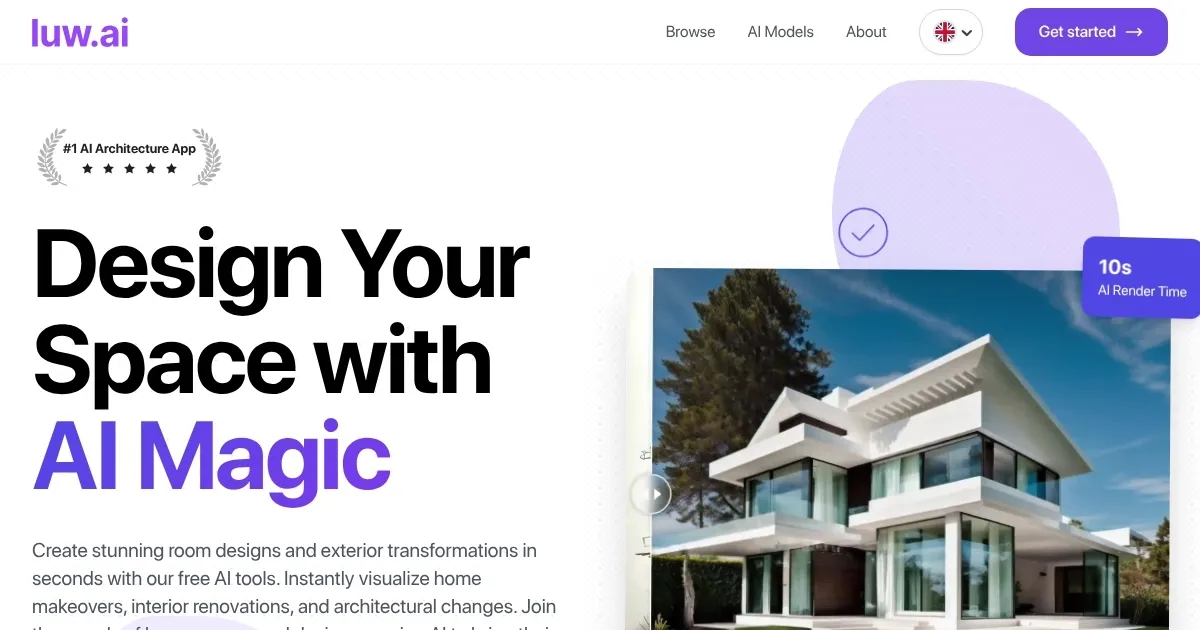
Homepage Screenshot 📸

Luw.ai screenshot

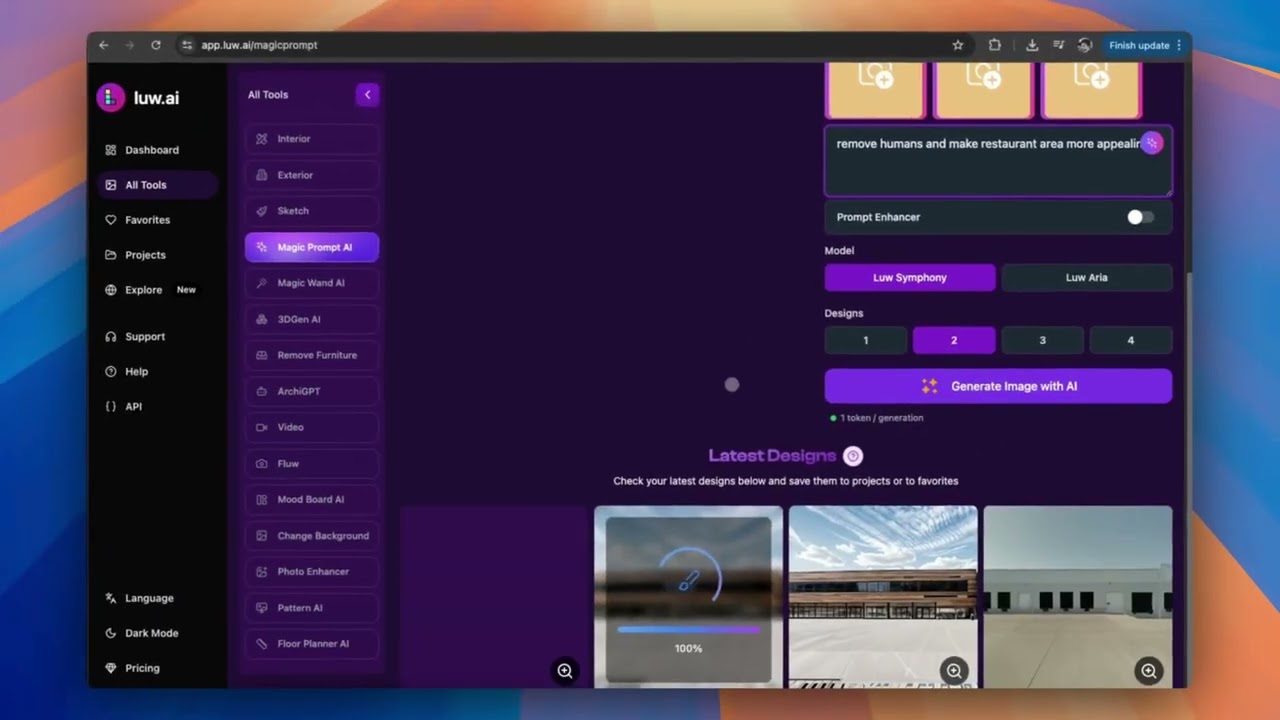
Video Overview 🎬

Luw.ai - Video Overview

What are the key features? ✨

  • Magic Wand: Add, remove, or replace objects in designs via text prompts.
  • AI Rendering: Converts photos or 3D model screenshots into photorealistic visuals.
  • Unlimited AI Personas: Create customizable AI assistants that adapt to your style.
  • Live Design & Redesign: Transform spaces instantly using uploaded photos.
  • Floorplanner AI: Generates interactive room layouts for optimized space planning.

Who is it for? 🤔

Luw.ai is ideal for homeowners, interior designers, architects, real estate agents, and DIY enthusiasts looking to visualize and redesign spaces without needing advanced design skills. Its intuitive interface and AI-driven features make it accessible for beginners, while its compatibility with 3D modeling software and high-quality exports cater to professionals seeking efficient workflows.

Examples of what you can use it for 💡

  • Homeowner: Redesigns a living room by uploading a photo to create a modern layout.
  • Interior Designer: Generates multiple style variations for a clientโ€™s bedroom in seconds.
  • Architect: Converts a SketchUp screenshot into a photorealistic render for a presentation.
  • Real Estate Agent: Virtually stages an empty property to attract potential buyers.
  • DIY Enthusiast: Transforms a garden sketch into a detailed outdoor design.

Pros & Cons ⚖️

  • Intuitive interface for all skill levels.
  • Supports interior and exterior designs.
  • Integrates with 3D modeling software.
  • Free plan includes watermarks.

FAQs 💬

Is Luw.ai free to use?
Yes, Luw.ai offers a free plan with core features, but outputs include watermarks and are for non-commercial use only.
Can I use Luw.ai for professional projects?
Paid plans allow commercial use and provide watermark-free, high-definition exports.
What types of files can I upload?
You can upload photos, sketches, or screenshots from 3D modeling software like SketchUp or Blender.
Does Luw.ai require design experience?
No, its user-friendly interface is designed for beginners and professionals alike.
Can I redesign outdoor spaces with Luw.ai?
Yes, Luw.ai supports exterior designs, including gardens and terraces, with the same ease as interiors.
How do AI personas work?
AI personas are customizable assistants that learn your preferences to generate tailored designs.
Is Luw.ai available on mobile devices?
Yes, itโ€™s available on iOS and Android via the Luw AI app, in addition to web and macOS.
Can I export designs in high quality?
Paid plans allow HD exports up to 4X (Basic) or 8X (Pro) resolution.
Does Luw.ai integrate with other tools?
It supports integration with 3D software and offers API connectivity via platforms like ApiX-Drive.
Is my data safe with Luw.ai?
The developer reports no data collection, ensuring privacy, per App Store information.

Ready to try Luw.ai?

Transforms photos into stunning interior and exterior designs using AI

Visit Luw.ai ↗

Luw.ai alternatives 🔗

  1. Remove.bg Remove.bg A free online tool that automatically removes backgrounds from images
  2. Pixelcut Pixelcut A suite of AI-powered image editing and upscaling tools
  3. PhotoRoom PhotoRoom An AI-powered photo editing tool that removes backgrounds and enhances photos with user-friendly features.
  4. Cutout.Pro Cutout.Pro An AI-powered automatic visual design platform that saves time & money
  5. Vmake AI Vmake AI An AI-powered platform designed to enhance the online retail experience
  6. insMind insMind An AI-powered photo editing tool made to simplify the creation of professional product images
Share
Luw.ai screenshot enlarged
Promote Luw.ai
light badge
Copy Embed Code
dark badge
Copy Embed Code
neutral badge
Copy Embed Code
Best AI Tools

Discover the best AI tools for any use case

Explore
  • Tool Categories
  • AI Use Cases
  • AI Events
  • AI News
  • Saved Tools
Company
  • About Us
  • Contact Us
  • Media & Partnerships
  • Suggest a Tool
Legal
  • Privacy Policy
  • Terms of Service
Copyright © 2026 Best AI Tools 415 Mission Street, 37th Floor, San Francisco, CA 94105