logo-darklogo-darklogo-darklogo-dark
  • Tool Categories
    • ๐ŸŽจArt & Creative Design505
    • ๐ŸขBusiness Management644
    • ๐Ÿ’ปCoding & Development515
    • ๐Ÿ‘ฎDetection83
    • ๐Ÿง General Use727
    • ๐ŸฅHealth & Wellness55
    • ๐Ÿ“ทImage & Photo Analysis100
    • ๐Ÿ–ผ๏ธImage Generation & Editing618
    • ๐Ÿ“Interior & Architectural Design37
    • ๐ŸŽ“Learning & Education483
    • โš–๏ธLegal & Finance90
    • ๐ŸŽญLifestyle & Entertainment236
    • ๐Ÿ“ขMarketing & Advertising627
    • ๐ŸŽงMusic & Audio138
    • ๐Ÿ‘”Office & Workplace1,014
    • ๐Ÿ”ฌResearch & Data Analysis372
    • ๐Ÿ‘ฅSocial Media245
    • ๐ŸŽฅVideo Generation & Editing426
    • ๐Ÿ‘ง๐ŸปVirtual Companion135
    • ๐ŸŽคVoice Generation & Editing381
    • โœ๏ธWriting & Editing808
    • All Categories
    • AI Use Cases
  • News
  • Events
    • Academic Conferences
    • Developer Conferences
    • Expos / Trade Shows
    • Industry Summits
    • Workshops / Training
    • All Events
    • Past Events
  • Saved Tools
  • Suggest a Tool
โœ•
Home › Image Generation & Editing › Image Generation› Maze Guru
Maze Guru

Maze Guru

Edits product photos instantly via chat prompts for professional results

Maze Guru is an AI art generator platform that simplifies the process of creating art through AI. Catering to both amateurs and seasoned artists, it offers an engaging experience with a user-friendly interface that makes art creation accessible to all skill levels.

By providing many different tools and features, Maze Guru empowers users to bring their imagination to life with minimal effort. Notably, the platform offers free daily credits — allowing users to experiment with creating artworks without initial investment, although the number of images one can create per day as a free user is limitedโ€‹.

The platform boasts over 2000 artistic styles that range from Midjournery to Nijijournery, offering a rich palette for creative expression. This wide range ensures that users can find a style that resonates with their artistic vision.

Maze Guru works across multiple platforms — including Discord, iOS, Android, and web — ensuring that users can access and use the platform from virtually anywhere. Subscription options cater to varying needs, from Freemium to Paid models, with billing options that include monthly, annually, and credit purchase.

Visit Maze Guru ↗
Categories
๐Ÿ–ผ๏ธ Image
๐Ÿ–ผ๏ธ Image Generation ๐Ÿช„ Text to Image ๐Ÿง‘โ€๐ŸŽค Avatar Generation
๐ŸŽจ Art
๐ŸŽจ Art Generation ๐ŸŒธ Anime Generation ๐Ÿฆธ Cartoon Generation

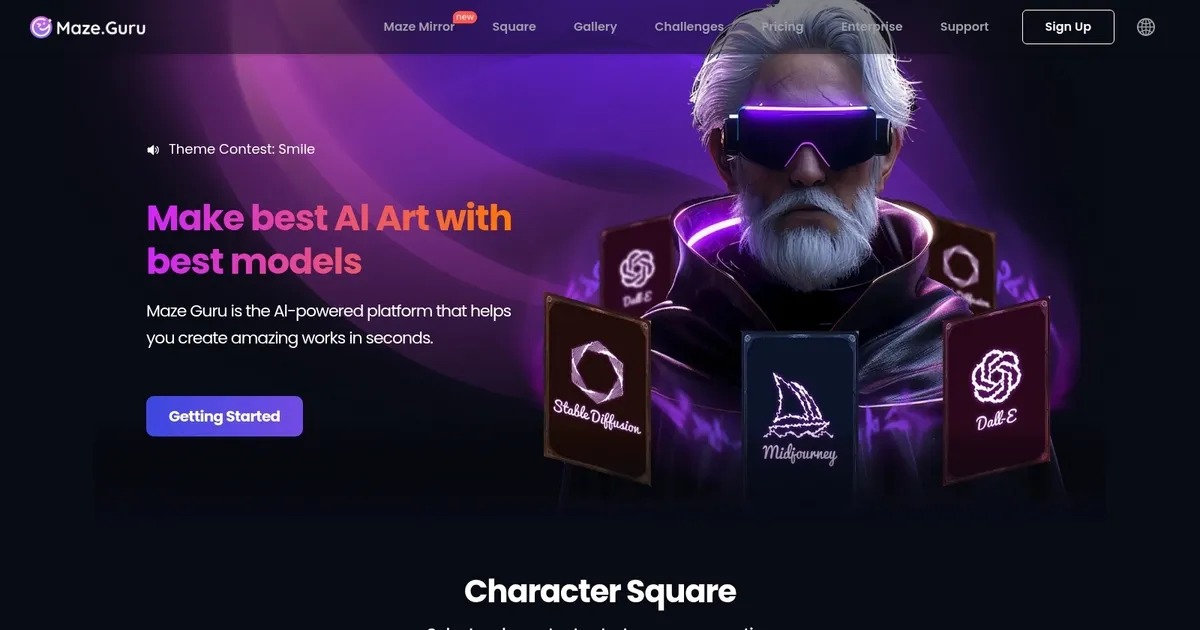
Homepage Screenshot 📸

Maze Guru screenshot

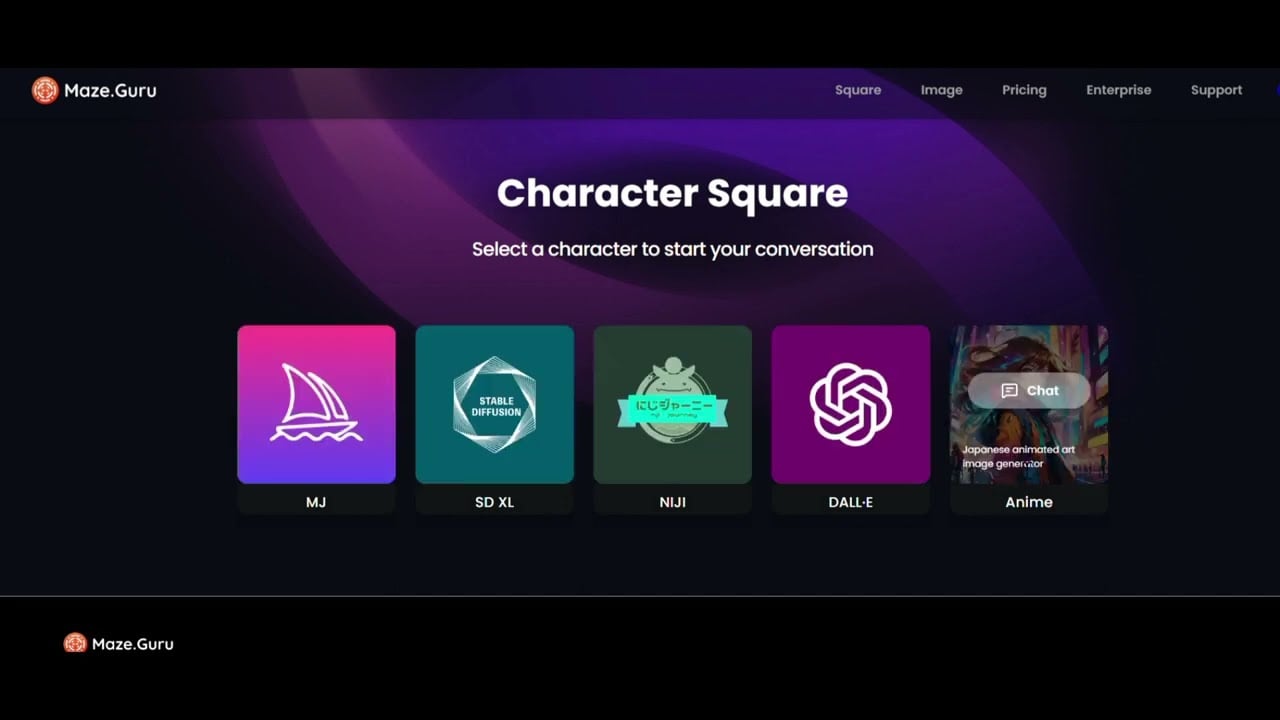
Video Overview 🎬

Maze Guru - Video Overview

What are the key features? ✨

  • Chat-to-Edit: Edit photos instantly by describing changes in natural language for fast, iterative updates.
  • Nano Banana Model: Leverages specialized AI for pro-level product photography results with accurate detail preservation.
  • Style Variety: Generates or transforms images across realistic, anime, illustration, 3D, logo, and architecture styles.
  • Quick Processing: Completes most edits in about 5 seconds, enabling rapid experimentation and variations.
  • Inspiration Gallery: Provides sparks and examples in multiple categories to guide users toward creative outputs.

Who is it for? 🤔

Maze Guru helps e-commerce sellers, small business owners, content creators, and marketers who need fast, high-quality product photos without hiring photographers or mastering complex editing software. Its also useful for hobbyists and designers exploring quick visual concepts across styles, especially those who prefer describing ideas over manual tweaks.

Examples of what you can use it for 💡

  • E-commerce seller: Quickly creates multiple styled variations of product photos for listings, removing backgrounds or enhancing lighting via chat.
  • Social media creator: Transforms everyday shots into eye-catching branded visuals or anime-style graphics for posts and stories.
  • Small business owner: Generates professional-looking images for ads and websites without design experience or expensive tools.
  • Marketing professional: Produces consistent branding assets like logos or 3D mockups by describing desired changes to uploaded files.
  • Creative hobbyist: Experiments with artistic styles on personal photos, turning realistic images into illustrations or architectural renders for fun.

Pros & Cons ⚖️

  • Fast chat-based edits
  • Strong product photo quality
  • Free trial available
  • Wide style options
  • Limited free credits
  • Occasional prompt misreads

FAQs 💬

What is Maze Guru mainly used for?
Maze Guru focuses on editing product photos through chat prompts and generating creative images in various styles, ideal for quick professional visuals.
Is there a free version of Maze Guru?
Yes, it offers free access with limited credits so you can try editing and generating images before upgrading.
How does the chat editing work?
Upload a photo, type what you want changed (like lighting, background, or style), and the AI applies updates in seconds.
What makes Maze Guru good for product photography?
It uses specialized models like Nano Banana to deliver clean, pro results while preserving product details during edits.
Can I use Maze Guru for non-product images?
Yes, it supports broader generation in styles like anime, 3D, realistic, and more for creative or illustrative work.
How does it compare to Photoroom?
Maze Guru emphasizes open chat-based iterative edits, while Photoroom focuses more on automated one-click background removal and templates.
Do I need prompt engineering skills?
Not really, natural language descriptions work well, though clearer prompts give better control.
What devices can I use Maze Guru on?
It runs in a web browser, so it works on desktop, laptop, tablet, or mobile devices with internet.

Ready to try Maze Guru?

Edits product photos instantly via chat prompts for professional results

Visit Maze Guru ↗
Maze Guru alternatives 🔗

  1. ChatGPT ChatGPT All-round AI assistant generating human-like responses to user queries and tasks
  2. Grok Grok Delivers witty, real-time AI responses with advanced reasoning and image generation
  3. Imagen Imagen Generates photorealistic images from detailed text prompts
  4. Black Forest Labs Black Forest Labs Generates high-quality images from text prompts with precision and speed
  5. Kling AI Kling AI Generates cinematic videos from text or images with realistic motion
  6. Runway Runway Generates and edits AI-powered videos from text prompts
Share
Maze Guru screenshot enlarged
Promote Maze Guru
light badge
Copy Embed Code
dark badge
Copy Embed Code
neutral badge
Copy Embed Code
Best AI Tools

Discover the best AI tools for any use case

Explore
  • Tool Categories
  • AI Use Cases
  • AI Events
  • AI News
  • Saved Tools
Company
  • About Us
  • Contact Us
  • Media & Partnerships
  • Suggest a Tool
Legal
  • Privacy Policy
  • Terms of Service
Copyright © 2026 Best AI Tools 415 Mission Street, 37th Floor, San Francisco, CA 94105