logo-darklogo-darklogo-darklogo-dark
  • Tool Categories
    • 🎨Art & Creative Design505
    • 🏢Business Management644
    • 💻Coding & Development514
    • 👮Detection83
    • 🧠General Use728
    • 🏥Health & Wellness55
    • 📷Image & Photo Analysis100
    • 🖼️Image Generation & Editing618
    • 📐Interior & Architectural Design37
    • 🎓Learning & Education483
    • ⚖️Legal & Finance90
    • 🎭Lifestyle & Entertainment236
    • 📢Marketing & Advertising627
    • 🎧Music & Audio138
    • 👔Office & Workplace1,014
    • 🔬Research & Data Analysis373
    • 👥Social Media245
    • 🎥Video Generation & Editing426
    • 👧🏻Virtual Companion135
    • 🎤Voice Generation & Editing381
    • ✍️Writing & Editing808
    • All Categories
    • AI Use Cases
  • News
  • Events
    • Academic Conferences
    • Developer Conferences
    • Expos / Trade Shows
    • Industry Summits
    • Workshops / Training
    • All Events
    • Past Events
  • Saved Tools
  • Suggest a Tool
✕
Home › Video Generation & Editing › Long To Short Video Generation› Overlap
Overlap

Overlap

Automates turning long videos into branded short clips for social media

Overlap.ai is an AI platform that automates video clipping and social media posting for creators and brands. It processes long-form content like podcasts and streams into short clips ready for platforms such as TikTok and Instagram Reels. The tool uses multimodal AI, including GPT-5 models, to understand video context and generate branded outputs.

Clipping Agents form the core feature. Users set preferences for style and branding once. The AI then scans uploads, extracts key moments, and produces standalone clips with subtitles and transitions. This handles tasks from lecture summaries to highlight reels without manual timestamps.

Posting Personas create custom AI voices for content. The system generates captions and schedules posts to match brand tone. Profile Automation extends this by planning content calendars. It analyzes past performance to optimize timing and distribution across channels.

Integrations include YouTube, Google Drive, and Dropbox for automatic detection of new videos. Direct Posting supports TikTok, Reels, Shorts, and X with cross-posting capabilities. The Video Editor allows custom elements like color grading and watermarks. Auto-vertical conversion reframes footage while centering subjects.

Users report 30 hours saved per week and 12x increases in views. iHeartMedia achieved 151 million impressions using the tool. Competitors such as Opus Clip offer similar clipping but lack Overlap’s full automation chain. Pricing follows an enterprise model with sales consultations. Start by booking a demo to assess fit for your workflow.

Visit Overlap ↗
Categories
🎥 Video
✂️ Long To Short Video Generation 📲 Short Video Generation ✏️ Video Editing 🎶 Tiktok Video Generation 📱 Reel Generation
✍️ Writing
♻️ Content Repurposing
🎤 Voice
🎙️ Podcast
👥 Social
🎵 TikTok

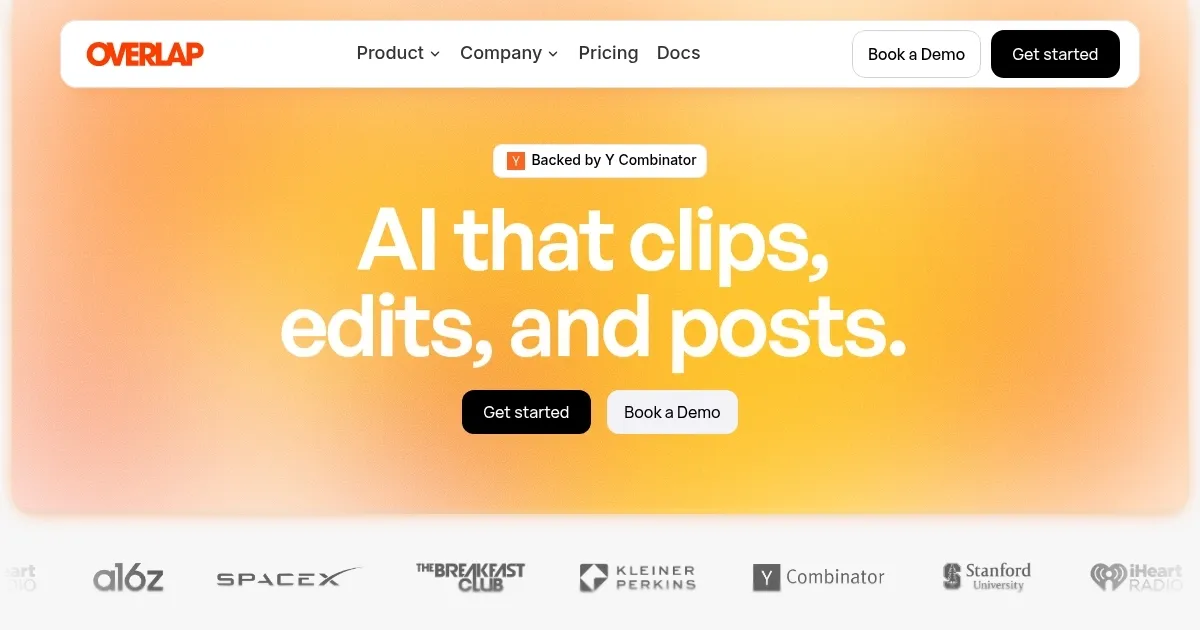
Homepage Screenshot 📸

Overlap screenshot

What are the key features? ✨

  • Clipping Agents: AI turns long-form videos into branded, ready-to-post short clips based on user-set preferences.
  • Posting Personas: Custom AI generates posts and captions that align with specific brand voices for social media.
  • Profile Automation: Plans and optimizes content schedules across platforms using engagement data.
  • Auto Convert to Vertical: Reframes horizontal videos to portrait mode while keeping faces and visuals centered.
  • Direct Posting: Connects to social platforms for seamless uploading and cross-posting of clips.

Who is it for? 🤔

Overlap.ai suits content creators, marketing teams, and brands that produce long-form videos but struggle with short-form distribution. Podcasters find it ideal for extracting highlights without editing marathons, while agencies scale client posts across channels. Solo influencers appreciate the time savings on branding and scheduling, and enterprises like media companies use it to boost impressions at volume. If your workflow involves video assets and social feeds, this tool empowers consistent output without expanding headcount.

Examples of what you can use it for 💡

  • Podcaster: Extracts key discussion moments from episodes into engaging Reels that drive listener sign-ups.
  • Marketing Team: Automates demo clips from webinars, posting them timed for peak audience engagement on LinkedIn.
  • Solo Creator: Converts streams to TikTok snippets with custom subtitles, growing followers through viral hooks.
  • Brand Manager: Schedules branded highlights across platforms, ensuring consistent voice from product launches.
  • Educator: Pulls lecture takeaways into vertical Shorts, enhancing student reach on YouTube and Instagram.

Pros & Cons ⚖️

  • Saves 30 hours weekly
  • Boosts views 12x
  • Easy integrations
  • Custom brand styles
  • Learning curve initial
  • Enterprise pricing

FAQs 💬

Do I retain ownership of my content?
Yes, you keep full ownership and control over all produced content. Overlap provides tools to manage and share it efficiently.
How quickly can I start using Overlap.ai?
Onboarding takes a few days with sales team support for integrations and setup.
What integrations does Overlap.ai support?
It connects to YouTube, Google Drive, Dropbox, and social platforms like TikTok and Instagram for automatic processing.
Can I customize clips to my brand?
Yes, set styles for color grading, watermarks, subtitles, and music through the Video Editor.
How does pricing work?
Enterprise model; contact sales for tailored quotes based on usage and features.
What file types does it handle?
Supports video uploads from links or files, including podcasts, streams, and broadcasts.
Is there a free trial?
Book a demo to test features; full access follows sales discussion.
How accurate is moment detection?
AI scans context for resonant clips, with users reporting high relevance after prompt tuning.
Does it post to multiple platforms?
Yes, direct posting to TikTok, Reels, Shorts, X, with cross-posting options.
Can teams collaborate?
Dashboards support multiple users and brands for shared workflows.

Ready to try Overlap?

Automates turning long videos into branded short clips for social media

Visit Overlap ↗
Overlap alternatives 🔗

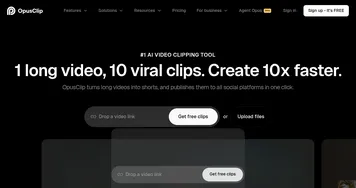
  1. Opus Clip Opus Clip A generative AI video creation tool that repurposes long videos into shorts
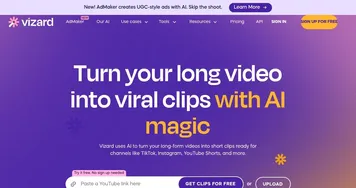
  2. Vizard Vizard Turn long videos into shorter, social-ready clips with AI
  3. Pictory Pictory An AI text to professional video creation tool
  4. Submagic Submagic Adds video captions with perfect emojis and highlighted keywords, all generated by AI
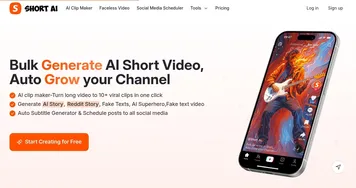
  5. Short AI Short AI Generates viral short videos from long content or ideas in minutes
  6. Goldcast Goldcast An AI-powered video campaign platform for marketers for creating engaging videos
Share
Overlap screenshot enlarged
Best AI Tools

Discover the best AI tools for any use case

Explore
  • Tool Categories
  • AI Use Cases
  • AI Events
  • AI News
  • Saved Tools
Company
  • About Us
  • Contact Us
  • Media & Partnerships
  • Suggest a Tool
Legal
  • Privacy Policy
  • Terms of Service
Copyright © 2026 Best AI Tools 415 Mission Street, 37th Floor, San Francisco, CA 94105