ParaphraseTool.ai
Rewrites text accurately to enhance clarity and uniqueness
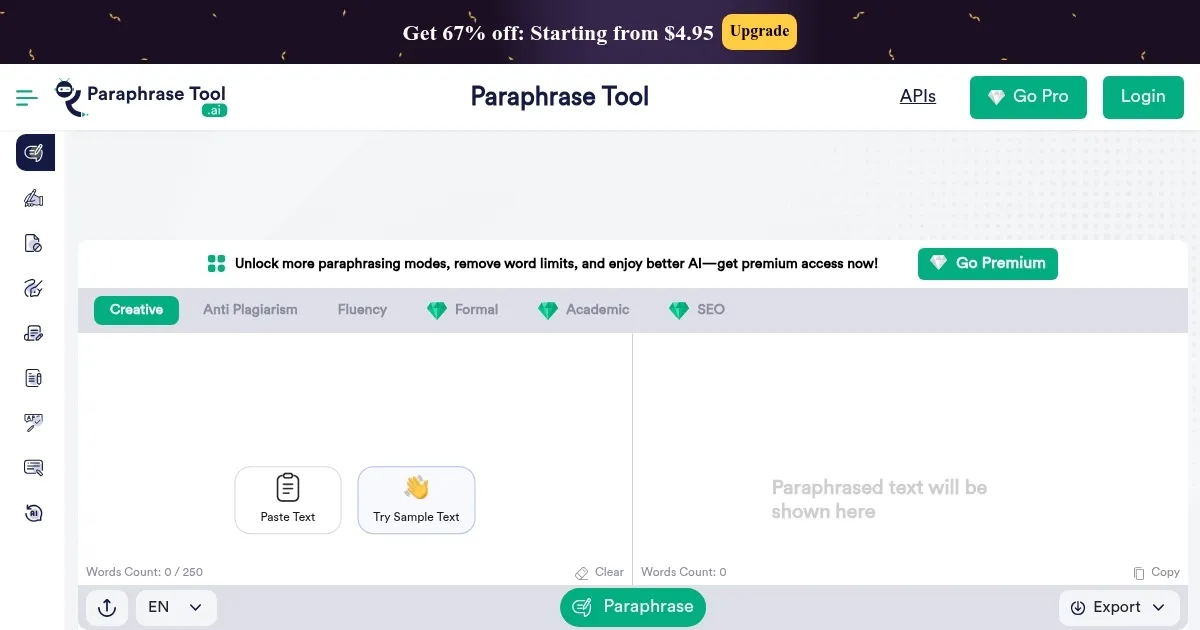
Say you’re staring at a draft, words tangled like headphone cords in a pocket, and you need a quick fix to make it shine. Enter ParaphraseTool.ai, a sleek, AI-powered paraphrasing tool that’s like a Swiss Army knife for your writing. It doesn’t just swap words, it reshapes sentences, tweaks tones, and polishes your prose until it sparkles, all while keeping the original meaning intact. I think it’s the kind of tool that can save you from the drudgery of rewriting, whether you’re a student racing against a deadline or a marketer crafting snappy copy. The interface? Clean, intuitive, no tech degree required. Paste your text, pick a mode, hit ‘Paraphrase,’ and boom — your words are reborn.
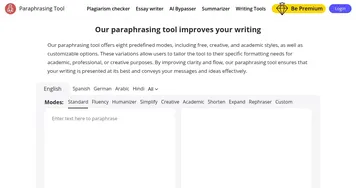
What’s cool here is the variety of modes. Creative mode sprinkles fresh ideas into your text, perfect for blog posts or storytelling. Academic mode, on the other hand, keeps things formal, ideal for essays or research papers, preserving citations and references. Fluency mode smooths out clunky sentences, while SEO mode ensures your keywords stay put for search engine love. There’s even an Anti-Plagiarism mode to dodge those pesky plagiarism checkers. It’s like having a writing coach who never sleeps. The tool’s NLP and GPT-3 tech make the output feel human, not like some robotic rehash, which is a big win.
But it’s not all roses. The free version limits you to 500 words per paraphrase, which might feel stingy if you’re tackling a long document. Premium plans unlock more words and features, but you’ll need to pony up for that. Compared to competitors like QuillBot or Wordtune, ParaphraseTool.ai holds its own with its range of modes, though QuillBot’s synonym slider offers a bit more control over word changes. Wordtune, meanwhile, excels at tone adjustments but lacks the same depth of specialized modes. Some users on X have raved about ParaphraseTool.ai’s ability to humanize AI-generated text, bypassing detectors like Turnitin, which is a sneaky advantage for students.
The surprise? It’s not just a paraphraser. The built-in grammar checker catches sneaky errors, and the summarizer can condense your text into a tight summary. I was impressed by how it handles multiple languages — Spanish, French, German, you name it — making it a boon for non-native English speakers. Still, the free version’s word cap can cramp your style, and occasional over-simplification in Creative mode might strip away some nuance. If you’re a power user, you might wish for a Google Docs add-on, something competitors like Netus AI offer.
For best results, play with the modes to match your needs, Creative for blogs, Academic for papers. Test the output with a plagiarism checker to be safe, especially for academic work. If you’re juggling multiple projects, keep your text chunks small to stay within the free limit. It’s a tool that rewards experimentation, so don’t be afraid to tweak and compare outputs.
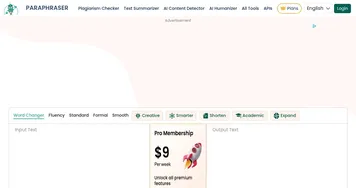
Homepage Screenshot 📸
What are the key features? ✨
- Creative Mode: Rewrites text with fresh, engaging phrasing for creative content.
- Academic Mode: Produces formal, citation-friendly text for research and essays.
- SEO Mode: Maintains keyword placement for search engine optimization.
- Grammar Checker: Identifies and corrects grammatical errors in paraphrased text.
- Summarizer: Condenses text into concise summaries while retaining meaning.
Who is it for? 🤔
Examples of what you can use it for 💡
- Student: Rewrites essays to avoid plagiarism while maintaining academic tone.
- Marketer: Rephrases product descriptions to optimize for SEO and engagement.
- Researcher: Paraphrases research papers, preserving citations and formal style.
- Blogger: Transforms drafts into unique, conversational posts with Creative mode.
- Non-Native Speaker: Simplifies complex English text for better understanding.
Pros & Cons ⚖️
- Versatile modes for diverse needs.
- Supports multiple languages.
- Grammar checker included.
- 500-word limit in free version.
FAQs 💬
Ready to try ParaphraseTool.ai?
Rewrites text accurately to enhance clarity and uniqueness
Visit ParaphraseTool.aiParaphraseTool.ai alternatives 🔗