logo-darklogo-darklogo-darklogo-dark
  • Tool Categories
    • ๐ŸŽจArt & Creative Design505
    • ๐ŸขBusiness Management644
    • ๐Ÿ’ปCoding & Development515
    • ๐Ÿ‘ฎDetection83
    • ๐Ÿง General Use727
    • ๐ŸฅHealth & Wellness55
    • ๐Ÿ“ทImage & Photo Analysis100
    • ๐Ÿ–ผ๏ธImage Generation & Editing618
    • ๐Ÿ“Interior & Architectural Design37
    • ๐ŸŽ“Learning & Education483
    • โš–๏ธLegal & Finance90
    • ๐ŸŽญLifestyle & Entertainment236
    • ๐Ÿ“ขMarketing & Advertising627
    • ๐ŸŽงMusic & Audio138
    • ๐Ÿ‘”Office & Workplace1,014
    • ๐Ÿ”ฌResearch & Data Analysis372
    • ๐Ÿ‘ฅSocial Media245
    • ๐ŸŽฅVideo Generation & Editing426
    • ๐Ÿ‘ง๐ŸปVirtual Companion135
    • ๐ŸŽคVoice Generation & Editing381
    • โœ๏ธWriting & Editing808
    • All Categories
    • AI Use Cases
  • News
  • Events
    • Academic Conferences
    • Developer Conferences
    • Expos / Trade Shows
    • Industry Summits
    • Workshops / Training
    • All Events
    • Past Events
  • Saved Tools
  • Suggest a Tool
โœ•
Home › Writing & Editing › Paraphraser› ParaphrasingTool.ai
ParaphrasingTool.ai

ParaphrasingTool.ai

Rewrites text to enhance clarity, tone, and originality using AI

I’ve played with ParaphrasingTool.ai, and let me tell you, it’s like having a clever sidekick for your writing. Pasted a clunky blog draft into the tool, picked the Creative mode, and watched it spin my tired sentences into something fresh and punchy. The AI, built on NLP and GPT-3, doesn’t just shuffle words — it reshapes ideas to sound natural, almost like a friend rewriting your work over coffee. The 12 modes are a blast to play with: Fluency smoothed out my awkward phrasing, while Academic gave my test essay a scholarly edge. I tried the audio feature, uploading a short voice memo, and was tickled to see it transcribed and rephrased in under a minute. Cool stuff.

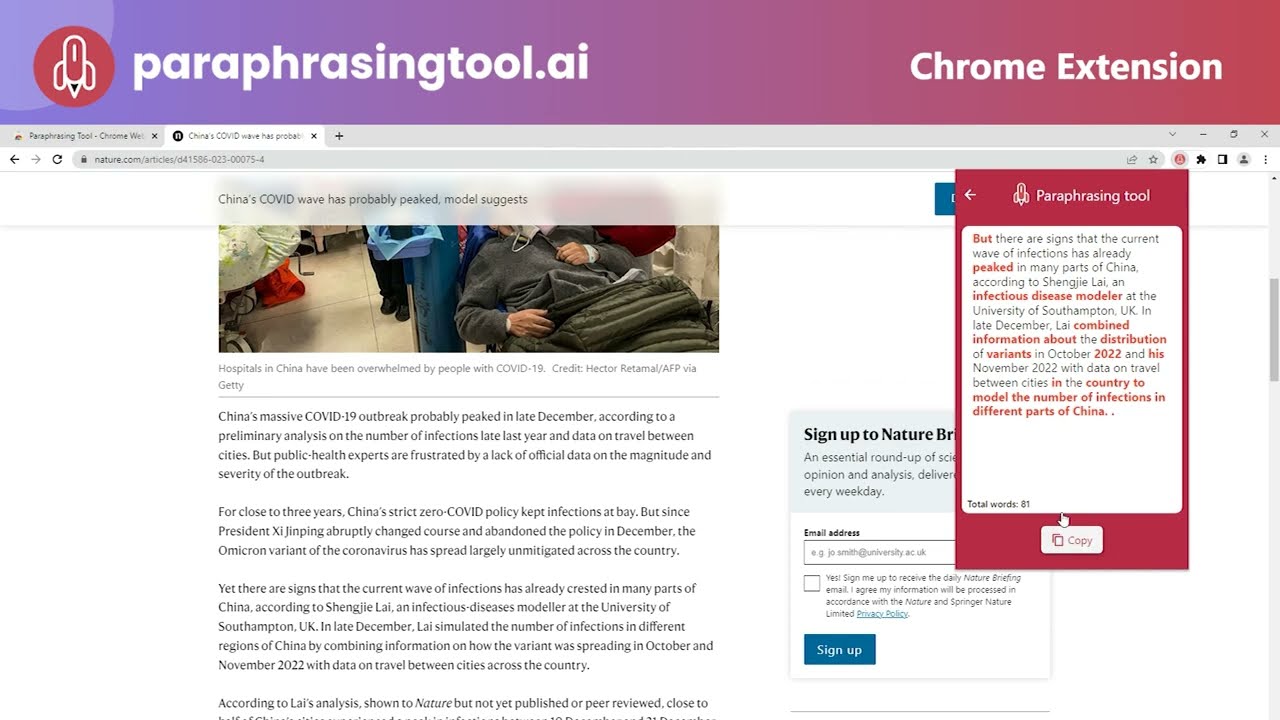
What I liked? The browser extensions. I used the Chrome one to rephrase a Reddit post directly, no copy-paste dance required. The interface is dead simple — just a text box, mode selector, and a “Paraphrase Now” button. No ads, no fuss. It’s free, which is a breath of fresh air compared to pricier tools like Wordtune. The multilingual support (30+ languages!) is a boon for global users, and the Anti-Plagiarism mode gave me confidence my output wouldn’t trip any detectors.

But, I hit some snags. The 500-word limit in the free version feels tight for longer pieces, and my Creative mode output had one or two sentences that sounded a bit forced, like the AI was trying too hard to be clever. Compared to QuillBot, which offers slicker tone adjustments, or Grammarly, with its robust editing suite, ParaphrasingTool.ai feels a tad basic. The mobile app crashed once when I tried uploading a big audio file, which was annoying.

The surprise was how well Humanizer mode worked. My AI-generated test paragraph went from stiff to conversational, almost fooling me into thinking I wrote it. Another neat trick: the tool’s speed. It churned through my 400-word draft in seconds, which is a lifesaver when you’re on a deadline.

My advice? Start with Fluency or Standard mode for general use — they’re the most reliable. If you’re a student, lean on Academic mode but always cross-check citations. For quirky outputs, toggle between modes to find the sweet spot. And if you’re paraphrasing audio, keep files short to avoid hiccups

Visit ParaphrasingTool.ai ↗
Categories
โœ๏ธ Writing
๐Ÿ”„ Paraphraser ๐Ÿ” Rewriting ๐Ÿค– Writing Assistant ๐Ÿ”ค Grammar Checking ๐Ÿ“ Summarizer โœ”๏ธ Proofreading ๐Ÿ“œ Essay Writing
๐Ÿ‘ฎ Detection
๐Ÿง‘ Humanizing ๐Ÿ”Ž Plagiarism Checking

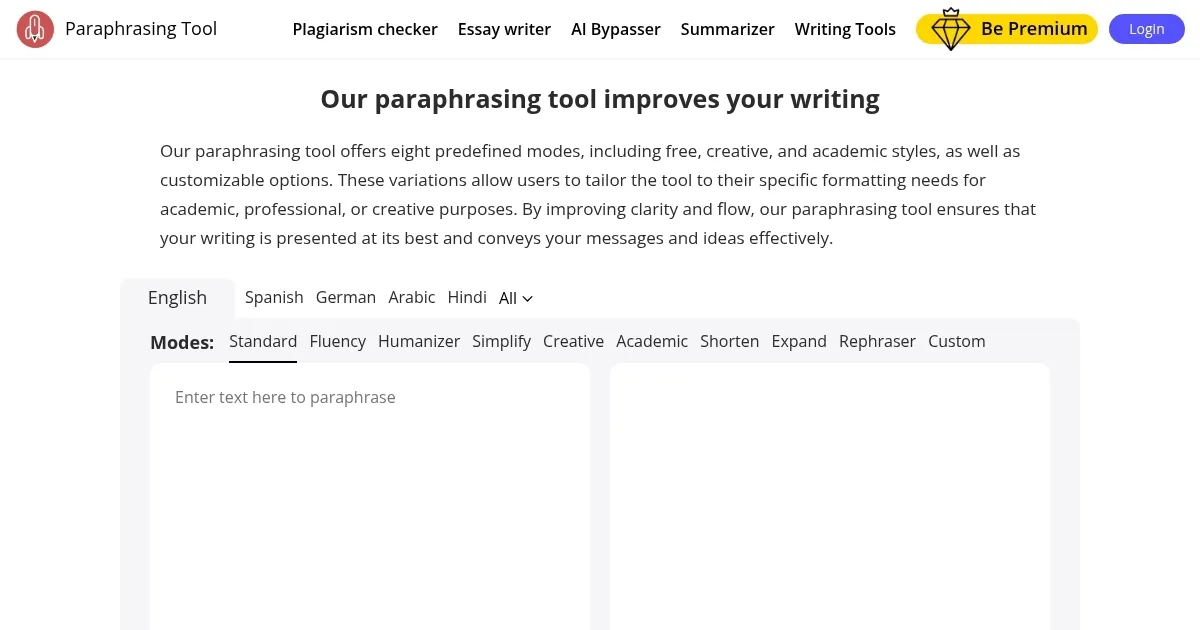
Homepage Screenshot 📸

ParaphrasingTool.ai screenshot

Video Overview 🎬

ParaphrasingTool.ai - Video Overview

What are the key features? ✨

  • Fluency Mode: Enhances text clarity and flow for easy reading.
  • Humanizer Mode: Refines robotic text to sound natural and human-like.
  • Academic Mode: Tailors text for scholarly writing with proper tone.
  • Anti-Plagiarism Mode: Rewrites text to ensure originality and uniqueness.
  • Audio Paraphrasing: Transcribes and rephrases audio input for text output.

Who is it for? 🤔

ParaphrasingTool.ai is ideal for students crafting essays or research papers, content creators refreshing blog posts or social media content, and non-native English speakers seeking clearer, polished text. Researchers benefit from its Academic mode, while marketers and copywriters use Creative mode to generate engaging copy. Its multilingual support and browser extensions make it a versatile choice for global professionals needing quick, reliable rewrites.

Examples of what you can use it for 💡

  • Student: Rewrites essay drafts to improve clarity and avoid plagiarism.
  • Blogger: Refreshes old posts with Creative mode for unique content.
  • Researcher: Uses Academic mode to rephrase complex papers for clarity.
  • Marketer: Crafts engaging social media posts with Fluency mode.
  • Non-Native Speaker: Simplifies English text for better communication.

Pros & Cons ⚖️

  • Free and ad-free access.
  • Supports 30+ languages.
  • Browser and mobile support.
  • 500-word limit in free version.
  • Creative mode can be inconsistent.

FAQs 💬

What is ParaphrasingTool.ai?
Itโ€™s a free AI tool that rephrases text to improve clarity, tone, and originality.
Do I need to sign up to use it?
No, itโ€™s accessible without registration or login.
What are the paraphrasing modes?
It offers 12 modes, including Fluency, Academic, Creative, and Anti-Plagiarism.
Can it paraphrase audio?
Yes, it transcribes and rephrases audio input into text.
Is it plagiarism-free?
The Anti-Plagiarism mode helps ensure unique output, but always verify with a checker.
What languages does it support?
It supports over 30 languages, like Spanish, French, and German.
Is it free to use?
Yes, the basic version is free with a 500-word limit; premium options exist.
How does it compare to QuillBot?
Itโ€™s simpler and free but lacks QuillBotโ€™s advanced tone adjustment features.
Can I use it on mobile?
Yes, it has Android and iOS apps, though large audio files may cause issues.
Is it suitable for academic writing?
Yes, Academic mode tailors text for research papers and essays.

Ready to try ParaphrasingTool.ai?

Rewrites text to enhance clarity, tone, and originality using AI

Visit ParaphrasingTool.ai ↗

ParaphrasingTool.ai alternatives 🔗
  1. DeepL DeepL Delivers remarkably natural AI translations that capture nuance better than most rivals
  2. Grammarly Grammarly Enhances writing with grammar, tone, and style suggestions.
  3. QuillBot QuillBot Enhances writing with AI-powered paraphrasing, grammar checking, and tone analysis.
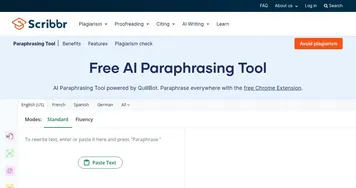
  4. Scribbr Scribbr Rewrites text using AI to maintain meaning with new wording
  5. Ahrefs AI writing tools Ahrefs AI writing tools Enhance your marketing and content performance with Ahrefs' free copywriting tools powered by AI
  6. LanguageTool LanguageTool Checks grammar, spelling, and style across multiple languages
Share
ParaphrasingTool.ai screenshot enlarged
Promote ParaphrasingTool.ai
light badge
Copy Embed Code
dark badge
Copy Embed Code
neutral badge
Copy Embed Code
Best AI Tools

Discover the best AI tools for any use case

Explore
  • Tool Categories
  • AI Use Cases
  • AI Events
  • AI News
  • Saved Tools
Company
  • About Us
  • Contact Us
  • Media & Partnerships
  • Suggest a Tool
Legal
  • Privacy Policy
  • Terms of Service
Copyright © 2026 Best AI Tools 415 Mission Street, 37th Floor, San Francisco, CA 94105