playbooks
Connects developers with AI tutorials to build apps efficiently
Playbooks is a community platform that provides bite-sized AI tutorials and a hub for developers to learn, share, and build apps using tools like Cursor, Claude, and ChatGPT. It focuses on practical, hands-on guides to help users create AI-driven applications quickly. The platform is accessible to beginners and experienced developers alike, with a strong emphasis on community collaboration through its Playbooks Hub.
The platform offers tutorials organized by tool or series, covering features like Cursor’s Tab completion, Composer for multi-file editing, and Claude’s SOP creation. Each guide is concise, typically under 10 minutes to read, making it ideal for quick learning sessions. The Playbooks Hub allows users to share and discover markdown-based playbooks, structured guides that outline steps for AI agent tasks, such as user authentication or app scaffolding. The platform is primarily free, though some advanced features may require a subscription.
Playbooks excels in its community-driven approach, enabling users to collaborate on playbooks and learn from shared projects. The notepad feature helps users store and share SOPs, enhancing project organization. The platform supports tools like Cursor’s inline coding with Cmd+K, which streamlines code editing directly in files. Recent feedback on X highlights its accessibility for non-technical users, with many appreciating the straightforward tutorials.
However, the platform has limitations. Tutorials can lack depth for advanced topics, requiring users to seek external resources for complex tasks. Some Reddit users note that the text-heavy format might not suit visual learners, who may prefer video-based platforms like Codeacademy. The reliance on community contributions can lead to inconsistent quality in playbooks, and there’s no formal support for troubleshooting, unlike some competitors.
To get started, explore the “Series Overview of Cursor Settings” to understand tool configurations, then dive into the Playbooks Hub to find a relevant playbook. Test a simple project, like a chatbot, and share your work to gain feedback. Regularly check the Hub for new playbooks to stay updated on community contributions.
Homepage Screenshot 📸
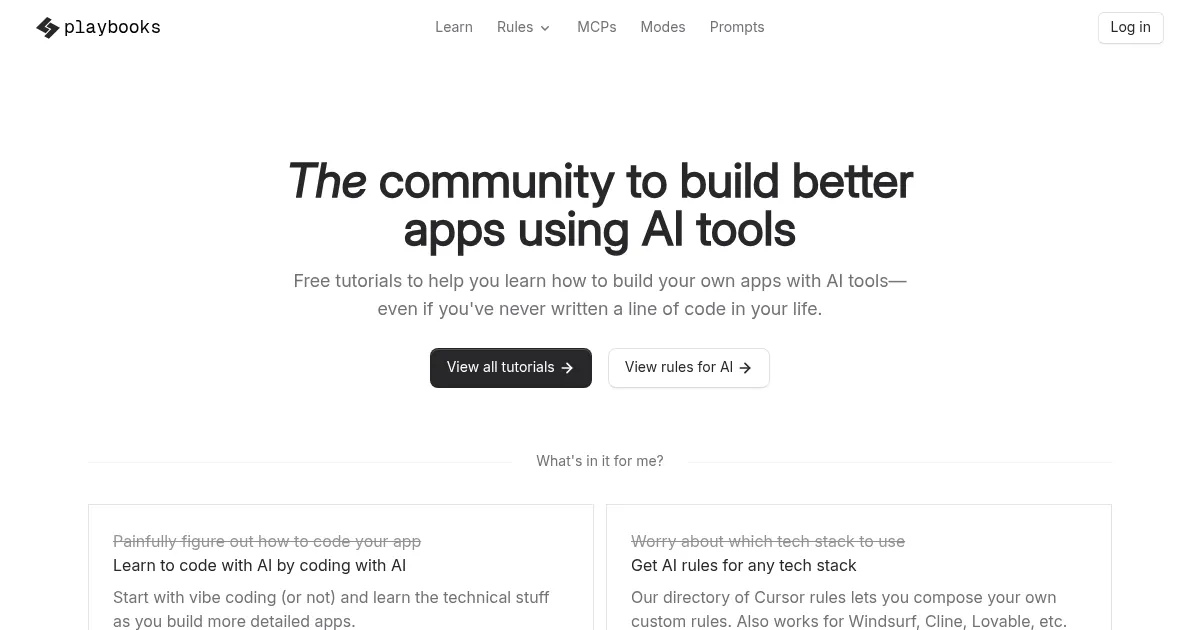
What are the key features? ✨
- Tutorials: Bite-sized guides teach AI app-building with tools like Cursor and Claude.
- Playbooks Hub: Community platform for sharing and discovering AI agent playbooks.
- Notepads: Store and share SOPs to organize projects across tools.
- Composer: Enables multi-file editing for efficient app development.
- Cmd+K: Inline coding feature for quick code edits or explanations.
Who is it for? 🤔
Examples of what you can use it for 💡
- Beginner Developer: Uses tutorials to build a simple chatbot with Cursor.
- Small Business Owner: Creates an automation script via shared playbooks.
- Freelancer: Shares a custom playbook to streamline client app projects.
- Student: Learns AI app basics through Claude SOP tutorials.
- Tech Enthusiast: Experiments with Composer for multi-file app edits.
Pros & Cons ⚖️
- Free core tutorials
- Easy-to-follow guides
- Supports multiple AI tools
- Limited depth in tutorials
- Text-heavy, few videos
FAQs 💬
Ready to try playbooks?
Connects developers with AI tutorials to build apps efficiently
Visit playbooksplaybooks alternatives 🔗