Skip to content
logo-darklogo-darklogo-darklogo-dark
  • Tool Categories
    • 🎨Art & Creative Design505
    • 🏢Business Management644
    • 💻Coding & Development514
    • 👮Detection83
    • 🧠General Use728
    • 🏥Health & Wellness55
    • 📷Image & Photo Analysis100
    • 🖼️Image Generation & Editing618
    • 📐Interior & Architectural Design37
    • 🎓Learning & Education483
    • ⚖️Legal & Finance90
    • 🎭Lifestyle & Entertainment236
    • 📢Marketing & Advertising627
    • 🎧Music & Audio138
    • 👔Office & Workplace1,014
    • 🔬Research & Data Analysis373
    • 👥Social Media245
    • 🎥Video Generation & Editing426
    • 👧🏻Virtual Companion135
    • 🎤Voice Generation & Editing381
    • ✍️Writing & Editing808
    • All Categories
    • AI Use Cases
  • News
  • Events
    • Academic Conferences
    • Developer Conferences
    • Expos / Trade Shows
    • Industry Summits
    • Workshops / Training
    • All Events
    • Past Events
  • Saved Tools
  • Suggest a Tool
    ✕
    Home › Art & Creative Design › Art Generation› starryai
    starryai

    starryai

    AI-driven art generator app designed to create unique works of art

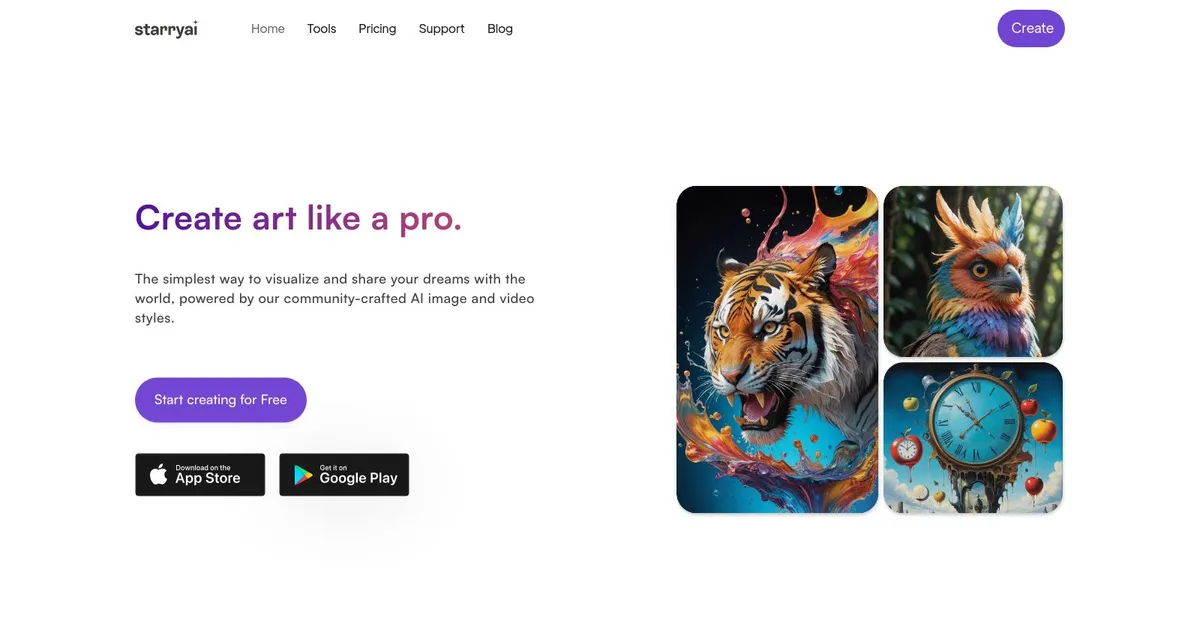
    Starryai is an AI-driven art generator app designed to create unique works of art based on user text descriptions. The process is straightforward – users articulate what they envision in words, and Starryai’s AI technology interprets these inputs to generate visual art. In other words, the app allows individuals to produce art quickly and easily without needing technical expertise in art creation methods.

    Starryai offers a range of customizable options, including different models, styles, aspect ratios, and initial images — making the art creation process highly flexible and tailored to each user’s preferences. It supports up to 5 free artwork generations daily without watermarks, all with full ownership of the created content for use in your projects or social media.

    The tool is available for free on both iOS and Android platforms, making it accessible to a broad audience to explore AI-generated art. It simplifies an otherwise complex art generation process to a few taps on a mobile device, allowing for the creation of art on the go.

    Beyond the free daily creations, Starryai also offers a Pro Unlimited version, which unlocks unlimited image generations, among other premium features. Importantly, every artwork produced is unique and users can use it in their projects, provided they adhere to Starryai’s content policy. This approach democratizes art creation, enabling anyone to bring their creative visions to life without the need for special skills.

    Visit starryai ↗
    Categories
    🎨 Art
    🎨 Art Generation 🌅 Illustration Generation 🖼️ Design Generation
    🖼️ Image
    🖼️ Image Generation 🪄 Text to Image 🧑‍🎤 Avatar Generation

    Homepage Screenshot 📸

    starryai screenshot

    What are the key features? ✨

    • Text-to-image generation: Convert text prompts into AI-generated artwork with little effort.
    • Customization: Choose from various artistic styles and models to tailor the visual output.
    • Free to use: Generate up to 25 images daily for free, without watermarks.
    • Full ownership: Users own the artwork they create, with commercial and non-commercial usage rights.
    • Desktop + mobile: Available on both mobile and web platforms, ensuring accessibility for all users.

    Who is it for? 🤔

    StarryAI is designed for artists, content creators, marketers, and anyone else interested in generating high-quality AI art. It caters to both professionals seeking to enhance their projects and hobbyists looking to explore AI's creative possibilities. The platform's user-friendly interface and customization options make it accessible to different kinds of users, from beginners to advanced creators.

    Examples of what you can use it for 💡

    • Generate unique art for personal or professional creative projects
    • Create eye-catching visuals for social media posts and campaigns
    • Design original graphics for advertisements and promotional materials
    • Use AI-generated images for teaching materials and presentations
    • Experiment with different styles and themes for artistic inspiration

    Pros & Cons ⚖️

    • Multiple customization options
    • It's free (to an extent)
    • You get to own generated images
    • Midjourney produces better results

    FAQs 💬

    What kind of images can I create with StarryAI?
    You can generate a wide range of artwork from text prompts, including portraits, landscapes, abstract pieces, technical drawings, children's book illustrations, and stylized dream-like scenes in various artistic styles.
    Do I need artistic skills to use StarryAI?
    No, the tool is designed for everyone. You just describe what you want in words, choose a style, and the AI does the heavy lifting, making it ideal for beginners and non-artists.
    Is StarryAI available on mobile devices?
    Yes, it works as a dedicated app on both iOS and Android, with a web version also available, so you can create on the go or from your desktop.
    Do I own the images I generate?
    Yes, users retain full ownership of their creations, including commercial usage rights, so you can sell, print, or use them in projects without restrictions from the platform.
    How many images can I make for free?
    The free tier typically allows several generations per day without watermarks, with options to earn extra credits through sharing or other simple actions.
    Can I edit or improve the generated images?
    Yes, StarryAI includes retouch and editing tools to refine details, upscale, or remix your artwork after the initial generation.
    What makes StarryAI different from other AI art tools?
    It focuses on mobile ease, a massive style library, full ownership, and no mandatory subscriptions for basic use, unlike some tools that require Discord or have stricter limits.
    Does StarryAI support video generation?
    Yes, it includes features to create short AI-generated videos from prompts or images, expanding beyond static art.
    Is the app regularly updated?
    Yes, the developers continuously improve the AI models and add features, so image quality and options tend to get better over time.
    Can I use my own photos as a starting point?
    Yes, you can upload an initial image and guide the AI to transform or build on it, which helps create more personalized results.

    Ready to try starryai?

    AI-driven art generator app designed to create unique works of art

    Visit starryai ↗
    starryai alternatives 🔗

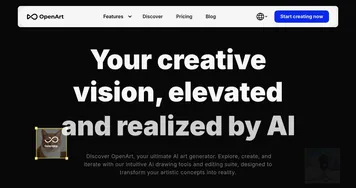
    1. OpenArt OpenArt A versatile AI-powered platform for generating and enhancing images and art.
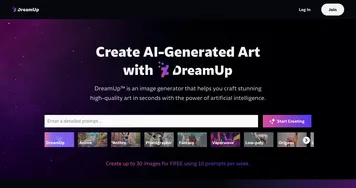
    2. DreamUp DreamUp An AI-powered tool allowing users to generate unique artworks by inputting text prompts
    3. Imagine Imagine Enter a prompt, choose a style, and watch an AI art generator bring your ideas to life
    4. A1.art A1.art An AI platform that allows users to create and customize various digital artwork effortlessly
    5. AI Image Generator AI Image Generator An AI-powered platform that generates images from text descriptions in various styles and resolutions.
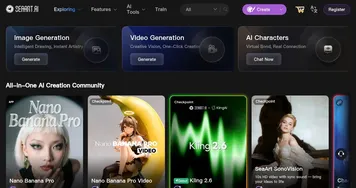
    6. SeaArt SeaArt An AI-driven art creation platform with features including various styles, face swaps, and image upscaling.
    Share
    starryai screenshot enlarged
    Best AI Tools

    Discover the best AI tools for any use case

    Explore
    • Tool Categories
    • AI Use Cases
    • AI Events
    • AI News
    • Saved Tools
    Company
    • About Us
    • Contact Us
    • Media & Partnerships
    • Suggest a Tool
    Legal
    • Privacy Policy
    • Terms of Service
    Copyright © 2026 Best AI Tools 415 Mission Street, 37th Floor, San Francisco, CA 94105