Supergrow
Creates engaging LinkedIn content with AI, streamlining scheduling and analytics
Ever wished LinkedIn could feel less like a chore and more like a creative playground? Supergrow steps in with a great idea: to make your LinkedIn presence sharp, consistent, and authentically you, without the endless hours of brainstorming or tab-switching. This AI-powered platform, designed for professionals, ghostwriters, and agencies, tackles the grind of content creation with a suite of tools that feel like a personal assistant who’s had one too many espressos. It’s intuitive, it’s fast, and it’s packed with features that might just make you rethink your entire social media strategy.
At its core, Supergrow is about crafting LinkedIn posts that don’t sound like they were churned out by a soulless algorithm. The Post Generator, for instance, lets you start from scratch, a YouTube video, or even a PDF, turning raw ideas into polished posts that align with your voice. I love how it offers templates for posts like “insights” or “tips,” which are tailored to LinkedIn’s algorithm-friendly formats. The Carousel Maker is another standout, letting you whip up visually appealing slide decks in minutes, complete with pre-designed templates that save you from wrestling with design software. Scheduling is a breeze with a calendar view that lets you plan posts and auto-comments, ensuring your content hits at peak times. And the Engagement feature? It curates a custom feed of people you want to interact with, making networking feel less like shouting into the void.
But it’s not all smooth sailing. The pricing structure, based on AI-generated words rather than posts, can feel like a sneaky trap for heavy users. You might burn through credits faster than expected, especially if you’re churning out long-form content or carousels. Compared to competitors like Taplio or Shield Analytics, which focus heavily on analytics or post optimization, Supergrow’s analytics are solid but not as deep. You get follower growth and post performance metrics, but don’t expect granular insights into audience demographics. Some users on Reddit have also noted that the AI can occasionally produce posts that feel a bit generic, requiring a human touch to add that spark of originality.
The real surprise here is the Voice Notes feature. Record a quick ramble, and Supergrow turns it into a coherent post that doesn’t sound like it was written by a robot. It’s like having a ghostwriter who gets you. Users on X have raved about this, with one calling it “a game-changer for busy founders.” The platform also supports over 100 languages, which is a boon for global professionals aiming to connect with diverse audiences.
If you’re dipping your toes into LinkedIn branding, start with the free trial to test the waters. Play with the Post Generator and Carousel Maker to see if they fit your style. If you’re a heavy user, keep an eye on your word credits to avoid surprises. And don’t skip the Engagement feature — it’s a smart way to build relationships without getting lost in LinkedIn’s noisy feed.
Homepage Screenshot 📸
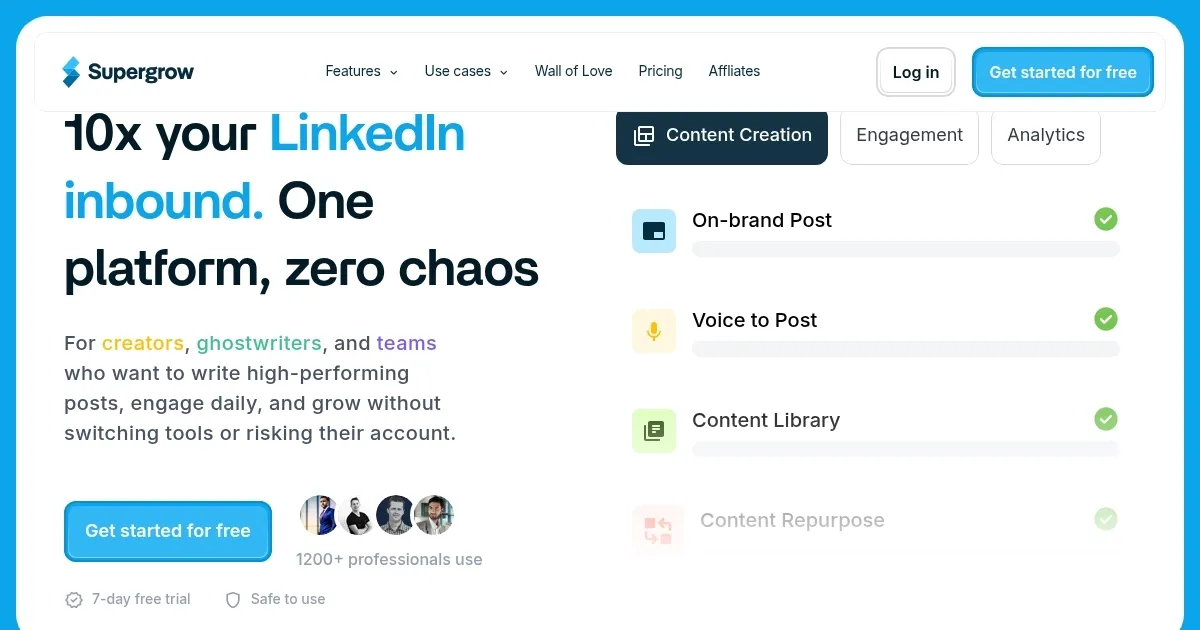
Video Overview 🎬

What are the key features? ✨
- Post Generator: Creates LinkedIn posts from text, videos, or PDFs, tailored to your style.
- Carousel Maker: Turns ideas into visual slide decks using pre-designed templates.
- Swipe Files: Saves and tags inspiring LinkedIn posts for future content ideas.
- Engagement Feature: Curates a custom feed for interacting with specific contacts.
- Scheduling Tools: Plans posts and auto-comments via an intuitive calendar view.
Who is it for? 🤔
Examples of what you can use it for 💡
- Freelance Marketer: Crafts engaging LinkedIn posts to attract clients using the Post Generator.
- Agency Owner: Manages multiple client accounts with scheduling and analytics tools.
- Startup Founder: Converts voice notes into posts to share thought leadership on the go.
- Content Creator: Uses Carousel Maker to create visual content for higher engagement.
- Sales Professional: Builds custom engagement lists to connect with key prospects.
Pros & Cons ⚖️
- AI adapts to your writing style.
- Carousel Maker saves design time.
- Supports over 100 languages.
- Word-based pricing limits heavy users.
- AI posts may feel generic.
FAQs 💬
Ready to try Supergrow?
Creates engaging LinkedIn content with AI, streamlining scheduling and analytics
Visit SupergrowSupergrow alternatives 🔗