logo-darklogo-darklogo-darklogo-dark
  • Tool Categories
    • ๐ŸŽจArt & Creative Design505
    • ๐ŸขBusiness Management644
    • ๐Ÿ’ปCoding & Development515
    • ๐Ÿ‘ฎDetection83
    • ๐Ÿง General Use727
    • ๐ŸฅHealth & Wellness55
    • ๐Ÿ“ทImage & Photo Analysis100
    • ๐Ÿ–ผ๏ธImage Generation & Editing618
    • ๐Ÿ“Interior & Architectural Design37
    • ๐ŸŽ“Learning & Education483
    • โš–๏ธLegal & Finance90
    • ๐ŸŽญLifestyle & Entertainment236
    • ๐Ÿ“ขMarketing & Advertising627
    • ๐ŸŽงMusic & Audio138
    • ๐Ÿ‘”Office & Workplace1,014
    • ๐Ÿ”ฌResearch & Data Analysis372
    • ๐Ÿ‘ฅSocial Media245
    • ๐ŸŽฅVideo Generation & Editing426
    • ๐Ÿ‘ง๐ŸปVirtual Companion135
    • ๐ŸŽคVoice Generation & Editing381
    • โœ๏ธWriting & Editing808
    • All Categories
    • AI Use Cases
  • News
  • Events
    • Academic Conferences
    • Developer Conferences
    • Expos / Trade Shows
    • Industry Summits
    • Workshops / Training
    • All Events
    • Past Events
  • Saved Tools
  • Suggest a Tool
โœ•
Home › Office & Workplace › Task Management› TaskMaster AI
TaskMaster AI

TaskMaster AI

Creates personalized study plans and flashcards to boost academic success

TaskMaster AI is a web-based platform designed to help students manage their study schedules and improve learning efficiency through AI-driven tools. In that sense, it offers personalized study plans, intelligent flashcards, and task management features tailored to academic needs. The platform uses machine learning to analyze user inputs, like course syllabi or exam dates, and generates customized schedules to optimize study time.

The Smart Flashcards feature creates adaptive study aids that prioritize difficult concepts using spaced repetition algorithms. Task Automation breaks down assignments into manageable tasks with automated deadlines and reminders. The Collaboration Hub allows users to share study materials with peers, fostering group learning. Progress Tracker provides visual analytics to monitor study habits, and the platform supports cross-device syncing for accessibility. Recent user feedback on Reddit highlights the tool’s effectiveness for exam prep but notes occasional bugs in syllabus imports.

Compared to Quizlet, which focuses on flashcard creation, or Notion, which offers broader productivity tools, TaskMaster AI stands out for its AI-driven study focus. However, it lacks the manual customization options of Quizlet and the versatility of Notion. Pricing is competitive, with a free tier and premium features at a cost similar to Quizlet’s paid plans, based on recent CNET reviews.

The platform’s interface is user-friendly, though some users report lag when syncing large datasets. The Collaboration Hub is functional but less robust than tools like Google Workspace. A PCMag review from June 2025 praised the AI’s accuracy in scheduling but noted the learning curve for new users. TaskMaster AI suits students seeking structured study plans.

To get started, sign up for the free tier, input your course details, and experiment with Smart Flashcards to gauge the tool’s fit. Regularly check the Progress Tracker to stay motivated and adjust your plan as needed.

Visit TaskMaster AI ↗
Categories
๐Ÿ‘” Work
โœ… Task Management โšก Work Productivity ๐Ÿ’ผ Workplace Assistant ๐Ÿ•’ Scheduling ๐Ÿ”— Agent
๐Ÿข Business
๐Ÿ“‹ Project Management
๐Ÿง  General
โœ… Productivity

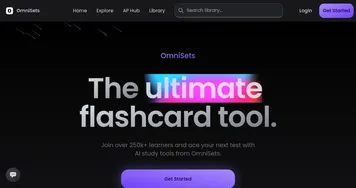
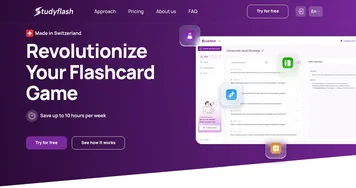
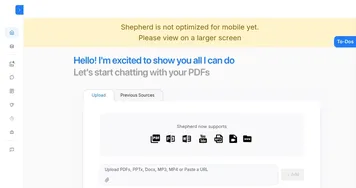
Homepage Screenshot 📸

TaskMaster AI screenshot

What are the key features? ✨

  • Smart Flashcards: Adapts to user performance using spaced repetition for efficient learning.
  • Task Automation: Breaks assignments into manageable tasks with automated deadlines.
  • Collaboration Hub: Enables sharing of study plans and flashcards with peers.
  • Progress Tracker: Visualizes study consistency and progress with graphs.
  • Syllabus Import: Analyzes course syllabi to create tailored study schedules.

Who is it for? 🤔

TaskMaster AI is best for high school and college students who need structured study plans and efficient learning tools to manage demanding academic schedules. Itโ€™s especially useful for those tackling multiple courses or preparing for high-stakes exams, as its AI-driven features simplify complex tasks and enhance retention through smart flashcards.

Examples of what you can use it for 💡

  • High School Student: Uses Smart Flashcards to memorize vocabulary for SAT prep.
  • College Freshman: Relies on Task Automation to manage assignments across multiple courses.
  • Study Group Leader: Shares study plans via Collaboration Hub to coordinate group prep.
  • Graduate Student: Tracks research progress with Progress Tracker for thesis deadlines.
  • Online Learner: Imports course syllabi to create a tailored study schedule.

Pros & Cons ⚖️

  • AI-driven study plans
  • Adaptive flashcards
  • Visual progress tracking
  • Occasional sync lag
  • Limited customizations

FAQs 💬

What is TaskMaster AI?
An AI tool that creates personalized study plans and flashcards for students.
Is there a free version?
Yes, the free tier includes basic features like flashcards and task planning.
Can I share study materials?
The Collaboration Hub lets you share plans and flashcards with peers.
Does it work on mobile?
Yes, it syncs across devices, though some users report occasional lag.
How does it compare to Quizlet?
TaskMaster AI offers more AI-driven planning than Quizletโ€™s flashcard focus.
Can it import my syllabus?
Yes, but some users find the import tool buggy for complex files.
Is it suitable for group study?
The Collaboration Hub supports group sharing, ideal for study groups.
How accurate are study plans?
Plans are tailored but may overestimate daily study time for some users.
Does it support non-academic tasks?
Itโ€™s primarily for academic tasks, unlike broader tools like Notion.
How do I start using it?
Sign up at https://www.taskmaster.one/ and input your course details.

Ready to try TaskMaster AI?

Creates personalized study plans and flashcards to boost academic success

Visit TaskMaster AI ↗

TaskMaster AI alternatives 🔗

  1. Asana AI Asana AI An AI helper built into the Asana platform to make managing projects and tasks easier
  2. ClickUp Brain ClickUp Brain Automates workflows with contextual AI for tasks, meetings, and content creation
  3. Notion AI Notion AI Streamlines work with AI-powered note-taking, app searches, and workflow automation
  4. Manus Manus An AI agent designed to handle complex tasks all by itself
  5. Motion Motion AI tool that intelligently plans your day, schedules meetings, and creates to-do lists
  6. Reclaim.ai Reclaim.ai An AI-driven advanced scheduling tool to help you manage and optimize your calendar
Share
TaskMaster AI screenshot enlarged
Promote TaskMaster AI
light badge
Copy Embed Code
dark badge
Copy Embed Code
neutral badge
Copy Embed Code
Best AI Tools

Discover the best AI tools for any use case

Explore
  • Tool Categories
  • AI Use Cases
  • AI Events
  • AI News
  • Saved Tools
Company
  • About Us
  • Contact Us
  • Media & Partnerships
  • Suggest a Tool
Legal
  • Privacy Policy
  • Terms of Service
Copyright © 2026 Best AI Tools 415 Mission Street, 37th Floor, San Francisco, CA 94105