logo-darklogo-darklogo-darklogo-dark
  • Tool Categories
    • 🎨Art & Creative Design505
    • 🏢Business Management644
    • 💻Coding & Development515
    • 👮Detection83
    • 🧠General Use727
    • 🏥Health & Wellness55
    • 📷Image & Photo Analysis100
    • 🖼️Image Generation & Editing618
    • 📐Interior & Architectural Design37
    • 🎓Learning & Education483
    • ⚖️Legal & Finance90
    • 🎭Lifestyle & Entertainment236
    • 📢Marketing & Advertising627
    • 🎧Music & Audio138
    • 👔Office & Workplace1,014
    • 🔬Research & Data Analysis372
    • 👥Social Media245
    • 🎥Video Generation & Editing426
    • 👧🏻Virtual Companion135
    • 🎤Voice Generation & Editing381
    • ✍️Writing & Editing808
    • All Categories
    • AI Use Cases
  • News
  • Events
    • Academic Conferences
    • Developer Conferences
    • Expos / Trade Shows
    • Industry Summits
    • Workshops / Training
    • All Events
    • Past Events
  • Saved Tools
  • Suggest a Tool
✕
Home › Coding & Development › App Building› Tempo
Tempo

Tempo

Enables visual React code editing with AI for designers and developers

Tempo is a visual editor for React, powered by AI, enabling product managers, designers, and engineers to collaborate on production-grade code with a design-tool-like interface. Optimized for Vite and Tailwind, it integrates with existing codebases, offering features like a Figma Plugin, pre-built SaaS templates, and AI-driven code suggestions. Launched in 2023 by founders with experience at Perpetua, Microsoft, and Google, Tempo aims to streamline web development for React-based teams.

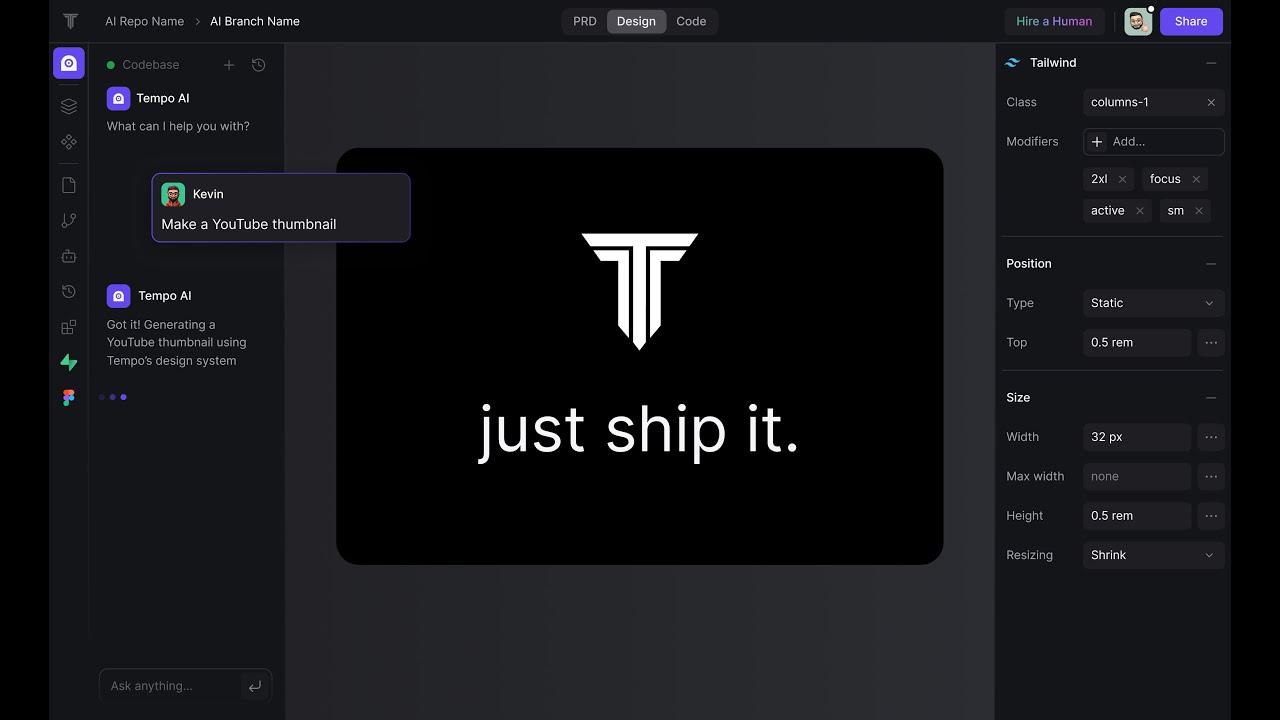
The tool’s visual editor mimics design software, allowing users to drag and drop components while generating clean React code. The Figma Plugin connects design mockups to code, reducing handoff friction. AI reasoning, enhanced by Gemini Search, suggests optimizations and Tailwind classes, improving efficiency. Pre-built templates for Stripe, Supabase, and Clerk accelerate development for common SaaS features. Tempo supports Expo for React Native mobile apps, expanding its versatility.

Drawbacks include a steep learning curve for non-React users. The Figma Plugin occasionally lags, as noted in recent X posts. Its focus on Vite and Tailwind limits flexibility for teams using other frameworks. Pricing is subscription-based, competitive with similar tools, though specific costs are unavailable without visiting the site.

Competitors like Wegic excel in no-code web design but lack Tempo’s code quality. Builder.ai offers similar visual coding but less AI integration. Framer prioritizes design over developer control. Tempo stands out for React teams needing collaboration and speed.

For adoption, ensure your team is familiar with React and Tailwind. Test the Figma Plugin with small projects to evaluate sync reliability. Use SaaS templates for rapid prototyping. Monitor X for user feedback on updates and bug fixes.

Visit Tempo ↗
Categories
💻 Coding
📱 App Building ✨ Vibe Coding 🏗️ Website Building ⌨️ Code Generation 👨‍💻 Development
🎨 Art
📱 UX Design

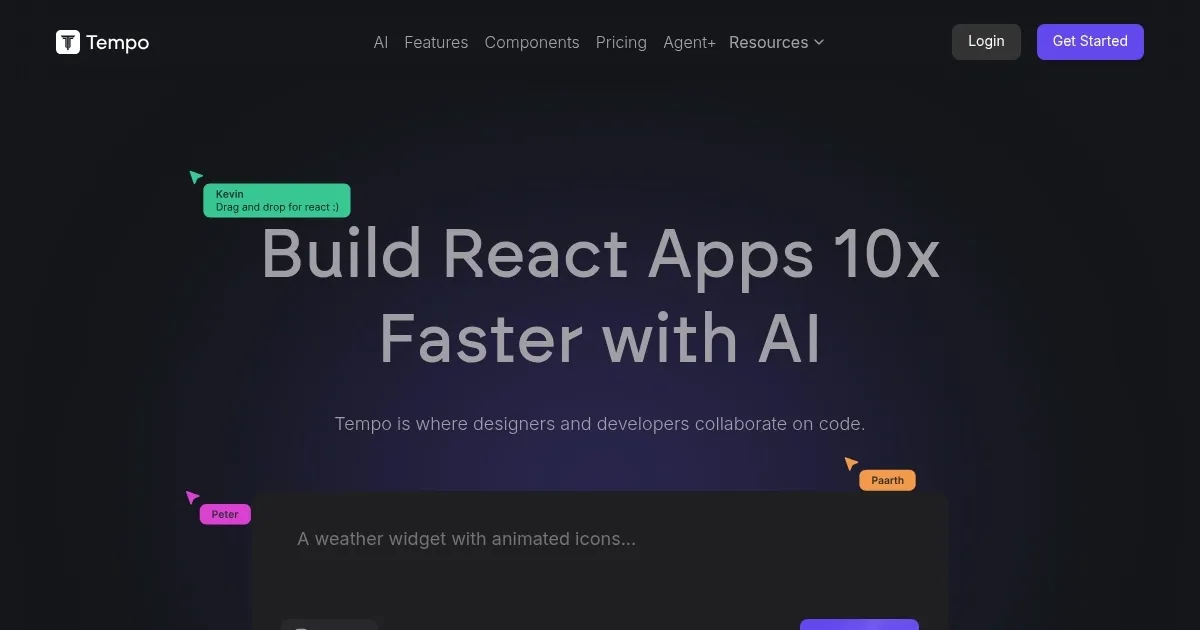
Homepage Screenshot 📸

Tempo screenshot

Video Overview 🎬

Tempo - Video Overview

What are the key features? ✨

  • Visual Editor: Drag-and-drop interface for building React components.
  • Figma Plugin: Syncs design mockups with code for seamless handoff.
  • AI Reasoning: Suggests Tailwind classes and optimizations using Gemini Search.
  • SaaS Templates: Pre-built components for Stripe, Supabase, and Clerk.
  • Vite Optimization: Generates code tailored for fast Vite builds.

Who is it for? 🤔

Tempo is ideal for startups, small-to-medium development teams, and agencies building React-based web or mobile apps. Product managers, designers, and engineers benefit from its collaborative visual editor, especially those using Vite and Tailwind. It suits teams needing to prototype quickly or integrate design and code seamlessly, though familiarity with React is essential.

Examples of what you can use it for 💡

  • Startup Founder: Builds a SaaS prototype using pre-built Stripe templates.
  • UI/UX Designer: Uses Figma Plugin to convert mockups into React components.
  • Front-End Developer: Leverages AI reasoning to optimize Tailwind styling.
  • Product Manager: Collaborates visually with engineers on feature designs.
  • Freelancer: Creates React Native mobile apps with Expo support.

Pros & Cons ⚖️

  • Intuitive visual editor for React.
  • Strong AI-driven code suggestions.
  • Seamless Figma integration.
  • Limited to Vite and Tailwind frameworks.
  • AI suggestions not always accurate.

FAQs 💬

What is Tempo’s primary function?
Tempo is a visual editor for React, enabling collaborative code creation for designers and developers.
Does Tempo support frameworks other than React?
It’s optimized for React, with limited support for other frameworks like Next.js.
Is Tempo suitable for non-coders?
Designers can use it, but basic React and Tailwind knowledge is recommended.
How does the Figma Plugin work?
It syncs Figma designs to Tempo, converting mockups into React components.
What are the SaaS templates for?
They provide pre-built components for Stripe, Supabase, and Clerk to speed up development.
Does Tempo support mobile app development?
Yes, it supports React Native mobile apps via Expo integration.
Is Tempo’s pricing competitive?
It’s subscription-based, comparable to tools like Webflow, but specific costs require checking the site.
Can Tempo integrate with existing codebases?
Yes, it’s designed to work with production-grade React codebases.
What’s the AI reasoning feature?
It uses Gemini Search to suggest Tailwind classes and code optimizations.
Where can I find user feedback on Tempo?
Check X or Y Combinator’s Bookface for recent user reviews and tips.

Ready to try Tempo?

Enables visual React code editing with AI for designers and developers

Visit Tempo ↗


Tempo alternatives 🔗

  1. Cursor Cursor Supercharges coding with AI agents that build, edit, and review code autonomously.
  2. Windsurf Windsurf Empowers developers with AI-driven code generation and real-time collaboration.
  3. Lovable Lovable Builds apps and websites via AI chat prompts.
  4. Replit AI Replit AI Transforms natural language prompts into fully deployable apps using AI agents
  5. v0.dev v0.dev Generates React UI components from text prompts using AI
  6. GitHub Copilot GitHub Copilot Enhances coding with AI-driven completions and chat assistance
Share
Tempo screenshot enlarged
Promote Tempo
light badge
Copy Embed Code
dark badge
Copy Embed Code
neutral badge
Copy Embed Code
Best AI Tools

Discover the best AI tools for any use case

Explore
  • Tool Categories
  • AI Use Cases
  • AI Events
  • AI News
  • Saved Tools
Company
  • About Us
  • Contact Us
  • Media & Partnerships
  • Suggest a Tool
Legal
  • Privacy Policy
  • Terms of Service
Copyright © 2026 Best AI Tools 415 Mission Street, 37th Floor, San Francisco, CA 94105