logo-darklogo-darklogo-darklogo-dark
  • Home
  • Browse
    • Assistant
    • Coding
    • Image
    • Productivity
    • Video
    • Voice
    • Writing
    • All Categories
    • AI Use Cases
  • Events
  • My Favorites
  • Suggest a Tool
✕
Home › Voice Generation & Editing›
Published by Dusan Belic on August 30, 2023

Text to Speech Online

Text to Speech Online
Text to Speech Online Homepage
Categories Voice Generation & Editing

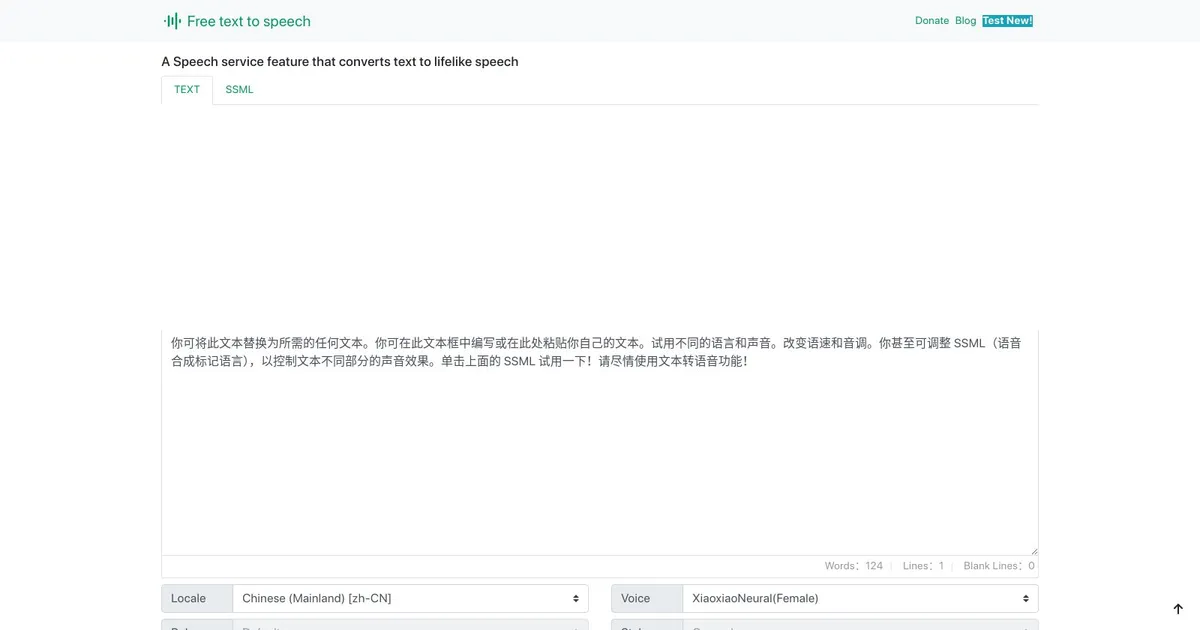
Text to Speech Online - screenshot

Converts text into natural, expressive speech using advanced neural voices across many languages

Text to Speech Online

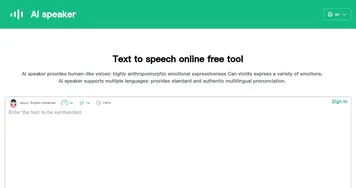
Text to Speech Online (TTS Online) leverages Microsoft AI’s speech library to transform written text into natural, lifelike speech. It aims to produce audio that closely resembles the intonation and emotion of a human voice, offering a wide range of applications such as text readers, voice-enabled assistants, and more.

The text-to-speech engine supports various reading styles, including newscasts, customer service announcements, and emotional tones like happiness or sadness — thus allowing for a highly expressive and human-like narration.

TTS Online is notable for its extensive multilingual support, featuring over 330 neural network voices covering 129 languages and dialects. Users can customize the AI voice generator to match desired specifications by adjusting parameters such as speech rate, pitch, and more. The tool is compatible across major browsers like Chrome, Firefox, and Edge — and can also be used on mobile devices.

Text to Speech Online Homepage
Categories Voice Generation & Editing

What are the key features? ⭐

  • Neural Voices: Over 330 realistic Microsoft AI voices for natural-sounding speech.
  • Multilingual Support: Covers 129 languages and variants for global use.
  • Customization Controls: Adjust rate, pitch, volume, pauses, and emotional styles like happy or whispering.
  • Free Access: Unlimited use without sign-up or character limits, donation-supported.
  • Audio Export: Download synthesized speech as MP3 files in supported browsers.

Who is it for? 🤔

This tool helps students learning languages, content creators needing quick voiceovers, people with reading difficulties seeking accessibility, developers prototyping audio features, and anyone wanting natural text narration without paying subscriptions or dealing with limits.

Examples of what you can use it for 💭

  • Language Learner: Practices pronunciation by hearing accurate audio in multiple languages and accents.
  • Content Creator: Generates quick narration for videos, podcasts, or social media posts.
  • Accessibility User: Listens to articles, documents, or books when reading is challenging.
  • Teacher: Creates audio lessons or reads passages aloud for students.
  • Developer: Tests speech synthesis in apps or prototypes using high-quality neural voices.

Pros & Cons ⚖️

  • Completely free with no limits
  • Highly natural neural voices
  • Extensive language coverage
  • Deep customization options
  • Browser compatibility issues
  • Slower load for some voices

FAQs 💬

Is text-to-speech.online really free?
Yes, it offers unlimited use without registration or character limits, supported by optional donations.
How many voices and languages does it support?
Over 330 neural voices across 129 languages and variants, powered by Microsoft AI.
Can I download the audio files?
Yes, MP3 downloads work in supported browsers like Chrome, Firefox, or Edge.
What browsers work best?
Chrome, Firefox, and the latest Edge provide full playback and download features.
Does it support emotional speaking styles?
Yes, many voices include styles like newscast, whispering, shouting, happy, or sad.
Is there a character limit per conversion?
No hard limit exists, though very long texts may take longer to process.
Can I adjust speed and pitch?
Absolutely, sliders let you fine-tune rate, pitch, volume, and add pauses.
Who maintains the tool?
A solo developer keeps it running, with donations helping cover costs.
Visit Text to Speech Online

Related tools ↙️

  1. PodLM PodLM Transforms URLs, texts, and documents into professional podcasts using AI
  2. Vogent Vogent Builds intelligent voice AI agents for automating phone calls and conversations
  3. Millis AI Millis AI Builds advanced voice agents with ultra-low latency for natural conversations
  4. Voicv Voicv Clones voices using AI to create digital replicas for text-to-speech in multiple languages
  5. Verbatik Verbatik Converts text into natural-sounding speech and clones voices across numerous languages and accents
  6. Air.ai Air.ai Conducts human-like phone conversations for sales and customer service automation
Last update: January 12, 2026
Share
Promote Text to Speech Online
light badge
Copy Embed Code
dark badge
Copy Embed Code
neutral badge
Copy Embed Code
About Us | Contact Us | Suggest an AI Tool | Privacy Policy | Terms of Service

Copyright © 2026 Best AI Tools
415 Mission Street, 37th Floor, San Francisco, CA 94105