logo-darklogo-darklogo-darklogo-dark
  • Tool Categories
    • ๐ŸŽจArt & Creative Design505
    • ๐ŸขBusiness Management644
    • ๐Ÿ’ปCoding & Development515
    • ๐Ÿ‘ฎDetection83
    • ๐Ÿง General Use727
    • ๐ŸฅHealth & Wellness55
    • ๐Ÿ“ทImage & Photo Analysis100
    • ๐Ÿ–ผ๏ธImage Generation & Editing618
    • ๐Ÿ“Interior & Architectural Design37
    • ๐ŸŽ“Learning & Education483
    • โš–๏ธLegal & Finance90
    • ๐ŸŽญLifestyle & Entertainment236
    • ๐Ÿ“ขMarketing & Advertising627
    • ๐ŸŽงMusic & Audio138
    • ๐Ÿ‘”Office & Workplace1,014
    • ๐Ÿ”ฌResearch & Data Analysis372
    • ๐Ÿ‘ฅSocial Media245
    • ๐ŸŽฅVideo Generation & Editing426
    • ๐Ÿ‘ง๐ŸปVirtual Companion135
    • ๐ŸŽคVoice Generation & Editing381
    • โœ๏ธWriting & Editing808
    • All Categories
    • AI Use Cases
  • News
  • Events
    • Academic Conferences
    • Developer Conferences
    • Expos / Trade Shows
    • Industry Summits
    • Workshops / Training
    • All Events
    • Past Events
  • Saved Tools
  • Suggest a Tool
โœ•
Home › Coding & Development › Development› Theia
Theia

Theia

Streamlines coding with a customizable, open-source IDE for cloud and desktop

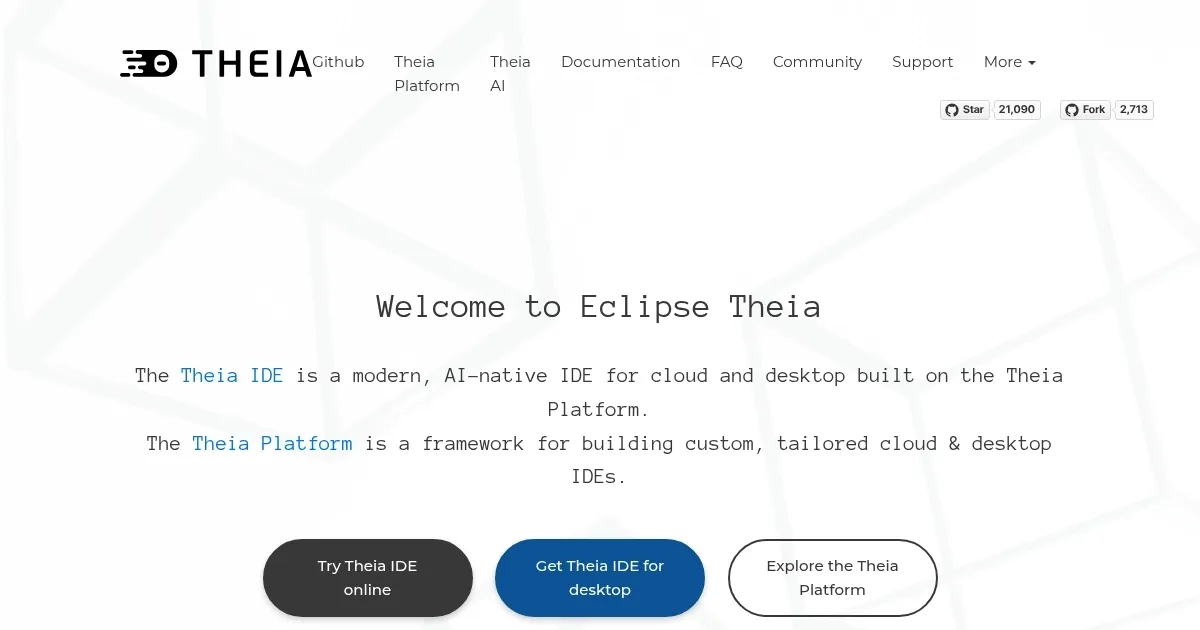
Theia IDE is an open-source, customizable IDE for cloud and desktop development, built on the Eclipse Theia platform. It supports a wide range of programming languages through Language Server Protocol (LSP) integration, offering robust code editing, debugging, and completion for Python, Java, JavaScript, and C++. With access to over 3,000 extensions via open-vsx.org, developers can tailor their workspace with tools like GitLens, ESLint, and Docker. Its modern UX includes detachable views, theming, and a dynamic toolbar, designed for flexibility across projects. The alpha-stage Theia AI provides customizable AI assistance, allowing users to select models, host locally, or create custom agents.

Theia IDE’s open-source nature, supported by companies like IBM and Red Hat, ensures vendor neutrality and community-driven development. It competes with Visual Studio Code and JetBrains IntelliJ IDEA, offering similar extension ecosystems and LSP support but with greater customization. Unlike GitHub Copilot or Cursor, Theia’s AI features prioritize user control over prompts and models. The online version, hosted via Theia.cloud, is limited to 30-minute sessions, while desktop versions support Windows, Mac, and Linux, with a dedicated ARM build for newer Macs.

Developers appreciate the extensive extension library and flexible UX, which streamline workflows for multi-language projects. The ability to host AI models locally appeals to those prioritizing data privacy. The open-source community provides active support through GitHub Discussions, though it’s smaller than competitors’. Theia IDE’s pricing is free, with professional support available, making it cost-competitive against JetBrains IntelliJ IDEA’s paid tiers.

However, setup can be complex, requiring time to configure extensions and workflows. Documentation, while detailed, may overwhelm beginners. The Mac x86 version runs slowly on ARM systems, and the experimental Docker image for online hosting lacks stability. The online test version’s time limit frustrates extended testing.

For best results, start with the online version to explore features, then download the appropriate build for your system. Install key extensions like GitLens or YAML to match your needs, and use GitHub Discussions for community support. Experiment with Theia AI’s customization to optimize your coding tasks.

Visit Theia ↗
Categories
๐Ÿ’ป Coding
๐Ÿ‘จโ€๐Ÿ’ป Development ๐Ÿค– Code Assistant โŒจ๏ธ Code Generation ๐ŸŒ Browser
๐Ÿง  General
๐Ÿฆ™ Open Source Model

Homepage Screenshot 📸

Theia screenshot

Video Overview 🎬

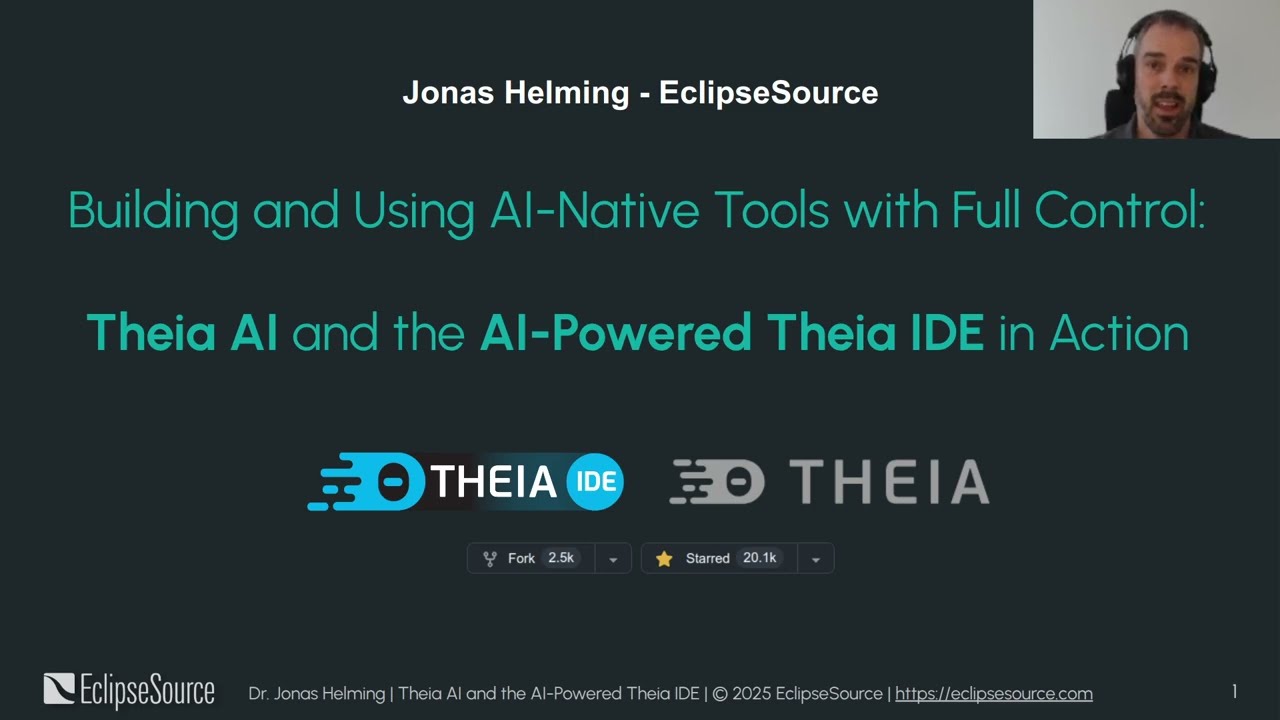
Theia - Video Overview

What are the key features? ✨

  • Extension Ecosystem: Access over 3,000 extensions via open-vsx.org to customize workflows.
  • Language Support: LSP integration supports coding in Python, Java, JavaScript, and more.
  • Theia AI (Alpha): Customizable AI assistance with model selection and local hosting.
  • Modern UX: Features detachable views, theming, and a dynamic toolbar for flexibility.
  • Open-Source: Vendor-neutral platform with community-driven development.

Who is it for? 🤔

Theia IDE is ideal for developers seeking a flexible, open-source coding environment, particularly those working on multi-language projects or requiring tailored workflows. It suits solo coders, small teams, and enterprises valuing data privacy and customization, especially those comfortable with configuring extensions and leveraging community support.

Examples of what you can use it for 💡

  • Web Developer: Uses ESLint and JavaScript extensions for efficient front-end coding.
  • Data Scientist: Leverages Python support and Theia AI for streamlined data analysis.
  • DevOps Engineer: Integrates Docker extension for container management tasks.
  • Enterprise Team: Customizes Theia IDE for proprietary workflows with local AI hosting.
  • Open-Source Contributor: Builds custom extensions to enhance community-driven tools.

Pros & Cons ⚖️

  • Extensive extension library
  • Flexible, modern UX
  • Customizable AI features
  • Complex initial setup
  • Dense documentation

FAQs 💬

What is Theia IDE?
Theia IDE is an open-source IDE for cloud and desktop, supporting multiple languages and extensions.
Is Theia IDE free?
Yes, itโ€™s free with optional professional support available.
How does Theia IDE compare to VS Code?
It offers similar features but emphasizes customization and vendor neutrality.
Can I use Theia IDE online?
Yes, via Theia.cloud, but sessions are limited to 30 minutes.
What languages does Theia IDE support?
It supports Python, Java, JavaScript, C++, and more via LSP.
Does Theia IDE have AI features?
Yes, Theia AI (alpha) offers customizable code assistance.
Can I host Theia IDE locally?
Yes, it supports local hosting for desktop and AI models.
What extensions are available?
Over 3,000 extensions are available on open-vsx.org.
Is Theia IDE suitable for beginners?
Itโ€™s better for users comfortable with configuring tools.
How do I get support for Theia IDE?
Use GitHub Discussions or professional support via theia-ide.org.

Ready to try Theia?

Streamlines coding with a customizable, open-source IDE for cloud and desktop

Visit Theia ↗

Theia alternatives 🔗

  1. Black Forest Labs Black Forest Labs Generates high-quality images from text prompts with precision and speed
  2. Cursor Cursor Supercharges coding with AI agents that build, edit, and review code autonomously.
  3. Windsurf Windsurf Empowers developers with AI-driven code generation and real-time collaboration.
  4. Lovable Lovable Builds apps and websites via AI chat prompts.
  5. Replit AI Replit AI Transforms natural language prompts into fully deployable apps using AI agents
  6. GitHub Copilot GitHub Copilot Enhances coding with AI-driven completions and chat assistance
Share
Theia screenshot enlarged
Promote Theia
light badge
Copy Embed Code
dark badge
Copy Embed Code
neutral badge
Copy Embed Code
Best AI Tools

Discover the best AI tools for any use case

Explore
  • Tool Categories
  • AI Use Cases
  • AI Events
  • AI News
  • Saved Tools
Company
  • About Us
  • Contact Us
  • Media & Partnerships
  • Suggest a Tool
Legal
  • Privacy Policy
  • Terms of Service
Copyright © 2026 Best AI Tools 415 Mission Street, 37th Floor, San Francisco, CA 94105