Skip to content
logo-darklogo-darklogo-darklogo-dark
  • Tool Categories
    • 🎨Art & Creative Design505
    • 🏢Business Management644
    • 💻Coding & Development514
    • 👮Detection83
    • 🧠General Use728
    • 🏥Health & Wellness55
    • 📷Image & Photo Analysis100
    • 🖼️Image Generation & Editing618
    • 📐Interior & Architectural Design37
    • 🎓Learning & Education483
    • ⚖️Legal & Finance90
    • 🎭Lifestyle & Entertainment236
    • 📢Marketing & Advertising627
    • 🎧Music & Audio138
    • 👔Office & Workplace1,014
    • 🔬Research & Data Analysis373
    • 👥Social Media245
    • 🎥Video Generation & Editing426
    • 👧🏻Virtual Companion135
    • 🎤Voice Generation & Editing381
    • ✍️Writing & Editing808
    • All Categories
    • AI Use Cases
  • News
  • Events
    • Academic Conferences
    • Developer Conferences
    • Expos / Trade Shows
    • Industry Summits
    • Workshops / Training
    • All Events
    • Past Events
  • Saved Tools
  • Suggest a Tool
    ✕
    Home › Business Management › CRM› TimelinesAI
    TimelinesAI

    TimelinesAI

    An AI platform designed to simplify the management of WhatsApp communications for businesses

    TimelinesAI is a collaborative platform designed to simplify the management of WhatsApp communications for businesses that enables teams to connect multiple WhatsApp accounts into a shared inbox. This ca be particularly useful for companies handling customer communication across different locations or devices.

    With TimelinesAI, businesses can unify multiple WhatsApp accounts into a single, organized interface. This allows teams to manage customer conversations, track messages, and collaborate efficiently — making it an excellent tool for customer service, sales, and support teams.

    TimelinesAI also integrates with popular CRM platforms like Pipedrive, HubSpot, Salesforce, and Monday.com. This is meant to allow for automatic synchronization of WhatsApp conversations with CRM systems, streamlining workflows and ensuring that all communication is logged and tracked effectively. Moreover, TimelinesAI also sings along with Zapier to automate repetitive tasks, such as sending personalized WhatsApp messages based on CRM triggers.

    In addition, TimelinesAI offers features such as message assignment, collaborative note-taking, and reminders — making it easier for teams to manage their workflow and never miss an important conversation. Speaking of teams, the tool allows for detailed control over team permissions, ensuring that each team member has the appropriate level of access to client conversations. Plus, the platform supports attachments and group chats, which is essential for businesses with complex communication needs.

    In summary, TimelinesAI is a powerful tool for businesses needing to manage multiple WhatsApp accounts and integrate them into their customer relationship workflows.

    Visit TimelinesAI ↗
    Categories
    🏢 Business
    👥 CRM 🎧 Customer Service
    📢 Advertising
    🛍️ Sales Assistant 💼 Sales 🚀 Marketing 🎯 Lead Generation
    👔 Work
    ⚡ Work Productivity

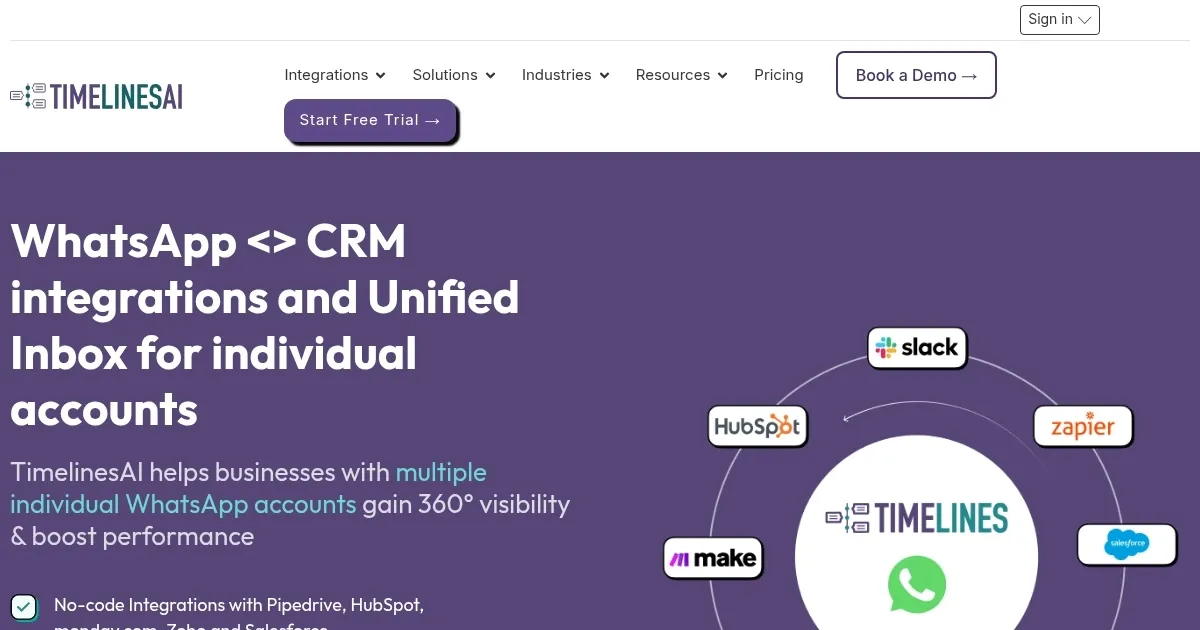
    Homepage Screenshot 📸

    TimelinesAI screenshot

    Video Overview 🎬

    TimelinesAI - Video Overview

    What are the key features? ✨

    • WhatsApp shared inbox: Manage multiple WhatsApp numbers from one unified inbox, enabling real-time team collaboration.
    • CRM integration: TimelinesAI seamlessly integrates with major CRMs like HubSpot, Pipedrive, and Zoho for syncing contacts and conversations.
    • ChatGPT autoresponder: It can automatically respond to messages using ChatGPT, providing real-time, AI-powered replies.
    • Automation tools: TimelinesAI lets you automate workflows, trigger responses, and send mass messages across WhatsApp.
    • Analytics & reporting: The tool offers insights into communication performance with detailed WhatsApp analytics.

    Who is it for? 🤔

    TimelinesAI is made for businesses that rely on WhatsApp for communication, such as sales teams, customer support departments, and marketing agencies. It can be particularly useful for teams managing multiple WhatsApp numbers and needing a unified inbox, automation, and CRM integration to streamline communication workflows.

    Examples of what you can use it for 💡

    • Manage all WhatsApp customer conversations in a single inbox for better team collaboration
    • Automate WhatsApp messages for lead nurturing and track interactions within your CRM
    • Handle client inquiries, set appointments, and send updates through WhatsApp for better customer service
    • Engage with job candidates via WhatsApp, automating interview scheduling and follow-up communications
    • Use mass messaging to launch promotional campaigns directly on WhatsApp

    Pros & Cons ⚖️

    • Turns Whatsapp into a serious business tool
    • Manage permission for every team member
    • Auto replies for common queries and questions
    • Onboarding could take some effort

    FAQs 💬

    What is TimelinesAI mainly used for?
    TimelinesAI lets teams manage multiple WhatsApp numbers from a single shared inbox, sync chats to CRMs in real time, and automate responses with AI-powered workflows.
    Does it work with my existing WhatsApp account?
    Yes, it connects directly to your current personal or business WhatsApp accounts via a simple QR code scan, so you keep using the same numbers.
    Which CRMs does it integrate with?
    It has native integrations with HubSpot, Pipedrive, monday.com, Zoho, Salesforce, Close CRM, and more, allowing automatic syncing of contacts, messages, and deals.
    Can multiple team members handle the same WhatsApp chats?
    Absolutely, the shared inbox supports assigning conversations, adding internal notes, and collaborating in real time across team members.
    Does it support sending messages to many contacts at once?
    Yes, you can run personalized mass messaging campaigns to thousands of contacts while staying compliant with WhatsApp guidelines.
    What kind of AI features are included?
    It offers AI-powered automations, a visual Workflow Builder for creating sequences, and a ChatGPT Agent that helps build smart autoresponders for WhatsApp.
    Is it suitable for small teams or just large companies?
    It works well for small to medium teams that handle high WhatsApp volume, but scales nicely for larger organizations too.
    How does it handle data privacy and security?
    Conversations sync securely to your CRM and the platform follows standard data protection practices for business communication tools.
    Can I automate follow-ups based on CRM events?
    Yes, you can trigger personalized WhatsApp messages automatically from CRM workflows, like sending a message when a deal stage changes.
    Does it provide any analytics on WhatsApp conversations?
    It includes conversational analytics so you can track response times, message volume, and team performance across accounts.

    Ready to try TimelinesAI?

    An AI platform designed to simplify the management of WhatsApp communications for businesses

    Visit TimelinesAI ↗

    TimelinesAI alternatives 🔗

    1. Wati Wati Automates WhatsApp conversations for marketing, sales, and customer support using AI agents
    2. Blip Blip A communications platform that helps businesses connect with customers through AI conversations
    3. JustCall JustCall An AI-powered platform for connecting with customers through voice, SMS, email, and WhatsApp
    4. Respond.io Respond.io Unifies customer chats across channels in one AI-powered team inbox
    5. Chatbot.team Chatbot.team An AI chatbot platform that can enhance customer engagement and streamline business operations
    6. Chatfuel Chatfuel Powerful AI chatbot builder taking customer communication to the next level
    Share
    TimelinesAI screenshot enlarged
    Best AI Tools

    Discover the best AI tools for any use case

    Explore
    • Tool Categories
    • AI Use Cases
    • AI Events
    • AI News
    • Saved Tools
    Company
    • About Us
    • Contact Us
    • Media & Partnerships
    • Suggest a Tool
    Legal
    • Privacy Policy
    • Terms of Service
    Copyright © 2026 Best AI Tools 415 Mission Street, 37th Floor, San Francisco, CA 94105