Skip to content
logo-darklogo-darklogo-darklogo-dark
  • Tool Categories
    • 🎨Art & Creative Design505
    • 🏢Business Management644
    • 💻Coding & Development514
    • 👮Detection83
    • 🧠General Use728
    • 🏥Health & Wellness55
    • 📷Image & Photo Analysis100
    • 🖼️Image Generation & Editing618
    • 📐Interior & Architectural Design37
    • 🎓Learning & Education483
    • ⚖️Legal & Finance90
    • 🎭Lifestyle & Entertainment236
    • 📢Marketing & Advertising627
    • 🎧Music & Audio138
    • 👔Office & Workplace1,014
    • 🔬Research & Data Analysis373
    • 👥Social Media245
    • 🎥Video Generation & Editing426
    • 👧🏻Virtual Companion135
    • 🎤Voice Generation & Editing381
    • ✍️Writing & Editing808
    • All Categories
    • AI Use Cases
  • News
  • Events
    • Academic Conferences
    • Developer Conferences
    • Expos / Trade Shows
    • Industry Summits
    • Workshops / Training
    • All Events
    • Past Events
  • Saved Tools
  • Suggest a Tool
    ✕
    Home › Coding & Development › App Building› Wand
    Wand

    Wand

    Transforms sketches into detailed artwork using AI

    I grabbed my iPad, fired up Wand, and spent a morning sketching a quirky cartoon cat, just to see what this AI-powered app could do. Spoiler: it’s like having a super-smart art assistant who’s maybe a bit too eager to help. Wand, designed for iOS, takes your rough doodles and transforms them into polished illustrations with startling speed. You sketch, tap, and boom, the AI fleshes out your idea with colors and textures you didn’t even know you wanted. It’s thrilling, like watching your napkin sketch turn into a gallery piece, but it’s not without quirks.

    The Custom Brush Engine feels buttery smooth with the Apple Pencil, letting you draw with precision that rivals traditional tools. I loved playing with the Preloaded Style Library, applying a comic-book vibe to my cat sketch in seconds. The Regional Iterative Editing feature is a standout, you can tweak just the eyes or background without messing up the whole piece. But, I hit a snag: the app lagged a bit when I pushed it with a detailed sketch, and the lack of multi-layer support (still in development) felt limiting compared to Procreate. Also, if you’re not on iOS, you’re out of luck, no Android or desktop versions here.

    What caught me off guard was the fine-tuning feature. You can upload a few images of your art, and Wand trains a private AI model to mimic your style. I tried it with some old sketches, and the results were eerily close to my own hand, a bit like seeing a clone finish your work. Compared to Adobe Fresco, which integrates tightly with Photoshop, or Artbreeder, which is more about mixing existing images, Wand’s strength is its sketch-driven workflow. It’s not as polished as Procreate for full-on illustration, but it’s a creative rocket for quick concepts.

    Pricing seems fair, with a free tier and in-app purchases for premium features, though I couldn’t pin down exact costs. It feels in line with Fresco’s subscription model, but Procreate’s one-time fee might be more appealing for some. The app’s secure private models are a plus, keeping your work safe, but the free version limits exports, which stung when I wanted a clean PNG. My cat sketch looked great, but I wished for more control over the AI’s enthusiasm, sometimes it overdid the shading.

    Try Wand for quick ideation or to spice up simple sketches. Play with the style library first, and don’t overcomplicate your initial drawings, the AI shines with clear inputs. If you’re a layer junkie, hold off until that feature drops.

    Visit Wand ↗
    Categories
    💻 Coding
    📱 App Building 👨‍💻 Development ⌨️ Code Generation ✨ Vibe Coding
    🏢 Business
    🔄 Workflow

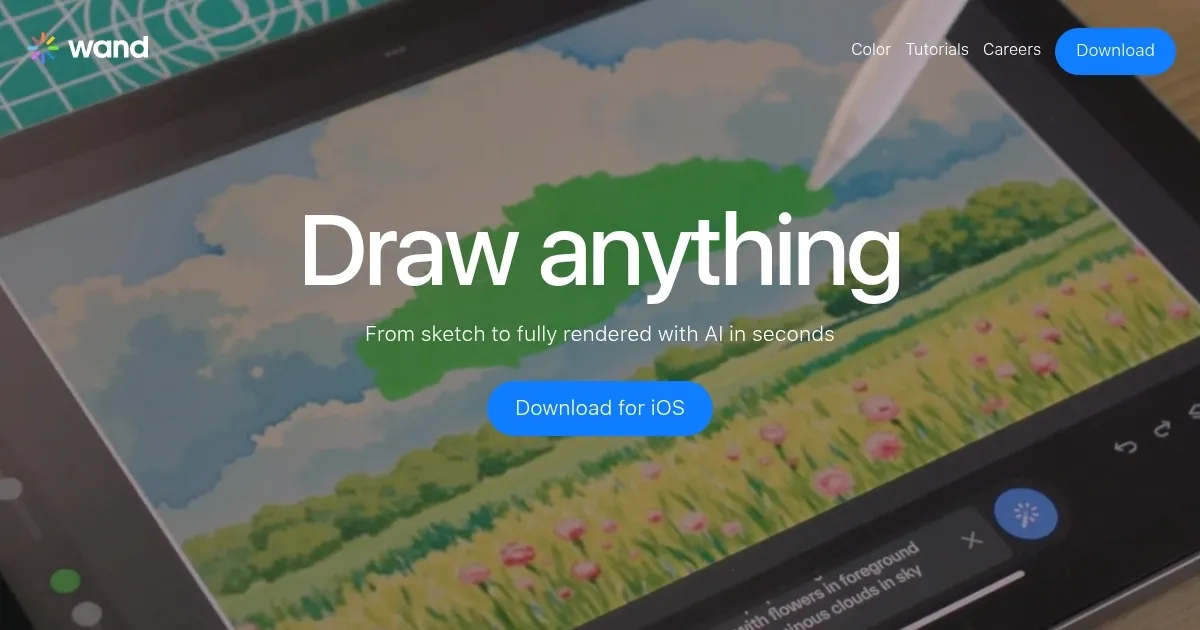
    Homepage Screenshot 📸

    Wand screenshot

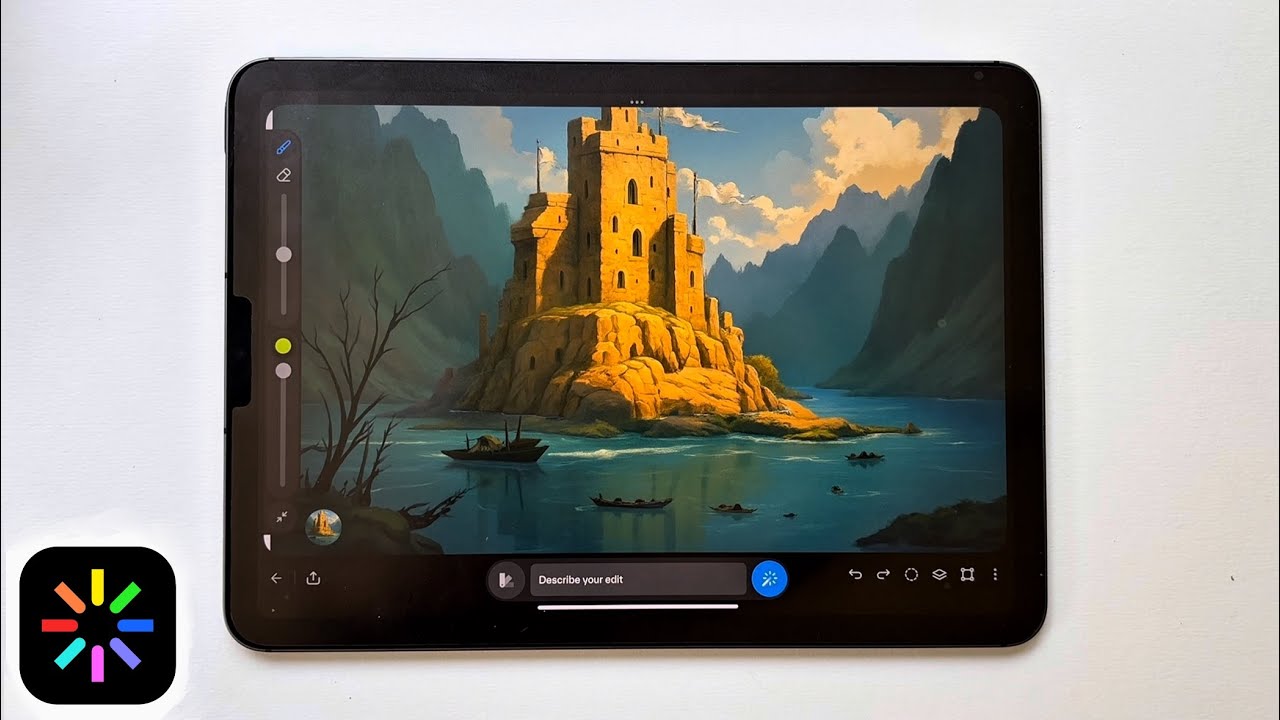
    Video Overview 🎬

    Wand - Video Overview

    What are the key features? ✨

    • Custom Brush Engine: Mimics traditional drawing for precise control.
    • Preloaded Style Library: Offers artistic templates for quick stylization.
    • Regional Iterative Editing: Allows targeted adjustments to specific areas.
    • Dynamic Morph Intensity: Controls AI’s influence on sketch rendering.
    • Secure Private Models: Protects user designs with private AI models.

    Who is it for? 🤔

    Wand is made for digital artists, illustrators, and designers who use iOS devices and want to blend hand-drawn sketches with AI-enhanced rendering. It suits beginners exploring digital art, as well as professionals like comic artists or fashion designers who need rapid ideation and style experimentation. Those familiar with Apple Pencil will find its intuitive controls especially appealing, though it’s less suited for users on non-iOS platforms or those requiring complex layering.

    Examples of what you can use it for 💡

    • Comic Artist: Creates expressive characters with AI-enhanced details.
    • Fashion Designer: Mocks up clothing designs with rapid iterations.
    • Illustrator: Blends traditional sketches with digital stylization.
    • Concept Artist: Visualizes ideas using reference images and AI styles.
    • Hobbyist: Experiments with digital art using intuitive tools.

    Pros & Cons ⚖️

    • Apple Pencil support
    • Fast AI sketch rendering
    • Secure private AI models
    • iOS-only, no Android
    • Limited free-tier exports

    FAQs 💬

    What devices does Wand support?
    Wand works on iPhone and iPad with iOS 17.0 or later, optimized for Apple Pencil.
    Can I use Wand without an Apple Pencil?
    Yes, but Apple Pencil enhances precision for sketching and editing.
    Is Wand free to use?
    Wand offers a free tier with basic features, with in-app purchases for premium options.
    Does Wand support Android or desktop?
    No, Wand is exclusive to iOS devices, with no Android or desktop versions.
    Can I export my artwork?
    Yes, transparent PNG exports are available, though limited in the free tier.
    How does the fine-tuning feature work?
    Upload images to train a private AI model to mimic your artistic style.
    Is my artwork secure in Wand?
    Secure private models ensure your designs are protected and accessible only to you.
    Can beginners use Wand effectively?
    Yes, its intuitive interface suits beginners, though pros can leverage advanced features.
    Does Wand require an internet connection?
    Some features, like AI rendering, may require an internet connection.
    How does Wand compare to Procreate?
    Wand focuses on AI-enhanced sketching, while Procreate offers broader illustration tools.

    Ready to try Wand?

    Transforms sketches into detailed artwork using AI

    Visit Wand ↗

    Wand alternatives 🔗

    1. Adobe Firefly Adobe Firefly Generates images, videos, audio, and vectors using AI.
    2. starryai starryai AI-driven art generator app designed to create unique works of art
    3. Illustroke Illustroke Transform basic sketches or ideas into detailed and polished illustrations
    4. Dream by WOMBO Dream by WOMBO Creates AI-generated paintings from user prompts and user-selected art styles
    5. Ilus AI Ilus AI Generates stylistically consistent illustrations from text prompts
    6. DreamUp DreamUp An AI-powered tool allowing users to generate unique artworks by inputting text prompts
    Share
    Wand screenshot enlarged
    Best AI Tools

    Discover the best AI tools for any use case

    Explore
    • Tool Categories
    • AI Use Cases
    • AI Events
    • AI News
    • Saved Tools
    Company
    • About Us
    • Contact Us
    • Media & Partnerships
    • Suggest a Tool
    Legal
    • Privacy Policy
    • Terms of Service
    Copyright © 2026 Best AI Tools 415 Mission Street, 37th Floor, San Francisco, CA 94105