Best AI GIF Generation Tools

2 toolsRanked by traffic

AI GIF generation tools create short, looping animated GIFs using AI, either by generating motion from a prompt or by turning a clip into a clean, repeating loop. The output is the familiar silent, looping format used in chats, social posts, and product pages. The tools in this category are AnimateDiff, which generates animation from prompts, and Unscreen, which removes backgrounds from clips for transparent loops.

Creators, community managers, and marketers use AI GIFs for reactions, lightweight product demos, and eye-catching social snippets that play automatically without sound. The format keeps things small and quick, so GIFs trade fine detail and color depth for fast loading and easy sharing. If you need audio, longer length, or higher fidelity, a short generated video is the better choice and you can always export a GIF from it later.

Unscreen
Unscreen - icon
Unscreen
AI tool that removes backgrounds from videos
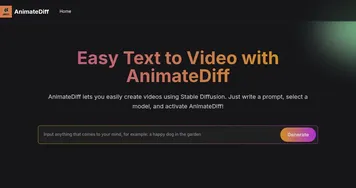
AnimateDiff
AnimateDiff - icon
AnimateDiff
Transforms text or images into animated videos using AI-driven motion

Frequently Asked Questions

What is AI GIF generation?
AI GIF generation is the use of AI to create short, looping animated GIFs. Some tools generate the animation from a text prompt, while others convert a video clip into a clean loop or strip its background for a transparent GIF. The result is the familiar silent, repeating format used across chats and social feeds.
How do you make an animated GIF with AI?
To make an animated GIF with AI, you either describe the motion you want and let a model generate it, or upload a short clip and have the tool turn it into a clean loop. From there you export as a GIF. Keeping the action simple and the loop short produces the smoothest, smallest result.
Should I use a GIF or a short video?
Use a GIF when you want a small, silent loop that plays automatically in a chat or post, and a short video when you need sound, more length, or higher image quality. GIFs load fast and share easily but look coarser, so the right choice comes down to where the clip will live.