AI Room Styles
Transforms room photos into styled interior designs and virtual stagings instantly with AI
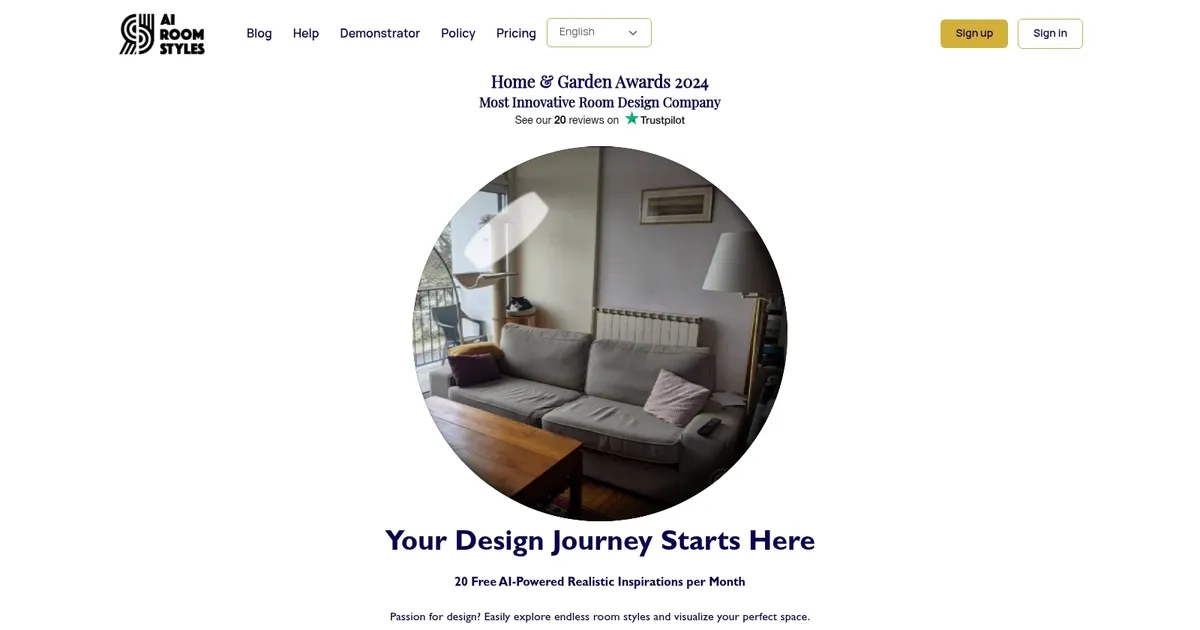
The AI Room Styles tool is designed to change the way individuals, architects, and real estate agents visualize and execute home staging projects. By simply uploading a photo of a room, users can generate four realistic, creative renderings to reimagine their space in various styles and layouts.
This technology offers a fast and easy way to explore potential changes to a room, whether it’s a complete transformation, furniture replacement, or a single element modification.
AI Room Styles offers different customizable features to tailor each project to the user’s specific needs. Users can choose from different room types, such as kitchens, living rooms, and bedrooms, and select from a wide array of styles — including modern, Asian, and traditional, to ensure the design aligns with their personal tastes.
The tool also includes a color selection feature to find the perfect ambiance for the room. Following the generation of the renderings, users have the option to edit their preferred design to alter elements or shop for related furniture — and eventually make the virtual design a reality.
With over 30,000 users worldwide, AI Room Styles has received positive feedback for its ability to produce both creative and realistic designs that help users envision the future of their living spaces.
Homepage Screenshot 📸
Video Overview 🎬

What are the key features? ✨
- Photo Upload and Redesign: Upload any room photo and instantly generate AI-redesigned versions in chosen styles.
- Multiple Design Styles: Access a range of popular interior styles including modern, Scandinavian, boho, and industrial for diverse visualizations.
- Virtual Staging: Stage empty or furnished rooms virtually to preview furnished looks, ideal for real estate and home planning.
- Free Monthly Renders: Start with complimentary renderings each month to experiment without cost.
- Color and Decor Customization: Adjust colors and decor elements to fine-tune the generated designs.
Who is it for? 🤔
Examples of what you can use it for 💡
- Homeowner: Upload a living room photo to test new furniture layouts and color schemes before shopping.
- Real Estate Agent: Stage vacant properties virtually to show potential buyers a furnished, inviting space.
- Interior Designer: Generate fast style variations for client presentations and refine concepts efficiently.
- Renter: Visualize temporary decor updates or paint ideas that suit lease restrictions.
- Architect: Preview aesthetic integrations in renovated or existing room structures.
Pros & Cons ⚖️
- Fast results
- Free monthly renders
- Easy to use
- Realistic outputs
- Limited free quota
- Input photo quality matters
FAQs 💬
Ready to try AI Room Styles?
Transforms room photos into styled interior designs and virtual stagings instantly with AI
Visit AI Room StylesAI Room Styles alternatives 🔗