Best AI Kitchen Design Tools

22 toolsRanked by traffic

AI kitchen design tools restyle a kitchen from a photo, focusing on the parts that make a kitchen a kitchen: cabinets, countertops, backsplashes, flooring, and appliance finishes. You upload a picture of your current kitchen, choose a look, and the AI returns the same room with new cabinetry and surfaces while keeping the basic layout. Options here include AI Room Planner, ReRoom AI, and Collov AI.

Homeowners planning a remodel use these to compare cabinet colors and counter materials side by side before committing to an expensive renovation, and designers use them to settle a client's taste fast. Because kitchens are dense with fixed plumbing and appliances, the smart move is to keep your existing layout and only change finishes. The AI is great for the look of cabinets and counters, but it won't reroute a sink or resize a window, so treat the work-triangle as fixed.

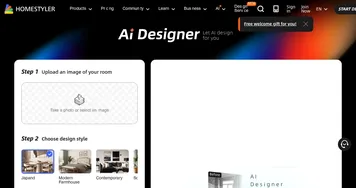
Homestyler AI Designer
Homestyler AI Designer - icon
Homestyler AI Designer
Choose design style and room type, and let AI design the room for you
mnml.ai
mnml.ai - icon
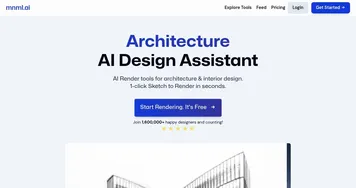
mnml.ai
An AI design assistant for architects and interior designers for creating high-quality renders
HomeDesignsAI
HomeDesignsAI - icon
HomeDesignsAI
Transforms photos of rooms, houses, or outdoor spaces into AI-redesigned photorealistic versions
RoomGPT
RoomGPT - icon
RoomGPT
An AI-powered tool that allows users to easily redesign their living spaces
AI Room Planner
AI Room Planner - icon
AI Room Planner
An AI tool to generate interior design ideas for your room
ReRoom AI
ReRoom AI - icon
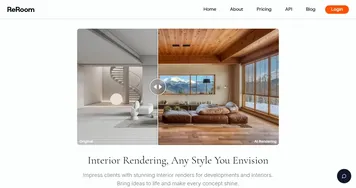
ReRoom AI
Upload a picture of your project and get photorealistic renders in just seconds
REimagineHome
REimagineHome - icon
REimagineHome
Redesign any space to match your vision, or let the AI show you inspiring designs in seconds
Collov AI
Collov AI - icon
Collov AI
Instantly stages rooms, removes or adds furniture, enhances photos for real estate visuals
Interior AI
Interior AI - icon
Interior AI
AI interior designer for the rooms in your home
Room AI
Room AI - icon
Room AI
Transforms rooms with AI-generated interior design visualizations in seconds
AI HomeDesign
AI HomeDesign - icon
AI HomeDesign
Transform property images into professionally-staged spaces
Renovate AI
Renovate AI - icon
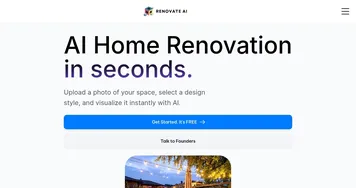
Renovate AI
Visualizes home renovations using AI for stunning design previews
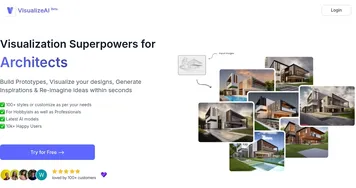
VisualizeAI
VisualizeAI - icon
VisualizeAI
Transforms sketches and text into 3D designs
Remodel AI
Remodel AI - icon
Remodel AI
Transforms uploaded home photos into AI-generated remodel visualizations
ArchitectGPT
ArchitectGPT - icon
ArchitectGPT
Using AI to create stunning visuals of your home or property

Frequently Asked Questions

What is the best AI kitchen design tool?
AI Room Planner and ReRoom AI both handle kitchens well and let you swap cabinet styles, countertops, and finishes from a photo. Collov AI is worth a look if you want more curated, designer-led results. Since they each interpret a kitchen photo a little differently, running the same shot through two is the quickest way to find the look you want.
Can AI redesign my kitchen cabinets and countertops?
Yes, that's exactly what these tools do best. You upload a photo and the AI re-renders the cabinets in a new color or door style and drops in a different countertop material, like quartz or butcher block, while keeping the room's shape. It's an easy way to compare a white shaker kitchen against a dark modern one before buying.
How can I visualize a kitchen remodel before spending money?
Upload a clear photo of your kitchen to an AI design tool, choose the cabinet, counter, and flooring styles you're considering, and it generates a realistic preview of the finished room. Comparing a few versions side by side helps you spot a combination you love, or rule one out, long before a contractor quotes the actual work.
Will AI keep my kitchen layout when it redesigns it?
Generally yes, these tools restyle surfaces and finishes while preserving the existing footprint, so your sink, stove, and island stay roughly where they are. They change how the kitchen looks, not where the plumbing runs. If you want to move appliances or walls, you'll need a true planning tool and a professional, not a photo restyler.
Are AI kitchen design tools free?
Most have a free tier that covers a few renders, which is often enough to settle on a cabinet and counter combination. Heavier use, higher resolution, or extra style options usually move you to a paid plan, typically a small monthly fee or a credit pack. Start free to test your ideas, then pay only if you need more variations.