logo-darklogo-darklogo-darklogo-dark
  • Tool Categories
    • ๐ŸŽจArt & Creative Design505
    • ๐ŸขBusiness Management644
    • ๐Ÿ’ปCoding & Development515
    • ๐Ÿ‘ฎDetection83
    • ๐Ÿง General Use727
    • ๐ŸฅHealth & Wellness55
    • ๐Ÿ“ทImage & Photo Analysis100
    • ๐Ÿ–ผ๏ธImage Generation & Editing618
    • ๐Ÿ“Interior & Architectural Design37
    • ๐ŸŽ“Learning & Education483
    • โš–๏ธLegal & Finance90
    • ๐ŸŽญLifestyle & Entertainment236
    • ๐Ÿ“ขMarketing & Advertising627
    • ๐ŸŽงMusic & Audio138
    • ๐Ÿ‘”Office & Workplace1,014
    • ๐Ÿ”ฌResearch & Data Analysis372
    • ๐Ÿ‘ฅSocial Media245
    • ๐ŸŽฅVideo Generation & Editing426
    • ๐Ÿ‘ง๐ŸปVirtual Companion135
    • ๐ŸŽคVoice Generation & Editing381
    • โœ๏ธWriting & Editing808
    • All Categories
    • AI Use Cases
  • News
  • Events
    • Academic Conferences
    • Developer Conferences
    • Expos / Trade Shows
    • Industry Summits
    • Workshops / Training
    • All Events
    • Past Events
  • Saved Tools
  • Suggest a Tool
โœ•
Home › Coding & Development › Code Assistant› Amp
Amp

Amp by Sourcegraph

Automates coding with AI-driven reasoning, editing, and task execution

Amp is an AI-powered coding assistant developed by Sourcegraph, integrating with VS Code, Cursor, Windsurf, and CLI to automate code writing, debugging, and refactoring using Claude Sonnet 4. It processes user prompts to execute complex tasks, manages context with a 168k token limit, and supports thread sharing for collaboration. Key features include a persistent TODO list, secret redaction, and image upload support for visual debugging. Recent updates include a 30% faster Amp Tab for in-editor completions and subagent support via the oracle tool using OpenAI’s o3.

Amp excels at understanding existing codebases, automatically detecting dependencies and tech stacks. It runs commands, fixes errors, and generates code with high accuracy. The system redacts sensitive data like API keys, ensuring security, and supports multi-root workspaces. Pricing is credit-based, tied to token usage, competitive with alternatives like Cursor and Cody. The CLI supports execute mode for programmatic tasks, and AGENT.md files provide codebase-specific guidance.

Drawbacks include the lack of a model selector, limiting users to Claude Sonnet 4. The 168k token context window is smaller than Cursor’s 200k MAX mode. UI placement in VS Code can conflict with other extensions, and folder references are not supported, which may cause file management issues. Cost tracking requires visiting the website dashboard, which could be more convenient.

Amp’s strengths lie in its agentic approach, handling end-to-end tasks with minimal user input. It’s SOC 2 Type II certified, with data encrypted at rest and in transit. The oracle tool enhances debugging, and thread forking allows exploring alternative implementations. For optimal use, write clear prompts, start new threads for large tasks, and leverage AGENT.md files to guide Amp’s behavior.

Visit Amp ↗
Categories
๐Ÿ’ป Coding
๐Ÿค– Code Assistant โŒจ๏ธ Code Generation ๐Ÿ‘จโ€๐Ÿ’ป Development โœจ Vibe Coding ๐Ÿ” Code Review
๐Ÿ‘” Work
๐Ÿ”— Agent ๐Ÿค– Copilot

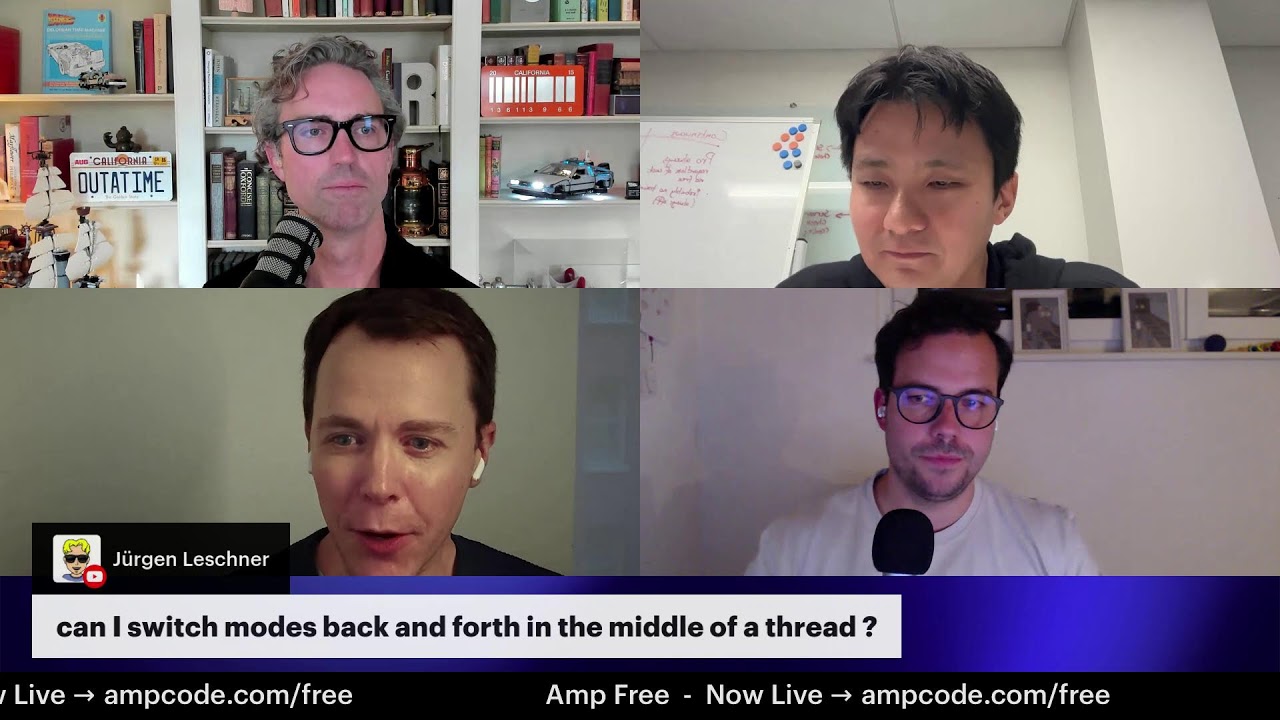
Homepage Screenshot 📸

Amp screenshot

Video Overview 🎬

Amp - Video Overview

What are the key features? ✨

  • Context Management: Monitors token usage and compacts threads to maintain efficiency.
  • Thread Sharing: Allows online access and sharing of conversation threads for collaboration.
  • Secret Redaction: Automatically detects and redacts sensitive data like API keys.
  • Image Support: Enables uploading screenshots for visual debugging and UI analysis.
  • Amp Tab: Provides 30% faster in-editor code completions with predictive suggestions.

Who is it for? 🤔

Amp is designed for developers and teams working on complex codebases, particularly those using VS Code or CLI environments, who need an AI assistant to automate coding tasks, debug issues, and manage projects efficiently. It suits solo coders building features, teams collaborating on shared threads, and enterprises prioritizing security with SOC 2 compliance.

Examples of what you can use it for 💡

  • Solo Developer: Implements a new dashboard feature using existing codebase dependencies.
  • Team Lead: Shares threads to collaborate on refactoring across multiple project files.
  • Debugging Engineer: Uses image uploads to diagnose UI bugs via screenshots.
  • CI/CD Integrator: Runs CLI commands to automate file renaming in scripts.
  • Code Reviewer: Employs the oracle tool to analyze commits for potential errors.

Pros & Cons ⚖️

  • Automates complex coding tasks.
  • Integrates with multiple editors.
  • Fast in-editor completions.
  • No model selector available.
  • Limited 168k token window.

FAQs 💬
What editors does Amp support?
Amp works with VS Code, Cursor, Windsurf, VSCodium, and as a CLI tool.
How does Amp handle sensitive data?
It redacts secrets like API keys before they reach the LLM or external services.
Can I share my work with my team?
Yes, Amp allows thread sharing for collaboration, with privacy options.
What model does Amp use?
Amp primarily uses Claude Sonnet 4, with OpenAIโ€™s o3 for the oracle tool.
How do I track my usage costs?
Check your credit usage on the Amp website dashboard.
Does Amp support image uploads?
Yes, you can upload screenshots for debugging or UI analysis.
What is the context window size?
Amp has a 168k token context window, with compaction options.
Is Amp secure for enterprise use?
Amp is SOC 2 Type II certified with encrypted data and secret redaction.
Can Amp run terminal commands?
Yes, Amp executes commands like build or test, guided by AGENT.md files.
How does Amp compare to Cursor?
Amp offers broader editor support and no model markup, but a smaller context window.

Ready to try Amp?

Automates coding with AI-driven reasoning, editing, and task execution

Visit Amp ↗

Amp alternatives 🔗

  1. ChatGPT ChatGPT All-round AI assistant generating human-like responses to user queries and tasks
  2. Claude Claude Assists users in reasoning, coding, writing, and analyzing data with advanced AI models
  3. DeepSeek DeepSeek Delivers advanced AI models for coding and reasoning at low costs
  4. Cursor Cursor Supercharges coding with AI agents that build, edit, and review code autonomously.
  5. Windsurf Windsurf Empowers developers with AI-driven code generation and real-time collaboration.
  6. Lovable Lovable Builds apps and websites via AI chat prompts.
Share
Amp screenshot enlarged
Promote Amp
light badge
Copy Embed Code
dark badge
Copy Embed Code
neutral badge
Copy Embed Code
Best AI Tools

Discover the best AI tools for any use case

Explore
  • Tool Categories
  • AI Use Cases
  • AI Events
  • AI News
  • Saved Tools
Company
  • About Us
  • Contact Us
  • Media & Partnerships
  • Suggest a Tool
Legal
  • Privacy Policy
  • Terms of Service
Copyright © 2026 Best AI Tools 415 Mission Street, 37th Floor, San Francisco, CA 94105