logo-darklogo-darklogo-darklogo-dark
  • Tool Categories
    • 🎨Art & Creative Design505
    • 🏢Business Management644
    • 💻Coding & Development515
    • 👮Detection83
    • 🧠General Use727
    • 🏥Health & Wellness55
    • 📷Image & Photo Analysis100
    • 🖼️Image Generation & Editing618
    • 📐Interior & Architectural Design37
    • 🎓Learning & Education483
    • ⚖️Legal & Finance90
    • 🎭Lifestyle & Entertainment236
    • 📢Marketing & Advertising627
    • 🎧Music & Audio138
    • 👔Office & Workplace1,014
    • 🔬Research & Data Analysis372
    • 👥Social Media245
    • 🎥Video Generation & Editing426
    • 👧🏻Virtual Companion135
    • 🎤Voice Generation & Editing381
    • ✍️Writing & Editing808
    • All Categories
    • AI Use Cases
  • News
  • Events
    • Academic Conferences
    • Developer Conferences
    • Expos / Trade Shows
    • Industry Summits
    • Workshops / Training
    • All Events
    • Past Events
  • Saved Tools
  • Suggest a Tool
✕
Home › Image Generation & Editing › Image Generation› ArtificialStudio
ArtificialStudio

ArtificialStudio

Creates AI-powered multimedia content like images, videos, and music with ease

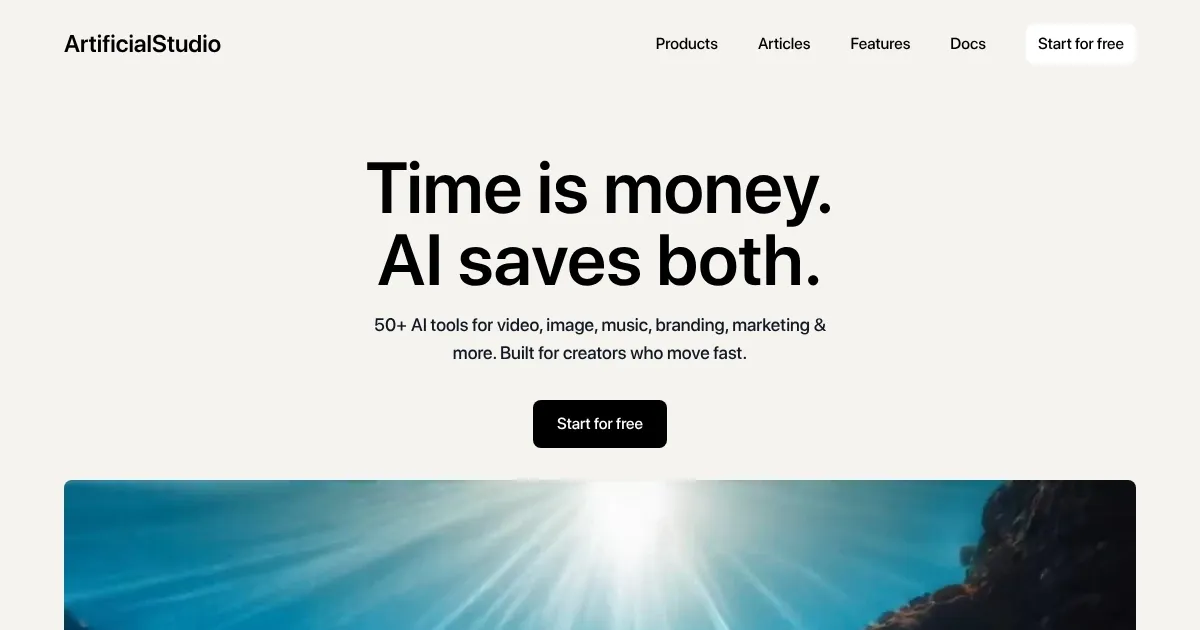
Artificial Studio is a platform offering over 50 AI-powered tools for creating and editing multimedia content, including images, videos, music, and animations. It streamlines creative workflows by consolidating tools into one interface, targeting designers, marketers, and content creators. Key features include Text-to-Video, Image Upscaler, Colorize, and SVG Creator, each leveraging models like Flux Context and Bagel by ByteDance for precise edits.

The platform excels in accessibility. Users can generate professional-grade content, like logos or promotional videos, without advanced skills. The Text-to-Video tool converts text prompts into videos in minutes, while Image Upscaler enhances low-resolution images effectively. The interface is user-friendly, with clear navigation and tool descriptions. Compared to Runway or Adobe Express, Artificial Studio offers a broader toolset, though it may lack the polish of Adobe’s ecosystem.

Drawbacks include inconsistent output quality. Voice cloning and 3D model generation can produce subpar results, requiring tweaks. The credit-based pricing model, while flexible, lacks transparency compared to Canva‘s straightforward plans. Free tools are available, but premium features require a subscription or credits, which may deter casual users.

The platform supports a range of applications, from social media content to product ads. The SVG Creator stands out, generating scalable vector graphics for web design or branding with high accuracy. Community feedback on forums highlights fast rendering but notes occasional bugs in video tools.

Try the free version to test core features like Colorize or Text-to-Video. Focus on tools that match your project needs, and check pricing details on the official site to budget effectively. User guides on the platform’s docs page can help with setup.

Visit ArtificialStudio ↗
Categories
🖼️ Image
🖼️ Image Generation 🪄 Text to Image
🎥 Video
📹 Video Generation 📝 Text to Video 🖼️ Image to Video 🎞️ Animation Generation
🎨 Art
🎨 Art Generation

Homepage Screenshot 📸

ArtificialStudio screenshot

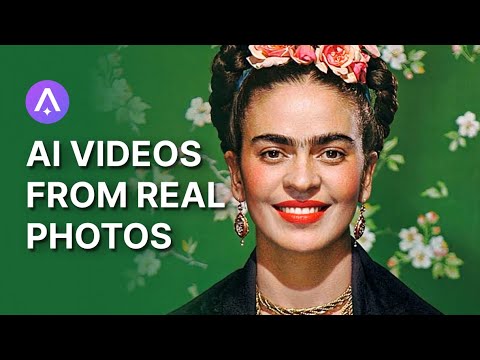
Video Overview 🎬

ArtificialStudio - Video Overview

What are the key features? ✨

  • Text-to-Video: Converts text prompts into dynamic video content quickly.
  • Image Upscaler: Enhances low-resolution images for professional use.
  • Colorize: Adds vibrant color to black-and-white photos with AI precision.
  • SVG Creator: Generates scalable vector graphics from text for logos and icons.
  • Face Swap: Replaces faces in images or videos with seamless results.

Who is it for? 🤔

Artificial Studio is designed for graphic designers, marketers, content creators, and small business owners who need quick, high-quality multimedia without mastering complex software. It suits both beginners and pros looking to streamline creative tasks.

Examples of what you can use it for 💡

  • Graphic Designer: Creates logos and vector graphics for branding projects.
  • Marketer: Produces promotional videos from text for social media campaigns.
  • Content Creator: Enhances old photos with Colorize for engaging blog posts.
  • Small Business Owner: Designs product ads with AI for e-commerce listings.
  • Animator: Generates short animations from static images for presentations.

Pros & Cons ⚖️

  • Broad range of AI tools
  • High-quality image edits
  • Flexible subscription plans
  • Opaque credit system
  • Occasional video glitches

FAQs 💬

What is Artificial Studio?
A platform with over 50 AI tools for creating images, videos, and music.
Do I need design skills to use it?
No, the interface is beginner-friendly with intuitive controls.
Can I try it for free?
Yes, free tools are available, but premium features require credits.
What types of content can I create?
Images, videos, music, animations, logos, and vector graphics.
How does it compare to Canva?
Offers more AI-driven tools but less polished templates than Canva.
Is it suitable for professional projects?
Yes, especially for quick edits and multimedia content creation.
What AI models power the tools?
Flux Context, GPT Image 1, and Bagel by ByteDance, among others.
Can I use it for commercial projects?
Yes, commercial use of generated content is allowed.
Is there a mobile app?
No mobile app, but the platform is accessible via web browsers.

Ready to try ArtificialStudio?

Creates AI-powered multimedia content like images, videos, and music with ease

Visit ArtificialStudio ↗

ArtificialStudio alternatives 🔗

  1. ChatGPT ChatGPT All-round AI assistant generating human-like responses to user queries and tasks
  2. Grok Grok Delivers witty, real-time AI responses with advanced reasoning and image generation
  3. Imagen Imagen Generates photorealistic images from detailed text prompts
  4. Black Forest Labs Black Forest Labs Generates high-quality images from text prompts with precision and speed
  5. Kling AI Kling AI Generates cinematic videos from text or images with realistic motion
  6. Runway Runway Generates and edits AI-powered videos from text prompts
Share
ArtificialStudio screenshot enlarged
Promote ArtificialStudio
light badge
Copy Embed Code
dark badge
Copy Embed Code
neutral badge
Copy Embed Code
Best AI Tools

Discover the best AI tools for any use case

Explore
  • Tool Categories
  • AI Use Cases
  • AI Events
  • AI News
  • Saved Tools
Company
  • About Us
  • Contact Us
  • Media & Partnerships
  • Suggest a Tool
Legal
  • Privacy Policy
  • Terms of Service
Copyright © 2026 Best AI Tools 415 Mission Street, 37th Floor, San Francisco, CA 94105