logo-darklogo-darklogo-darklogo-dark
  • Tool Categories
    • ๐ŸŽจArt & Creative Design505
    • ๐ŸขBusiness Management644
    • ๐Ÿ’ปCoding & Development515
    • ๐Ÿ‘ฎDetection83
    • ๐Ÿง General Use727
    • ๐ŸฅHealth & Wellness55
    • ๐Ÿ“ทImage & Photo Analysis100
    • ๐Ÿ–ผ๏ธImage Generation & Editing618
    • ๐Ÿ“Interior & Architectural Design37
    • ๐ŸŽ“Learning & Education483
    • โš–๏ธLegal & Finance90
    • ๐ŸŽญLifestyle & Entertainment236
    • ๐Ÿ“ขMarketing & Advertising627
    • ๐ŸŽงMusic & Audio138
    • ๐Ÿ‘”Office & Workplace1,014
    • ๐Ÿ”ฌResearch & Data Analysis372
    • ๐Ÿ‘ฅSocial Media245
    • ๐ŸŽฅVideo Generation & Editing426
    • ๐Ÿ‘ง๐ŸปVirtual Companion135
    • ๐ŸŽคVoice Generation & Editing381
    • โœ๏ธWriting & Editing808
    • All Categories
    • AI Use Cases
  • News
  • Events
    • Academic Conferences
    • Developer Conferences
    • Expos / Trade Shows
    • Industry Summits
    • Workshops / Training
    • All Events
    • Past Events
  • Saved Tools
  • Suggest a Tool
โœ•
Home › Art & Creative Design › Illustration Generation› Boords
Boords

Boords

Creates storyboards for video teams with AI tools and collaboration features

Boords is an online storyboarding platform designed for video teams to create, collaborate, and share professional storyboards efficiently. It offers a user-friendly interface with drag-and-drop functionality, allowing users to build storyboards quickly without advanced design skills. The AI Storyboard Generator creates images from text prompts, supporting multiple styles and languages, while features like @mentioning characters ensure consistency across frames. Integrated camera move overlays (Pan, Zoom, Tilt) help visualize dynamic shots, and the animatic tool adds timing and sound for client-ready presentations.

Collaboration is a core strength. Real-time updates, in-frame commenting, and password-protected sharing links streamline feedback from teammates and clients. Versioning tracks changes, making iterations simple, and team activity logs provide project oversight. Boords supports exports in PDF, PNG, and MP4 formats, with customizable aspect ratios for various project types, from films to social media campaigns. Over 1 million professionals use Boords, particularly in video production and animation.

Drawbacks include its online-only nature, requiring a stable internet connection, and occasional inconsistencies in AI-generated images, which may not suit highly specific art styles. Compared to Storyboarder.aiย or StudioBinder, Boords prioritizes simplicity over advanced drawing or scripting tools. Its free plan suits solo users, while paid tiers offer unlimited storyboards and premium features, aligning with industry-standard pricing.

The platform’s intuitive design eliminates repetitive tasks, like rearranging frames, and its image library provides millions of professional assets. Security features, including 256-bit SSL encryption and Stripe payment processing, ensure data safety. Boords integrates with tools like Contentful and Cloudinary for seamless image handling.

To get started, sign up for the free plan and create a test storyboard to explore the AI tools and collaboration features. Focus on using the drag-and-drop interface and versioning to streamline your workflow. If you need robust offline capabilities, consider alternatives, but for team-based projects, Boords is a solid choice.

Visit Boords ↗
Categories
๐ŸŽจ Art
๐ŸŒ… Illustration Generation ๐Ÿ’ฅ Comic Generation โœ๏ธ Sketch Generation
๐ŸŽฅ Video
๐Ÿ“œ Script To Video Generation ๐ŸŽž๏ธ Animation Generation
โœ๏ธ Writing
๐ŸŽฌ Script Writing
๐Ÿ–ผ๏ธ Image
๐Ÿ–ผ๏ธ Image Generation

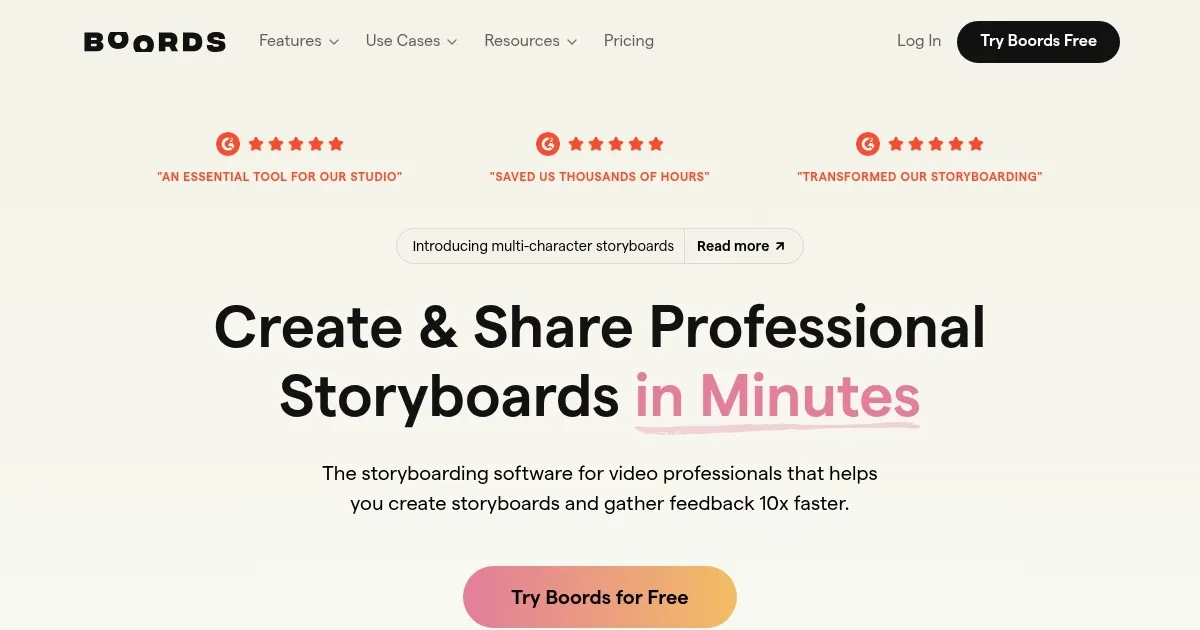
Homepage Screenshot 📸

Boords screenshot

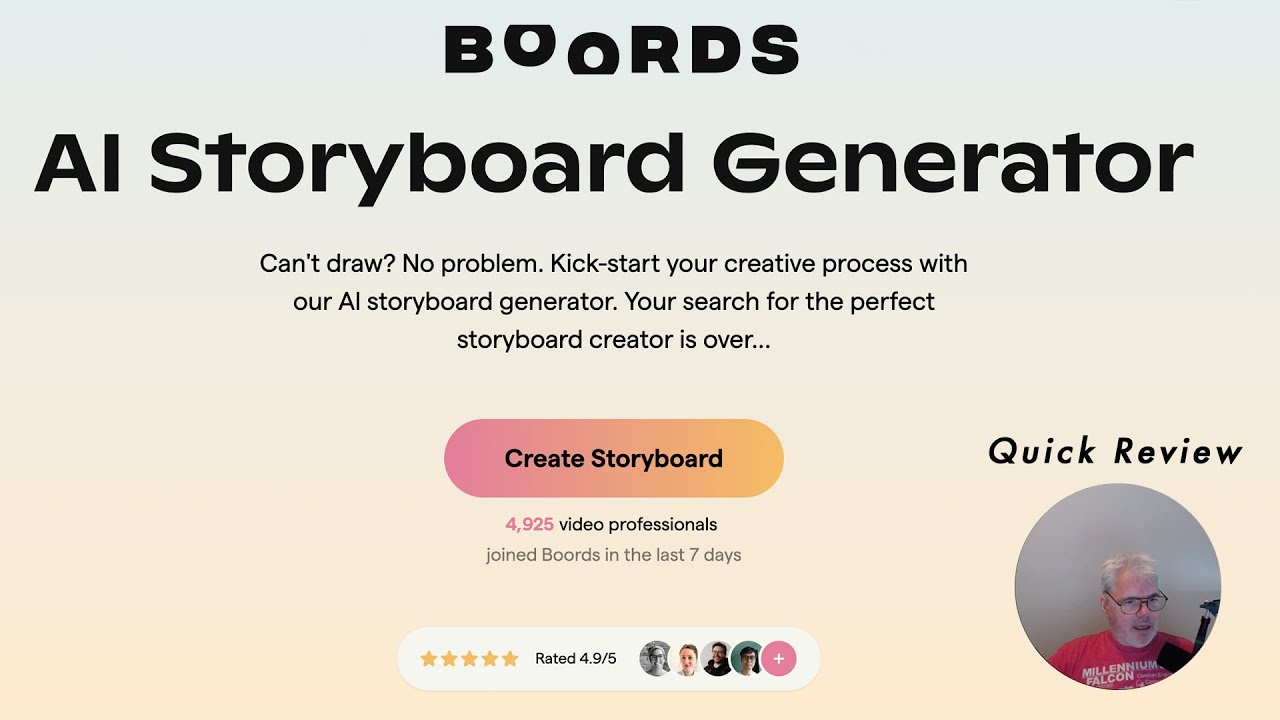
Video Overview 🎬

Boords - Video Overview

What are the key features? ✨

  • AI Storyboard Generator: Creates images from text prompts in various styles.
  • Real-Time Collaboration: Enables team members to edit and comment simultaneously.
  • Animatic Tool: Transforms static storyboards into dynamic sequences with sound.
  • Versioning System: Tracks changes and iterations for easy project management.
  • Camera Move Overlays: Visualizes Pan, Zoom, and Tilt movements on frames.

Who is it for? 🤔

Boords is best for video production teams, animation studios, advertising agencies, and freelance creatives who need to streamline pre-production workflows. Its intuitive interface suits beginners, while its collaboration and AI tools cater to professionals managing complex projects across industries like film, marketing, and education, ensuring efficient idea visualization and client approvals.

Examples of what you can use it for 💡

  • Filmmaker: Uses Boords to create storyboards for a short film, visualizing scenes with AI-generated images.
  • Animator: Builds consistent character designs across frames for an animated series.
  • Ad Agency Creative: Crafts storyboards for a marketing campaign, sharing with clients for feedback.
  • Educator: Develops visual narratives for engaging educational video content.
  • Documentary Producer: Plans visual storytelling for a documentary with animatics.

Pros & Cons ⚖️

  • Intuitive drag-and-drop interface
  • AI speeds up storyboard creation
  • Multiple export options
  • AI images can be generic
  • No offline mode

FAQs 💬

What is Boords used for?
Boords is used to create, collaborate on, and share storyboards for video projects.
Is there a free plan available?
Yes, Boords offers a free plan with basic features and limited storyboards.
Can I collaborate with my team?
Boords supports real-time collaboration with commenting and editing features.
Does Boords work offline?
No, Boords requires an internet connection to function.
What file formats can I export?
Storyboards can be exported as PDF, PNG, or MP4 animatics.
Is the AI Storyboard Generator reliable?
Itโ€™s fast but may produce generic images for specific styles.
Can clients provide feedback?
Clients can leave feedback via password-protected links without logging in.
Is my data secure on Boords?
Boords uses 256-bit SSL encryption and Stripe for secure payments.
Does Boords integrate with other tools?
Yes, it integrates with Contentful and Cloudinary for image handling.
Who is Boords best for?
Itโ€™s ideal for video teams, animators, and agencies needing collaboration tools.

Ready to try Boords?

Creates storyboards for video teams with AI tools and collaboration features

Visit Boords ↗

Boords alternatives 🔗

  1. Imagen Imagen Generates photorealistic images from detailed text prompts
  2. Midjourney Midjourney Generates high-quality images from text prompts using AI.
  3. Stable Diffusion Stable Diffusion Generates high-quality images from text prompts with versatile styles
  4. DALL-E DALL-E Generates detailed images from text prompts with enhanced nuance and safety features
  5. Bing Image Creator Bing Image Creator Generates vivid images from text prompts instantly
  6. Adobe Firefly Adobe Firefly Generates images, videos, audio, and vectors using AI.
Share
Boords screenshot enlarged
Promote Boords
light badge
Copy Embed Code
dark badge
Copy Embed Code
neutral badge
Copy Embed Code
Best AI Tools

Discover the best AI tools for any use case

Explore
  • Tool Categories
  • AI Use Cases
  • AI Events
  • AI News
  • Saved Tools
Company
  • About Us
  • Contact Us
  • Media & Partnerships
  • Suggest a Tool
Legal
  • Privacy Policy
  • Terms of Service
Copyright © 2026 Best AI Tools 415 Mission Street, 37th Floor, San Francisco, CA 94105