Skip to content
logo-darklogo-darklogo-darklogo-dark
  • Tool Categories
    • 🎨Art & Creative Design505
    • 🏢Business Management644
    • 💻Coding & Development514
    • 👮Detection83
    • 🧠General Use728
    • 🏥Health & Wellness55
    • 📷Image & Photo Analysis100
    • 🖼️Image Generation & Editing618
    • 📐Interior & Architectural Design37
    • 🎓Learning & Education483
    • ⚖️Legal & Finance90
    • 🎭Lifestyle & Entertainment236
    • 📢Marketing & Advertising627
    • 🎧Music & Audio138
    • 👔Office & Workplace1,014
    • 🔬Research & Data Analysis373
    • 👥Social Media245
    • 🎥Video Generation & Editing426
    • 👧🏻Virtual Companion135
    • 🎤Voice Generation & Editing381
    • ✍️Writing & Editing808
    • All Categories
    • AI Use Cases
  • News
  • Events
    • Academic Conferences
    • Developer Conferences
    • Expos / Trade Shows
    • Industry Summits
    • Workshops / Training
    • All Events
    • Past Events
  • Saved Tools
  • Suggest a Tool
    ✕
    Home › Video Generation & Editing › Script To Video Generation› Storyboarder.ai
    Storyboarder.ai

    Storyboarder.ai

    Generates cinematic storyboards from scripts in minutes

    Storyboarder.ai can take your script, any script, and turn it into a visual storyboard faster than you can say “cut.” I think this tool is a game-changer for filmmakers, ad creators, and anyone who’s ever stared at a blank page, dreading the sketching process. You upload a script or type a concept, and the AI churns out a shot list, then generates detailed images in styles like comic, photoreal, or anime. It’s like having a storyboard artist on speed dial, minus the coffee runs. The platform’s intuitive interface feels like a breath of fresh air, especially for those who can’t draw a straight line to save their lives.

    The magic lies in its automation. Storyboarder.ai’s shot list generator breaks down your script into manageable chunks, suggesting camera angles and compositions. You can tweak these or let the AI run wild. The image-to-video feature, an add-on, transforms static boards into dynamic animatics, which is perfect for pitching to clients or pre-visualizing a scene. I love how it maintains character consistency across frames, a feat that’s tricky for AI tools. You can upload your own art style, and the platform adapts, ensuring your characters don’t suddenly sprout new hairstyles mid-storyboard. Over 110,000 users, including top streaming services, have jumped on board, and it’s easy to see why.

    But it’s not all smooth sailing. The AI can stumble on hyper-specific details — like getting your product logo just right or nailing precise lighting. You might need to refine prompts or adjust images manually, which can feel like wrestling with a particularly stubborn script note. Compared to competitors like Boords or KROCK.IO, Storyboarder.ai shines for its cinematic output and style flexibility, but it lacks some of Boords’ robust collaboration tools or KROCK.IO’s CSV upload simplicity. Pricing-wise, it offers a free tier with limited image generation, while paid plans cater to everyone from indie creators to big agencies, feeling competitive but not dirt-cheap.

    What surprises me is the sketch-to-image feature. Got a napkin sketch? Upload it, and Storyboarder.ai polishes it into a professional-grade image. It’s a small but delightful touch for those who still love scribbling ideas. The platform also exports to PDF or video, making it easy to share with your crew or clients. I wish the character consistency was flawless across all art styles, but it’s close enough to impress.

    For best results, start with a clear script and review the AI-generated shot list before diving into visuals. Experiment with art styles to find your vibe, and don’t shy away from tweaking images to match your vision. If you’re pitching a project or planning a shoot, this tool can save you hours, letting you focus on the story, not the admin.

    Visit Storyboarder.ai ↗
    Categories
    🎥 Video
    📜 Script To Video Generation 🎞️ Animation Generation
    🎨 Art
    🌅 Illustration Generation 💥 Comic Generation ✏️ Sketch Generation
    🖼️ Image
    🖼️ Image Generation
    ✍️ Writing
    🎬 Script Writing

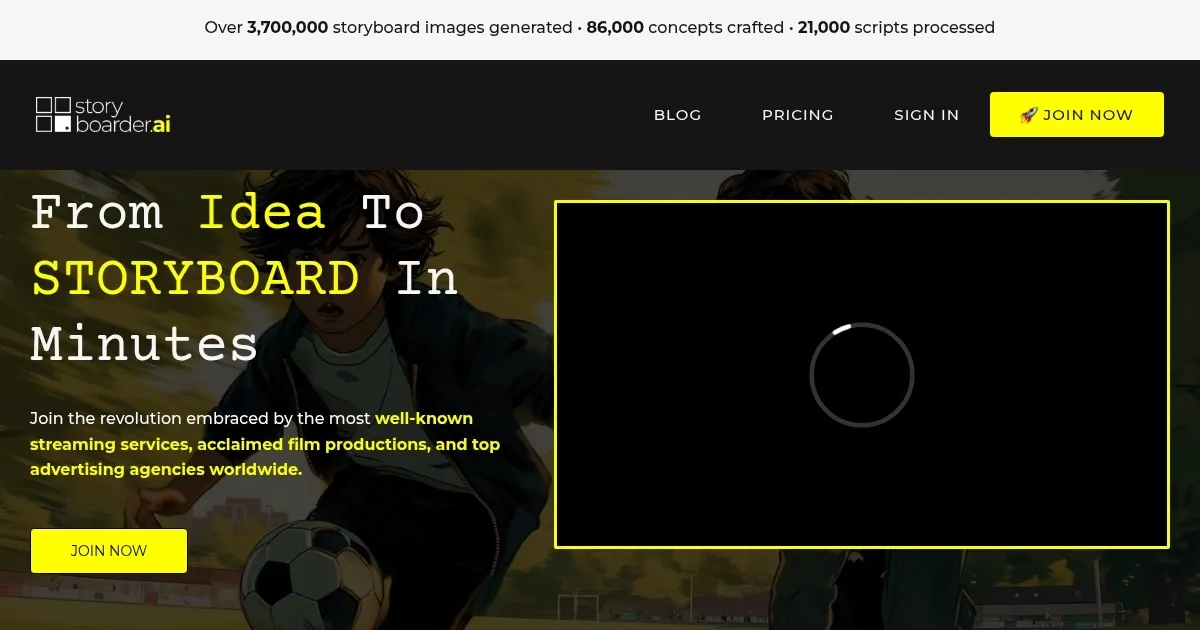
    Homepage Screenshot 📸

    Storyboarder.ai screenshot

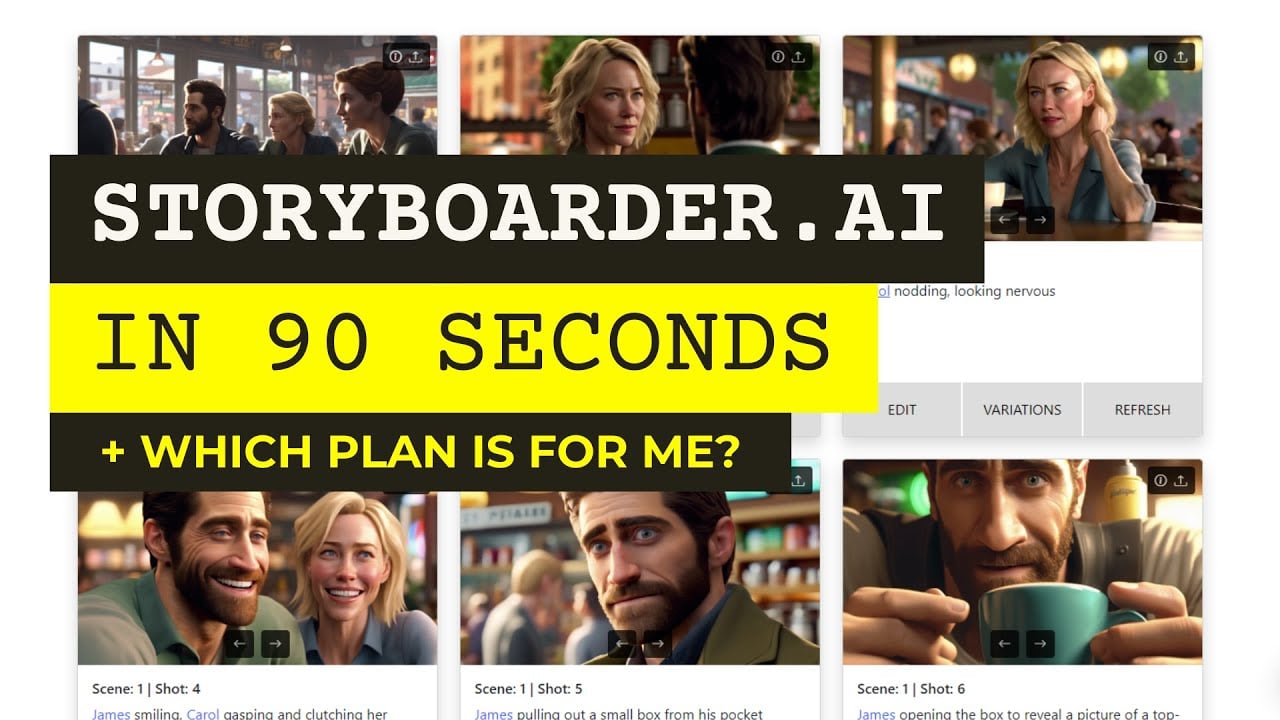
    Video Overview 🎬

    Storyboarder.ai - Video Overview

    What are the key features? ✨

    • Shot List Generator: Breaks scripts into scenes with suggested camera angles.
    • Image-to-Video: Converts static storyboards into dynamic animatics as an add-on.
    • Sketch-to-Image: Transforms rough sketches into polished storyboard visuals.
    • Style Upload: Allows users to upload custom art styles for cohesive aesthetics.
    • Character Consistency: Maintains consistent character depictions across frames.

    Who is it for? 🤔

    Storyboarder.ai is designed for filmmakers, advertising agencies, content creators, and indie producers who need to visualize scripts quickly without advanced drawing skills. It suits small teams or solo creators looking to streamline pre-production, as well as larger organizations seeking cinematic-quality storyboards for pitches or planning. Its intuitive interface and style flexibility make it accessible for beginners and professionals alike, particularly those juggling tight schedules or budgets.

    Examples of what you can use it for 💡

    • Indie Filmmaker: Uses Storyboarder.ai to turn a short film script into a visual storyboard for pitching to investors.
    • Ad Agency Creative: Generates storyboards for a commercial campaign to align client expectations.
    • Content Creator: Creates animatics from a YouTube video script to plan shots efficiently.
    • Animation Studio: Uploads custom art styles to maintain consistent character designs for a series.
    • Screenwriting Student: Transforms a class project script into a professional storyboard for critique.

    Pros & Cons ⚖️

    • Fast storyboard generation
    • Customizable art styles
    • Strong character consistency
    • Occasional detail inaccuracies
    • Limited free-tier images

    FAQs 💬

    Can I use Storyboarder.ai for free?
    Yes, a free tier offers limited image generation, with paid plans for more features.
    What file types can I upload?
    Scripts can be uploaded as text, Word, or PDF files.
    Does it support collaboration?
    Yes, storyboards can be shared via PDF or video exports for team feedback.
    Can I customize the art style?
    Yes, you can upload custom styles or choose from presets like comic or photoreal.
    Is it suitable for feature films?
    Yes, it handles full-length scripts and large-scale projects.
    How accurate are the AI-generated images?
    Images are generally accurate but may need tweaks for specific details.
    Can I edit generated storyboards?
    Yes, you can adjust shot lists and images to match your vision.
    Does it integrate with other tools?
    No direct integrations, but exports work with most editing software.
    Is it beginner-friendly?
    Yes, the interface is intuitive, requiring no technical expertise.
    Can I turn storyboards into videos?
    Yes, with the image-to-video add-on, you can create animatics.

    Ready to try Storyboarder.ai?

    Generates cinematic storyboards from scripts in minutes

    Visit Storyboarder.ai ↗

    Storyboarder.ai alternatives 🔗

    1. Runway Runway Generates and edits AI-powered videos from text prompts
    2. StoryboardHero StoryboardHero Generates scripts and visual storyboards from video briefs in minutes
    3. Kling AI Kling AI Generates cinematic videos from text or images with realistic motion
    4. Boords Boords Creates storyboards for video teams with AI tools and collaboration features
    5. LTX Studio LTX Studio An AI filmmaking platform that streamlines the production process from scripting to final edits
    6. SkyReels SkyReels Transforms text and images into cinematic videos with AI-driven storytelling
    Share
    Storyboarder.ai screenshot enlarged
    Best AI Tools

    Discover the best AI tools for any use case

    Explore
    • Tool Categories
    • AI Use Cases
    • AI Events
    • AI News
    • Saved Tools
    Company
    • About Us
    • Contact Us
    • Media & Partnerships
    • Suggest a Tool
    Legal
    • Privacy Policy
    • Terms of Service
    Copyright © 2026 Best AI Tools 415 Mission Street, 37th Floor, San Francisco, CA 94105