ChatSlide
Transforms documents, webpages, and videos into professional slides and engaging videos with AI
I think you’ll agree there’s something uniquely satisfying about turning a chaotic pile of notes, a dense PDF, or a random webpage into a sleek, professional presentation without breaking a sweat. ChatSlide, an AI-powered tool, does exactly that, and it’s the kind of thing that makes you wonder why you ever bothered with manual slide-making. You upload a document, a URL, or even a video, and in minutes, this clever platform churns out visually appealing slides or fully narrated videos with avatars. It’s like having a design team and a scriptwriter in your pocket, only faster and less likely to demand coffee breaks.
What sets ChatSlide apart is its ability to digest varied inputs — PDFs, DOCX files, even social media posts — and spit out structured content that feels polished and purposeful. The Multimodal Document Support feature, for instance, pulls insights from multiple file types, weaving them into coherent slides that don’t just look good but tell a story. You can customize these with brand logos or tweak templates to match your style, which is a godsend for anyone who’s ever wrestled with PowerPoint’s clunky interface. The AI-generated voiceovers, available in over 100 languages, sound surprisingly natural, adding a layer of professionalism to videos that can make even dry topics like corporate compliance feel engaging. I’m particularly impressed by the Video Generation with System Avatars, where you pick from over 100 digital personas to narrate your content, saving you from awkward webcam sessions.
That said, it’s not all smooth sailing. The credit-based system — 20 credits for a basic slide deck, 400 for a video with an avatar — can feel restrictive if you’re churning out content daily. Compared to competitors like SlideSpeak, which integrates directly with Google Docs for a more seamless workflow, ChatSlide’s dashboard can feel a bit clunky for rapid edits. Microsoft Copilot, another rival, offers tighter integration with Office 365, which might appeal to corporate users already in that ecosystem. Still, ChatSlide’s ability to handle diverse inputs gives it an edge for those juggling multiple content types. One surprise? The platform’s knack for suggesting subtopics based on your input, which feels like having a brainstorming partner who’s always on point.
For all its strengths, the customization options, while robust, might overwhelm beginners who just want a quick output without tweaking settings. The interface, though intuitive, occasionally lags when processing larger files, which can disrupt your flow. And while the lifetime deal sounds tempting, you’ll need to weigh whether your usage justifies the upfront cost compared to subscription-based tools like SlidesAI. I also noticed that the avatar-driven videos, while slick, sometimes lack the emotional nuance you’d get from a human presenter, which could matter for high-stakes pitches.
Want to get the most out of ChatSlide? Start with small projects to get a feel for the credit system, and experiment with the chatbot for real-time tweaks. Upload a variety of file types to test the Multimodal Document Support, and don’t skip the voiceover options — they’re a game-changer for quick videos. If you’re in education or marketing, this tool could save you hours, so give the free trial a spin and see how it fits your workflow.
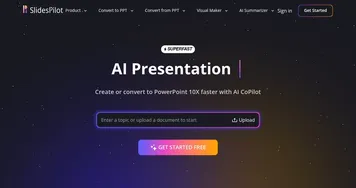
Homepage Screenshot 📸

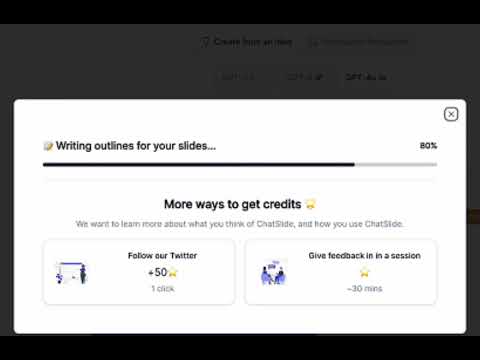
Video Overview 🎬
What are the key features? ✨
- Multimodal Document Support: Extracts insights from PDFs, DOCX, videos, and webpages for cohesive slides.
- Video Generation with System Avatars: Offers over 100 avatars to narrate videos, enhancing engagement.
- Customizable Branding: Allows users to add logos and tailor designs for professional outputs.
- ChatSlide Bot: Enables real-time content adjustments through conversational commands.
- Multi-Format Export: Supports PDF, PPTX, video, Keynote, and podcast exports for versatile use.
Who is it for? 🤔
Examples of what you can use it for 💡
- Educator: Creates engaging slide decks from research papers for classroom lectures.
- Marketer: Converts campaign briefs into dynamic videos for client presentations.
- Healthcare Professional: Transforms medical reports into patient-friendly visual aids.
- Business Consultant: Generates polished slides from data reports for stakeholder meetings.
- Content Creator: Turns blog posts into social media-ready videos with avatars.
Pros & Cons ⚖️
- Fast slide and video creation
- Supports diverse file inputs
- Multilingual voiceover options
- Customizable branding features
- Credit system limits heavy use
- Occasional lag with large files
FAQs 💬
Ready to try ChatSlide?
Transforms documents, webpages, and videos into professional slides and engaging videos with AI
Visit ChatSlideChatSlide alternatives 🔗