Skip to content
logo-darklogo-darklogo-darklogo-dark
  • Tool Categories
    • 🎨Art & Creative Design505
    • 🏢Business Management644
    • 💻Coding & Development514
    • 👮Detection83
    • 🧠General Use728
    • 🏥Health & Wellness55
    • 📷Image & Photo Analysis100
    • 🖼️Image Generation & Editing618
    • 📐Interior & Architectural Design37
    • 🎓Learning & Education483
    • ⚖️Legal & Finance90
    • 🎭Lifestyle & Entertainment236
    • 📢Marketing & Advertising627
    • 🎧Music & Audio138
    • 👔Office & Workplace1,014
    • 🔬Research & Data Analysis373
    • 👥Social Media245
    • 🎥Video Generation & Editing426
    • 👧🏻Virtual Companion135
    • 🎤Voice Generation & Editing381
    • ✍️Writing & Editing808
    • All Categories
    • AI Use Cases
  • News
  • Events
    • Academic Conferences
    • Developer Conferences
    • Expos / Trade Shows
    • Industry Summits
    • Workshops / Training
    • All Events
    • Past Events
  • Saved Tools
  • Suggest a Tool
    ✕
    Home › Office & Workplace › Presentation Generation› DeckSpeed
    DeckSpeed

    DeckSpeed

    Creates personalized professional presentations through simple conversations, cloning styles and generating visuals.

    DeckSpeed is an AI-powered presentation tool that generates personalized slides from user conversations, eliminating templates for unique, professional designs. It processes natural language inputs to create decks with tailored content, incorporating features like style cloning, where users specify a reference to mimic visual aesthetics, and 3D model generation for dynamic visualizations. The platform also includes image creation and one-click charts for instant data representation, ensuring slides align with themes such as business pitches or academic posters.

    Users appreciate the speed and customization, as DeckSpeed produces drafts in minutes, allowing quick refinements via feedback. This conversational approach suits professionals seeking efficiency, with exports to PowerPoint maintaining compatibility. Pricing remains competitive, in the lower double-digits monthly, similar to alternatives but focused on bespoke outputs.

    Compared to Presentations.AI, which emphasizes structured content but relies on templates, or Chatslide, offering avatar presentations yet less depth in visuals, DeckSpeed stands out for its template-free flexibility. Potential drawbacks include occasional UX glitches, like upload issues, and the need for minor design tweaks, though these rarely disrupt workflow.

    A notable surprise comes from its academic partnerships, enabling specialized posters that visualize research effectively. Overall, the tool delivers high-quality, engaging presentations with minimal effort.

    To get started, describe your needs clearly in the chat interface, review the output, and iterate with specific feedback for best results.

    Visit DeckSpeed ↗
    Categories
    👔 Work
    💬 Presentation Generation 📽️ PPT Generation 📄 Document Generation ⚡ Work Productivity
    🏢 Business
    📊 Pitch Deck Generation

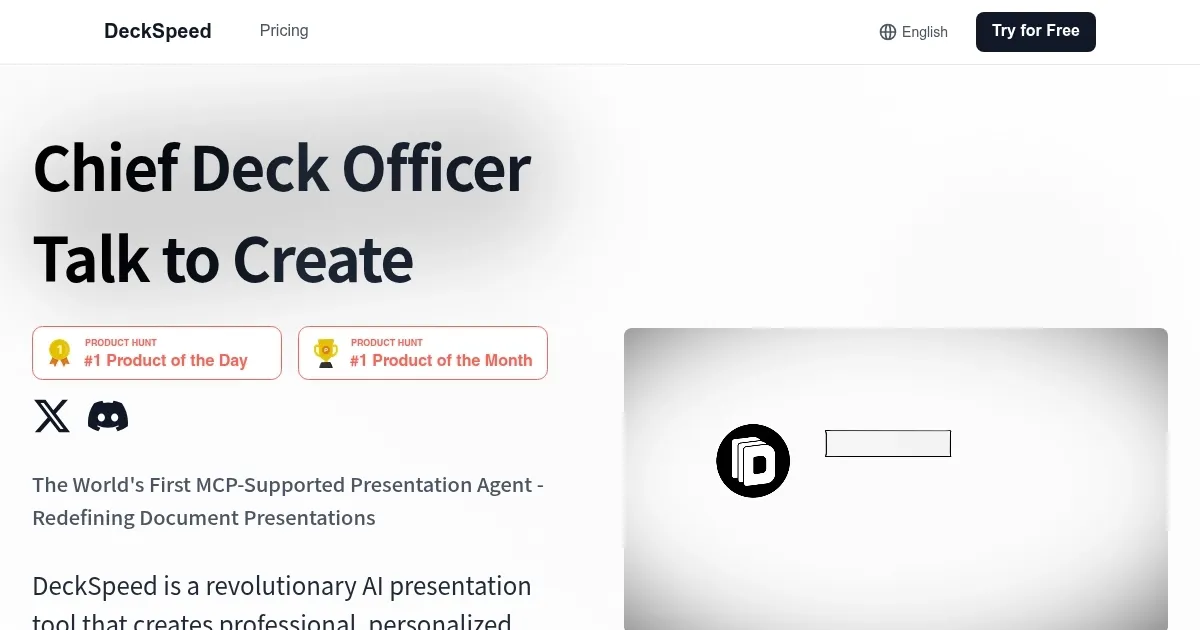
    Homepage Screenshot 📸

    DeckSpeed screenshot

    What are the key features? ✨

    • Conversational Creation: Generates professional slides directly from user chats and ideas.
    • Style Cloning: Mimics any specified visual style for personalized presentation designs.
    • 3D Model Generation: Creates dynamic 3D models to enhance slide visuals.
    • Image Generation: Produces custom images that fit the presentation theme.
    • One-Click Charts: Instantly visualizes data with professional charts and graphs.

    Who is it for? 🤔

    DeckSpeed proves helpful for busy professionals like consultants crafting client pitches, marketers building campaign decks, educators designing lesson slides, executives preparing board reports, and researchers creating academic posters, as it streamlines the process with AI-driven personalization to save time and boost creativity without rigid templates.

    Examples of what you can use it for 💡

    • Consultant: Generates tailored pitch decks from conversation outlines for client meetings.
    • Marketer: Creates campaign overviews with visuals and charts based on strategy discussions.
    • Educator: Produces engaging lesson slides incorporating images and 3D models from teaching notes.
    • Executive: Builds professional board presentations cloning corporate styles for quick reviews.
    • Researcher: Designs academic posters visualizing complex data through simple prompts.

    Pros & Cons ⚖️

    • Fast slide generation
    • Highly personalized
    • No templates required
    • Versatile style cloning
    • Built-in 3D visuals
    • Minor UX glitches
    • Occasional tweaks needed
    • Limited integrations

    FAQs 💬

    What is DeckSpeed?
    DeckSpeed is an AI tool for creating personalized presentations from conversations.
    How does DeckSpeed differ from traditional tools?
    It avoids templates, using AI to generate unique slides based on user input.
    Is there a free trial?
    Yes, a three-day trial is available to test all features.
    What formats does it support for export?
    Exports to PowerPoint and shareable links.
    Can it handle data visualization?
    Yes, with one-click charts and instant graphs.
    Is pricing flexible for teams?
    Enterprise plans offer custom options with volume licensing.
    Does it integrate with other software?
    Basic integrations with productivity suites and cloud storage.
    What types of presentations work best?
    Business pitches, academic posters, and marketing decks.
    How secure is user data?
    Data is handled with standard encryption and privacy measures.
    Are there limits on slide numbers?
    No strict limits, depending on subscription tier.

    Ready to try DeckSpeed?

    Creates personalized professional presentations through simple conversations, cloning styles and generating visuals.

    Visit DeckSpeed ↗

    DeckSpeed alternatives 🔗

    1. Presentations.AI Presentations.AI ChatGPT for presentations producing stunning decks with little effort
    2. SlidesPilot SlidesPilot An AI-powered platform designed to make creating professional presentations easier
    3. Beautiful.AI Beautiful.AI An AI tool that helps create presentations
    4. Slidesgo AI Presentation Maker Slidesgo AI Presentation Maker An AI-powered presentation maker that simplifies the creation of presentations for all kinds of use cases
    5. Prezi Prezi Creates engaging AI-powered presentations in seconds
    6. Presenti Presenti Transforms text into professional, editable slides in minutes
    Share
    DeckSpeed screenshot enlarged
    Best AI Tools

    Discover the best AI tools for any use case

    Explore
    • Tool Categories
    • AI Use Cases
    • AI Events
    • AI News
    • Saved Tools
    Company
    • About Us
    • Contact Us
    • Media & Partnerships
    • Suggest a Tool
    Legal
    • Privacy Policy
    • Terms of Service
    Copyright © 2026 Best AI Tools 415 Mission Street, 37th Floor, San Francisco, CA 94105