Deepnote AI Copilot
Provides code suggestions while understanding the full scope of your Deepnote notebook
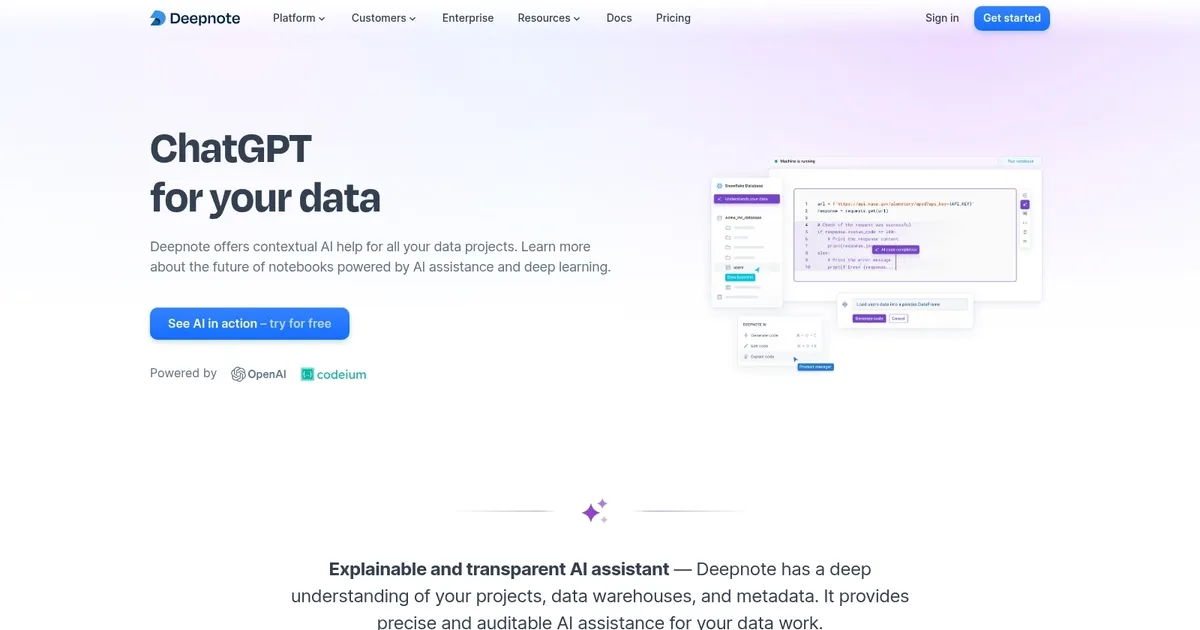
Deepnote AI is an AI tool designed to enhance data projects by providing users with an explainable and transparent AI assistant that possesses a deep understanding of the users’ data projects, data warehouses, and metadata. This “understanding” enables Deepnote AI to deliver precise and auditable assistance for a variety of data tasks.
The tool’s notebook-like structure ensures that every suggestion made by the AI is translated into transparent and reproducible results. This, they claim, then empowers data teams by allowing them to place their trust in AI assistance.
Deepnote AI is also equipped with capabilities such as automatically generating entire data notebooks from simple prompts or instructions — which includes code, SQL queries, and text — thereby simplifying the process of starting from scratch on complex data projects.
In addition, it’s worth adding that Deepnote AI is context-aware and can significantly reduce the time spent on tedious and repetitive coding tasks. Users can also leverage the AI to generate code by asking questions in natural language, essentially having a personal code expert at their disposal. We kinda like how that sounds, don’t you?
Homepage Screenshot 📸
What are the key features? ✨
- Auto Notebook Generation: Creates complete, runnable notebooks including code, SQL, visualizations, and text from natural language prompts describing analysis goals.
- Context-Aware Code Completion: Provides real-time, project-specific suggestions in Python, SQL, or R blocks based on notebook context, metadata, and prior code.
- Natural Language Code Generation: Translates plain-English instructions into accurate, executable code snippets tailored to the connected data sources.
- Code Explanation & Debugging: Offers concise breakdowns of complex code and identifies/fixes bugs with suggested corrections and rationales.
- Transparent & Reproducible AI: Turns every AI suggestion into editable, auditable notebook cells for team trust and reproducibility.
Who is it for? 🤔
Examples of what you can use it for 💡
- Data Analyst: Quickly generates full exploratory analysis notebooks from business questions like "show retention by cohort" without writing every query or plot manually.
- Data Scientist: Gets instant code completions and refactors for machine learning pipelines while maintaining reproducible steps for sharing with colleagues.
- Team Lead: Uses AI explanations to onboard juniors faster by clarifying legacy code and lets the tool debug common errors during collaborative reviews.
- Business User: Describes desired insights in plain language to produce charts and summaries from warehouse data without learning advanced coding.
- Researcher: Automates repetitive data cleaning and visualization tasks across multiple experiments, keeping everything versioned and shareable.
Pros & Cons ⚖️
- Excellent context understanding
- Fast notebook auto-generation
- Strong collaboration features
- Transparent AI outputs
- Prompt tweaks sometimes needed
- Heavy use may hit limits
FAQs 💬
Ready to try Deepnote AI Copilot?
Provides code suggestions while understanding the full scope of your Deepnote notebook
Visit Deepnote AI CopilotDeepnote AI Copilot alternatives 🔗