Describe Picture
Turning images into text-based narratives that make them accessible to the visually impaired
I’m staring at an image of a bustling farmers’ market, vibrant with color, and I think, how do you capture that chaos in words? Describe Picture wants to help with surprising finesse. This isn’t just another tech gadget churning out generic captions. It’s a thoughtful solution, turning visuals into rich, text-based narratives that make images accessible to the visually impaired and give a leg up to SEO-savvy marketers. You upload a photo, and the AI spins out a description that’s often startlingly precise, catching details you might’ve missed. It’s like having a poet and a programmer in one.
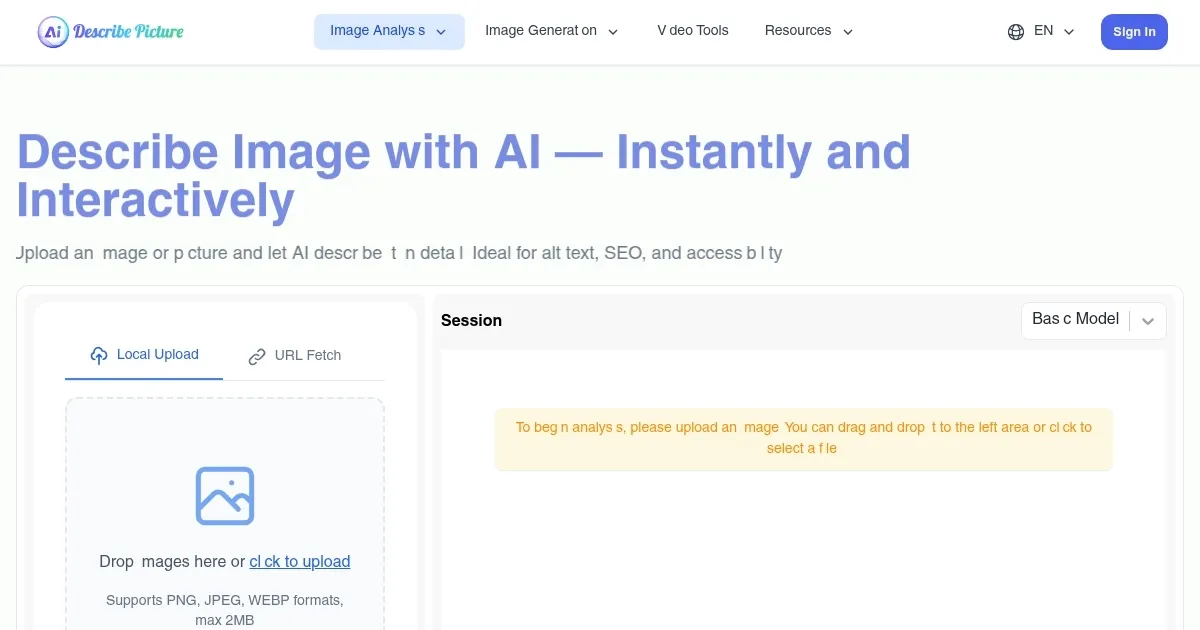
The tool’s strength lies in its simplicity and power. The interface is clean, almost too basic, but it gets the job done. You drag an image into the upload box, pick a detail level — basic, standard, or advanced — and in seconds, you’ve got a description. I tested it with a photo of a sunset over a lake. The advanced mode didn’t just say “sunset.” It noted the “fiery orange glow blending into soft purples” and the “silhouette of a lone heron.” That’s the kind of detail that makes content pop, whether you’re building a website or aiding accessibility. The editable output is a nice touch, letting you tweak the AI’s work to fit your voice or needs.
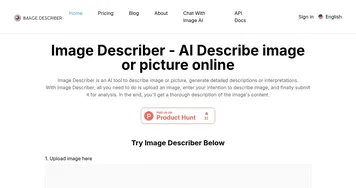
But it’s not flawless. Sometimes, the AI overreaches, tossing in details that feel speculative — like assuming the heron was “contemplative.” Cute, but not always accurate. Complex images, like crowded scenes, can trip it up, producing descriptions that miss key elements or feel cluttered. Compared to competitors like ImageDescriber, which also offers caption generation and text extraction, Describe Picture feels more focused but less versatile. Another rival, Be My Eyes, leans heavily into accessibility with human volunteer support, which Describe Picture lacks. Still, for a purely AI-driven tool, it’s impressively consistent.
Pricing is another gray area. Describe Picture offers a free tier, which is great for casual users, but heavier users might hit limits quickly. The website hints at premium plans, though details are murky. Compared to ImageDescriber’s clearer subscription tiers, this vagueness can frustrate. I also noticed occasional lag when processing high-resolution images, which might irk users on tight deadlines.
What surprised me? The SEO angle. Describe Picture’s descriptions are keyword-rich without feeling forced, a boon for bloggers or e-commerce sites. It’s not just about accessibility; it’s about making your content discoverable. If you’re a content creator, try the standard detail level first — it strikes a balance between depth and clarity. Test it with varied images to see where it shines or stumbles, and always edit the output to match your brand’s tone.
Homepage Screenshot 📸
What are the key features? ✨
- Image Description Generator: Creates detailed text descriptions of uploaded images.
- Editable Output: Allows users to modify AI-generated descriptions for accuracy or style.
- Detail Level Options: Offers basic, standard, and advanced settings for description depth.
- SEO Optimization: Produces keyword-rich descriptions to improve search engine visibility.
- Accessibility Support: Enhances image accessibility for visually impaired users.
Who is it for? 🤔
Examples of what you can use it for 💡
- Blogger: Uses Describe Picture to generate alt-text for images, boosting blog SEO.
- E-commerce Owner: Adds detailed product image descriptions to enhance online store accessibility.
- Educator: Creates text descriptions for classroom visuals to support visually impaired students.
- Web Developer: Integrates AI-generated descriptions into websites for better SEO and compliance.
- Marketer: Crafts keyword-rich image descriptions to improve campaign visibility.
Pros & Cons ⚖️
- Easy-to-use interface
- Editable text output
- Strong SEO optimization
- May misinterpret complex images
- Pricing details unclear
FAQs 💬
Ready to try Describe Picture?
Turning images into text-based narratives that make them accessible to the visually impaired
Visit Describe PictureDescribe Picture alternatives 🔗