logo-darklogo-darklogo-darklogo-dark
  • Tool Categories
    • 🎨Art & Creative Design505
    • 🏢Business Management644
    • 💻Coding & Development515
    • 👮Detection83
    • 🧠General Use727
    • 🏥Health & Wellness55
    • 📷Image & Photo Analysis100
    • 🖼️Image Generation & Editing618
    • 📐Interior & Architectural Design37
    • 🎓Learning & Education483
    • ⚖️Legal & Finance90
    • 🎭Lifestyle & Entertainment236
    • 📢Marketing & Advertising627
    • 🎧Music & Audio138
    • 👔Office & Workplace1,014
    • 🔬Research & Data Analysis372
    • 👥Social Media245
    • 🎥Video Generation & Editing426
    • 👧🏻Virtual Companion135
    • 🎤Voice Generation & Editing381
    • ✍️Writing & Editing808
    • All Categories
    • AI Use Cases
  • News
  • Events
    • Academic Conferences
    • Developer Conferences
    • Expos / Trade Shows
    • Industry Summits
    • Workshops / Training
    • All Events
    • Past Events
  • Saved Tools
  • Suggest a Tool
✕
Home › Video Generation & Editing › Avatar Video Generation› DreamFace
DreamFace

DreamFace

An AI-powered photo animation app that can bring your images to life with just a few taps

DreamFace is an AI-powered photo animation app that can bring your images to life with just a few taps. Imagine turning a simple photo into a singing, talking, or dancing character with little to no effort.

Available on iOS and Android platforms, DreamFace offers an easy-to-grasp interface that makes photo animation accessible to everyone. So, whether you’re looking to create engaging social media content or simply have fun with your pictures, this app lets you transform your static images into dynamic visuals.

One of DreamFace’s coolest features, called Talking Avatar, allows users to convert still images into speaking characters by inputting text or uploading audio. For instance, you can make a photo of your pet “talk” by adding a voiceover, creating shareable content along the way. The app does this with the help of advanced AI tech to synchronize lip movements with the audio, resulting in realistic animations that can surprise and even delight your friends and followers.

Then, there’s the AI Video Generator, which enables users to create videos by simply inputting text or audio. The AI takes it from there to generate a video with realistic avatars and voices, eliminating the need for actors or complex equipment. For example, content creators can quickly produce engaging videos for their audience without the hassle of traditional video production.

DreamFace also offers an AI Photo Enhancer that can improve image quality and restore details automatically. This, in turn, makes the tool perfect for reviving old or low-quality photos, making them look crisp and clear. Users have reported significant improvements in their images, with enhanced details and colors that give photos a professional appearance.

In addition, the app includes a Face Swap feature, allowing users to transform their appearance in photos and videos. With just a single photo, you can swap faces in real-time during live streams or virtual meetings, adding a creative twist to your interactions.

In summary, DreamFace packs a set of AI-driven tools that make photo and video animation accessible to everyone. Its blend of user-friendly design and powerful features caters to all kinds of users, from casual creators to professionals seeking innovative content solutions. If that includes you, well – now’s the time to check it out.

Visit DreamFace ↗
Categories
🎥 Video
🤖 Avatar Video Generation 👄 Lip Sync Generation 🎞️ Animation Generation 🖼️ Image to Video 🎭 Face Swap Video
🖼️ Image
🎭 Face Swap

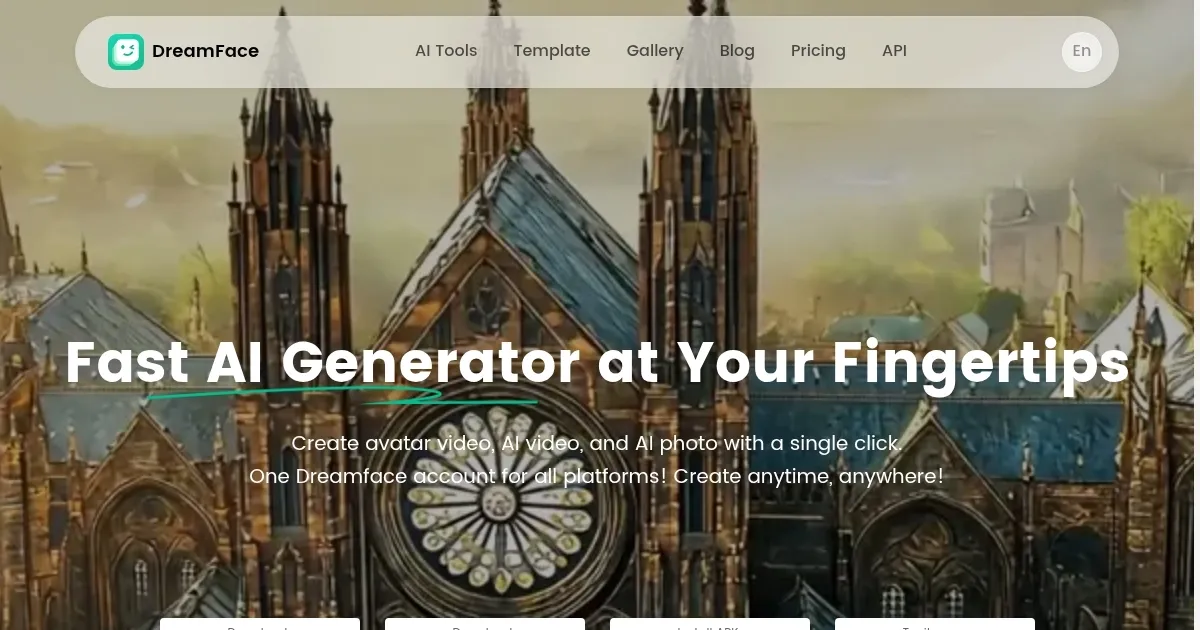
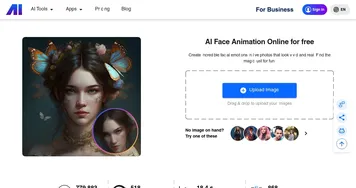
Homepage Screenshot 📸

DreamFace screenshot

Video Overview 🎬

DreamFace - Video Overview

What are the key features? ✨

  • Talking Avatar: Transform still images into speaking characters by adding text or audio. The AI will synchronize lip movements for realistic animations.
  • AI Video Generator: Create high-quality videos with realistic avatars and voices by simply inputting text or audio.
  • AI Photo Enhancer: Automatically improve image quality and restore details, giving a new lease on life to old or low-quality photos.
  • Face Swap: Swap faces in photos and videos in real-time, which can be perfect for live streams and virtual meetings. And other things.
  • User-friendly interface: The app is designed to be intuitive, allowing users of all skill levels to create animated content with little effort.

Who is it for? 🤔

DreamFace is made for a broad audience, including social media enthusiasts, content creators, marketers, educators, and anyone else interested in adding a creative flair to their photos and videos. Its easy-to-use interface ensures that even those without technical expertise can produce high-quality animated content. The app's versatility makes it suitable for both personal and professional use, catering to a diverse user base looking for innovative ways to enhance their visual media.

Examples of what you can use it for 💡

  • Generate engaging and shareable animations to entertain your followers
  • Businesses can create personalized promotional videos without expensive production teams
  • Educators can develop dynamic content to make learning materials more engaging for students
  • Individuals can animate photos of friends and family for fun
  • Professionals can use the Face Swap feature to add creativity to their virtual interactions

Pros & Cons ⚖️

  • High-quality output that includes professional-looking animations and enhanced images
  • A range of tools, from talking avatars to photo enhancements
  • Available on both iOS and Android devices
  • Limited voice options for generated videos

FAQs 💬

What is DreamFace primarily used for?
DreamFace is an AI-powered mobile app that animates static photos into videos, mainly through lip-syncing faces to audio, creating talking avatars, and adding fun effects like dancing or singing. It helps users make engaging content for social media without needing editing skills. I think it's especially great for quick viral clips.
Is DreamFace available on both iOS and Android?
Yes, the app works on iOS and Android devices, and it also has a web version so you can access it from any browser. This cross-platform support makes it convenient if you switch devices often.
How does the lip-sync feature work in DreamFace?
You upload a photo, add audio or text, and the AI syncs the mouth movements to match the sound, creating realistic talking or singing videos. It supports pet photos too, which turns out pretty funny for cat or dog clips. Just note, results might vary based on photo quality.
Can beginners easily use DreamFace?
Absolutely, the interface is straightforward with templates and one-tap options, so even if you're new to AI tools, you can create something in under a minute. Users often say it feels intuitive right away.
Does DreamFace offer free features or trials?
It includes daily free uses, like 10 animations per day, plus a library of templates and basic tools without any upfront commitment. This lets you test it out before deciding on more.
What kinds of templates are available in DreamFace?
There are hundreds of templates for trends, pop culture, and holidays, including face dance, pet singing, and AI avatars in styles like cyberpunk or anime. New ones get added regularly to keep things fresh.
Is DreamFace good for creating pet videos?
Yes, it's popular for pet lip-sync videos where you make your dog or cat "sing" to songs, with smooth AI syncing that often gets laughs from family. The results look natural enough for sharing on TikTok.
How accurate is the face animation in DreamFace?
The AI handles facial mapping well for realistic movements, but it shines more with clear, front-facing photos; blurry ones might need tweaks. Compared to competitors, it delivers solid quality for casual use.
Can I share DreamFace videos directly to social media?
Sure, it has built-in sharing to Instagram, TikTok, and more, so you can post your animated clips instantly without extra steps. This saves time if you're aiming for quick engagement.
What support options does DreamFace provide?
They offer email support for issues, plus a Discord community for tips and feedback; the team responds quickly to suggestions. If something glitches, sharing your user ID helps them fix it fast.

Ready to try DreamFace?

An AI-powered photo animation app that can bring your images to life with just a few taps

Visit DreamFace ↗

DreamFace alternatives 🔗

  1. VEED VEED Creates pro-level videos with AI-powered editing and collaboration tools
  2. HeyGen HeyGen Generative AI video creation platform
  3. Pollo AI Pollo AI Bring your creative ideas to life through advanced AI
  4. Vidnoz AI Vidnoz AI An AI-powered text-to-video platform, made for marketers, businesses, educators, and more
  5. FlexClip FlexClip Easily create and edit videos for the brand, marketing, social media, and any other purpose
  6. Viggle Viggle Using AI to animate characters from images and generate videos with ease
Share
DreamFace screenshot enlarged
Promote DreamFace
light badge
Copy Embed Code
dark badge
Copy Embed Code
neutral badge
Copy Embed Code
Best AI Tools

Discover the best AI tools for any use case

Explore
  • Tool Categories
  • AI Use Cases
  • AI Events
  • AI News
  • Saved Tools
Company
  • About Us
  • Contact Us
  • Media & Partnerships
  • Suggest a Tool
Legal
  • Privacy Policy
  • Terms of Service
Copyright © 2026 Best AI Tools 415 Mission Street, 37th Floor, San Francisco, CA 94105