Skip to content
logo-darklogo-darklogo-darklogo-dark
  • Tool Categories
    • 🎨Art & Creative Design505
    • 🏢Business Management644
    • 💻Coding & Development514
    • 👮Detection83
    • 🧠General Use728
    • 🏥Health & Wellness55
    • 📷Image & Photo Analysis100
    • 🖼️Image Generation & Editing618
    • 📐Interior & Architectural Design37
    • 🎓Learning & Education483
    • ⚖️Legal & Finance90
    • 🎭Lifestyle & Entertainment236
    • 📢Marketing & Advertising627
    • 🎧Music & Audio138
    • 👔Office & Workplace1,014
    • 🔬Research & Data Analysis373
    • 👥Social Media245
    • 🎥Video Generation & Editing426
    • 👧🏻Virtual Companion135
    • 🎤Voice Generation & Editing381
    • ✍️Writing & Editing808
    • All Categories
    • AI Use Cases
  • News
  • Events
    • Academic Conferences
    • Developer Conferences
    • Expos / Trade Shows
    • Industry Summits
    • Workshops / Training
    • All Events
    • Past Events
  • Saved Tools
  • Suggest a Tool
    ✕
    Home › Video Generation & Editing › Animation Generation› Nero AI Face Animation
    Nero AI Face Animation

    Nero AI Face Animation

    Animates faces in photos with expressions like smiles and nods

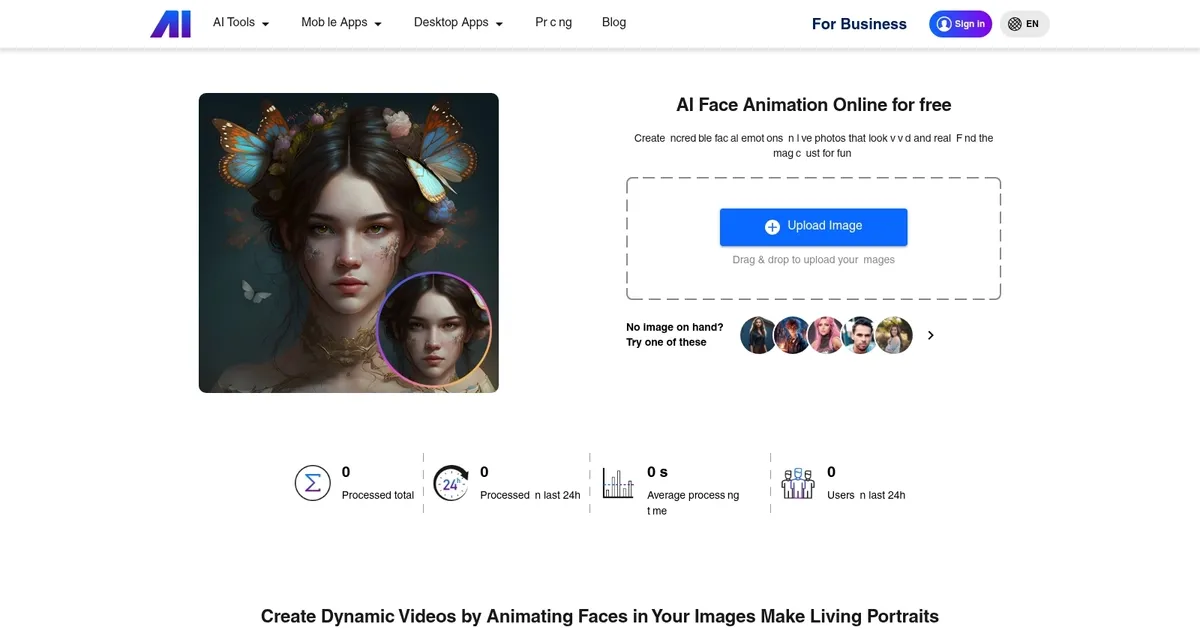
    Nero AI Face Animation is an online tool designed to breathe life into static facial photos by animating them with a variety of emotions, such as smiles, nods, and winks. The platform features a simple drag-and-drop functionality, making it accessible for both photography enthusiasts and social media influencers looking to add a touch of magic to their images.

    Nero AI’s features, like image upscaling, photo restoration, colorization, and tagging, leverage the power of AI to improve the resolution and quality of images without losing detail, restore old photos, and even colorize black and white images. This diverse range of tools caters to various needs — from personal projects to social media content — offering a creative way to explore animated photography and make personalized animated cards and messages​​.

    Pricing for Nero AI is structured to accommodate different levels of user engagement. There is a free plan as well as a paid one that, obviously, includes access to more features. You can start using it without paying and only upgrade if it works for you. And that, we’ll add, is just the way we like it. Check it out.

    Visit Nero AI Face Animation ↗
    Categories
    🎥 Video
    🎞️ Animation Generation 🖼️ Image to Video 🎠 Animated Video 🤖 Avatar Video Generation 👄 Lip Sync Generation
    🖼️ Image
    🧑‍🎤 Avatar Generation

    Homepage Screenshot 📸

    Nero AI Face Animation screenshot

    What are the key features? ✨

    • Face Detection: Automatically identifies and maps facial landmarks for precise animation application.
    • Expression Library: Offers a variety of emotions including smiles, nods, and winks to choose from.
    • Batch Processing: Allows animating multiple images at once, limited by plan credits.
    • Priority Queue: Speeds up generation times for pro users during high-demand periods.
    • Video Output: Generates downloadable animated clips ready for social media sharing.

    Who is it for? 🤔

    Nero AI Face Animation suits photography enthusiasts eager to revive old portraits, social media influencers crafting eye-catching content, and casual creators seeking quick fun edits, while small businesses might use it for lively product demos or team avatars, empowering anyone with a photo to add expressive motion without complex software.

    Examples of what you can use it for 💡

    • Social Media Influencer: Creates animated selfies with winks to boost engagement on Instagram Reels.
    • Family Historian: Animates vintage portraits with nods to share living memories on family chats.
    • Content Creator: Adds smiles to character designs for dynamic TikTok storytelling videos.
    • Small Business Owner: Generates expressive avatars for personalized customer greeting clips.
    • Graphic Designer: Incorporates head shakes into promotional banners for subtle emotional appeal.

    Pros & Cons ⚖️

    • Fast processing
    • Natural expressions
    • Easy drag-drop
    • Affordable credits
    • Free tier limits
    • Angle sensitivity

    FAQs 💬

    What file formats does Nero AI Face Animation support?
    It accepts jpg, jpeg, png, bmp, webp, and avif formats for uploads.
    How long does animation take to generate?
    Most clips process in about 18 seconds, faster with priority on pro plans.
    Can it animate group photos?
    Yes, it detects and animates multiple faces in a single image.
    Is there a free version?
    Free tier provides 10 credits for initial trials without signup.
    What expressions are available?
    Options include smiles, nods, winks, and head shakes, with more added regularly.
    Does it work on mobile devices?
    Yes, the web-based tool is fully compatible with mobile browsers.
    How does pricing work?
    Credit-based system, with monthly or yearly pro passes for more generations.
    Can I integrate it with other tools?
    It pairs well with Nero's upscaler and restorer for complete workflows.
    What if the face detection fails?
    Use clear, front-facing photos; angled or obscured faces may need adjustments.
    Is output downloadable?
    Yes, animated videos download instantly for sharing or editing elsewhere.

    Ready to try Nero AI Face Animation?

    Animates faces in photos with expressions like smiles and nods

    Visit Nero AI Face Animation ↗

    Nero AI Face Animation alternatives 🔗
    1. Old Photo AI Old Photo AI An AI-powered tool developed that brings old photos to life by animating the faces in still images
    2. DreamFace DreamFace An AI-powered photo animation app that can bring your images to life with just a few taps
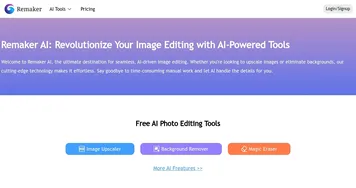
    3. Remaker AI Remaker AI Online platform offering media manipulation, such as face swapping, AI portraits, and video enhancements
    4. Live Portrait AI Live Portrait AI A fancy platform that can transform static images into animated videos using advanced AI
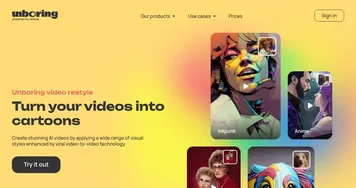
    5. Unboring Unboring Make your photos and videos unboring with tools like restyle, animate, change faces, etc.
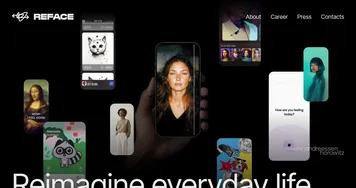
    6. Reface Reface An AI-powered app that specializes in face-swapping and creating AI avatars
    Share
    Nero AI Face Animation screenshot enlarged
    Best AI Tools

    Discover the best AI tools for any use case

    Explore
    • Tool Categories
    • AI Use Cases
    • AI Events
    • AI News
    • Saved Tools
    Company
    • About Us
    • Contact Us
    • Media & Partnerships
    • Suggest a Tool
    Legal
    • Privacy Policy
    • Terms of Service
    Copyright © 2026 Best AI Tools 415 Mission Street, 37th Floor, San Francisco, CA 94105