Dubs
Generate precise subtitles and dub videos in 100+ languages effortlessly
Dubs can make your videos global with AI-powered subtitles and dubbing that don’t sound like they were churned out by a robot. This mobile-first app, available on iOS and Android, feels like a trusty sidekick for content creators, educators, and marketers aiming to break language barriers. Its core strength lies in its ability to generate subtitles with over 96% accuracy, thanks to advanced speech recognition and neural networks. You upload a video, pick a language, and voilà — captions appear, ready to be customized with fonts, colors, or even emojis to grab attention. The AI dubbing feature, exclusive to paid plans, lets you translate and voice your content in over 100 languages, keeping the original speaker’s vibe intact. It’s like having a multilingual studio in your pocket.
What’s delightful about Dubs is its drag-and-drop interface for editing captions. You can tweak timing on a timeline, ensuring every word syncs perfectly with the visuals. The teleprompter feature, though iOS-only, is a gem for creators who want to nail their delivery in one take. Just paste your script, hit record, and your words scroll smoothly as you speak. I particularly love the AI avatar option, where a digital twin can voice your script, saving you from camera shyness. It’s a fun, futuristic touch that feels like something out of a sci-fi flick. The app’s music library, packed with trendy tracks, adds another layer of polish to your projects.
Not everything sparkles, though. The free version is stingy, capping subtitles at one-minute videos and limiting you to one project download per day. If you want AI dubbing or watermark-free exports, you’ll need to spring for the Max or Pro plans. Some users might find the mobile-only focus restrictive, especially if they prefer editing on a desktop. Compared to competitors like ElevenLabs or Speechify, Dubs’s dubbing feels slightly less refined in capturing emotional nuances, though it’s catching up fast. ElevenLabs, for instance, excels at preserving voice tone across 29 languages, while Speechify offers a broader suite of voice cloning tools.
The surprise element? Dubs’s AI script generator. It’s not just a gimmick — it crafts coherent scripts tailored to your video’s vibe, which is a lifesaver for creators stuck on wording. The app’s 4-week growth journey feature, where it guides you to boost engagement, feels like a personal coach, though it’s light on details until you dive in. Recent chatter on X suggests users love the speed but wish for more desktop functionality.
For creators looking to go global without breaking the bank, Dubs is a solid pick. Start with the free version to test the waters, but if you’re serious, consider the paid plans for dubbing and unlimited downloads. Experiment with the teleprompter to streamline your shoots, and don’t sleep on the AI avatars — they’re a game-changer for quick content.
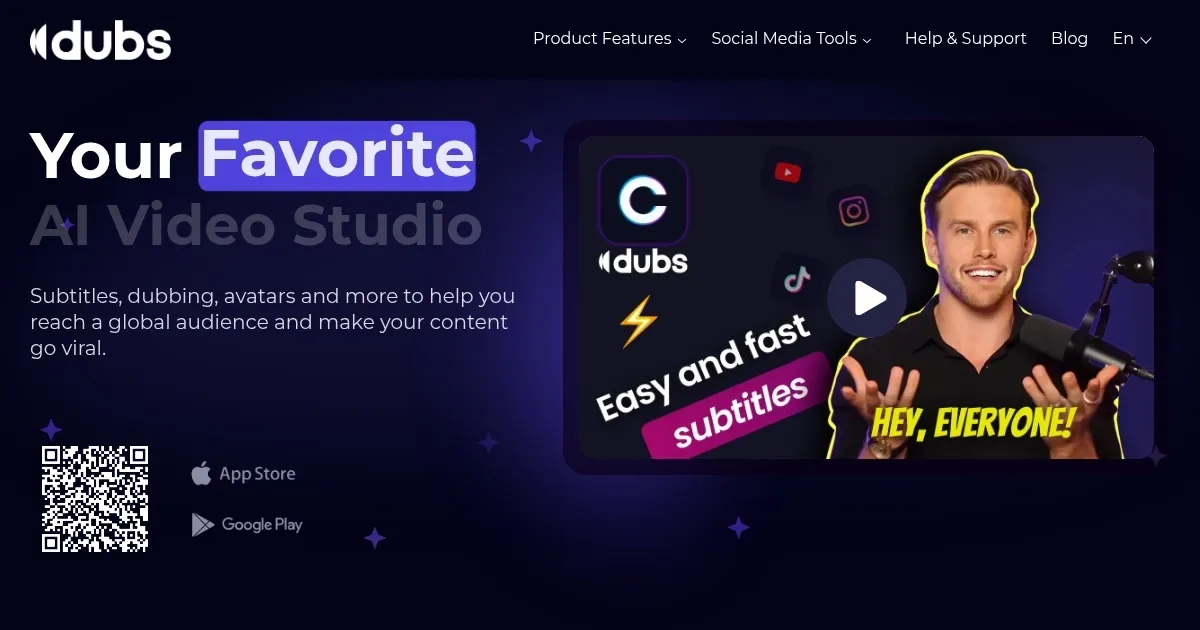
Homepage Screenshot 📸
What are the key features? ✨
- AI Subtitles: Generates accurate captions in 100+ languages with 96% accuracy.
- AI Dubbing: Translates and voices videos in multiple languages, preserving tone.
- Teleprompter: Displays scripts during recording for smooth delivery (iOS-only).
- AI Avatars: Creates digital characters to voice scripts without filming.
- Customizable Captions: Allows font, color, and animation tweaks via drag-and-drop.
Who is it for? 🤔
Examples of what you can use it for 💡
- YouTuber: Adds subtitles and dubs videos into Spanish to reach Latin American viewers.
- Educator: Generates captions for online courses to aid non-native English students.
- Marketer: Dubs promotional videos into French for European campaigns.
- Influencer: Uses AI avatars to create engaging Instagram Reels without filming.
- Podcaster: Adds translated subtitles to video clips for global podcast promotion.
Pros & Cons ⚖️
- Supports 100+ languages
- Intuitive drag-and-drop interface
- AI avatars simplify content creation
- Free version limits to 1-min videos
- Dubbing locked behind paid plans
FAQs 💬
Ready to try Dubs?
Generate precise subtitles and dub videos in 100+ languages effortlessly
Visit DubsDubs alternatives 🔗