logo-darklogo-darklogo-darklogo-dark
  • Tool Categories
    • ๐ŸŽจArt & Creative Design505
    • ๐ŸขBusiness Management644
    • ๐Ÿ’ปCoding & Development515
    • ๐Ÿ‘ฎDetection83
    • ๐Ÿง General Use727
    • ๐ŸฅHealth & Wellness55
    • ๐Ÿ“ทImage & Photo Analysis100
    • ๐Ÿ–ผ๏ธImage Generation & Editing618
    • ๐Ÿ“Interior & Architectural Design37
    • ๐ŸŽ“Learning & Education483
    • โš–๏ธLegal & Finance90
    • ๐ŸŽญLifestyle & Entertainment236
    • ๐Ÿ“ขMarketing & Advertising627
    • ๐ŸŽงMusic & Audio138
    • ๐Ÿ‘”Office & Workplace1,014
    • ๐Ÿ”ฌResearch & Data Analysis372
    • ๐Ÿ‘ฅSocial Media245
    • ๐ŸŽฅVideo Generation & Editing426
    • ๐Ÿ‘ง๐ŸปVirtual Companion135
    • ๐ŸŽคVoice Generation & Editing381
    • โœ๏ธWriting & Editing808
    • All Categories
    • AI Use Cases
  • News
  • Events
    • Academic Conferences
    • Developer Conferences
    • Expos / Trade Shows
    • Industry Summits
    • Workshops / Training
    • All Events
    • Past Events
  • Saved Tools
  • Suggest a Tool
โœ•
Home › Video Generation & Editing › Video Dubbing› Translate.Video
Translate.Video

Translate.Video

Translates videos into 75+ languages with AI-driven dubbing and subtitles

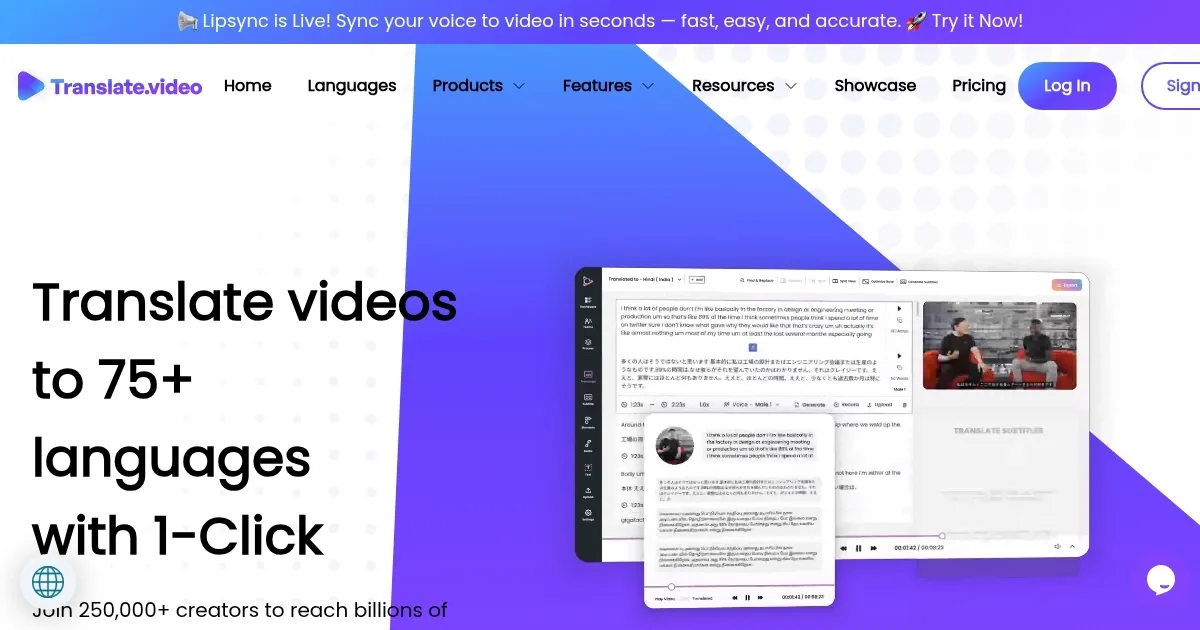
Translate.Video is an AI-powered platform that translates videos into 75+ languages, offering automated subtitles, dubbing, and voice cloning. It targets creators, businesses, and educators aiming to reach global audiences. The tool processes video files uploaded via a browser, generating multilingual content with features like lip-syncing and speaker diarization. It supports formats like MP4 and SRT, with a focus on speed and accessibility.

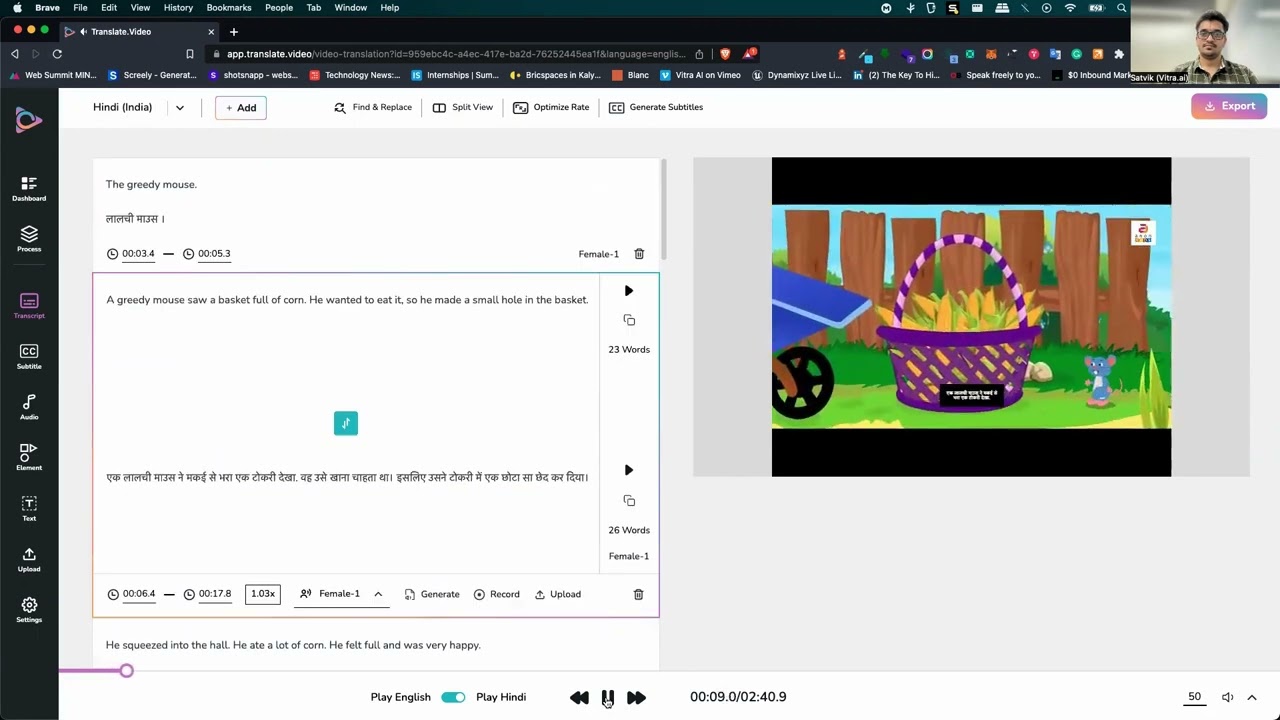
The Instant Voice Cloning feature allows users to create a voice clone from a 50-second audio sample, enabling multilingual dubbing that retains the speaker’s tone. The lip-sync technology aligns dubbed audio with on-screen mouth movements, enhancing realism. Automated captions and subtitles are generated quickly, with options to customize fonts, colors, and positions. The platform claims 95% translation accuracy and integrates with tools like Photoshop via Translate.photo. A free trial is available, with paid plans unlocking bulk translations and advanced features.

Compared to competitors, Translate.Video holds its own. HeyGen supports 175+ dialects, surpassing Translate.Video’s language range, while Kapwing offers more robust video-editing tools. Clideo is a cheaper alternative but lacks advanced features like voice cloning. Pricing is competitive, sitting between budget-friendly Clideo and premium HeyGen, with a free tier for testing.

Accuracy is a strong point, but translations may falter on slang or technical terms, requiring manual edits. The interface is user-friendly but lacks depth for advanced editing needs. The platform’s speed, often delivering results in minutes, is a key advantage. Speaker diarization handles multi-speaker videos effectively, making it ideal for interviews or panels.

Test the free trial with a short video to evaluate translation quality. Check subtitles for accuracy, especially for niche content, and experiment with voice cloning to see if it fits your needs. This tool works best for creators and businesses seeking fast, multilingual content without complex workflows.

Visit Translate.Video ↗
Categories
๐ŸŽฅ Video
๐ŸŽ™๏ธ Video Dubbing ๐Ÿ‘„ Lip Sync Generation โœ๏ธ Video Editing
๐ŸŽ“ Education
๐ŸŽฌ Video Translation ๐Ÿˆธ Translation
๐ŸŽค Voice
๐ŸŽš๏ธ Voice Dubbing ๐Ÿ‘ฏ Voice Cloning
โœ๏ธ Writing
๐Ÿ’ฌ Subtitle Generation

Homepage Screenshot 📸

Translate.Video screenshot

Video Overview 🎬

Translate.Video - Video Overview

What are the key features? ✨

  • Instant Voice Cloning: Creates a voice clone from a 50-second audio sample for multilingual dubbing.
  • Lip-Sync Technology: Aligns dubbed audio with speakerโ€™s mouth movements for realistic output.
  • Automated Captions: Generates subtitles in 75+ languages with customizable styles.
  • Speaker Diarization: Separates voices in multi-speaker videos for accurate translations.
  • Translate.photo Integration: Supports translation of creative assets in Photoshop and Canva.

Who is it for? 🤔

Translate.Video is made for content creators, influencers, small businesses, and educators aiming to expand their reach globally. It suits those producing social media content, e-learning videos, or marketing materials who need quick, cost-effective translations without hiring professional translators. The toolโ€™s automation and user-friendly interface make it accessible for users with limited technical skills, while its voice cloning and lip-sync features appeal to those prioritizing professional-grade output.

Examples of what you can use it for 💡

  • Influencer: Translates short social media videos to engage international followers.
  • Small Business Owner: Dubs marketing videos to target new regional markets.
  • Educator: Adds multilingual subtitles to e-learning content for global students.
  • Podcaster: Converts episodes into multiple languages to grow listenership.
  • Content Marketer: Localizes ad campaigns with translated voiceovers and captions.

Pros & Cons ⚖️

  • Intuitive voice cloning
  • Strong multi-speaker support
  • Free trial available
  • Occasional translation errors
  • Fewer languages than some rivals

FAQs 💬

What languages does Translate.Video support?
It supports 75+ languages, including English, Spanish, and Japanese.
Is there a free trial available?
Yes, a free trial lets you test basic features without a subscription.
How accurate are the translations?
The platform claims 95% accuracy, though manual edits may be needed.
Can I clone my own voice?
Yes, with a 50-second audio sample, you can create a multilingual clone.
Does it work with multi-speaker videos?
Speaker diarization separates voices for accurate translations.
Can I edit subtitles?
You can customize fonts, colors, and positions of subtitles.
What file formats are supported?
It supports MP4, SRT, VTT, and other common video formats.
Is lip-syncing included?
Yes, AI aligns dubbed audio with mouth movements.
How fast is the translation process?
Most videos are translated in minutes, depending on length.
Does it integrate with other tools?
Translate.photo integrates with Photoshop, Canva, and more.

Ready to try Translate.Video?

Translates videos into 75+ languages with AI-driven dubbing and subtitles

Visit Translate.Video ↗

Translate.Video alternatives 🔗

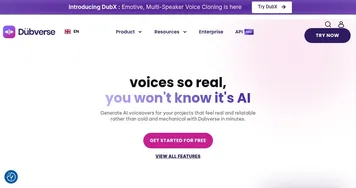
  1. ElevenLabs ElevenLabs Generates lifelike, expressive AI voices for diverse applications
  2. VEED VEED Creates pro-level videos with AI-powered editing and collaboration tools
  3. HeyGen HeyGen Generative AI video creation platform
  4. Synthesia Synthesia AI service that lets you create professional videos in 15 minutes
  5. captions captions Using AI to create studio-grade videos in just a few taps
  6. Akool Akool An AI-powered tool designed to enhance digital content creation for businesses
Share
Translate.Video screenshot enlarged
Promote Translate.Video
light badge
Copy Embed Code
dark badge
Copy Embed Code
neutral badge
Copy Embed Code
Best AI Tools

Discover the best AI tools for any use case

Explore
  • Tool Categories
  • AI Use Cases
  • AI Events
  • AI News
  • Saved Tools
Company
  • About Us
  • Contact Us
  • Media & Partnerships
  • Suggest a Tool
Legal
  • Privacy Policy
  • Terms of Service
Copyright © 2026 Best AI Tools 415 Mission Street, 37th Floor, San Francisco, CA 94105