logo-darklogo-darklogo-darklogo-dark
  • Tool Categories
    • ๐ŸŽจArt & Creative Design505
    • ๐ŸขBusiness Management644
    • ๐Ÿ’ปCoding & Development515
    • ๐Ÿ‘ฎDetection83
    • ๐Ÿง General Use727
    • ๐ŸฅHealth & Wellness55
    • ๐Ÿ“ทImage & Photo Analysis100
    • ๐Ÿ–ผ๏ธImage Generation & Editing618
    • ๐Ÿ“Interior & Architectural Design37
    • ๐ŸŽ“Learning & Education483
    • โš–๏ธLegal & Finance90
    • ๐ŸŽญLifestyle & Entertainment236
    • ๐Ÿ“ขMarketing & Advertising627
    • ๐ŸŽงMusic & Audio138
    • ๐Ÿ‘”Office & Workplace1,014
    • ๐Ÿ”ฌResearch & Data Analysis372
    • ๐Ÿ‘ฅSocial Media245
    • ๐ŸŽฅVideo Generation & Editing426
    • ๐Ÿ‘ง๐ŸปVirtual Companion135
    • ๐ŸŽคVoice Generation & Editing381
    • โœ๏ธWriting & Editing808
    • All Categories
    • AI Use Cases
  • News
  • Events
    • Academic Conferences
    • Developer Conferences
    • Expos / Trade Shows
    • Industry Summits
    • Workshops / Training
    • All Events
    • Past Events
  • Saved Tools
  • Suggest a Tool
โœ•
Home › Learning & Education › Knowledge Management› Guru
Guru

Guru

An AI-powered knowledge management tool designed to help teams keep track of what they know

Guru is an AI-powered knowledge management tool designed to help teams keep track of what they know, right inside the tools they already use. Instead of jumping between tabs, digging through folders, or asking the same questions over and over – Guru brings answers straight to your browser, Slack, or Microsoft Teams. Moreover, it gives you verified information, the moment you need it — with no digging through files and folders required. It’s like having a wise teammate who remembers everything and whispers the answer right when you’re stuck.

Guru relies heavily on AI and machine learning to do its magic — learning from what your team asks and uses most often. Knowledge lives inside tidy “Cards” that experts on your team verify regularly, so what you read is always up to date. As a result, there are no more stale documents or half-right how-tos floating around. Guru can even suggest content based on where you are online, offering relevant information without you lifting a finger. So, it’s not just smart, it’s spooky smart — like it reads your mind.

Unsurprisingly, teams love the way Guru makes knowledge visible through its sleek dashboards and content health tools. The system shows what’s working, what’s outdated, and what people search for but don’t find. That is meant to fill in the gaps before they become problems. Plus, if something hasn’t been looked at in a while, Guru will send a gentle reminder to double-check it.

Now, you may be thinking that Notion, Confluence, and even Google Docs can do the same thing, right? Well, they can but not in a way Gure does. Instead of searching for information, Guru will proactively serve you the stuff you need. Plus, when you add the Guru GPT plugin for ChatGPT to the mix, you get to search your company’s private knowledge without leaving your AI chat.

Lastly, there is a question about implementation, how long it takes, and so on. You’ll be pleased to know that most Guru customers are up and running in under 30 days — and that’s twice as fast as the average knowledge platform rollout. And for really small businesses, this can be achieved in a day or even a few hours. You don’t even need to beg your team to use a new tool — it will just show up in Slack or Chrome and get to work.

All this makes Guru indispensable for folks in sales, customer support, HR, and/or operations. If that includes you, well – now’s the time to check out how Guru can improve your workflow. Check it out.

Visit Guru ↗
Categories
๐ŸŽ“ Education
๐Ÿ—‚๏ธ Knowledge Management ๐Ÿ“– Knowledge Base
๐Ÿข Business
๐Ÿข Enterprise ๐ŸŽง Customer Service
๐Ÿ‘” Work
๐Ÿ’ผ Workplace Assistant โšก Work Productivity
๐Ÿง  General
๐Ÿ” Search Engine ๐Ÿค– Assistant ๐Ÿ’ฌ Chatbot

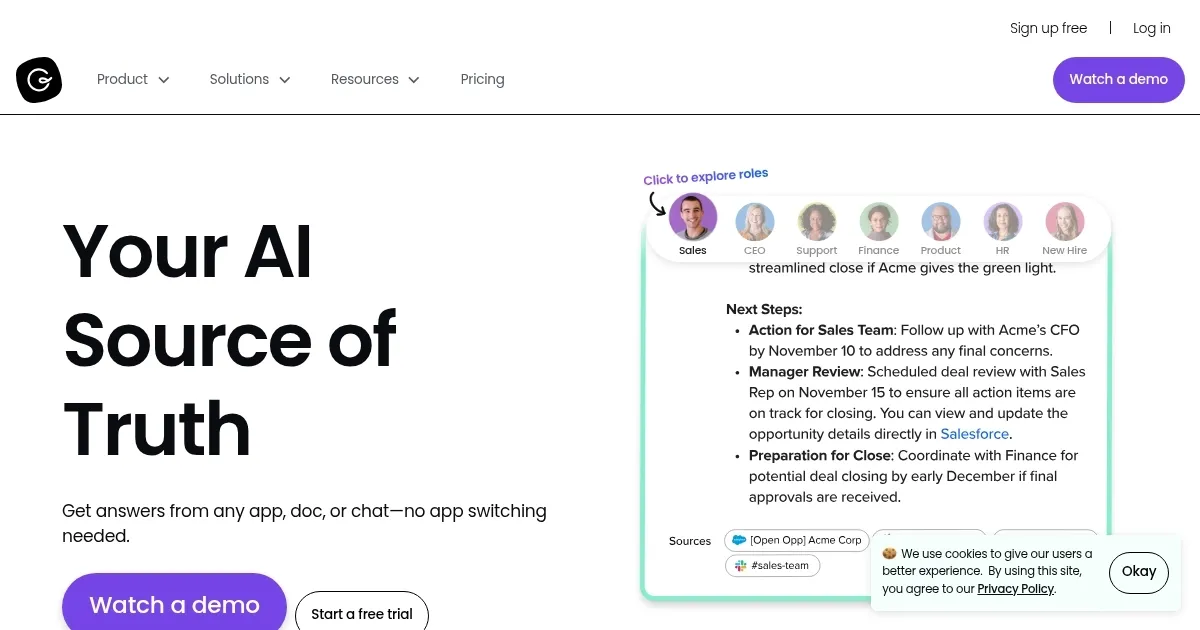
Homepage Screenshot 📸

Guru screenshot

Video Overview 🎬

What are the key features? ✨

  • AIโ€‘powered search: Guru finds answers in the tools you already use. Plus, it uses natural language so it's easy to ask questions.
  • Knowledge cards with verification: Experts bless the info to keep it reliable, thus avoiding outdated errors with scheduled reviews.
  • Browser extension & context triggers: Gury will inject prompts on sites without you switching tabs. It will pop up info exactly when it fits, like lightning at dusk.
  • Analytics dashboards: It shows content health and engagement rates, while highlighting what's used and what's stale in clear graphs.
  • Guru GPT integration: Guru's plugin for ChatGPT lets you pull your company's trusted knowledge to provide you with private, secure answers tailored to your context.

Who is it for? 🤔

Guru is designed for teams and companies that juggle lots of info across tools. It is perfect for people working in support, sales, engineering, HR, and operations. Midโ€‘sized to large businesses love it -- especially those using Slack, Teams, or Salesforce. Also, teams needing verified, fresh knowledge daily benefit most.

Examples of what you can use it for 💡

  • Get quick answers to customer questions during live support
  • Help new hires learn company processes without long training
  • Capture expert knowledge before it walks out the door
  • Reduce repetitive questions across teams dramatically
  • Surface crucial data during meetings or live chats

Pros & Cons ⚖️

  • Superโ€‘fast answers inside Slack or browser
  • Verified info avoids mistakes
  • Integrates deeply with dozens of apps
  • Enterprise pricing may feel hefty for small teams

FAQs 💬

What is Guru, and who is it best for?
Guru is an AI-powered knowledge management platform that unifies company info from various sources into a single, verified hub. It suits mid-sized teams in sales, support, HR, or IT, around 51 to 1000 employees, who need quick access to accurate knowledge without digging through multiple tools.
How does Guru's AI search work?
Guru's Agentic Search uses AI to retrieve, reason over, and respond with relevant info from your docs, chats, and apps, delivering cited answers right in your workflow like Slack or your browser. It goes beyond keyword matching by understanding context, though users note it sometimes needs precise terms for best results.
What are Knowledge Agents in Guru?
Knowledge Agents are custom AI assistants you build for specific needs, like an HR Buddy for policy questions or a Sales Optimizer for deal insights. They pull from verified company data to chat or research, making them ideal for role-based support without leaving your current app.
How does Guru ensure knowledge accuracy?
It automates verification with reminders for updates, detects duplicates, and archives outdated content, while AI checks for freshness. All answers include citations, building trust, but large bases might require manual tweaks to maintain precision as noted in G2 reviews.
What integrations does Guru support?
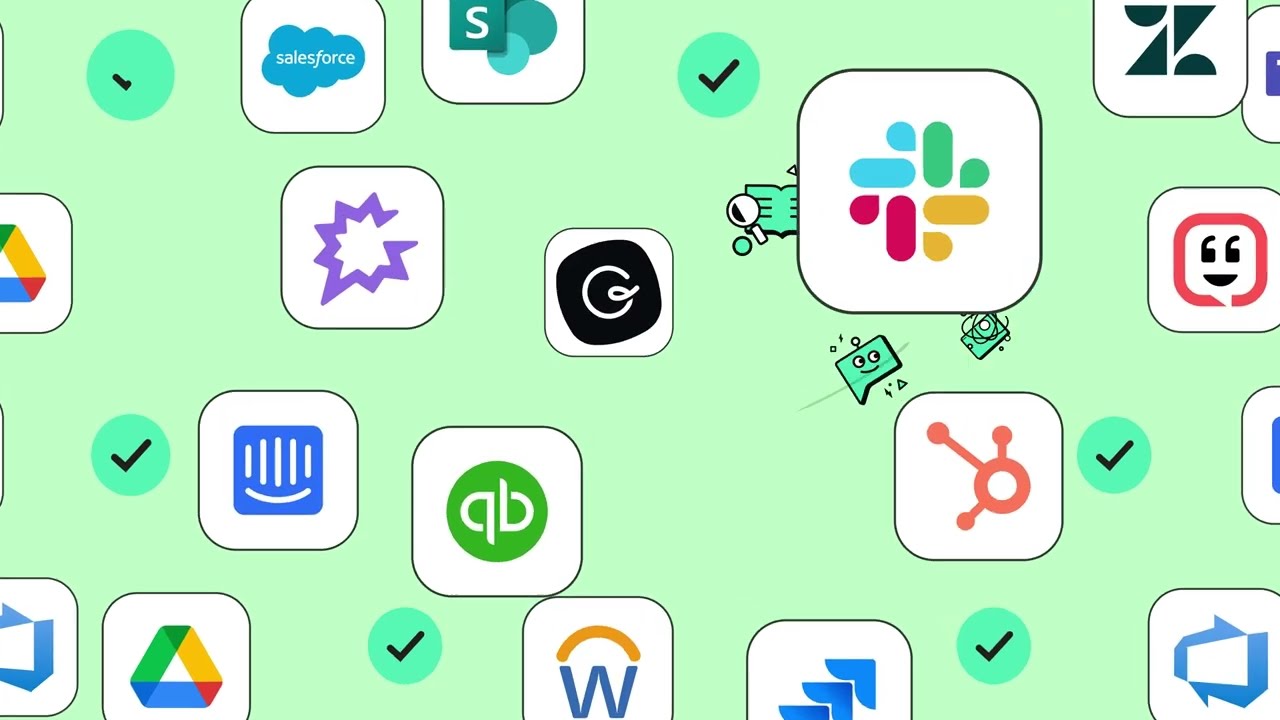
Guru connects with over 100 tools across categories like communication (Slack, Teams), CRM (Salesforce, HubSpot), and productivity (Google Workspace, Notion). These let you search and share knowledge seamlessly where work happens, enhancing collaboration without app-switching.
Is Guru secure for enterprise use?
Yes, it offers SOC 2 Type II, GDPR, and PCI compliance, with data encryption at rest and in transit, role-based access, SSO, and zero retention for AI processing. Reviews on Capterra praise its permission controls, making it suitable for regulated industries.
How easy is it to set up and use Guru?
Setup is quick with browser extensions and native connectors, taking minimal time for most teams. The card-based interface feels intuitive for creating and sharing content, though some new users mention a short learning curve for permissions, per recent TrustRadius feedback.
Can Guru help with content creation?
Absolutely, its Content Assist uses generative AI to draft, refine, or chat about cards with rich formatting and embeds. It speeds up writing verified guides or announcements, and users on G2 highlight how it turns Slack chats into reusable knowledge.
What analytics does Guru provide?
Analytics track content usage, search trends, and engagement, showing what's popular or needs updates. This helps admins spot gaps and measure impact, like reduced duplicate questions, as shared in customer stories from companies like Wrike.
How does Guru support remote or distributed teams?
It delivers answers in real-time across tools like Teams or email, with features like Announcements for targeted updates and read receipts. Feedback from remote-heavy users on Software Advice notes it cuts down on scattered Slack queries, boosting efficiency.

Ready to try Guru?

An AI-powered knowledge management tool designed to help teams keep track of what they know

Visit Guru ↗

Guru alternatives 🔗

  1. Box AI Box AI An assistant that taps into your enterprise content and documents
  2. Notion AI Notion AI Streamlines work with AI-powered note-taking, app searches, and workflow automation
  3. NotebookLM NotebookLM Transforms uploaded documents into interactive AI-powered research assistants
  4. Semantic Scholar Semantic Scholar A free, AI-powered tool designed to help researchers navigate scientific literature
  5. Glean Glean An AI platform designed to integrate and harness the power of a company's knowledge base
  6. Whimsical Mind Maps Whimsical Mind Maps An AI-powered tool for the quick and collaborative creation of mind maps
Share
Guru screenshot enlarged
Promote Guru
light badge
Copy Embed Code
dark badge
Copy Embed Code
neutral badge
Copy Embed Code
Best AI Tools

Discover the best AI tools for any use case

Explore
  • Tool Categories
  • AI Use Cases
  • AI Events
  • AI News
  • Saved Tools
Company
  • About Us
  • Contact Us
  • Media & Partnerships
  • Suggest a Tool
Legal
  • Privacy Policy
  • Terms of Service
Copyright © 2026 Best AI Tools 415 Mission Street, 37th Floor, San Francisco, CA 94105