KnowledgeBase by Text, Inc
Builds AI-driven help centers for instant customer self-service and team efficiency
Ever wonder why customer support feels like a game of telephone half the time? KnowledgeBase steps in as the smart referee, turning scattered info into a tidy playbook that everyone can follow. This tool from LiveChat lets you whip up multiple workspaces, each one a dedicated hub for different needs, like one for customer FAQs and another for internal team notes. I like how it keeps things straightforward, no endless menus to navigate. You just log in, pick your workspace, and start adding articles with a rich text editor that feels familiar, almost like typing in Google Docs but with extra smarts baked in.
Take the QuickAnswer feature, for instance. It scans your content and spits out precise responses right when a customer types a question into the search bar. No more digging through archives or guessing what they mean. Users on sites like G2 rave about this, saying it cuts down query times by half in real chats. And here’s a fun twist, it pulls from your exact articles, so answers stay on brand without that generic bot vibe. Compared to something like Zendesk, which packs in more enterprise bells and whistles, KnowledgeBase wins on speed for smaller setups. Zendesk might overwhelm with its layers, but KnowledgeBase keeps it light, probably ideal if you’re scaling from a handful of agents.
What catches me off guard? The AI article generator. You feed it a topic, and boom, it drafts a full piece complete with title, keywords, and even SEO tweaks. I think its a time saver for busy teams who hate staring at blank screens. One reviewer on Capterra mentioned churning out a weeks worth of content in an afternoon. Sure, you edit for voice, but the heavy lifting happens fast. Folks might gripe that the free trial locks some advanced analytics behind the paywall, or that custom domains take a bit of setup fiddling. Still, the hosted help center shines here, pulling in organic traffic with clean URLs and mobile-friendly layouts that rank well on search engines.
Integration plays nice too, especially with LiveChat. Agents see suggested articles pop up mid conversation, like a whisper from a know it all sidekick. This ties right into reducing ticket volumes, something Freshdesk users chase with similar tools but often at higher setup costs. KnowledgeBase pricing sits in a sweet spot, one flat plan for unlimited users that undercuts Intercoms per seat model for growing teams. Intercom excels at sales funnels, but if your focus is pure support knowledge, this feels more targeted. A surprise element lurks in the password protected sections, perfect for sensitive internal docs that leak out otherwise.
Paragraphs like this one stretch out because the tools real power shows in daily grind moments. Imagine your support queue piling up on a Monday morning. With KnowledgeBase, agents grab consistent answers fast, keeping tone steady across shifts. Its not perfect, occasional AI drafts need polishing for niche jargon, but that keeps humans in the loop. Readers will appreciate the 24/7 self service angle too, where customers browse without waiting, boosting satisfaction scores without extra hires.
Try starting small. Set up a test workspace during the 14 day trial, import a few old FAQs, and run QuickAnswer on sample queries. Tweak the help center theme to match your site, then watch how it flows into LiveChat chats. You’ll see quick wins in response times, and that organic traffic bump might just surprise you most.
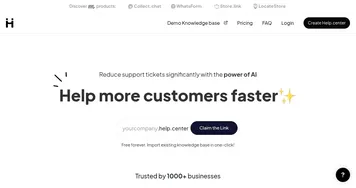
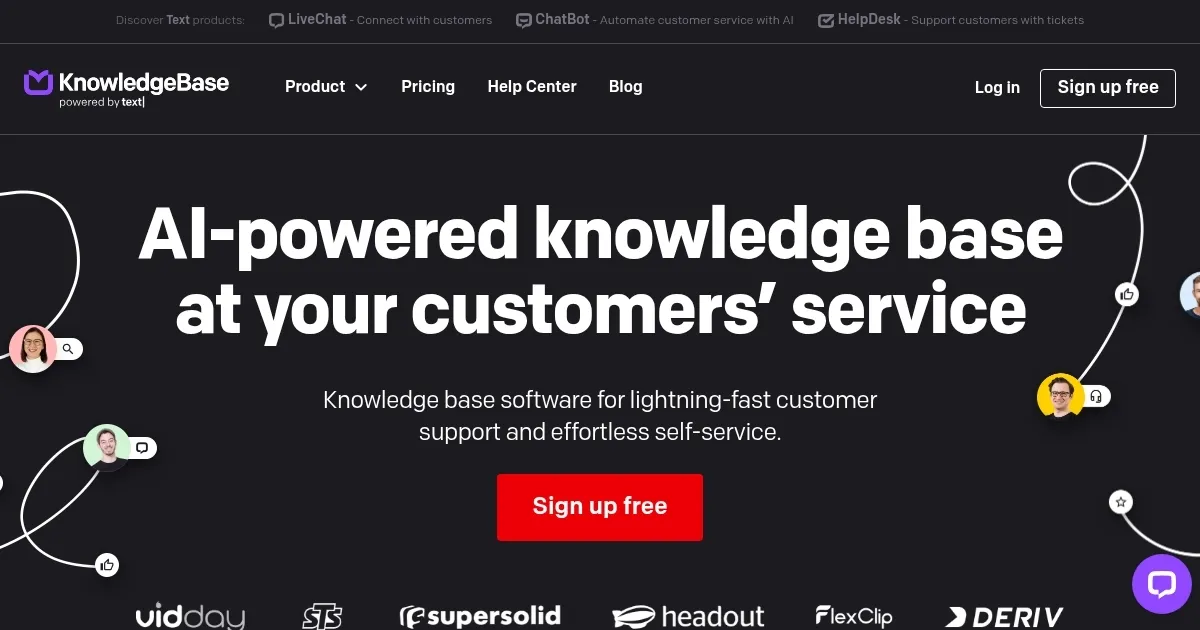
Homepage Screenshot 📸
What are the key features? ✨
- QuickAnswer: Delivers tailored, instant answers from indexed articles to speed up customer queries.
- Workspaces: Organizes multiple knowledge bases into separate, manageable dashboards for teams and customers.
- AI Article Generation: Produces full drafts with titles and SEO keywords based on simple prompts.
- Hosted Help Center: Builds customizable, SEO optimized portals for 24/7 self service access.
- LiveChat Integration: Embeds article suggestions directly into agent chats for quick reference.
Who is it for? 🤔
Examples of what you can use it for 💡
- Support Agent: Pulls article suggestions into LiveChat during customer chats to resolve issues faster without leaving the interface.
- Content Manager: Generates and edits articles with AI to quickly populate the help center with up to date guides.
- Small Business Owner: Sets up a public workspace for FAQs that drives organic traffic and reduces daily support queries.
- Team Lead: Manages internal knowledge in a protected workspace to onboard new hires with consistent procedures.
- Marketer: Optimizes help center content for SEO to attract leads through informative, ranked search results.
Pros & Cons ⚖️
- AI saves time
- Strong integrations
- Unlimited users
- Basic analytics
- AI may need edits
FAQs 💬
Ready to try KnowledgeBase?
Builds AI-driven help centers for instant customer self-service and team efficiency
Visit KnowledgeBaseKnowledgeBase alternatives 🔗