logo-darklogo-darklogo-darklogo-dark
  • Tool Categories
    • 🎨Art & Creative Design505
    • 🏢Business Management644
    • 💻Coding & Development515
    • 👮Detection83
    • 🧠General Use727
    • 🏥Health & Wellness55
    • 📷Image & Photo Analysis100
    • 🖼️Image Generation & Editing618
    • 📐Interior & Architectural Design37
    • 🎓Learning & Education483
    • ⚖️Legal & Finance90
    • 🎭Lifestyle & Entertainment236
    • 📢Marketing & Advertising627
    • 🎧Music & Audio138
    • 👔Office & Workplace1,014
    • 🔬Research & Data Analysis372
    • 👥Social Media245
    • 🎥Video Generation & Editing426
    • 👧🏻Virtual Companion135
    • 🎤Voice Generation & Editing381
    • ✍️Writing & Editing808
    • All Categories
    • AI Use Cases
  • News
  • Events
    • Academic Conferences
    • Developer Conferences
    • Expos / Trade Shows
    • Industry Summits
    • Workshops / Training
    • All Events
    • Past Events
  • Saved Tools
  • Suggest a Tool
✕
Home › Image Generation & Editing › Headshot Generation› HeadshotKiwi
HeadshotKiwi

HeadshotKiwi

Creates studio-quality headshots from selfies in an hour

I gave HeadshotKiwi a spin last week, and I’m still marveling at how it turned my slightly blurry selfies into headshots that could grace a Fortune 500 website. You upload 10 photos, wait an hour, and boom, you’re sifting through dozens of polished portraits. The process feels like magic, like waving a wand and watching your awkward bathroom selfies transform into something you’d proudly slap on LinkedIn. I tried the Professional package, which gave me 120 headshots with 12 different settings, and I was floored by the variety. Some shots had me in a sleek suit against a cityscape, others in a casual blazer with a neutral backdrop. It’s like having a personal stylist and photographer in one.

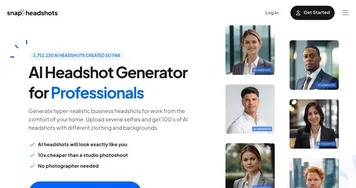
The platform’s interface is slick, guiding you through each step without making you feel like you need a tech degree. I uploaded a mix of selfies, some taken in natural light, others under my desk lamp, and the AI still managed to churn out crisp, professional images. The quality rivals what you’d get from competitors like SnapHeadshots or BetterPic, but HeadshotKiwi’s turnaround time is hard to beat. At $39 for the Professional tier, it’s a steal compared to the hundreds you’d drop on a traditional shoot. I think the 50% discount for new users sweetens the deal even more.

Not everything was perfect, though. A few shots had quirks, like a slightly distorted ear or a background that looked more sci-fi than corporate. I chuckled at one image where my smile looked like it belonged in a toothpaste ad, too perfect to be real. The platform warns you about these quirks upfront, which I appreciated. It’s not a dealbreaker, since you get so many options to choose from. The privacy features also impressed me, my uploaded selfies were deleted after seven days, and there’s a button to nuke them instantly if you’re paranoid like me.

What surprised me most was how empowering it felt to have so many choices. I spent a good 20 minutes picking my favorites, and it was like curating my own professional brand. The full commercial license means I can use these shots anywhere, from my website to conference slides. Compared to pricier options like InstaHeadshots, HeadshotKiwi feels like a scrappy underdog that punches above its weight.

If you’re dipping your toes into AI headshots, upload a variety of selfies, the more diverse, the better. Play around with the Professional package for the best balance of quantity and quality. Don’t sweat the occasional odd shot, just focus on the standouts. You’ll probably end up with a profile picture that makes you look sharper than you expected.

Visit HeadshotKiwi ↗
Categories
🖼️ Image
📸 Headshot Generation 👤 Profile Picture Generation 🧑‍🎤 Avatar Generation 🌟 Photo Enhancing
👥 Social
💼 Linkedin Headshot

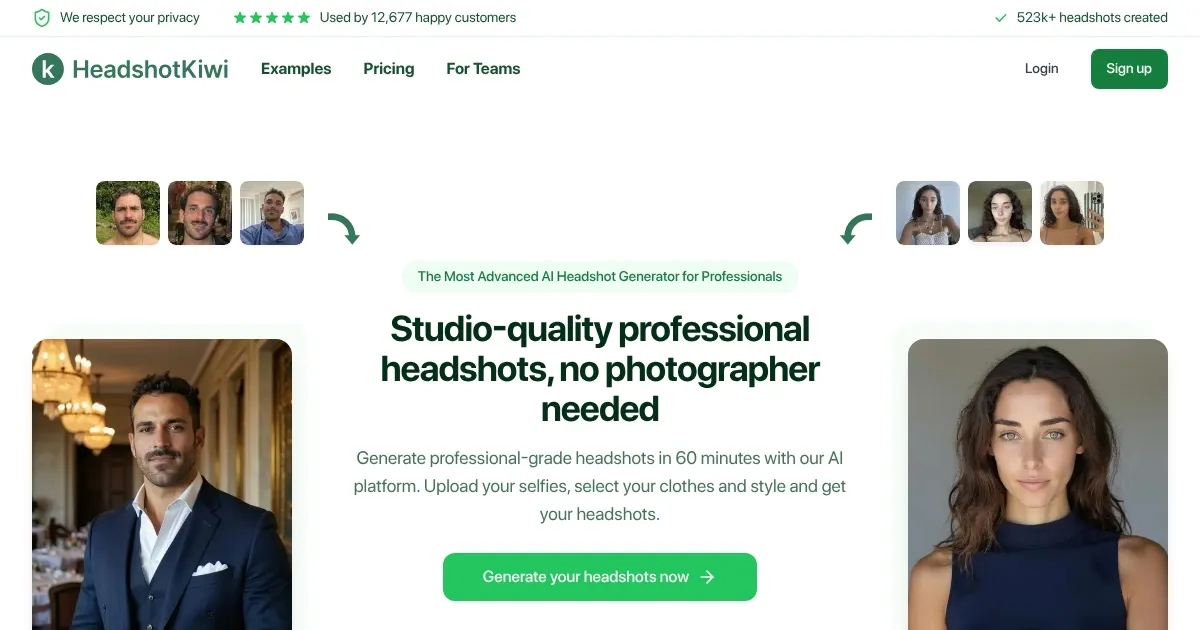
Homepage Screenshot 📸

HeadshotKiwi screenshot

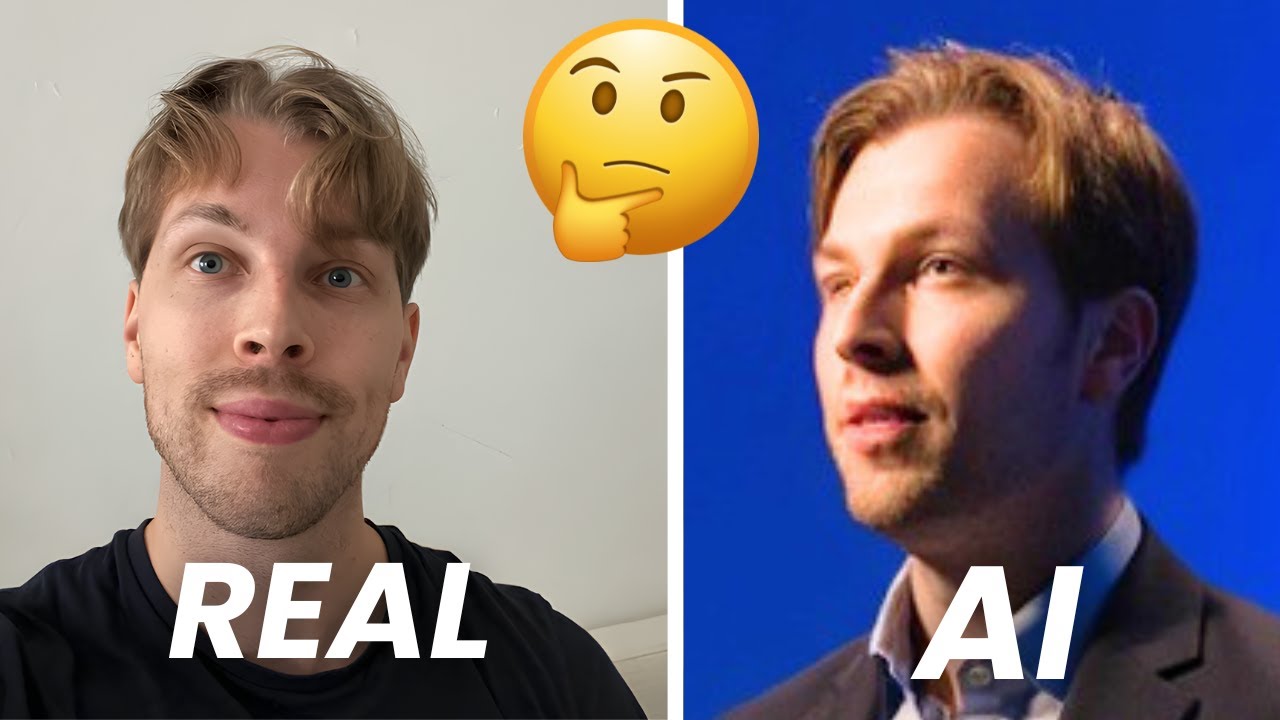
Video Overview 🎬

HeadshotKiwi - Video Overview

What are the key features? ✨

  • AI Headshot Generation: Transforms selfies into professional headshots in one hour.
  • Profile-Worthy Guarantee: Ensures at least one usable headshot or a full refund.
  • Full Commercial Rights: Grants users complete ownership of generated photos.
  • Multiple Packages: Offers Starter, Professional, and Executive tiers with varied outputs.
  • Privacy Protection: Deletes uploaded photos within seven days or instantly on request.

Who is it for? 🤔

HeadshotKiwi is perfect for professionals, freelancers, and small business owners who need high-quality headshots for LinkedIn, websites, or branding materials but lack the time or budget for traditional photoshoots. It’s also ideal for remote teams or companies seeking consistent, professional imagery across multiple employees without logistical headaches.

Examples of what you can use it for 💡

  • Job Seeker: Updates LinkedIn profile with polished headshots to attract recruiters.
  • Freelancer: Enhances website with professional images for client trust.
  • Corporate Team: Creates uniform headshots for company website branding.
  • Speaker: Uses headshots for event promotions and speaker bios.
  • Entrepreneur: Refreshes marketing materials with high-quality portraits.

Pros & Cons ⚖️

  • Fast headshot delivery in one hour.
  • Affordable compared to photoshoots.
  • High-quality, photorealistic images.
  • Full ownership of generated photos.
  • Occasional AI-generated imperfections.
  • Results depend on selfie quality.

FAQs 💬

What types of selfies should I upload?
Upload 10 varied selfies with different expressions, lighting, and backgrounds for best results.
How long does it take to get my headshots?
Headshots are delivered in one hour or less, with same-day results guaranteed.
Can I use these headshots on LinkedIn?
Yes, 25% of users apply their AI headshots to LinkedIn profiles.
What happens to my uploaded photos?
Uploaded photos are deleted within seven days or instantly upon user request.
Who owns the generated headshots?
You have full commercial rights and ownership of all generated photos.
What if I don’t like the results?
The Profile-Worthy guarantee ensures a refund if no usable headshot is produced.
How many usable headshots will I get?
Users typically get 8-10 high-quality headshots with proper selfie uploads.
Is HeadshotKiwi secure?
Yes, it uses enterprise-grade security to protect your data and photos.
How does it compare to traditional photoshoots?
It’s faster and cheaper, starting at $29 versus hundreds for a photoshoot.
Can teams use HeadshotKiwi?
Yes, it’s ideal for remote teams needing consistent, professional headshots.

Ready to try HeadshotKiwi?

Creates studio-quality headshots from selfies in an hour

Visit HeadshotKiwi ↗

HeadshotKiwi alternatives 🔗

  1. Fotor Fotor Enhances and edits photos with AI-powered tools and creative features
  2. LiveMemory LiveMemory A tool from MyHeritage that creates AI-generated avatars of people in historical attire and settings
  3. Remaker AI Remaker AI Online platform offering media manipulation, such as face swapping, AI portraits, and video enhancements
  4. Artguru Avatar Generator Artguru Avatar Generator Create highly realistic and expressive avatars with Artguru's advanced AI model
  5. Artguru Artguru Transforms text or photos into unique AI-generated artwork in seconds
  6. Supawork Supawork Streamlines the job application process by leveraging AI to enhance professional presentation
Share
HeadshotKiwi screenshot enlarged
Promote HeadshotKiwi
light badge
Copy Embed Code
dark badge
Copy Embed Code
neutral badge
Copy Embed Code
Best AI Tools

Discover the best AI tools for any use case

Explore
  • Tool Categories
  • AI Use Cases
  • AI Events
  • AI News
  • Saved Tools
Company
  • About Us
  • Contact Us
  • Media & Partnerships
  • Suggest a Tool
Legal
  • Privacy Policy
  • Terms of Service
Copyright © 2026 Best AI Tools 415 Mission Street, 37th Floor, San Francisco, CA 94105