Heuristica
Visualizes complex ideas into AI-powered mind maps for learning and research
Heuristica is a tool that feels like a trusty guide for anyone wrestling with big ideas, whether you’re a student cramming for exams, a teacher crafting lesson plans, or a researcher untangling a web of data. It takes the chaos of information overload and spins it into clear, visual mind maps, powered by AI heavyweights like ChatGPT, Claude, Gemini, and Llama. You start with a topic, any topic, and Heuristica’s infinite canvas lets you branch out, connecting ideas in ways that make sense to you. It’s like having a conversation with your own brain, only better organized.
What’s genuinely exciting is how Heuristica pulls in resources from places like arXiv, Semantic Scholar, PubMed, Wikipedia, YouTube, and even podcasts. You don’t have to bounce between tabs or apps to gather insights, it’s all right there, neatly integrated into your map. Want to turn your research into something tangible? The tool churns out flashcards, quizzes, summaries, or even full essays with a few clicks. I tested it with a biology topic, and in minutes, I had a set of flashcards ready to go, each one tied to a specific concept from my map. It’s practical, fast, and honestly kind of fun.
But it’s not all smooth sailing. The free version, while generous, locks some features behind a paywall, like access to premium models such as GPT-4o or advanced editing tools. If you’re just dabbling, this might not bother you, but serious researchers might feel the pinch to upgrade. And while the interface is clean, it can feel overwhelming at first if you’re not used to mind-mapping tools. You might spend a little time figuring out where everything lives, but once you do, it’s intuitive enough.
Compared to competitors like Miro or MindMeister, Heuristica stands out for its AI-driven approach. Miro’s great for collaborative whiteboards, but it lacks the deep AI integration Heuristica offers. MindMeister is solid for basic mind mapping, but it doesn’t pull in external sources or generate study materials with the same flair. Heuristica’s ability to chat with your concept map, asking it questions to refine your understanding, is a feature I didn’t know I needed until I tried it. It’s like having a study buddy who’s always ready to explain things.
One surprise is the multilingual support, which makes it accessible for non-English speakers or those working across languages. I didn’t expect to find such flexibility in a tool this specialized. If you’re diving into Heuristica, start with a small project to get the hang of it. Map out a single topic, play with the integrations, and generate a quiz or two. You’ll quickly see how it can streamline your workflow, whether you’re prepping for a test or shaping a research proposal.
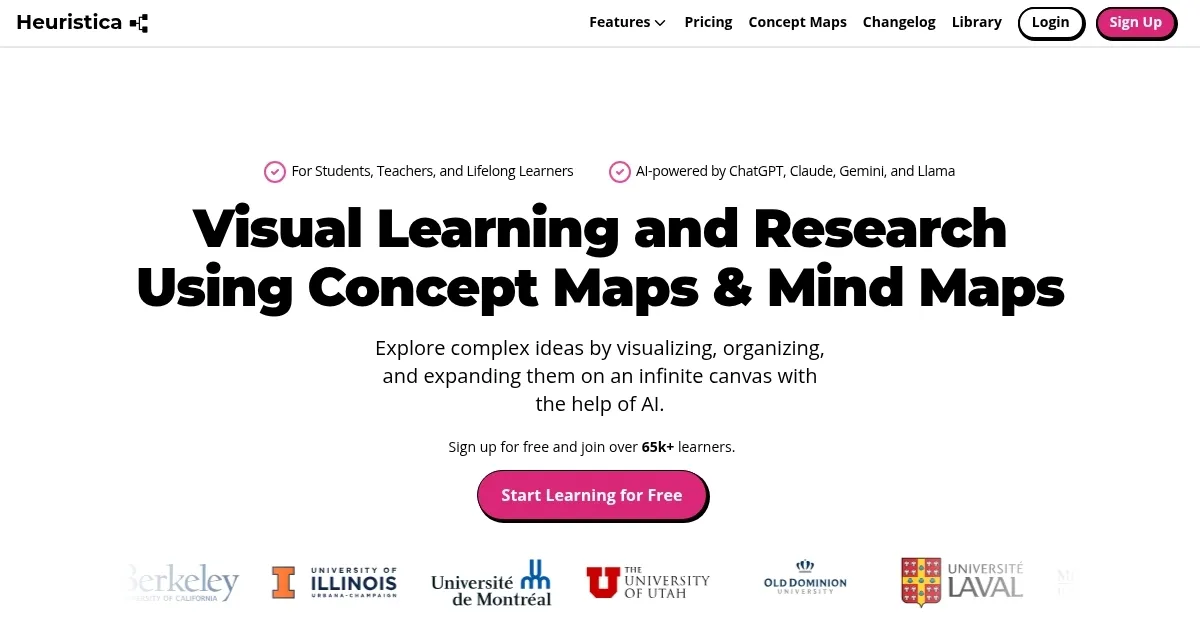
Homepage Screenshot 📸
What are the key features? ✨
- Concept Mapping: Creates visual mind maps to organize complex ideas on an infinite canvas.
- Resource Integration: Pulls data from arXiv, PubMed, Wikipedia, YouTube, and podcasts for enriched maps.
- Study Material Generation: Produces flashcards, quizzes, summaries, and essays from concept maps.
- Interactive Chat: Allows users to ask questions about their maps for deeper understanding.
- Multilingual Support: Supports multiple languages for personalized, accessible learning.
Who is it for? 🤔
Examples of what you can use it for 💡
- High School Student: Uses Heuristica to create mind maps for history topics, generating flashcards for exam prep.
- College Professor: Builds concept maps for lesson plans, integrating YouTube videos and articles for class discussions.
- PhD Researcher: Organizes literature reviews with PubMed and arXiv sources, creating summaries for dissertation proposals.
- Language Learner: Maps vocabulary in their target language, using multilingual support to generate quizzes.
- Content Creator: Develops blog post outlines from podcast and news integrations, streamlining content planning.
Pros & Cons ⚖️
- Generates study materials quickly.
- Supports multilingual learning.
- Infinite canvas for flexible mapping.
- Free plan limits advanced features.
- Generated content may lack depth.
FAQs 💬
Ready to try Heuristica?
Visualizes complex ideas into AI-powered mind maps for learning and research
Visit HeuristicaHeuristica alternatives 🔗