ImgToImg.ai
Transforms photos into new styles using AI and text prompts
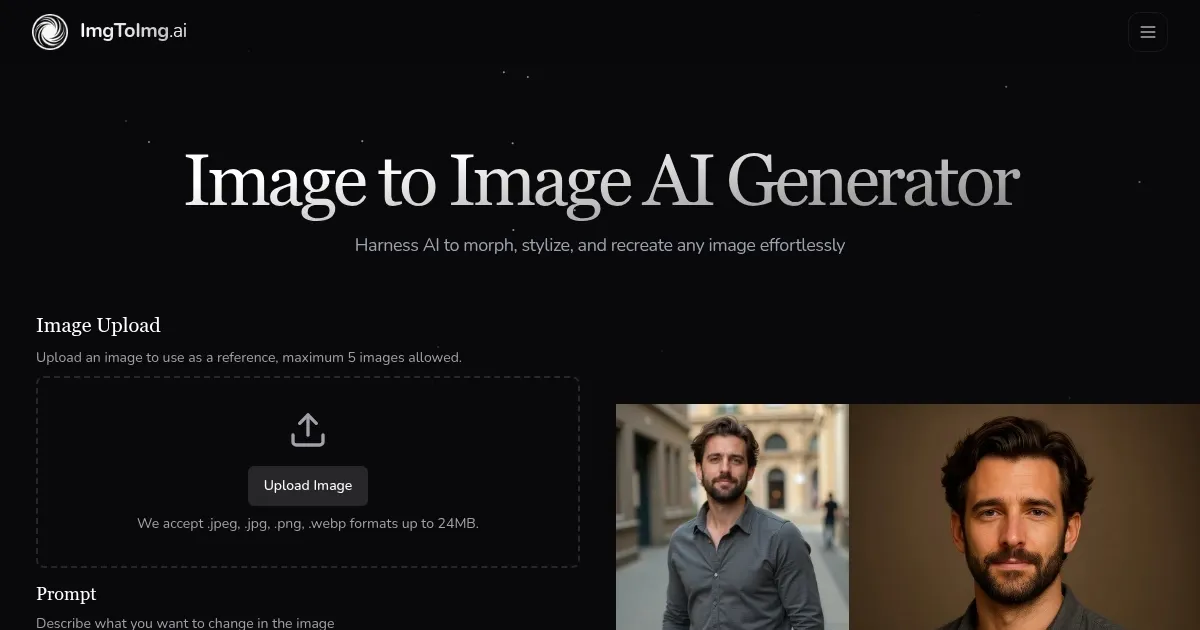
Image to Image AI Generator at ImgToImg.ai is a free online tool at imgtoimg.ai that transforms uploaded photos into new styles or variations using text prompts and advanced AI. Users upload an image, describe desired changes, adjust settings like aspect ratio or transformation strength, and generate high-resolution outputs in seconds. The tool leverages neural networks to preserve the original image’s structure while applying styles like anime, oil painting, or cyberpunk aesthetics. It supports JPEG, PNG, and WEBP formats up to 24MB and 4096×4096 pixels.
The platform offers a free tier with a monthly transformation limit and paid plans for higher quotas and commercial use rights. Key features include prompt-based editing, style transfer, and background modification, making it accessible for users without design skills. Processing is cloud-based, requiring only a web browser and internet connection. Outputs are suitable for social media, marketing, or creative projects. Recent user feedback on X highlights its speed and ease of use, though some note occasional inconsistencies with vague prompts.
Compared to competitors like getimg.ai and Artbreeder, ImgToImg.ai excels in simplicity and free access but offers fewer advanced editing options. For example, getimg.ai allows up to 10 variations at once, while Artbreeder emphasizes community-driven image blending. This tool’s strength lies in quick, high-quality transformations for casual or professional use, particularly for marketers creating campaign visuals or hobbyists experimenting with styles.
Limitations include the free tier’s transformation cap, which restricts heavy users, and the need for precise prompts to achieve desired results. Vague inputs can lead to unpredictable outputs, requiring trial and error. The interface is user-friendly but may feel basic for advanced users seeking granular control. Supported formats and fast processing make it versatile, but complex transformations may take up to a minute.
For best results, upload clear, well-lit images and use specific prompts, such as “convert to Ghibli-style animation.” Adjust transformation strength to balance originality and change. Generate multiple outputs to compare results, and consider a paid plan for commercial projects or higher usage. Regularly check the tool’s guidelines for content restrictions to avoid issues.
Homepage Screenshot 📸
What are the key features? ✨
- Style Transfer: Applies artistic styles like anime or oil painting to images.
- Prompt-Based Editing: Uses text prompts to guide precise image transformations.
- Background Modification: Replaces or alters image backgrounds seamlessly.
- High-Resolution Output: Generates images up to 4096x4096 pixels for professional use.
- Fast Processing: Completes most transformations in seconds via cloud-based AI.
Who is it for? 🤔
Examples of what you can use it for 💡
- Photographer: Transforms portfolio images into unique artistic styles.
- Marketer: Creates multiple campaign visuals from a single product photo.
- Small Business Owner: Enhances product images for e-commerce listings.
- Graphic Designer: Tests style variations for client project mockups.
- Hobbyist: Experiments with fun effects like anime or cyberpunk on personal photos.
Pros & Cons ⚖️
- Free tier available.
- High-resolution outputs.
- Versatile style options.
- Basic editing for advanced users.
- Paid plan needed for commercial use.
FAQs 💬
Ready to try ImgToImg.ai?
Transforms photos into new styles using AI and text prompts
Visit ImgToImg.aiImgToImg.ai alternatives 🔗