logo-darklogo-darklogo-darklogo-dark
  • Tool Categories
    • ๐ŸŽจArt & Creative Design505
    • ๐ŸขBusiness Management644
    • ๐Ÿ’ปCoding & Development515
    • ๐Ÿ‘ฎDetection83
    • ๐Ÿง General Use727
    • ๐ŸฅHealth & Wellness55
    • ๐Ÿ“ทImage & Photo Analysis100
    • ๐Ÿ–ผ๏ธImage Generation & Editing618
    • ๐Ÿ“Interior & Architectural Design37
    • ๐ŸŽ“Learning & Education483
    • โš–๏ธLegal & Finance90
    • ๐ŸŽญLifestyle & Entertainment236
    • ๐Ÿ“ขMarketing & Advertising627
    • ๐ŸŽงMusic & Audio138
    • ๐Ÿ‘”Office & Workplace1,014
    • ๐Ÿ”ฌResearch & Data Analysis372
    • ๐Ÿ‘ฅSocial Media245
    • ๐ŸŽฅVideo Generation & Editing426
    • ๐Ÿ‘ง๐ŸปVirtual Companion135
    • ๐ŸŽคVoice Generation & Editing381
    • โœ๏ธWriting & Editing808
    • All Categories
    • AI Use Cases
  • News
  • Events
    • Academic Conferences
    • Developer Conferences
    • Expos / Trade Shows
    • Industry Summits
    • Workshops / Training
    • All Events
    • Past Events
  • Saved Tools
  • Suggest a Tool
โœ•
Home › Voice Generation & Editing › Podcast› Jellypod
Jellypod

Jellypod

Turns text into AI-generated podcasts with customizable hosts and global distribution

Using Jellypod feels like handing your half-baked ideas to a team of overachieving interns who churn out a podcast faster than you can brew coffee. The platform takes your content — say, a blog post or a YouTube video — and transforms it into a slick audio show with AI hosts who sound like they’ve been podcasting since the invention of the mic. I uploaded a random PDF about geckos, sketched a quick outline, and within minutes, Jellypod spat out a script with two hosts bantering about lizard habitats. The voices? Uncannily lifelike, with accents I could tweak to sound Australian or Spanish. It’s a bit like directing a play where the actors are digital and never complain about their lines.

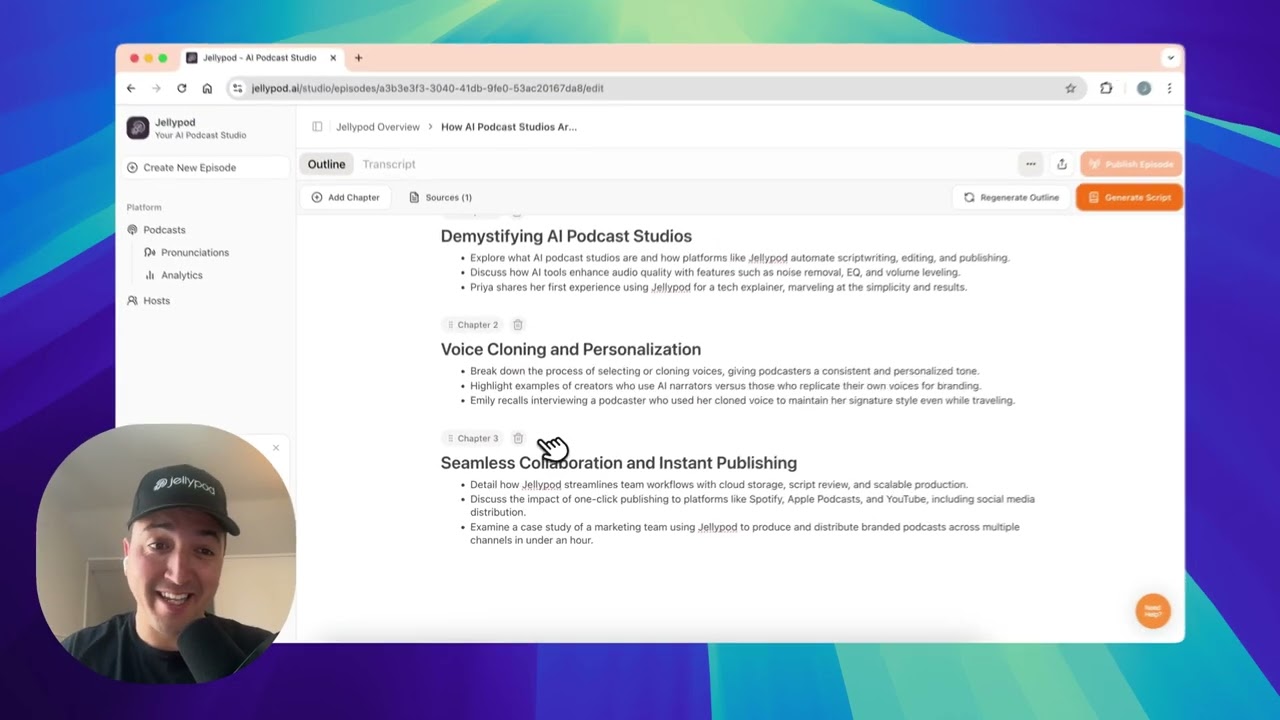
The Outline Guided Creation feature is where the magic happens. You jot down a rough structure, and the AI weaves in your sources, creating dialogue that feels like a morning radio show. I was impressed by how it pulled key facts from my PDF, though it did get a bit carried away with dramatic pauses. The text-based editor let me trim the fluff, and I added some intro music for flair. Publishing to Spotify and Apple Podcasts was as easy as clicking a button, which is a godsend for someone like me who’d rather not wrestle with RSS feeds.

But it’s not all smooth sailing. The AI’s dialogue can sometimes feel like it’s trying to win an Oscar for earnestness, and my gecko episode had a few clunky transitions that needed fixing. Compared to Anchor or Buzzsprout, Jellypod’s AI-driven approach is a game-changer for speed, but it lacks Anchor’s community vibe or Buzzsprout’s analytics depth. Pricing seems fair, with a free tier that’s great for dipping your toes, though you’ll need a paid plan for heavy use. It’s cheaper than some competitors, but don’t expect unlimited credits without shelling out.

What surprised me was the global reach. With support for over 25 languages, I could see a small business owner in Dubai turning blog posts into podcasts for international clients. The downside? If your source material is vague, the AI might churn out generic filler, which is about as exciting as a stale bagel. I also noticed the custom website feature is basic — functional, but don’t expect a design masterpiece.

Want to give it a spin? Upload a clear, detailed source, and spend time tweaking the script to match your voice. The free tier is your playground, so test it out before committing. You’ll be surprised how quickly you can go from idea to published episode.

Visit Jellypod ↗
Categories
๐ŸŽค Voice
๐ŸŽ™๏ธ Podcast ๐Ÿ“ข Text-to-Speech ๐Ÿ—จ๏ธ Voice Generation
โœ๏ธ Writing
โ™ป๏ธ Content Repurposing
๐ŸŽง Music
๐ŸŽš๏ธ Audio Editing
๐ŸŽญ Lifestyle
๐Ÿ“ฐ News

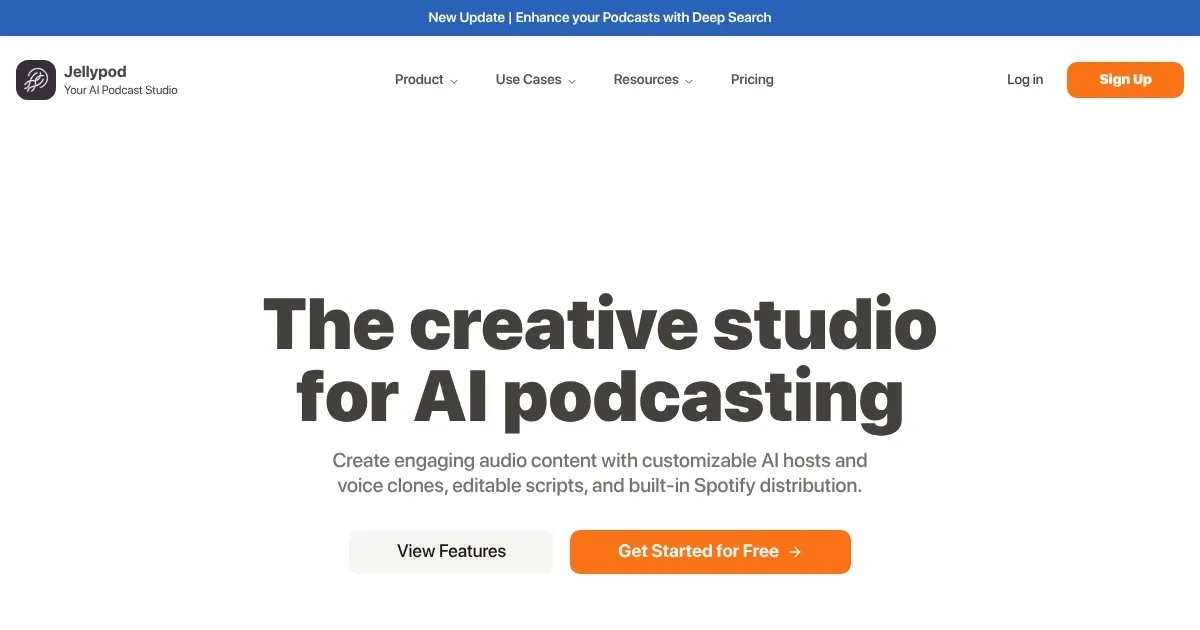
Homepage Screenshot 📸

Jellypod screenshot

Video Overview 🎬

Jellypod - Video Overview

What are the key features? ✨

  • Outline Guided Creation: Crafts conversational podcast scripts from user-provided outlines and sources.
  • Customizable AI Hosts: Offers ultrarealistic voices with adjustable accents and backstories in over 25 languages.
  • Text-Based Editor: Allows users to refine scripts, add music, or adjust dialogue for precision.
  • One-Click Publishing: Distributes episodes to Spotify, Apple Podcasts, YouTube, and RSS with a custom website.
  • Multilingual Support: Creates podcasts in languages like Spanish, Hindi, and Arabic for global audiences.

Who is it for? 🤔

Jellypod is great for content creators, educators, small business owners, and marketers who want to produce professional podcasts quickly without technical expertise. Its automation suits busy professionals, like a professor turning research into audio or a business repurposing blogs for global audiences, while its multilingual support and easy publishing appeal to those targeting diverse or international listeners.

Examples of what you can use it for 💡

  • Educator: Converts lecture notes into engaging audio lessons for students.
  • Content Marketer: Turns blog posts into podcasts to reach new audiences.
  • Small Business Owner: Creates multilingual episodes to promote products globally.
  • Journalist: Transforms articles into conversational podcasts for broader engagement.
  • Hobbyist Podcaster: Produces niche content, like a history podcast, from web sources.

Pros & Cons ⚖️

  • Fast podcast creation
  • Supports 25+ languages
  • Free tier available
  • AI dialogue can feel forced
  • Limited free tier credits

FAQs 💬

What types of content can I upload to Jellypod?
You can upload URLs, PDFs, PowerPoints, YouTube videos, or text to create podcasts.
Can I customize the podcast hosts?
Yes, you can design AI hosts with unique voices, accents, and backstories in over 25 languages.
Is there a free version of Jellypod?
Jellypod offers a free-forever plan with limited credits for testing the platform.
How does the Outline Guided Creation work?
You provide a high-level outline, and the AI generates a conversational script using your sources.
Can I edit the podcast after itโ€™s generated?
Yes, the text-based editor lets you tweak scripts, add music, or adjust dialogue.
Which platforms can I publish to?
Episodes can be published to Spotify, Apple Podcasts, YouTube, and RSS feeds.
Does Jellypod support multiple languages?
Yes, it supports over 25 languages, including Spanish, Hindi, and Arabic.
Do I need podcasting experience to use Jellypod?
No, the platform is designed for beginners and professionals alike.
Can I create a podcast website with Jellypod?
Every podcast gets a custom website with an embeddable player.
Is Jellypod suitable for commercial use?
Paid users can use Jellypod for commercial purposes, while free users are limited to non-commercial use.

Ready to try Jellypod?

Turns text into AI-generated podcasts with customizable hosts and global distribution

Visit Jellypod ↗

Jellypod alternatives 🔗

  1. ElevenLabs ElevenLabs Generates lifelike, expressive AI voices for diverse applications
  2. NotebookLM NotebookLM Transforms uploaded documents into interactive AI-powered research assistants
  3. Streamlabs Podcast Editor Streamlabs Podcast Editor A podcast editing solution that transcribes audio and video to text for easy edits and repurposing content
  4. Descript Descript Transforms video editing with AI-driven text-based tools and automated design
  5. Riverside Audio & Video Transcription Riverside Audio & Video Transcription An AI service that generates high-accuracy audio and video transcription in multiple languages.
  6. Murf Murf Converts text to lifelike speech for various applications
Share
Jellypod screenshot enlarged
Promote Jellypod
light badge
Copy Embed Code
dark badge
Copy Embed Code
neutral badge
Copy Embed Code
Best AI Tools

Discover the best AI tools for any use case

Explore
  • Tool Categories
  • AI Use Cases
  • AI Events
  • AI News
  • Saved Tools
Company
  • About Us
  • Contact Us
  • Media & Partnerships
  • Suggest a Tool
Legal
  • Privacy Policy
  • Terms of Service
Copyright © 2026 Best AI Tools 415 Mission Street, 37th Floor, San Francisco, CA 94105