ListenHub
Transforms text into realistic AI podcasts in minutes
ListenHub catches your eye right away with its promise of effortless audio magic. Upload a file, drop a YouTube link, or just toss in a topic, and this tool spins it all into a podcast that sounds like two pals chatting over coffee. I spent some time poking around its interface the other day, and let me say, the FlowSpeech engine delivers voices so lifelike, you’ll forget it’s not a real recording studio at work. Think about those long drives or gym sessions where reading feels impossible; suddenly, your backlog of articles comes alive, narrated with just the right pauses and inflections.
What sets it apart in this crowded field? Well, competitors like Podcastle lean heavy on full production suites for recording and editing, great if you’re building from scratch, but ListenHub shines for repurposing existing stuff. Or take Descript, which excels at text-based audio tweaks, yet it demands more hands-on time for script polishing. ListenHub keeps it simple, generating episodes in one to five minutes, often with dual voices debating points for that engaging back-and-forth. Users on forums rave about the Chinese-English bilingual support too, a nice touch for global audiences that others overlook.
Of course, nothing’s perfect. A few folks mentioned occasional glitches in longer uploads, like a PDF over ten megabytes causing hiccups, and the free tier caps you quick, nudging toward paid plans sooner than you’d like. Compared to pricier rivals, though, ListenHub’s general access feels more approachable, especially for solopreneurs testing waters. One surprise? The video storybook feature sneaks in, turning topics into illustrated tales with synced audio, perfect for educators or parents whipping up bedtime stories without the hassle.
Dig deeper, and the Ghost Speaker mode jumps out. It clones voices with eerie accuracy after a short sample, letting you ‘host’ episodes in your own tone. Technically, it leverages cutting-edge neural networks for prosody, ensuring sentences rise and fall naturally, not like those robotic reads from older TTS tools. I think that’s where the passion creeps in; it’s not just conversion, it’s creation that feels personal. Pair it with the Chrome extension for one-click web saves, and you’ve got a workflow that flows, syncing across devices so your library travels with you.
Readers might love how it empowers quick content flips, say bloggers turning posts into audio for wider reach. But watch for those export limits on basics; upgrade if you’re churning episodes daily. As for advice, start small: grab a favorite article, generate, listen, tweak the mode to Quick Insights for brevity or In-Depth Research for meatier dives. Experiment with voice blends, and soon you’ll wonder how you managed without this audio ally in your toolkit.
Homepage Screenshot 📸
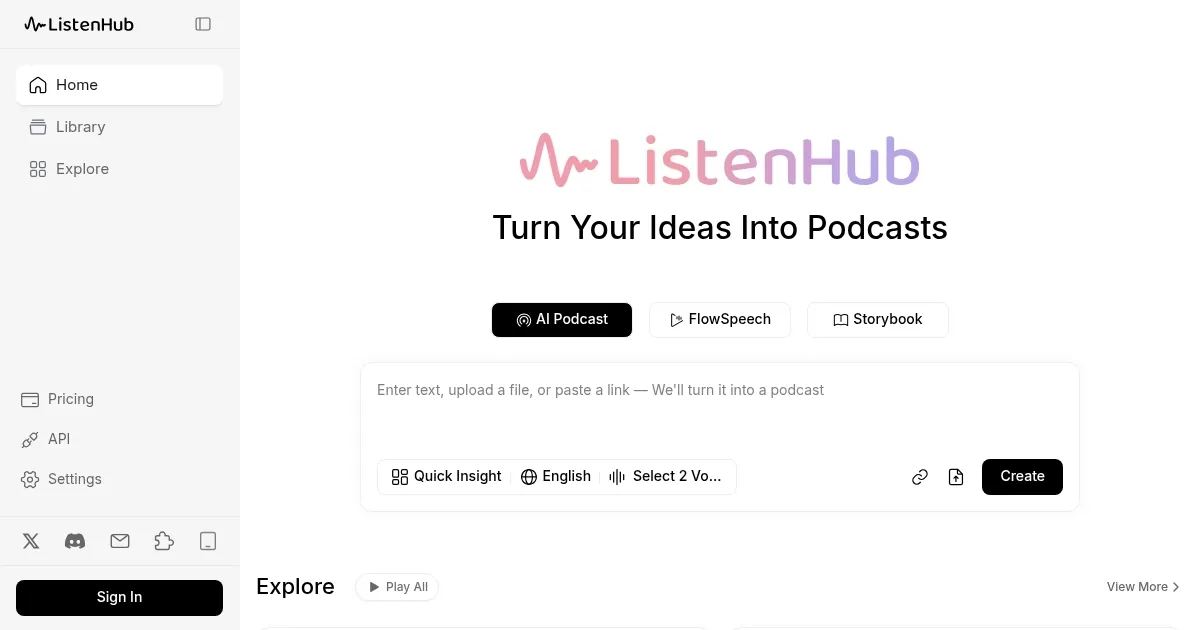
What are the key features? ✨
- FlowSpeech: Converts text to natural speech with realistic intonation and pauses.
- Ghost Speaker: Clones user voices from samples for personalized podcast hosting.
- Quick Insights Mode: Generates concise summaries as short audio discussions.
- Video Storybook: Creates illustrated stories with synced audio from prompts or files.
- Chrome Extension: Saves web pages one-click to a synced library for later conversion.
Who is it for? 🤔
Examples of what you can use it for 💡
- Content Creator: Converts blog posts to engaging podcasts for wider audience reach.
- Commuter: Transforms news articles into audio episodes for hands-free listening during drives.
- Educator: Generates video storybooks from lesson plans for interactive student engagement.
- Marketer: Creates promotional audio dialogues from product descriptions to boost campaigns.
- Researcher: Summarizes complex PDFs into debate-style overviews for quick reviews.
Pros & Cons ⚖️
- Fast generation under 5 mins
- Realistic bilingual voices
- Easy one-click web saves
- Voice cloning available
- Free tier limits exports
- Occasional large file bugs
FAQs 💬
ListenHub alternatives 🔗