logo-darklogo-darklogo-darklogo-dark
  • Tool Categories
    • ๐ŸŽจArt & Creative Design505
    • ๐ŸขBusiness Management644
    • ๐Ÿ’ปCoding & Development515
    • ๐Ÿ‘ฎDetection83
    • ๐Ÿง General Use727
    • ๐ŸฅHealth & Wellness55
    • ๐Ÿ“ทImage & Photo Analysis100
    • ๐Ÿ–ผ๏ธImage Generation & Editing618
    • ๐Ÿ“Interior & Architectural Design37
    • ๐ŸŽ“Learning & Education483
    • โš–๏ธLegal & Finance90
    • ๐ŸŽญLifestyle & Entertainment236
    • ๐Ÿ“ขMarketing & Advertising627
    • ๐ŸŽงMusic & Audio138
    • ๐Ÿ‘”Office & Workplace1,014
    • ๐Ÿ”ฌResearch & Data Analysis372
    • ๐Ÿ‘ฅSocial Media245
    • ๐ŸŽฅVideo Generation & Editing426
    • ๐Ÿ‘ง๐ŸปVirtual Companion135
    • ๐ŸŽคVoice Generation & Editing381
    • โœ๏ธWriting & Editing808
    • All Categories
    • AI Use Cases
  • News
  • Events
    • Academic Conferences
    • Developer Conferences
    • Expos / Trade Shows
    • Industry Summits
    • Workshops / Training
    • All Events
    • Past Events
  • Saved Tools
  • Suggest a Tool
โœ•
Home › Image Generation & Editing › Image Generation› MagicShot
MagicShot

MagicShot by DevelopingNow Inc.

Creates stunning visuals, audio, and video from text prompts in seconds

MagicShot is a fancy tool that, In a way, feels like opening a toy box stuffed with futuristic gadgets. This platform, which promises to turn your words into images, videos, or audio, feels like a creative genie — sometimes brilliant, sometimes a bit mischievous. Armed with just a laptop and a vague idea, I dove into its 50-plus tools, from AI Video Effects to Logo Generator, and came away impressed, if a little dizzy from the possibilities. It’s a tool that sparks joy, even if it occasionally trips over its own ambition.

The AI Photo Generator stole the show. I typed “vintage motorcycle in a desert sunset” and got a strikingly detailed image in seconds, powered by models like Stable Diffusion 3. It wasn’t perfect — the bike’s handlebars looked slightly off — but the colors popped, and the vibe was spot-on. The Face Enhancer tool was another highlight. I uploaded a blurry selfie, and MagicShot sharpened it into something I’d proudly post on LinkedIn. The Text to Speech feature, with its 30-plus voice options, was a pleasant surprise, turning my script into a podcast-ready clip. Compared to Adobe Express or DALLยทE, MagicShot feels more playful, with tools like the AI Kiss Booth that let you create quirky, shareable content.

But here’s the catch: the credit system. Every action costs credits, and while the free tier gives you a taste, I burned through my 10 monthly credits faster than expected. Heavy users might find this pricier than Canva‘s subscription model. I also hit a snag with the AI Video Generator — my prompt for a “dancing robot” produced a clip that was more stiff than groovy. User reviews on Reddit echo this: results vary wildly based on prompt quality. The interface, while clean, can feel cluttered with so many options, and I wished for a clearer tutorial to guide me.

What caught me off guard was the AI Sticker Generator. I turned a photo of my dog into a custom sticker in minutes, ready to slap on my messaging apps. It’s a small feature but ridiculously fun. The community gallery, where users share their creations, added a spark of inspiration — I spent way too long browsing AI-generated superhero art. MagicShot shines for casual creators and small businesses, but it’s not without quirks.

My advice? Play with the free tools first. Focus on specific prompts — think “golden retriever in a spacesuit” rather than “dog in space” — to get better results. Check the community for prompt ideas, and budget your credits wisely if you plan to create a lot. MagicShot is a blast, but it rewards patience and precision.

Visit MagicShot ↗
Categories
๐Ÿ–ผ๏ธ Image
๐Ÿ–ผ๏ธ Image Generation ๐Ÿช„ Text to Image ๐Ÿ“ธ Headshot Generation ๐Ÿง‘โ€๐ŸŽค Avatar Generation ๐ŸŒŸ Photo Enhancing ๐Ÿ’Ž Image Enhancing โœ๏ธ Photo Editing โœ‚๏ธ Background Removal ๐Ÿ‘ค Profile Picture Generation
๐ŸŽจ Art
๐ŸŽจ Art Generation

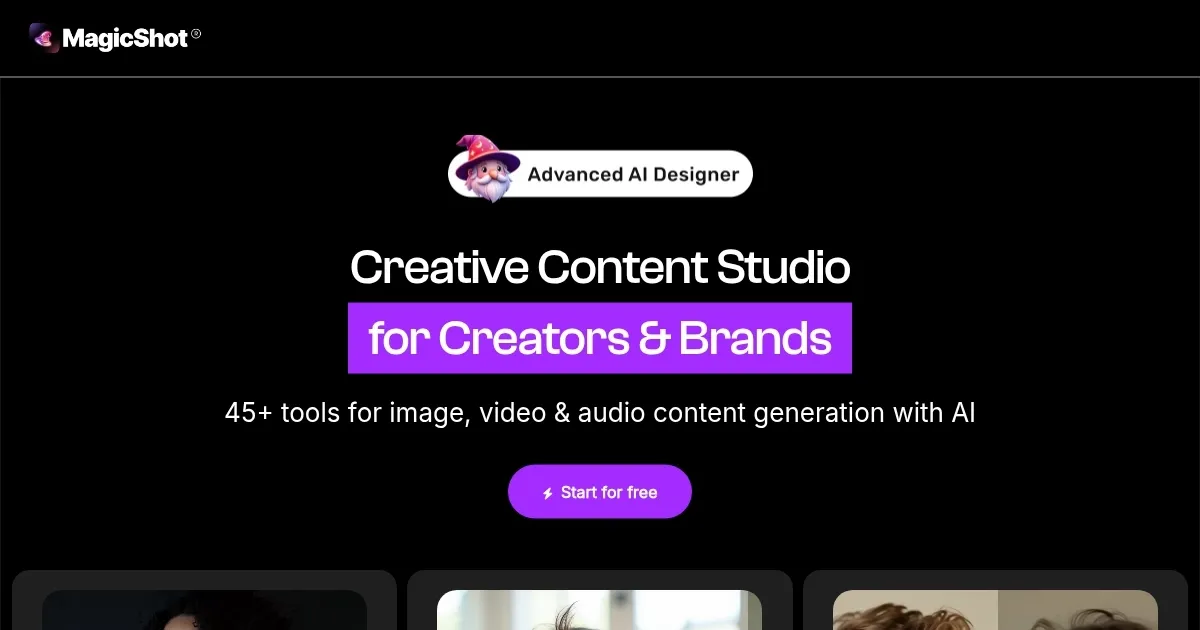
Homepage Screenshot 📸

MagicShot screenshot

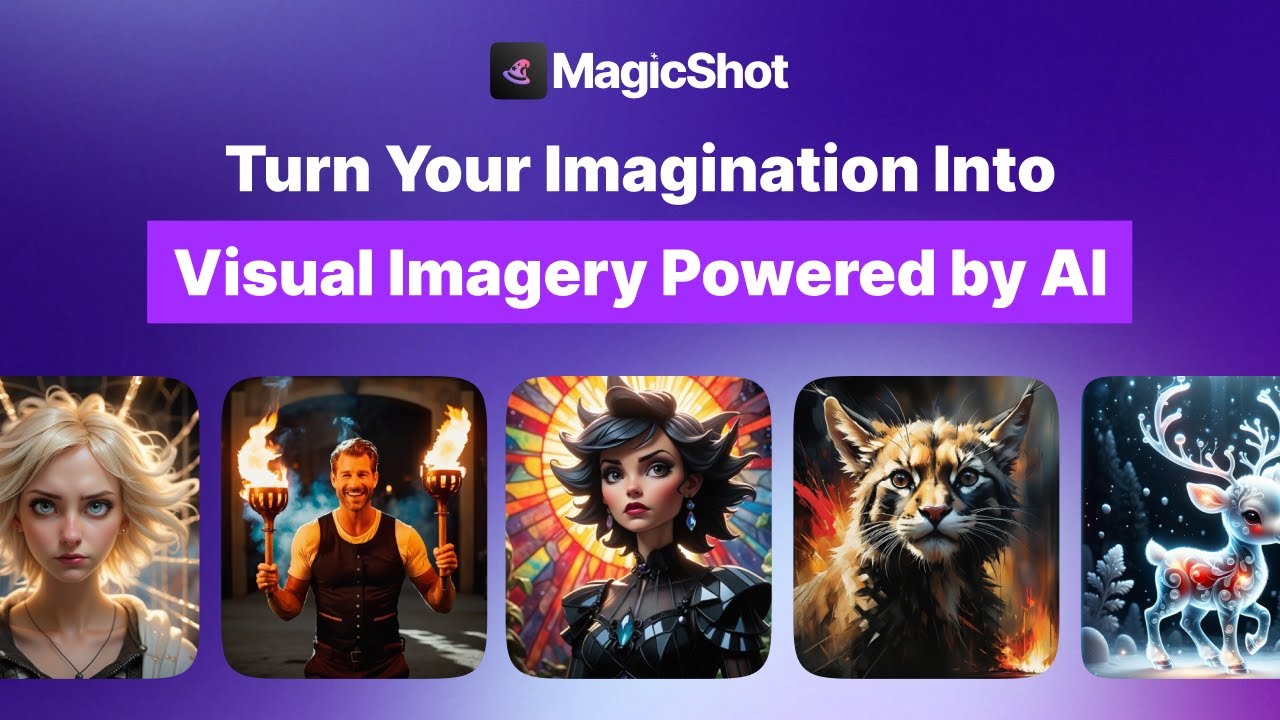
Video Overview 🎬

MagicShot - Video Overview

What are the key features? ✨

  • AI Photo Generator: Creates high-quality images from text prompts in seconds.
  • AI Video Effects: Animates photos with cinematic effects like Rainbow Tears.
  • Text to Speech: Converts text into natural-sounding audio with 30+ voices.
  • AI Avatar Generator: Produces realistic or stylized portraits from photos.
  • Logo Generator: Designs custom brand logos based on text descriptions.

Who is it for? 🤔

MagicShot is designed for a broad audience, from casual creators making social media content to small business owners needing professional visuals like logos or headshots. Content creators, such as TikTokers or YouTubers, benefit from its video and audio tools, while marketers can use its product photography features to boost campaigns. Hobbyists enjoy playful tools like the AI Baby Generator, and beginners appreciate the intuitive interface, making it ideal for anyone looking to create high-quality content without advanced technical skills.

Examples of what you can use it for 💡

  • Social Media Influencer: Crafts eye-catching video effects for TikTok posts.
  • Small Business Owner: Generates professional logos for branding.
  • Content Creator: Produces voiceovers for podcasts using Text to Speech.
  • Hobbyist: Creates custom stickers for messaging apps.
  • Marketer: Designs product photography for e-commerce listings.

Pros & Cons ⚖️

  • Wide range of AI tools
  • High-quality image output
  • Mobile app availability
  • Credit system can be costly
  • Feature overload for new users

FAQs 💬

What is MagicShot?
MagicShot is an AI platform for creating images, videos, and audio from text.
Is there a free version?
Yes, it offers a free tier with 10 monthly credits.
What devices support MagicShot?
It's available on web, iOS, and Android.
How do I get the best results?
Use specific, detailed prompts for accurate outputs.
Can I use generated content commercially?
Yes, you have full commercial rights to your creations.
What models power MagicShot?
It uses Flux, DALLยทE 3, and Stable Diffusion 3, among others.
Is the interface beginner-friendly?
Yes, it's intuitive but may feel overwhelming due to many features.
Can I share my creations?
Yes, the community feature lets you share and browse art.
What if I need support?
Contact support via in-app help or email at support@magicshot.ai.
Can I delete my account?
Yes, you can delete your account, removing all data permanently.

Ready to try MagicShot?

Creates stunning visuals, audio, and video from text prompts in seconds

Visit MagicShot ↗

MagicShot alternatives 🔗

  1. ChatGPT ChatGPT All-round AI assistant generating human-like responses to user queries and tasks
  2. Grok Grok Delivers witty, real-time AI responses with advanced reasoning and image generation
  3. Imagen Imagen Generates photorealistic images from detailed text prompts
  4. Black Forest Labs Black Forest Labs Generates high-quality images from text prompts with precision and speed
  5. Kling AI Kling AI Generates cinematic videos from text or images with realistic motion
  6. Runway Runway Generates and edits AI-powered videos from text prompts
Share
MagicShot screenshot enlarged
Promote MagicShot
light badge
Copy Embed Code
dark badge
Copy Embed Code
neutral badge
Copy Embed Code
Best AI Tools

Discover the best AI tools for any use case

Explore
  • Tool Categories
  • AI Use Cases
  • AI Events
  • AI News
  • Saved Tools
Company
  • About Us
  • Contact Us
  • Media & Partnerships
  • Suggest a Tool
Legal
  • Privacy Policy
  • Terms of Service
Copyright © 2026 Best AI Tools 415 Mission Street, 37th Floor, San Francisco, CA 94105