Memo AI
Converts audio and video into text, subtitles, and summaries with AI precision
Memo AI slips into your workflow like a trusty sidekick, turning messy audio and video files into crisp, usable text with a flick of its AI wrist. This tool, built for creators, researchers, and professionals, takes the chaos of spoken content — think YouTube rants, podcast banter, or meeting recordings — and spins it into transcripts, subtitles, and summaries. I think it’s a game-changer for anyone drowning in multimedia content, but it’s not without quirks.
First off, the transcription engine is a standout. It handles YouTube videos, podcasts, and local files like MP4 or MP3 with ease, boasting a 99% accuracy rate for English, according to user chatter on X. Multi-language support covers over 90 languages, from Spanish to Japanese, and the translation feature works while transcribing, which is handy for global teams. The speaker diarization, running locally to keep your data private, neatly tags who’s talking in a podcast or meeting, saving you from untangling voices manually. For hardware buffs, Memo AI leverages GPU acceleration — NVIDIA, AMD, or Apple Silicon — to process a 30-minute file in about two minutes. That’s zippy.
The floating notes feature is a quiet hero. As audio plays, key points pop up as notes, almost like a study buddy highlighting your textbook. Live subtitles sync with playback, making it a boon for accessibility or quick reviews. You can export to Markdown or Notion, with more integrations promised soon. I love the offline processing, a nod to privacy in a cloud-obsessed world, but it demands a beefy machine — 8GB of RAM minimum, per the site. If your laptop’s a lightweight, you might hit snags.
Compared to competitors like Otter, which excels in real-time meeting transcription but lacks offline options, or Descript, a favorite for podcast editing with robust text-based features, Memo AI carves a niche with its offline focus and multi-language prowess. Otter’s cloud-based approach feels faster for live settings, but Memo AI’s local processing wins for security-conscious users. Descript’s editing tools are more polished, though, so if you’re heavy into post-production, it might edge out.
What’s not to love? The beta phase means occasional bugs, with some Reddit users noting crashes on older Windows systems. The interface, while clean, isn’t as intuitive as Descript’s drag-and-drop vibe, and setting up custom AI prompts takes a learning curve. A surprise perk: the clip segmentation feature, which lets you isolate audio chunks for transcription, is a lifesaver for researchers pulling quotes from long interviews.
If you’re eyeing Memo AI, start with the beta for free to test its transcription muscle. Pair it with a strong GPU for best results, and don’t shy away from tweaking those AI prompts to fit your needs. It’s a tool that rewards a bit of patience with serious productivity gains.
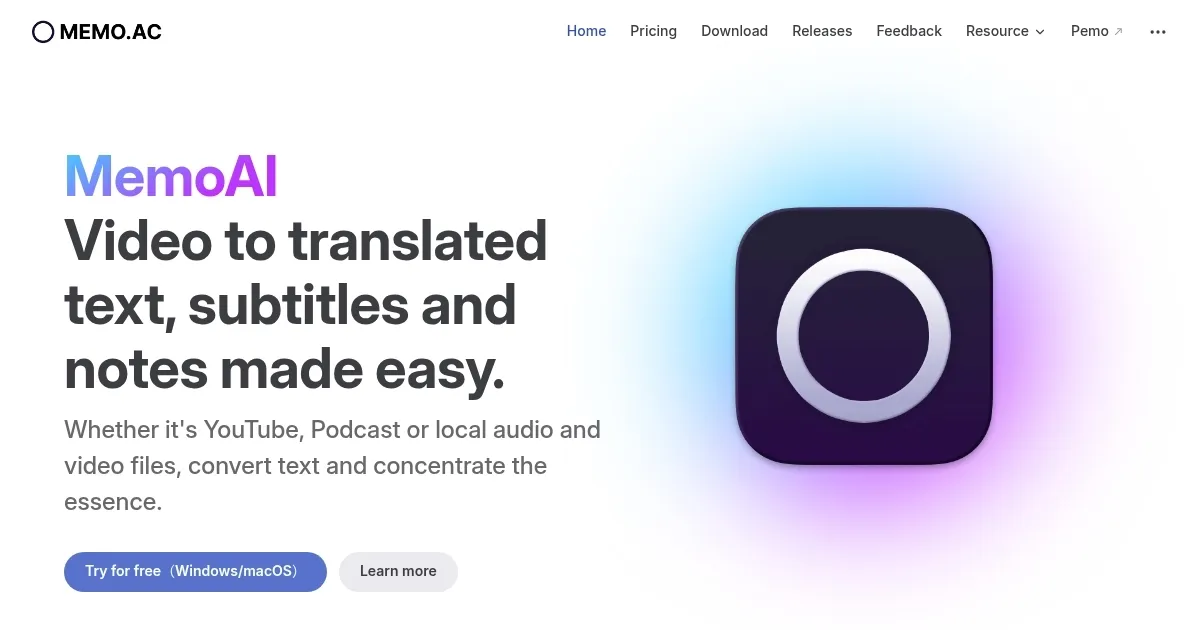
Homepage Screenshot 📸
What are the key features? ✨
- Video to Text: Converts YouTube videos and podcasts into accurate text transcripts.
- Multi-language Support: Transcribes and translates across over 90 languages.
- Speaker Diarization: Identifies speakers in audio, processed locally for privacy.
- GPU Acceleration: Processes 30-minute files in two minutes using NVIDIA or Apple Silicon.
- Floating Notes: Displays key points as pop-up notes during audio playback.
Who is it for? 🤔
Examples of what you can use it for 💡
- Content Creator: Transforms YouTube videos into text for subtitles or blog posts.
- Researcher: Isolates audio segments from interviews for precise transcription.
- Educator: Converts lecture recordings into notes for student accessibility.
- Podcaster: Generates multilingual subtitles to reach global audiences.
- Team Lead: Summarizes meeting recordings into action items offline.
Pros & Cons ⚖️
- Fast transcription with GPU acceleration
- Offline processing ensures privacy
- Supports over 90 languages
- Limited export format options
FAQs 💬
Ready to try Memo AI?
Converts audio and video into text, subtitles, and summaries with AI precision
Visit Memo AIMemo AI alternatives 🔗