logo-darklogo-darklogo-darklogo-dark
  • Tool Categories
    • 🎨 Art
    • 🏢 Business
    • 💻 Coding
    • 👮 Detection
    • 🧠 General
    • 🏥 Health
    • 📷 Image Analysis
    • 🖼️ Image
    • 📐 Architecture
    • 🎓 Education
    • ⚖️ Legal/Finance
    • 🎭 Lifestyle
    • 📢 Advertising
    • 🎧 Music
    • 👔 Work
    • 🔬 Research
    • 👥 Social
    • 🎥 Video
    • 👧🏻 Companion
    • 🎤 Voice
    • ✍️ Writing
    • All Categories
    • AI Use Cases
  • News
  • Events
    • Academic Conferences
    • Developer Conferences
    • Expos / Trade Shows
    • Industry Summits
    • Online Events
    • Workshops / Training
    • All Events
    • Past Events
  • Saved Tools
  • Suggest a Tool
✕
Home › Learning & Education › Image Translation› Inkr
Inkr

Inkr

Transcribes audio files to editable text instantly

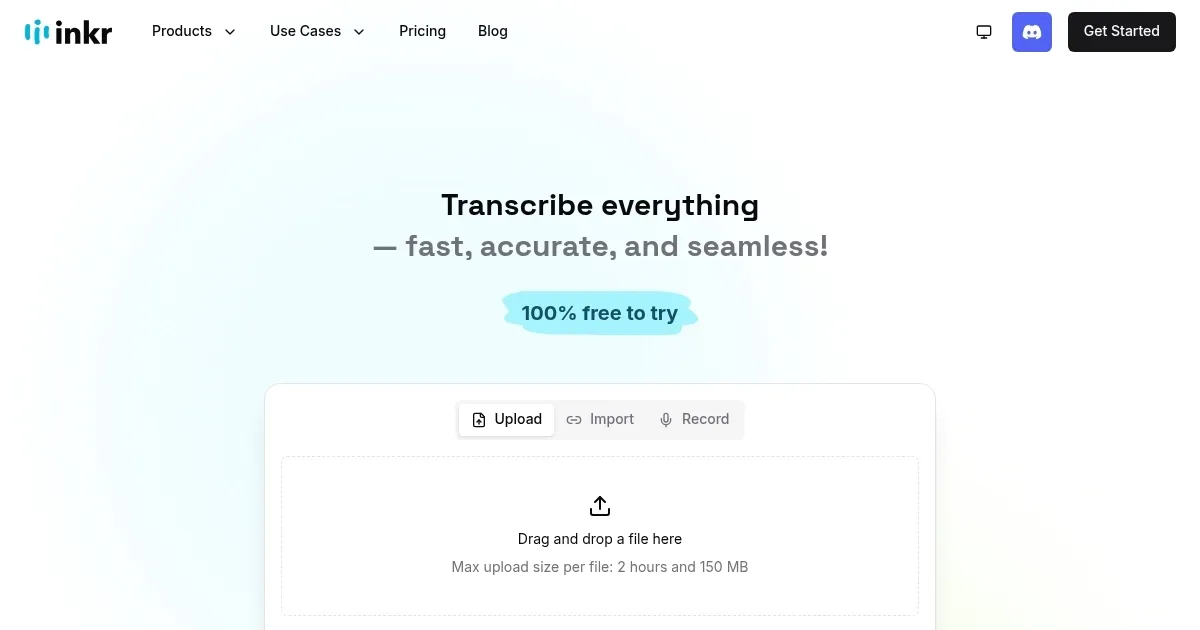
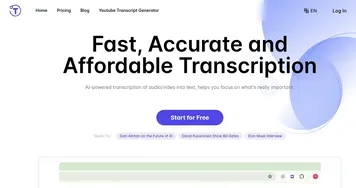
Inkr is an AI transcription tool that converts audio and video files to text. It processes uploads from devices or links from platforms like YouTube and Zoom. The system uses speech-to-text models for accuracy, adding timestamps, speaker identification, and editable formats.

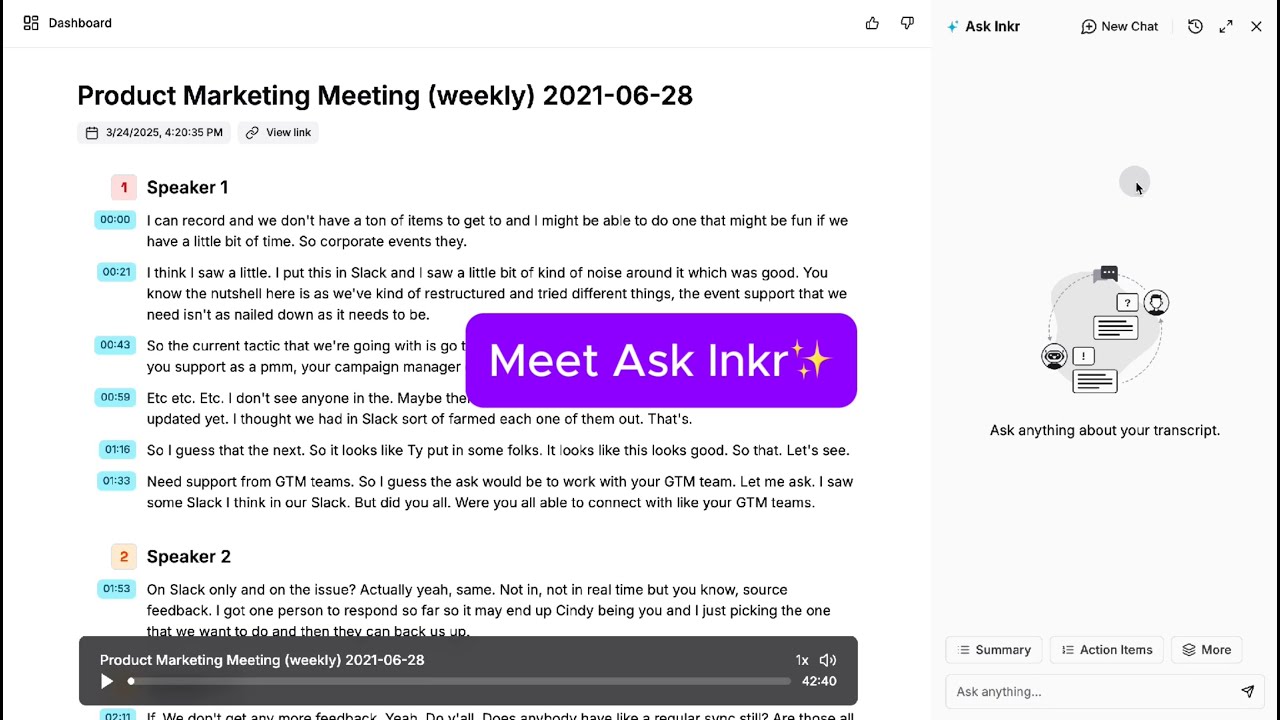
Core functions include instant transcription in Flash mode, which handles short files in seconds, and standard mode for longer ones up to several minutes. Users edit transcripts directly in the interface, with audio playback per segment for verification. Export options cover TXT, DOCX, PDF, and SRT files. An AI summarizer extracts key points into structured lists.

The tool supports multiple languages and auto-detects them during processing. Free plan limits usage to 30 minutes monthly; paid plans remove caps and add priority processing. Competitors like Otter.ai include live meeting integration, while Descript offers waveform editing; Inkr focuses on text output at lower general costs.

Strengths appear in speed for clean audio and ease of use for non-technical users. Weaknesses involve reduced accuracy in noisy environments and lack of advanced collaboration features. A notable element is real-time link transcription for web videos.

Test users report 90-95 percent accuracy on standard inputs, with manual fixes taking under five minutes per 10-minute file. The platform runs on web browsers with no software install required.

For best results, test with clear recordings first and review edits before export.

Visit Inkr ↗

Categories

🎓 Education

🌍 Image Translation 🈸 Translation

📷 Image Analysis

🔤 OCR

✍️ Writing

💬 Subtitle Generation

🎭 Lifestyle

📰 News

Screenshot 📸

Inkr screenshot

Video Overview 🎬

What are the key features? ✨

  • Instant Transcription: Converts audio to text in seconds using AI speech recognition for quick results.
  • Speaker Identification: Automatically labels different voices in conversations to organize dialogue clearly.
  • Editable Interface: Allows direct text modifications with linked audio playback for easy corrections.
  • Multi-Format Export: Outputs transcripts as TXT, DOCX, PDF, or SRT files for versatile use.
  • AI Summarizer: Generates concise bullet-point overviews of key content from full transcripts.

Who is it for? 🤔

Inkr is made for busy professionals like journalists capturing interviews on the go, podcasters needing show notes without the hassle, and students logging lecture audio for study guides, as it turns scattered spoken ideas into organized text fast, freeing up time for what matters most, though it shines brightest for those handling English-heavy content with occasional noise challenges.

Examples of what you can use it for 💡

  • Journalist: Transcribes field recordings from events to draft articles quickly with accurate quotes.
  • Podcaster: Converts episode audio to editable scripts and summaries for social media clips.
  • Teacher: Turns lecture videos into timestamped notes for student handouts and review.
  • Business Meeting: Processes Zoom calls to identify speakers and extract action items in text form.
  • Content Creator: Summarizes YouTube videos into key points for blog post outlines.

Pros & Cons ⚖️

  • Accurate on clear audio
  • Speaker labels
  • Free trial minutes
  • Noisy audio errors
  • Limited free tier

FAQs 💬

What file types does Inkr support?
It handles MP3, WAV, M4A, and video formats like MP4 from links.
Is Inkr accurate for accents?
Yes, it manages common accents well, though heavy ones may need minor edits.
Can I edit transcripts?
Absolutely, the interface lets you revise text and replay audio segments.
Does it work offline?
No, it requires an internet connection for processing.
How long are free minutes?
The free plan gives 30 minutes of transcription per month.
Supports multiple languages?
Yes, it auto-detects and handles switches between English, Spanish, French, and more.
Export formats available?
Options include TXT, DOCX, PDF, and SRT for subtitles.
Speaker detection reliable?
It labels up to four speakers accurately in clear multi-voice files.
Integrate with other apps?
Exports work seamlessly with Google Docs, Word, and subtitle software.

Ready to try Inkr?

Transcribes audio files to editable text instantly

Visit Inkr ↗

Inkr alternatives 🔗

  1. DeepL DeepL Delivers remarkably natural AI translations that capture nuance better than most rivals
  2. Google Lens Homework Google Lens Homework A mobile app that uses AI to help students by providing visual explanations of concepts
  3. Immersive Translate Immersive Translate A browser extension designed to break down language barriers by offering bilingual translations
  4. OpenL OpenL An AI-powered translation software that supports more than 100 languages
  5. Lara Lara Translates text and documents across 200 languages with contextual accuracy
  6. MachineTranslation.com MachineTranslation.com An AI-powered platform designed to make language translation both accessible and efficient
Share
Inkr screenshot enlarged
Promote Inkr
light badge
Copy Embed Code
dark badge
Copy Embed Code
neutral badge
Copy Embed Code
Best AI Tools

Discover the best AI tools for any use case

About Us | Contact Us | Suggest an AI Tool
Privacy Policy | Terms of Service
Copyright © 2026 Best AI Tools 415 Mission Street, 37th Floor, San Francisco, CA 94105