TurboScribe
Transcribes audio and video files to accurate text instantly
TurboScribe is an AI-powered transcription service that converts audio and video files to text with high accuracy using OpenAI’s Whisper technology. It supports 98 languages for transcription and translates to 134 more, handling files up to 10 hours long on the unlimited plan. Key features include speaker recognition, audio restoration for noisy recordings, and exports in formats like PDF, DOCX, SRT, and TXT. The free tier offers three 30-minute transcriptions daily, while the unlimited plan costs ten dollars monthly when billed yearly.
Accuracy reaches 99.8 percent on clear audio, performing well with accents and background noise, though very poor quality may require restoration, which adds processing time. Users report that it outperforms human transcription in terms of speed and cost for large volumes, with GPU acceleration reducing hours to minutes. Compared to Otter.ai, TurboScribe provides unlimited usage at a lower flat rate, avoiding per-minute fees, but lacks real-time meeting integration. Descript excels in video editing with transcription, yet imposes hourly limits higher than TurboScribe’s boundless approach.
Rev.ai offers human-verified options for precision needs, such as legal work. Still, its pricing scales with volume, making TurboScribe more economical for frequent use. Security features include encrypted storage and user-only access, allowing files to be deleted at any time. Bulk uploads support up to 50 files, ideal for podcasts or interviews. Recent reviews from 2025 highlight its reliability for educators transcribing lectures and businesses archiving calls, noting minimal edits needed post-transcription.
The platform supports common formats, including MP3, MP4, WAV, and YouTube links, with speaker labels facilitating multi-person content. Translation maintains context across languages, useful for global teams. The free tier suits light users, but the unlimited plan unlocks priority processing and longer uploads.
For high-volume tasks, it processes at least 720 hours monthly without caps. Audio restoration enhances speech clarity by effectively reducing noise. Exports enable seamless integration into workflows. Compared to Otter.ai, it better suits post-recording needs; versus Descript, it prioritizes transcription over editing. Rev AI offers verified accuracy but comes at a higher cost for scale.
Start with the free tier to test files, enable speaker recognition for dialogues, and use restoration on challenging audio. Export to your preferred format and review for minor tweaks to optimize results.
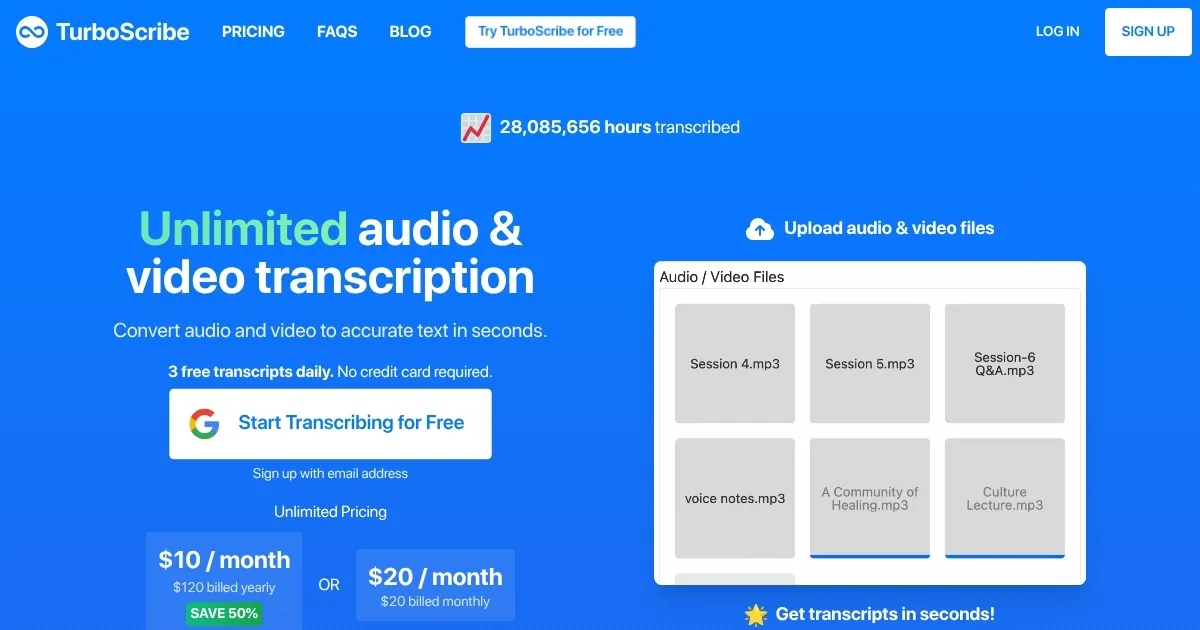
Homepage Screenshot 📸
Video Overview 🎬
What are the key features? ✨
- Unlimited Transcriptions: Handles hundreds of hours monthly without usage caps on the paid plan.
- Speaker Recognition: Automatically labels and separates speakers in multi-person audio.
- 98+ Languages: Transcribes speech in numerous languages with high accuracy.
- Audio Restoration: Enhances poor quality files by removing noise and boosting voices.
- Bulk Exports: Downloads multiple transcripts at once in formats like PDF and SRT.
Who is it for? 🤔
Examples of what you can use it for 💡
- Podcaster: Transcribes episodes with speaker labels for easy editing and subtitle creation.
- Journalist: Converts interview audio to text quickly, then translates for international publication.
- Educator: Turns lecture recordings into searchable notes for student review and quizzes.
- Business Analyst: Processes team calls with restoration to extract action items from noisy sessions.
- Content Creator: Generates SRT files from videos for YouTube uploads in multiple languages.
Pros & Cons ⚖️
- 99.8% accuracy
- Unlimited usage
- Fast processing
- Multilingual support
- Free tier limits
- No mobile app
FAQs 💬
Ready to try TurboScribe?
Transcribes audio and video files to accurate text instantly
Visit TurboScribeTurboScribe alternatives 🔗