Best AI Audio To Text Tools

71 toolsRanked by traffic

Audio-to-text tools take an existing audio file you already have, such as an MP3, a voice memo, or a podcast recording, and convert it into written text. You upload the file, the tool processes it, and you get back a transcript you can read, edit, and search. Reliable options include TurboScribe, Otter.ai, and Speechify.

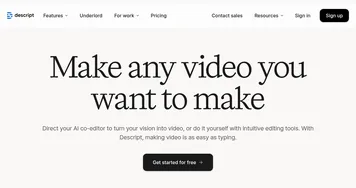
This is the go-to when the recording already exists and you just need the words out of it: digitizing old interviews, captioning a recorded talk, or turning a voice note into a document. The features worth checking are supported file formats and upload size limits, how long the audio can be, and whether timestamps and speaker labels are included. Editing-focused tools like Descript go a step further and let you edit the audio by editing the text.

ElevenLabs
ElevenLabs - icon
ElevenLabs
Generates lifelike, expressive AI voices for diverse applications
AWS HealthScribe
AWS HealthScribe - icon
AWS HealthScribe
Automatically create clinical notes from patient-clinician conversations using generative AI
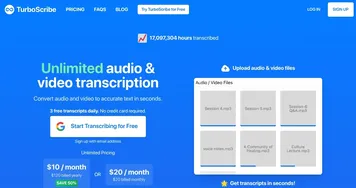
TurboScribe
TurboScribe - icon
TurboScribe
Transcribes audio and video files to accurate text instantly
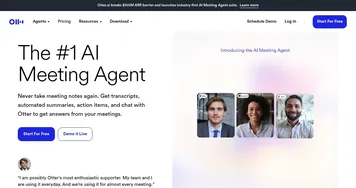
Otter.ai
Otter.ai - icon
Otter.ai
An AI meeting assistant that writes notes, captures slides and more
Speechify
Speechify - icon
Speechify
Transforms text into natural-sounding speech for effortless listening
Tactiq
Tactiq - icon
Tactiq
Real-time transcriptions in multiple languages across online meeting platforms
Fireflies
Fireflies - icon
Fireflies
Bring ChatGPT to meetings to transcribe, search, and analyze voice conversations
Descript
Descript - icon
Descript
Transforms video editing with AI-driven text-based tools and automated design
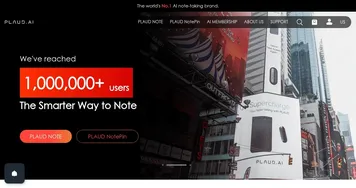
Plaud Note
Plaud Note - icon
Plaud Note
An AI-powered voice recorder that leverages advanced technology to make note-taking easier
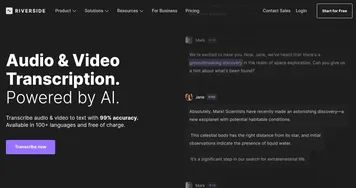
Riverside Audio & Video Transcription
Riverside Audio & Video Transcription - icon
Riverside Audio & Video Transcription
An AI service that generates high-accuracy audio and video transcription in multiple languages.
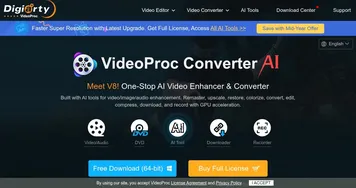
VideoProc
VideoProc - icon
VideoProc
Enhances, converts, compresses, and edits videos with AI and GPU acceleration
Flow
Flow - icon
Flow
An AI-powered tool that transcribes speech into text with speed and accuracy
Maestra
Maestra - icon
Maestra
A fancy platform that leverages AI to automate transcription, subtitling, and voiceover
Speechnotes
Speechnotes - icon
Speechnotes
Web-based transcription tool offering a simple and efficient way to convert speech into text
Deepgram
Deepgram - icon
Deepgram
Power your apps with world-class speech and domain-specific language models (DSLMs)

Frequently Asked Questions

How do I convert an audio file to text?
To convert an audio file to text, upload it to an audio-to-text tool, choose the language, and start the transcription. The tool processes the recording and returns editable text, usually within a few minutes. Most accept common formats like MP3, M4A, and WAV, and many also pull audio straight out of a video file.
What is the best tool to convert audio to text?
For uploaded files, TurboScribe is a strong pick thanks to fast processing and generous length limits, while Otter.ai suits anyone who also wants searchable notes. Speechify works well if you want to read and listen at once. If you plan to edit the recording afterward, a tool that links text to audio saves real time.
Can I transcribe a long audio recording?
Yes, most audio-to-text tools handle long recordings, though free tiers often cap individual files at around 30 to 90 minutes. Paid plans raise or remove that limit and let you process several files at once. For multi-hour audio, check the per-file length cap before uploading so the tool does not truncate it.
What audio formats can be converted to text?
Most audio-to-text tools accept MP3, M4A, WAV, AAC, and FLAC, and many take video files like MP4 by extracting the audio. If your recording is in an unusual format, converting it to MP3 first avoids upload errors. Check the supported list before you start, since limits vary between the free and paid tiers.
Is audio-to-text conversion accurate?
Accuracy depends mostly on the recording quality. A clear single-speaker file transcribes at roughly 90 to 95 percent accuracy, but muffled audio, crosstalk, or strong accents lower that. Recording in a quiet room and using a decent microphone makes a bigger difference to the result than the specific tool you choose.