O.Translator
An AI-powered document translation tool that supports more than 30 file formats
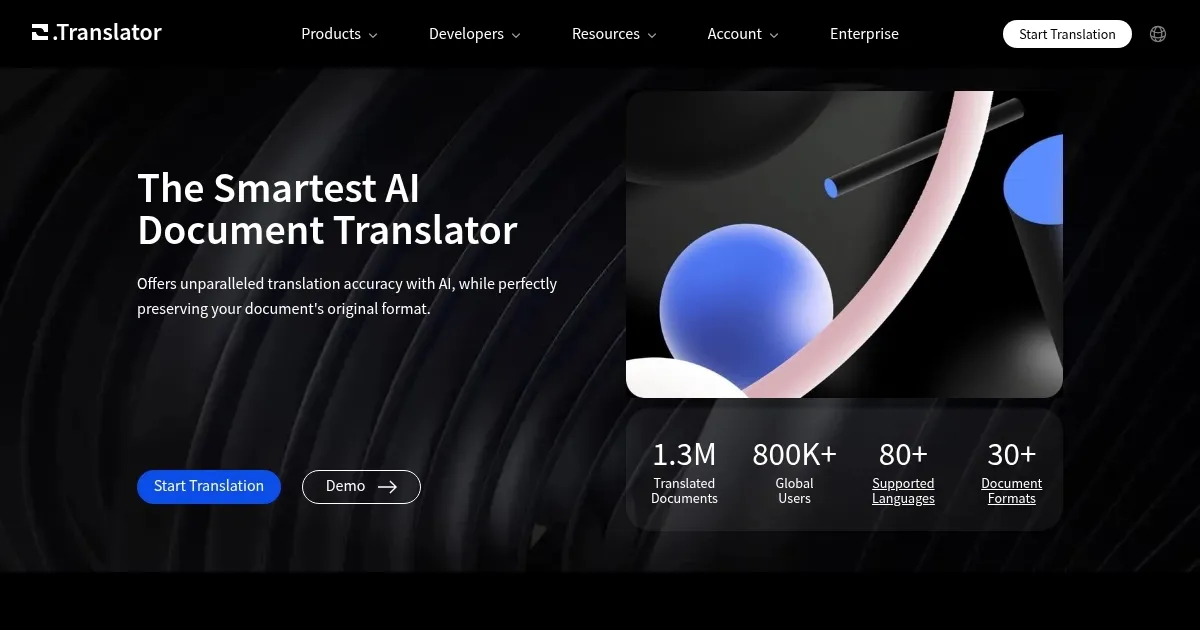
O.Translator is an AI-powered document translation tool that supports more than 30 file formats — including PDF, DOCX, XLSX, PPTX, and EPUB. It offers translations in over 80 languages, ensuring that the original layout of your documents remains intact. For instance, if you need to translate a complex Excel spreadsheet into another language, O.Translator can easily handle it.
It offers the free preview option, allowing users to review translations before committing to payment. This is meant to ensure satisfaction with the output. Moreover, O.Translator emphasizes privacy, storing translations in encrypted, private spaces and regularly deleting files to maintain user confidentiality.
We’ve read stories of some users doing all their translations with O.Translator while others prefer other AI-powered services. There are quite a few options out there, and I guess checking multiple tools is the best way forward.
To sum it up, O.Translator offers a range of features for document translation, with its ability to handly many different file formats making it stand out in the market.
Homepage Screenshot 📸
Video Overview 🎬

What are the key features? ✨
- Advanced AI integration: O.Translator utilizes sophisticated AI models, including GPT-4, Gemini, and Claude, to provide context-aware translations that read naturally and fluently.
- Wide format support: The platform supports over 30 document formats, such as PDF, DOCX, XLSX, PPTX, and EPUB.
- Multilingual capabilities: With support for more than 80 languages, O.Translator enables users to translate documents across a range of languages.
- Post-editing & glossary tools: The service offers post-editing features and glossary management, allowing users to fine-tune translations and maintain consistency in terminology throughout their documents.
- Free translation preview: Users can preview translations at no cost and only pay when satisfied with the results, ensuring transparency and quality before committing to the service.
Who is it for? 🤔
Examples of what you can use it for 💡
- Quickly translate reports, presentations, and correspondence to communicate effectively with international clients and partners
- Translate research papers, articles, and study materials to access and share knowledge across different languages
- Localize ebooks, manuals, and marketing materials to reach a broader audience
- Accurately translate contracts, agreements, and legal documents while preserving their precise formatting and terminology
- Convert medical records, patient information, and research documents to facilitate better communication in multilingual settings
Pros & Cons ⚖️
- Accurate translations that preserve document formatting
- Multiple formats supported, including PDF, DOCX, PPTX, etc.
- Over 80 languages supported
- Can be slow for large files
Ready to try O.Translator?
An AI-powered document translation tool that supports more than 30 file formats
Visit O.TranslatorO.Translator alternatives 🔗