Photo AI
Take stunning photos with the first AI photographer
Photo AI is a comprehensive AI-driven photography and video creation platform that allows users to generate highly detailed and photorealistic images and videos without needing a physical camera or a professional photographer. Users can upload their selfies and create personalized AI characters, with which they can take AI photos in various poses, settings, and outfits.
The platform offers a set of cool features, including the ability to try on clothes virtually, transform images into video clips for an immersive experience using Stable Video Diffusion technology, and even generate fashion designs from sketches with Sketch2Image. It provides an extensive range of preset photo packs for specific themes and occasions, making generating content that matches the user’s needs easier.
Photo AI emphasizes photorealism and resemblance in the generated images, claiming to perform better than competitors in these aspects. It caters to a range of creative needs, from professional headshots and travel photos to specialized photo shoots like boudoir or themed packs such as Old Money or Naughty Halloween.
As of March 2024, the service is available on the web and iOS, with plans to further enhance its offerings with features like boomerang videos, background audio, and voice scripts.
Photo AI operates on a subscription model, with several packages available to accommodate the processing requirements for generating AI characters and photos. It also underscores the importance of user privacy and data security in handling the photos uploaded for creating AI characters.
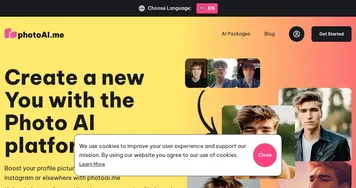
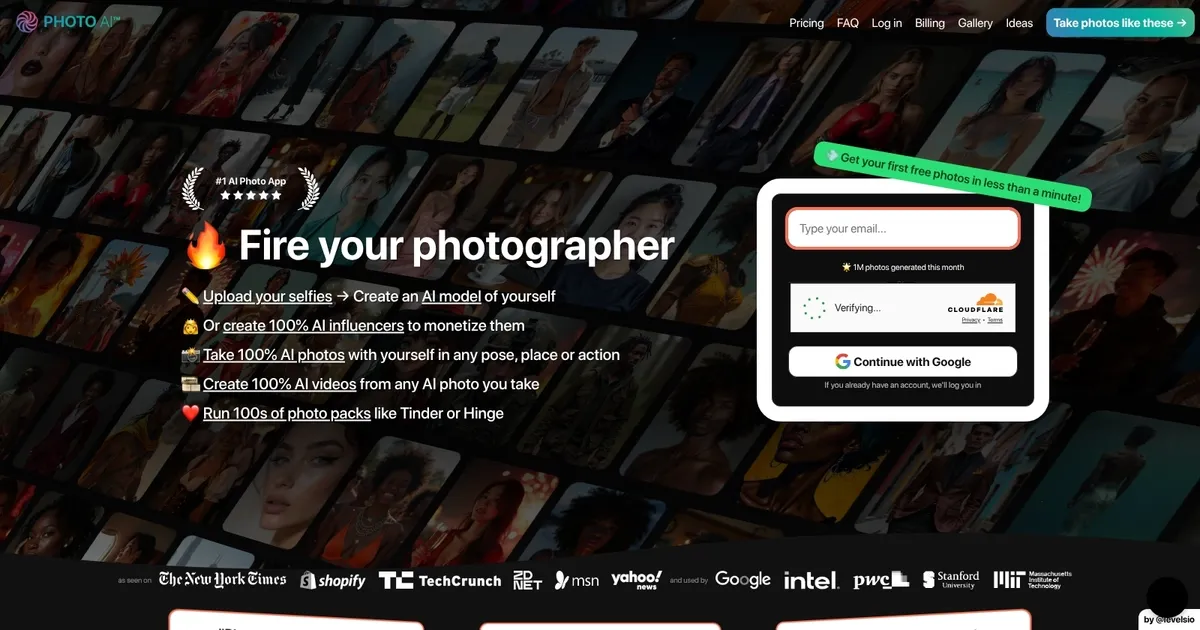
Homepage Screenshot 📸
What are the key features? ✨
- Custom AI Model Training: upload selfies to create a personalized AI version of yourself or a synthetic character for consistent generations
- Hyper Realism™ Mode: generates highly detailed, photorealistic photos with advanced skin, lighting, and texture quality
- Photo Packs: one-click themed collections like professional headshots, beach scenes, or seasonal outfits
- AI Video Generation: turns photos into short clips, talking videos, or Mocap motion transfers
- Try On Clothes & Product Hold: virtually place outfits or products on the AI model for e-commerce previews
Who is it for? 🤔
Examples of what you can use it for 💡
- social media influencer: generates endless branded photos and short videos in various outfits and locations to keep feeds fresh without constant shoots
- e-commerce store owner: uses Try On Clothes and product hold features to create marketing images showing apparel or items on realistic models
- professional job seeker: creates polished LinkedIn or resume headshots in business attire with different backgrounds quickly
- dating app user: produces attractive, varied profile photos in natural poses and settings to improve matches
- content creator: builds a fully AI influencer character for monetized posts across platforms with consistent appearance
Pros & Cons ⚖️
- Highly consistent character likeness across generations
- Fast generation and easy themed packs
- Video and motion features add versatility
- Free photos included per model
- Credits deplete quickly on advanced modes
- Occasional minor artifacts in complex scenes
FAQs 💬
Photo AI alternatives 🔗