PlayPlay
An AI tool that empowers teams to craft professional videos with little effort
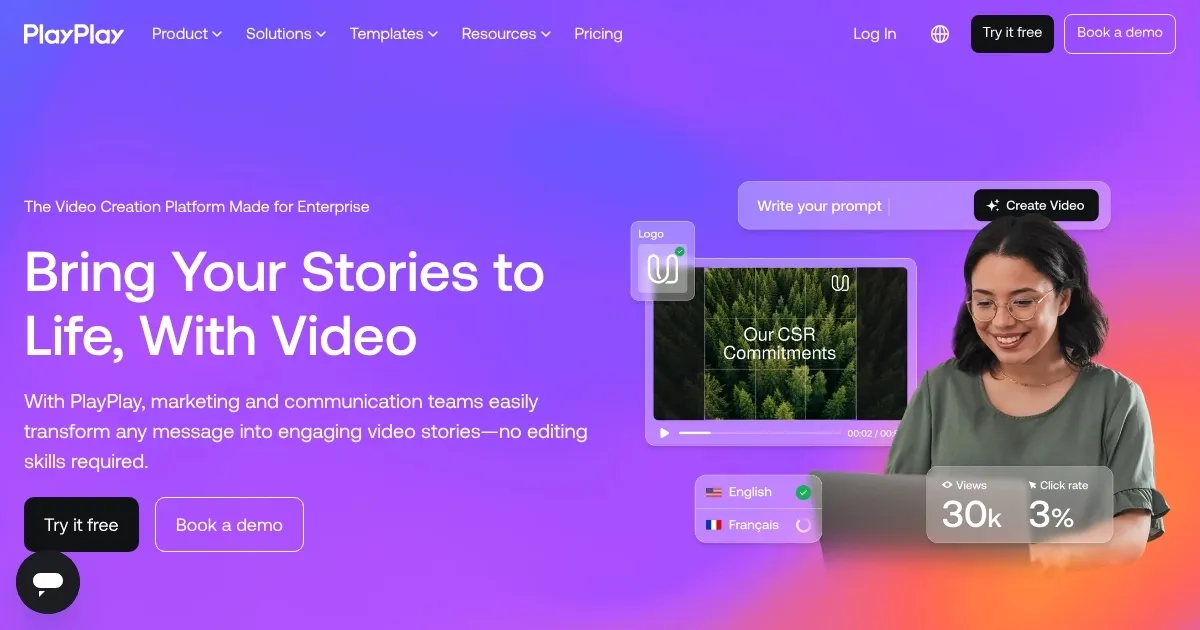
PlayPlay is an online video creation tool that empowers marketing and communication teams to craft professional videos with little effort. With its intuitive drag-and-drop interface, users can produce engaging content without prior editing experience.
The platform offers a vast library of customizable templates, making creating videos tailored to various needs easy. Further, PlayPlay integrates AI-powered features to enhance the video creation process.
PlayPlay’s AI Video Assistant guides users through the video creation process by simply typing a prompt, pasting a URL, or uploading a file — generating a customizable storyboard complete with titles, screens, and premium stock media. This is meant to streamline the production process and allow for rapid video creation.
PlayPlay also offers AI-powered voice-over capabilities, enabling users to generate voice-overs from their video scripts with a single click. With a diverse library of natural and human-like voices, this feature adds a personal touch to videos, ultimately enhancing viewer engagement. In addition, the platform provides automatic subtitle generation in over 120 languages to ensure videos are accessible to a global audience.
The bottom line is – by leveraging PlayPlay, organizations can enhance their storytelling capabilities and engage their audiences more effectively.
Homepage Screenshot 📸
Video Overview 🎬
What are the key features? ✨
- AI video assistant: Transforms ideas into customizable videos by analyzing prompts, URLs, or uploaded files.
- AI voice-over: Generates voice-overs from video scripts with a single click, offering a variety of natural and human-like voices.
- Automatic subtitles: Adds subtitles in over 120 languages automatically, improving accessibility and retention for a global audience.
- Template library: Provides a wide range of customizable templates, allowing users to easily create unique content for various campaigns.
- Premium stock media access: Offers access to millions of high-quality, license-free stock images, videos, and GIFs through a partnership with Getty Images.
Who is it for? 🤔
Examples of what you can use it for 💡
- Create captivating videos tailored for platforms like Instagram, Facebook, and LinkedIn to boost audience interaction and brand visibility
- Develop informative videos for company announcements, training sessions, or project updates
- Design promotional videos to generate excitement and increase attendance for upcoming events
- Craft compelling videos to showcase new products or services
- Produce engaging videos to attract top talent
Pros & Cons ⚖️
- Allows users without prior editing experience to create professional videos
- Tools like the AI Video Assistant and AI Voice-Over streamline the creation process
- Access to a vast collection of stock images, videos, and GIFs
- While user-friendly, new users may need time to explore and utilize all features
Ready to try PlayPlay?
An AI tool that empowers teams to craft professional videos with little effort
Visit PlayPlay