logo-darklogo-darklogo-darklogo-dark
  • Tool Categories
    • 🎨 Art
    • 🏢 Business
    • 💻 Coding
    • 👮 Detection
    • 🧠 General
    • 🏥 Health
    • 📷 Image Analysis
    • 🖼️ Image
    • 📐 Architecture
    • 🎓 Education
    • ⚖️ Legal/Finance
    • 🎭 Lifestyle
    • 📢 Advertising
    • 🎧 Music
    • 👔 Work
    • 🔬 Research
    • 👥 Social
    • 🎥 Video
    • 👧🏻 Companion
    • 🎤 Voice
    • ✍️ Writing
    • All Categories
    • AI Use Cases
  • News
  • Events
    • Academic Conferences
    • Developer Conferences
    • Expos / Trade Shows
    • Industry Summits
    • Workshops / Training
    • All Events
    • Past Events
  • Saved Tools
  • Suggest a Tool
✕
Home › Coding & Development › Code Assistant› Sourcegraph Code Search
Sourcegraph Code Search

Sourcegraph Code Search

Code search and an AI assistant with the context of the code graph

Sourcegraph is a comprehensive tool designed to revolutionize the way developers interact with codebases. Its primary feature is an extensive code search functionality that allows users to sift through massive amounts of code efficiently — making it easier to understand complex codebases and navigate through them. This capability is said to be especially beneficial for new team members who need to get up to speed quickly and for identifying potential areas of code improvement.

In addition, Sourcegraph offers powerful code intelligence features — including automation tools and AI-assisted coding suggestions to streamline the coding process. These features not only enhance productivity but also ensure that developers can maintain high-quality standards in their coding.

By integrating directly into the development workflow, Sourcegraph provides actionable insights and suggestions that can significantly reduce the time spent on debugging and refactoring.

Moreover, Sourcegraph is all about collaboration and knowledge sharing among team members. In that sense, its interface is designed to facilitate code reviews, discussions, and shared understandings of code changes. This focus on teamwork is crucial for large projects where maintaining consistency and understanding across different parts of the codebase is essential. And so, by leveraging Sourcegraph, teams can work more cohesively and efficiently — ultimately delivering a more robust and reliable code.

Visit Sourcegraph Code Search ↗
Categories
💻 Coding
🤖 Code Assistant ⌨️ Code Generation 👨‍💻 Development 🐙 Github 🔍 Code Review
🧠 General
🔍 Search Engine
👔 Work
🤖 Copilot

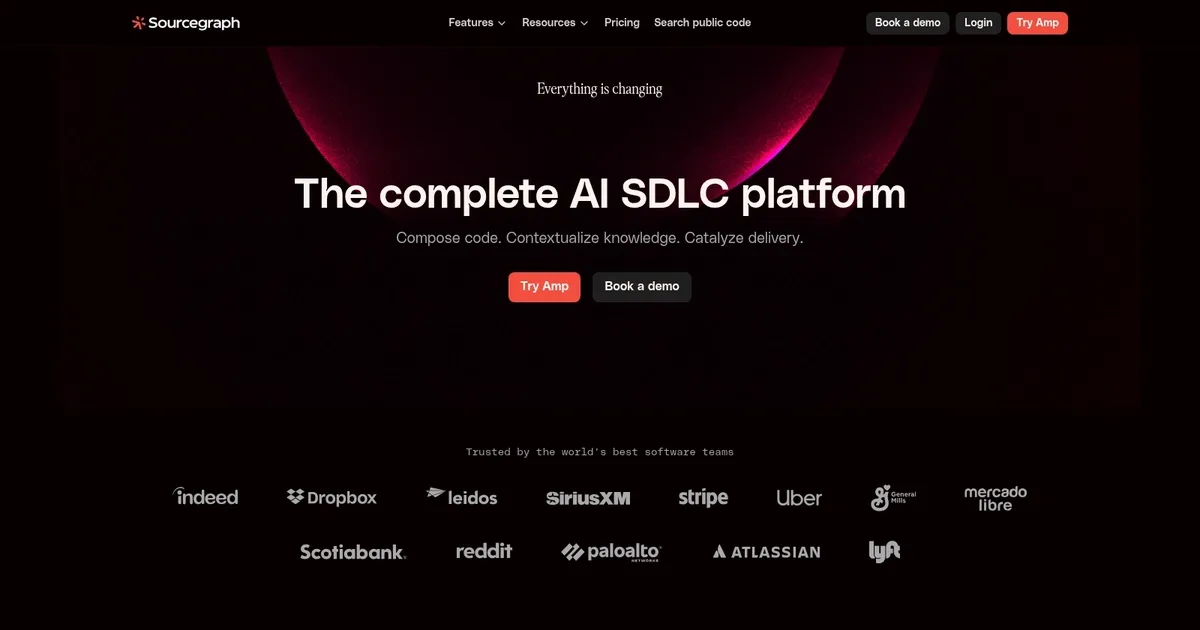
Homepage Screenshot 📸

Sourcegraph Code Search screenshot

Video Overview 🎬

What are the key features? ✨

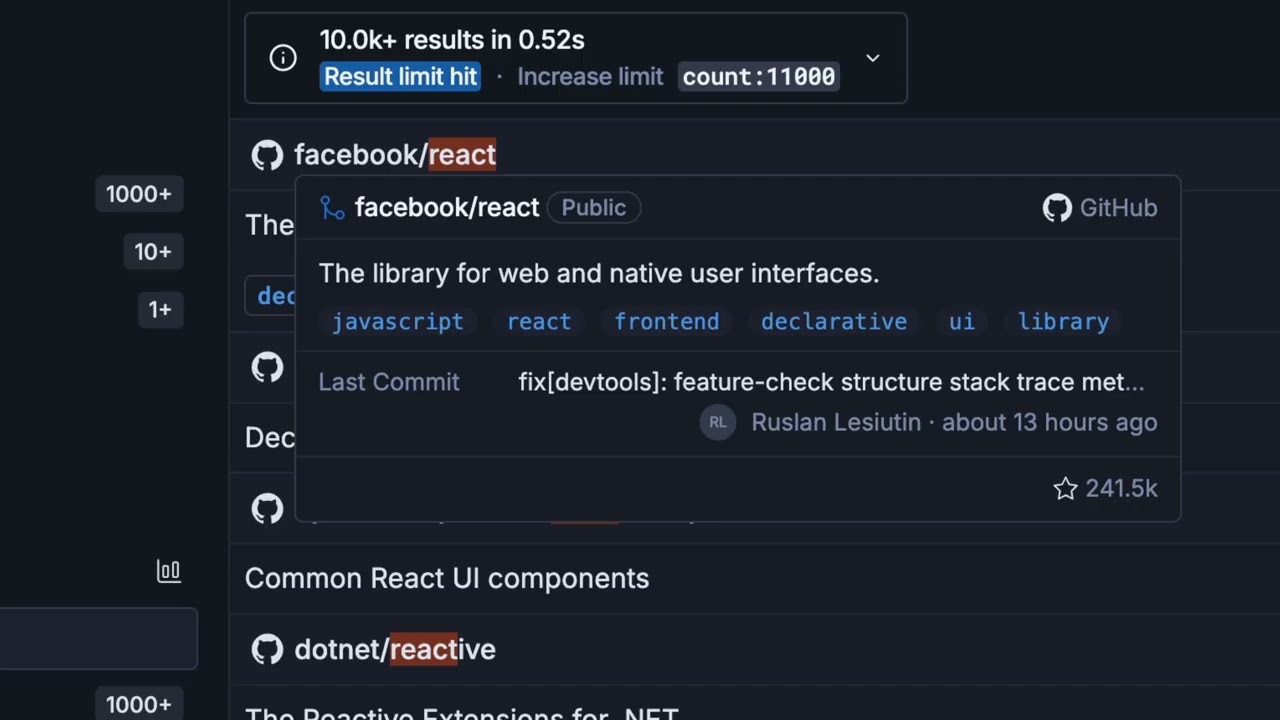
  • Code Search: Lightning-fast, precise search across massive multi-repo codebases with advanced filters and pattern matching.
  • Context-Aware Autocomplete: Provides intelligent code suggestions grounded in your entire connected codebase for higher accuracy.
  • AI Chat Assistance: Answers questions, explains code, generates fixes, or refactors with deep repo awareness via natural language.
  • Agentic Workflows: Supports AI agents for tasks like batch changes, vulnerability monitoring, and automated code reviews.
  • Enterprise Security: Offers self-hosting, zero data retention for LLMs, SSO, RBAC, and compliance certifications.

Who is it for? 🤔

Sourcegraph Cody helps developers, engineering teams, and enterprises that manage large, complex, or multi-repository codebases. It's especially useful for organizations dealing with legacy systems, microservices sprawl, fast-growing AI-generated code, or strict compliance requirements where deep context, privacy, and scale matter more than quick solo hacks.

Examples of what you can use it for 💡

  • Enterprise developer: Uses Cody to understand and refactor legacy code across hundreds of repos without manual searching.
  • Team lead: Leverages AI agents to automate code reviews and catch issues early in pull requests at scale.
  • Onboarding engineer: Asks natural-language questions about unfamiliar codebases to ramp up quickly with accurate explanations.
  • Security engineer: Monitors for vulnerabilities or bad patterns across the organization with automated alerts and fixes.
  • Solo full-stack dev: Gets reliable autocompletions and debugging help on personal or small-team projects with growing complexity.

Pros & Cons ⚖️

  • Deep codebase context
  • Strong multi-repo support
  • Enterprise-grade security
  • Accurate AI responses
  • Setup takes time
  • Heavier for tiny projects

FAQs 💬

What makes Cody different from other AI coding assistants?
Cody uses Sourcegraph's code graph to provide full-repo and multi-repo context, leading to more accurate suggestions and fewer errors in complex projects.
Does Cody work with my IDE?
Yes, it integrates with VS Code, JetBrains IDEs, Visual Studio, the web interface, and CLI for flexible use.
Is Cody suitable for small personal projects?
It works well, but shines brightest in larger or enterprise codebases where deep context delivers the most value.
How private is my code with Cody?
Self-hosted options and zero-retention LLM policies keep code secure, with compliance certifications for enterprises.
Can Cody handle monorepos or microservices?
Yes, it's designed for massive codebases, including monorepos and distributed microservices across many repositories.
What languages does Cody support?
It works across most popular programming languages thanks to its code intelligence foundation.
Does it offer agentic or autonomous features?
Recent updates include AI agents for tasks like code reviews, migrations, and monitoring in enterprise plans.
How does pricing compare generally?
It offers accessible tiers for individuals and scales for teams, often seen as good value for the context quality provided.

Ready to try Sourcegraph Code Search?

Code search and an AI assistant with the context of the code graph

Visit Sourcegraph Code Search ↗

Sourcegraph Code Search alternatives 🔗
  1. ChatGPT ChatGPT All-round AI assistant generating human-like responses to user queries and tasks
  2. Claude Claude Assists users in reasoning, coding, writing, and analyzing data with advanced AI models
  3. DeepSeek DeepSeek Delivers advanced AI models for coding and reasoning at low costs
  4. Cursor Cursor Supercharges coding with AI agents that build, edit, and review code autonomously.
  5. Windsurf Windsurf Empowers developers with AI-driven code generation and real-time collaboration.
  6. Lovable Lovable Builds apps and websites via AI chat prompts.
Share
Sourcegraph Code Search screenshot enlarged
Promote Sourcegraph Code Search
light badge
Copy Embed Code
dark badge
Copy Embed Code
neutral badge
Copy Embed Code
Best AI Tools

Discover the best AI tools for any use case

Explore
  • Tool Categories
  • AI Use Cases
  • AI Events
  • AI News
  • Saved Tools
Company
  • About Us
  • Contact Us
  • Media & Partnerships
  • Suggest a Tool
Legal
  • Privacy Policy
  • Terms of Service
Copyright © 2026 Best AI Tools 415 Mission Street, 37th Floor, San Francisco, CA 94105