Best AI Github Tools

23 toolsRanked by traffic

AI GitHub tools bring artificial intelligence into the GitHub workflow itself: writing code, automating pull requests and issues, and running repo agents that work directly on your repositories. They live where your code already does, so they can open a PR, fix a failing check, or pick up an issue and propose a change without you leaving the platform. GitHub Copilot is the best-known, while autonomous agents like Jules and Devin take on whole tasks against a repo.

Developers and teams use these to cut the busywork around code: triaging issues, reviewing diffs, and handling small fixes so people focus on the harder work. Qodo and Amazon Q Developer add review and testing tied to your repos. The thing to watch is autonomy: an agent that opens PRs on its own is genuinely useful, but every change it makes still needs a human review before merging. Scope its permissions carefully, since it's acting on your real codebase.


GitHub Copilot
GitHub Copilot - icon
GitHub Copilot
Enhances coding with AI-driven completions and chat assistance
Amazon Q Developer
Amazon Q Developer - icon
Amazon Q Developer
Accelerates software development with AI code suggestions and task automation
Augment Code
Augment Code - icon
Augment Code
Smart AI tool created to help software teams write code faster and better
Qodo
Qodo - icon
Qodo
Automates context-aware code reviews and quality checks across the development lifecycle
snyk
snyk - icon
snyk
Scans and fixes vulnerabilities in code, dependencies, containers, and IaC
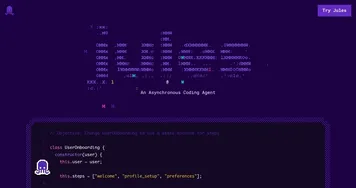
Jules
Jules - icon
Jules
An AI coding assistant that helps developers handle tasks such as fixing bugs and updating code
Graphite
Graphite - icon
Graphite
An AI-powered developer platform that enhances code review processes for teams using GitHub
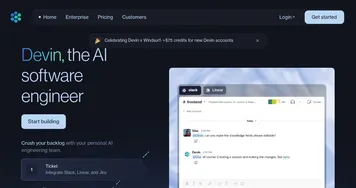
Devin
Devin - icon
Devin
AI that codes, debugs, and deploys software autonomously, streamlining development tasks
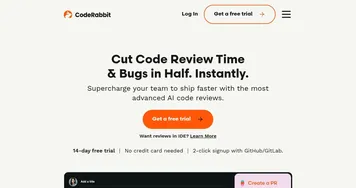
CodeRabbit
CodeRabbit - icon
CodeRabbit
An AI-driven platform designed to drastically improve the code review process
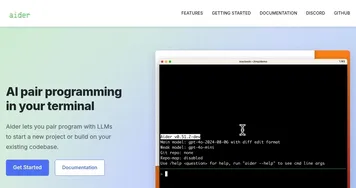
Aider
Aider - icon
Aider
An AI-powered coding assistant designed that streamline developers' workflow from the terminal
Sourcegraph Code Search
Sourcegraph Code Search - icon
Sourcegraph Code Search
Code search and an AI assistant with the context of the code graph
Factory
Factory - icon
Factory
Automates software development tasks with AI-driven Droids for coding, testing, and documentation
Semgrep
Semgrep - icon
Semgrep
Scans codebases for vulnerabilities using AI-assisted static analysis
Greptile
Greptile - icon
Greptile
An AI code review tool that helps developers merge pull requests faster and catch more bugs
Cosine
Cosine - icon
Cosine
Automates complex coding tasks in live codebases autonomously.

Frequently Asked Questions

What is GitHub Copilot?
GitHub Copilot is an AI coding assistant built into editors and GitHub itself that suggests code as you type, answers questions about a codebase, and helps with pull requests and reviews. It runs on large language models trained on public code. Copilot is the most widely used AI tool tied directly to the GitHub workflow.
Can AI agents work on my GitHub repo?
Yes, AI agents can work directly on a GitHub repository, picking up issues, writing code, and opening pull requests on their own. Tools like Jules and Devin run as autonomous agents against your repo. You review and approve every change before it merges, and you scope each agent's permissions, since it acts on your real code.
Can AI automate pull requests and issues?
AI can automate much of the pull request and issue workflow: drafting PR descriptions, reviewing diffs, suggesting fixes, labeling and triaging issues, and even opening a PR to resolve one. Tools like Qodo and Amazon Q Developer connect to your repos for this. A human still approves merges, so automation speeds the work without removing oversight.
Are GitHub AI tools free?
Some are free and some are paid. GitHub Copilot offers a free tier with limits plus paid individual and team plans, and it is free for verified students and many open-source maintainers. Autonomous agents like Jules and Devin and review tools like Qodo typically run on paid plans, sometimes with a free trial to start.
Is it safe to give an AI agent access to my repository?
Giving an AI agent repository access is reasonably safe if you limit its scope and review its work. Grant only the permissions it needs, keep it on branches and pull requests rather than direct pushes to main, and read every change before merging. The agent can move fast, but you stay the gatekeeper for what actually ships.