Devin by Cognition Labs
AI that codes, debugs, and deploys software autonomously, streamlining development tasks
Devin, from Cognition Labs, steps into the coding world with a bold promise: to act as a full-fledged AI software engineer. This isn’t just another code-completion tool. It’s designed to take on entire projects, from planning to deployment, with a level of autonomy that feels like having a junior developer on your team. Imagine a tool that not only writes Python or JavaScript but also debugs, tests, and pushes your app live. That’s Devin’s pitch, and it’s a compelling one for teams drowning in repetitive tasks.
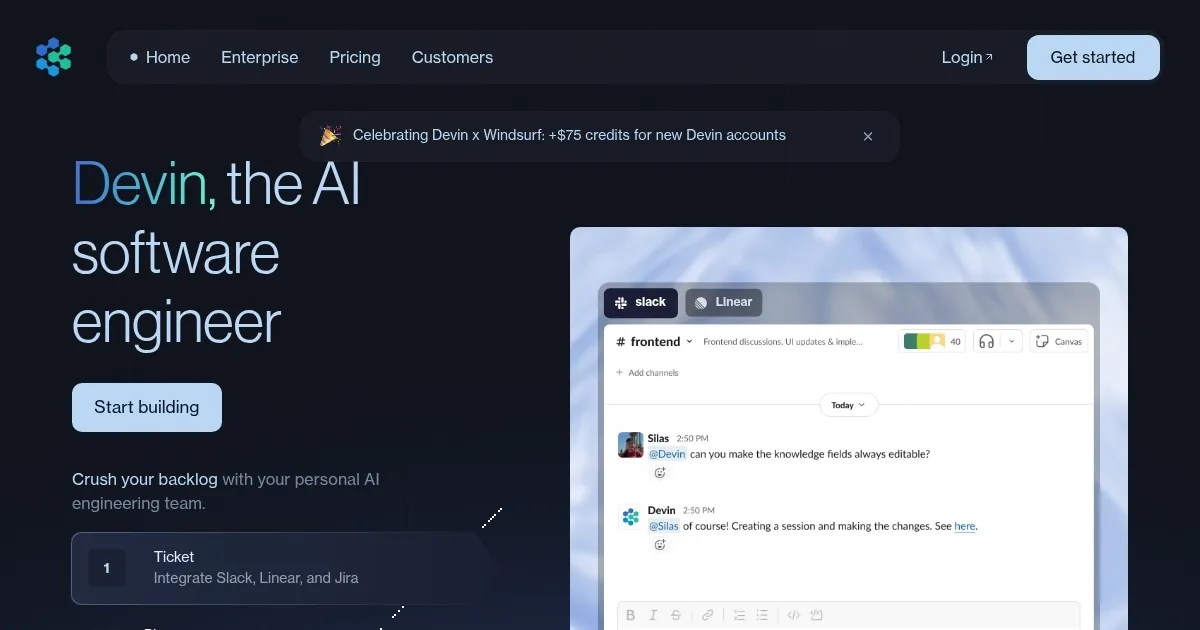
What sets Devin apart is its ability to think through projects. It creates step-by-step plans for complex tasks, like building a website or fine-tuning a machine learning model. The tool operates in a sandboxed environment with its own shell, code editor, and browser, mimicking a human developer’s workflow. For example, it can pull API documentation online, spot a bug, add a debug statement, and fix it — all without you lifting a finger. A standout feature is its real-time progress updates via Slack, where it feels like chatting with a colleague. You can nudge it with feedback, and it adjusts on the fly. Nubank’s case study, where Devin slashed migration times by 12x, shows its potential for big projects.
But it’s not flawless. Devin shines on smaller, well-defined tasks — like fixing bugs or building simple apps — but struggles with complex, open-ended projects. Researchers found it completed only three out of 20 tasks in a test, often getting stuck in technical dead ends or producing overly verbose code. Compared to competitors like GitHub Copilot or Cursor, which focus on code suggestions, Devin’s autonomy is unique but less polished. Copilot, for instance, integrates seamlessly into IDEs, while Devin’s Slack-based workflow can feel clunky for some. Pricing is another hurdle. While a new Core plan starts at $20/month, the Team plan, which offers API access, is pricier, potentially outpacing Copilot’s more affordable subscription.
The surprise? Devin’s learning curve. It improves with use, fine-tuning itself based on feedback and past tasks. It even builds its own scripts to speed up repetitive work, like Nubank’s data class migrations. But this also means early hiccups — expect some trial and error as it learns your codebase. Security is a concern too. You’ll need to be cautious with credentials, using Devin’s Secrets Manager to stay safe.
For teams, Devin’s a time-saver for grunt work, freeing you to tackle creative challenges. Start with small tasks, like bug fixes or simple scripts, to get a feel for its strengths. Break big projects into bite-sized chunks, provide clear instructions, and check its work regularly. It’s not a replacement for human engineers, but it’s a powerful teammate if you use it wisely.
Homepage Screenshot 📸
Video Overview 🎬

What are the key features? ✨
- Autonomous Task Management: Plans and executes complex coding tasks independently.
- Advanced Learning: Adapts and improves performance based on context and feedback.
- Integrated Tools: Uses a sandboxed code editor, shell, and browser for development.
- Collaboration: Provides real-time updates and accepts feedback via Slack.
- Devin Wiki: Generates and queries software documentation automatically.
Who is it for? 🤔
Examples of what you can use it for 💡
- Small Business Owner: Builds a simple website using natural language prompts.
- Junior Developer: Debugs code and suggests improvements for learning.
- Enterprise Team: Automates large-scale code migrations for efficiency.
- Freelancer: Creates and deploys apps quickly to meet client deadlines.
- Open-Source Contributor: Resolves GitHub issues autonomously.
Pros & Cons ⚖️
- Automates end-to-end coding tasks
- Learns and improves over time
- Handles multiple languages
- Struggles with complex tasks
- Pricier than some competitors
FAQs 💬
Ready to try Devin?
AI that codes, debugs, and deploys software autonomously, streamlining development tasks
Visit DevinDevin alternatives 🔗