Skip to content
logo-darklogo-darklogo-darklogo-dark
  • Tool Categories
    • 🎨Art & Creative Design505
    • 🏢Business Management644
    • 💻Coding & Development514
    • 👮Detection83
    • 🧠General Use728
    • 🏥Health & Wellness55
    • 📷Image & Photo Analysis100
    • 🖼️Image Generation & Editing618
    • 📐Interior & Architectural Design37
    • 🎓Learning & Education483
    • ⚖️Legal & Finance90
    • 🎭Lifestyle & Entertainment236
    • 📢Marketing & Advertising627
    • 🎧Music & Audio138
    • 👔Office & Workplace1,014
    • 🔬Research & Data Analysis373
    • 👥Social Media245
    • 🎥Video Generation & Editing426
    • 👧🏻Virtual Companion135
    • 🎤Voice Generation & Editing381
    • ✍️Writing & Editing808
    • All Categories
    • AI Use Cases
  • News
  • Events
    • Academic Conferences
    • Developer Conferences
    • Expos / Trade Shows
    • Industry Summits
    • Workshops / Training
    • All Events
    • Past Events
  • Saved Tools
  • Suggest a Tool
    ✕
    Home › Art & Creative Design › Design Generation› STUDIO AI
    STUDIO AI

    STUDIO AI

    Turns design ideas into live responsive websites with intuitive editing and smart suggestions

    STUDIO AI is a smart design tool made to assist web designers in creating modern, responsive websites with ease and flexibility. The tool leverages artificial intelligence to provide design suggestions and automations that adapt to different screen sizes, making the resulting web sites accessible across platforms and devices.

    Easy to use, STUDIO AI allows even those without coding skills to quickly create visually appealing websites. It offers AI-assisted design suggestions along with the ability to automatically adapt designs to fit any device (as mentioned above).

    As that tends to be the case with truly great tools, you can try STUDIO AI for free. Perhaps it will work for you, but perhaps you need some advanced capabilities a no-code solution can’t deliver.

    Nothing stops you from trying it out, as you won’t be required to pay anything to get started. So check it out and browse through all the features available to determine whether STUDIO AI can “get the job done” for you. Again, you won’t have to pay a single dime to test it out.

    Visit STUDIO AI ↗
    Categories
    🎨 Art
    🖼️ Design Generation 🖌️ Graphic Design 🧑‍🎨 Design Assistant 📱 UX Design
    🖼️ Image
    🖼️ Image Generation

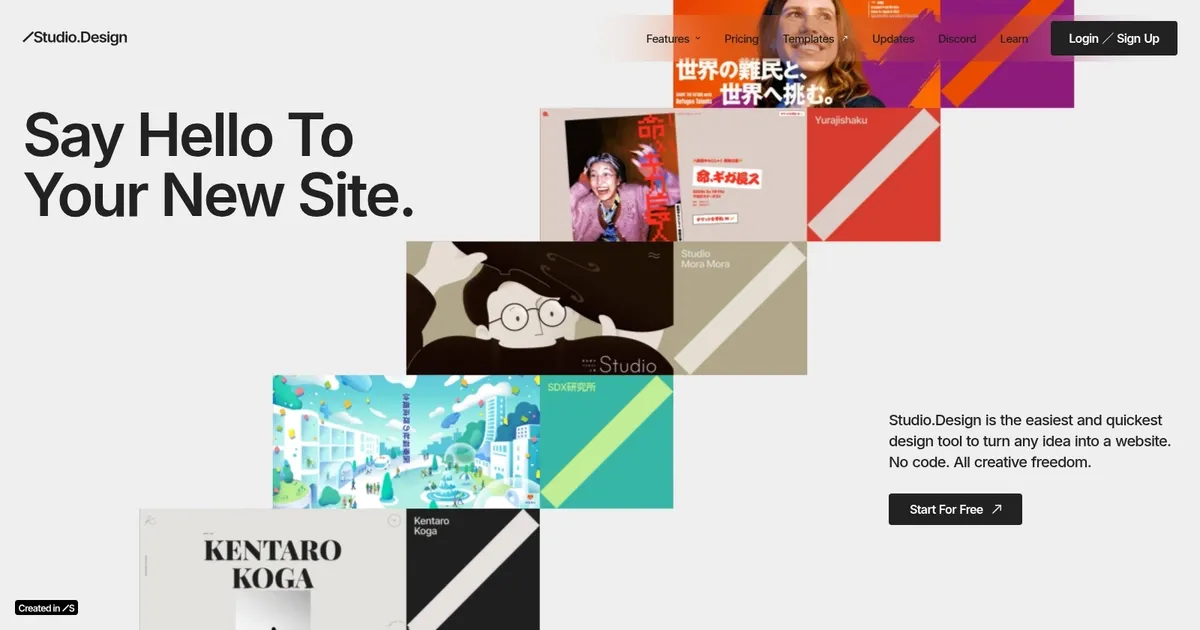
    Homepage Screenshot 📸

    STUDIO AI screenshot

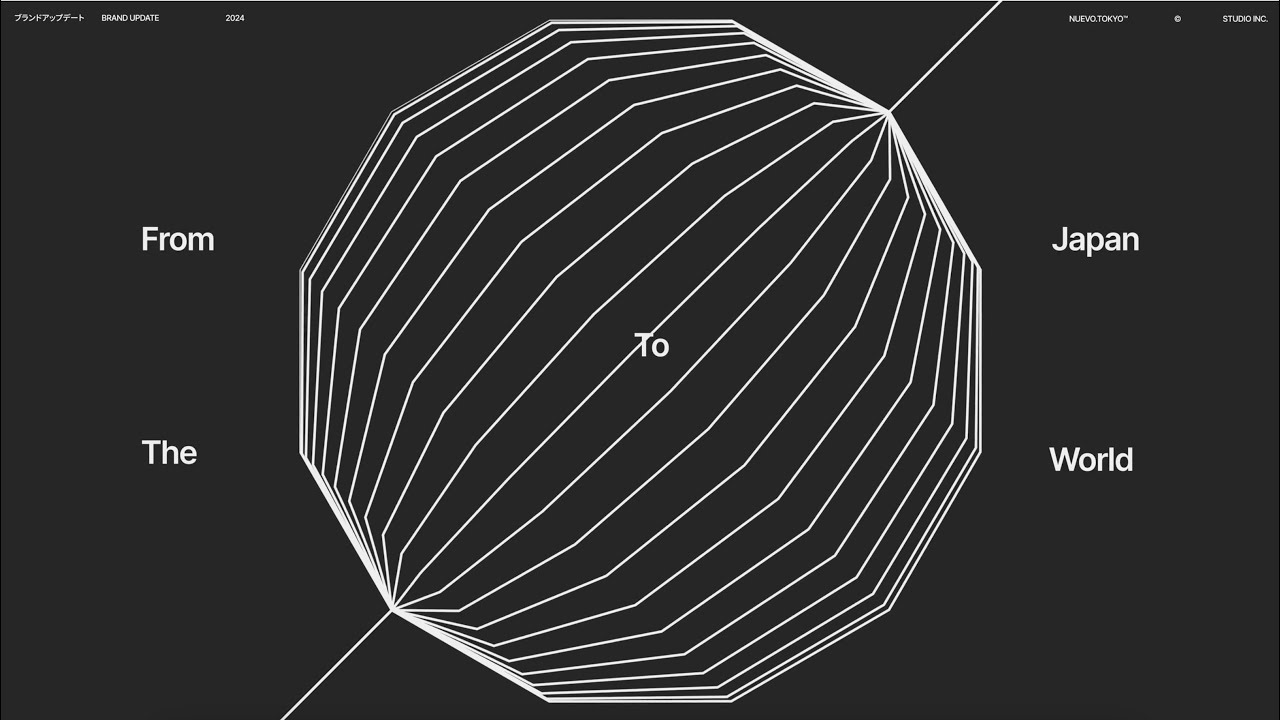
    Video Overview 🎬

    STUDIO AI - Video Overview

    What are the key features? ✨

    • Powerful Design Editor: Intuitive UI for creating pixel-perfect layouts, dynamic animations, and responsive designs without code.
    • Figma Integration: Import Figma files with automatic breakpoint generation for instant responsive adaptation and further customization.
    • AI Assistance (WebDesignAI): Understands designs, provides contextual suggestions, autocompletes tasks via voice/text, and learns from user feedback.
    • One-Click Publishing: Instantly publish sites live with built-in hosting, no server or coding required.
    • Built-in CMS & Forms: Real-time collaborative content editing plus customizable, animated forms for visitor engagement.

    Who is it for? 🤔

    STUDIO.Design works best for graphic designers, UX/UI professionals, agencies, freelancers, and students who want to build polished portfolio sites, landing pages, or simple web experiences quickly. Its ideal for anyone who values creative freedom and hates wrestling with code or complicated hosting, especially those already using Figma who need a fast path from design to live site. The AI helpers make it approachable for beginners while still offering depth for pros who want speed without sacrificing control.

    Examples of what you can use it for 💡

    • Freelance Designer: Quickly turns client mockups into live portfolio sites or landing pages with full branding and animations.
    • Agency Team: Collaborates in real-time on content and design, then publishes multiple client sites efficiently.
    • UX Student: Imports Figma school projects, adds responsiveness automatically, and publishes a personal showcase without setup hassle.
    • Small Business Owner: Builds a custom homepage or product page with forms and SEO, no developer needed.
    • Creative Professional: Experiments with Lottie animations and AI suggestions to create standout one-page sites or microsites.

    Pros & Cons ⚖️

    • Intuitive editor with creative freedom
    • Fast one-click publishing
    • Helpful AI suggestions & commands
    • Seamless Figma import
    • Limited for complex apps
    • AI suggestions sometimes miss

    FAQs 💬

    Is STUDIO.Design completely no-code?
    Yes, it requires no coding. You design visually and publish with one click.
    Does it have AI features?
    Yes, it includes AI that understands designs, offers suggestions, autocompletes tasks, and adapts responsiveness.
    Can I import from Figma?
    Absolutely. Import files and breakpoints generate automatically for responsive editing.
    How does publishing work?
    One click publishes your site live with hosting included, no server setup needed.
    Is there collaboration support?
    Yes, the built-in CMS allows real-time team editing of content.
    What kinds of sites is it best for?
    Portfolios, landing pages, personal sites, and simple business pages shine here.
    Does it support animations?
    Yes, dynamic animations and easy Lottie file imports are built in.
    How does pricing compare to competitors?
    It sits in the mid-range like Framer or Webflow, with tiers for more features and projects.
    Can I use voice commands?
    Yes, voice or text commands handle styling and multi-step tasks.
    Is it suitable for beginners?
    Yes, the intuitive interface and AI helpers make it accessible while powerful for pros.

    Ready to try STUDIO AI?

    Turns design ideas into live responsive websites with intuitive editing and smart suggestions

    Visit STUDIO AI ↗

    STUDIO AI alternatives 🔗

    1. Webstudio AI Webstudio AI Combining AI with a visual website builder to allow users to create websites more efficiently
    2. Adobe Express Adobe Express Creates on-brand content with AI-driven design and video tools
    3. Mobirise AI Website Builder Mobirise AI Website Builder An online tool that leverages AI to automate the creation of websites
    4. Canva Magic Design Canva Magic Design Generates custom, on-brand designs from text prompts or uploaded media in seconds.
    5. Wegic Wegic An AI-powered web development tool that simplifies website creation with conversational interactions
    6. MiriCanvas MiriCanvas Creates stunning designs with AI-powered templates and editing tools
    Share
    STUDIO AI screenshot enlarged
    Best AI Tools

    Discover the best AI tools for any use case

    Explore
    • Tool Categories
    • AI Use Cases
    • AI Events
    • AI News
    • Saved Tools
    Company
    • About Us
    • Contact Us
    • Media & Partnerships
    • Suggest a Tool
    Legal
    • Privacy Policy
    • Terms of Service
    Copyright © 2026 Best AI Tools 415 Mission Street, 37th Floor, San Francisco, CA 94105